

Cart is empty
Jaguar XF (X250) SDD Flat Battery Fix During Key Programming
Wednesday, March 10, 2021
Jaguar XF (X250) SDD Flat Battery Fix
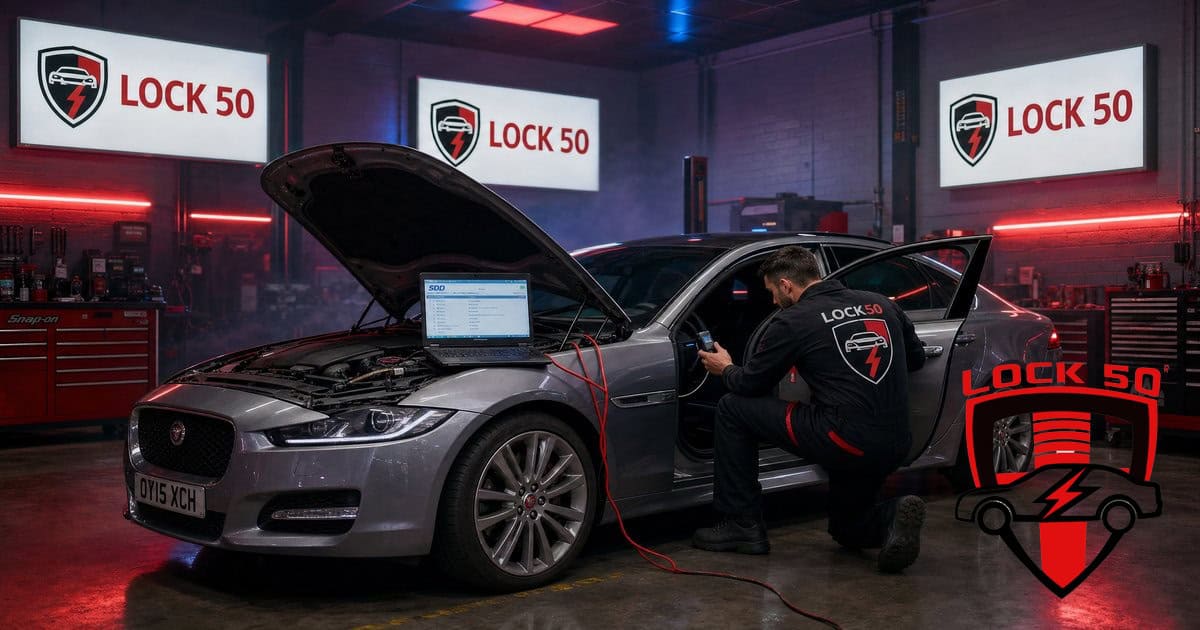
A weak 12V battery is the number-one cause of failed Jaguar XF (X250) key jobs — SDD and the modules get unstable. Here is how to avoid it and program the XF reliably with Lock50.
Watch the Lock50 Demo
More demos on the Lock50 YouTube channel.
Why the battery matters
The X250 drops modules offline on low voltage, causing SDD to fault mid-session. Always fit a stable support supply before programming.
Programming the XF
With voltage stable, the Lock50 tool adds spare or lost keys over OBD in the usual quick workflow.
Which Lock50 Tool Do You Need?
- Program the XF with the HW04-C Peace Edition.
- Occasional users can start with HW04 PAYG / HW04-A.
Frequently Asked Questions
Why does Jaguar XF key programming fail on SDD?
Usually a low 12V battery drops modules offline. Fit a stable support supply first, then program with Lock50.
Can Lock50 program a Jaguar XF X250 key?
Yes, spare and all-keys-lost over OBD once voltage is stable.
Compare the full range and choose your tool: Lock50 HW04 OBD Tools.
???? About this video
Published May 29, 2023 on the official Lock50 YouTube channel
This video demonstrates how to configure Microsoft Edge in Windows 10 to run JLR's SDD (Symptom Driven Diagnostics) software in Internet Explorer mode. A recent Windows update blocked IE, preventing SDD from launching. The tutorial shows adding 'http://localhost:8080' and 'http://localhost:8081' to Edge's IE compatibility settings, allowing SDD to function. Users are cautioned that these settings are valid for 30 days and must be re-added periodically.
What this video covers
- JLR SDD fix
- Microsoft Edge IE mode
- Windows update SDD
- Jaguar Land Rover diagnostics
- SDD not working Edge
- IE compatibility mode
- Automotive diagnostic software
- SDD troubleshooting
- Lock50 JLR tools
- SDD in Windows 10
- Localhost Edge settings
- Car key programming tools
▶ Read the full spoken transcript
Welcome to Lock 50 demo. Today we are showing how to get your SDD working again in Windows 10. After an update that prevents it from working. Go to Edge settings page. Click on default browser. Under options, select Allow a click. Click add. Add the following http://localhost:8080. Add the following http://localhost:8081. But note this only valid for 30 days and need to repeat it when expires on date shown no. Restart the Edge browser. Now start SDD. Close the message at the top when you see the e, then you know yours in IE mode. Thanks for watching.
More demos from the Lock50 channel
???? About this video
Published Apr 17, 2023 on the official Lock50 YouTube channel
This video from Lock50 demonstrates using JLR SDD software and a Bosch JLR DOIP VCI to diagnose and fix a Jaguar XF X250. The car's battery had been drained for six months, resulting in remote key and starting issues. The technician performs a VIN read, identifies key transponder and module communication errors (BCM, IPC, BBCM, Gateway), and clears DTC codes. They attempt to reprogram the BCM and RFA modules, eventually successfully updating the RFA module and resolving the issue after clearing codes and ensuring proper ignition cycles.
What this video covers
- Jaguar XF X250
- JLR SDD
- car key programming
- Bosch JLR DOIP VCI
- car battery drained
- remote key issues
- BCM programming
- RFA module programming
- DTC codes clearing
- Jaguar key fob repair
- Land Rover key programming
- car diagnostics
▶ Read the full spoken transcript
Welcome to a demo from Lock 50.
Today's problem is the X250 car battery was drained in. Car was not started for six months and the battery depleted.
We are using the JLR SDD programme with a Bosch JLR DOIP VCI.
This part can take a few minutes and be sure to have battery support connected. If you don't have Battery support unit, then use a vehicle running with jump leads connected.
We start by auto vin and wait for module info to be read from the vehicle.
If at this stage, the Vin was not reading automatically, then it's required to enter the Vin number manually to proceed.
Now, let's start with diagnosis and tell the software some symptoms so we can get advice back as to locate the issue.
Most common issue is the remotes will not work and the vehicle does not start. We will go to the body option and select the security and unlocking options.
Now select the antitheft system options and then passive antitheft and give it some symptoms to tell the SDD where the problem is so it can offer you a solution.
We can see the BCM has a key transponder issue and looks like main culprit.
Scroll down and see the IPC and BBCM and gateway modules have some errors.
First things to do is clear all DTC codes and this will remove the ones that can be cleared. And then we will be left with the ones that need to be solved.
Clock in recommendation tab at the top. And now scroll down to when click on delete DTC codes options.
Be sure to follow on screen ignition cycles.
Now click DTC in the menu at the top and you can see list of the DTC codes for modules that need attention.
Now we want to go back to the session option and click rerun to update the new status of the modules or the DTC codeclear operation.
Now we will see the which module still shows the I. That means DTC. Error codes still remain and then we'll investigate these further. Now.
The BCM has no vin and no calibration data and looks like the main cause here.
Here we will go to the service options and attempt to reprogram the BCM to match up with the keyless system again.
Just checking all modules and Vin numbers to make sure the RFA has a Vin stored in it. And what the module part number is in this vehicle.
It will look for the right soft on server and advice if can update it.
Now let's try to programme the RFA as a new one and programme keys back in as quick fix. But it needs BCM and ReFa programming for full fix. When asked if new module, press yes and use same module as in the car. Again, follow prompts on screen to follow on off cycles.
Some issue here. Incomplete.
How go to extras and try update BCM. It will look for the right soft on server and advice if can update it.
But says this module already on latest level and will not update it, but will fix it to comms again with RFA.
Once done, we want to cheque the current one key that came with the car to see if it starts working, and then add another key in the car for the client as backup. From the service menu, click Continue.
All done and programmed. The update in Rafa complete the operation after clearing the DTC codes.
One code was left. Let's cheque it. Rerun the module's data collection.
Now only one this is left and the software in the KVM is not up to date. And we need supply more symptoms to get the update option in the extra menu.
Even still Vin is not fixed. Then contact us for another solution to get right Vin in the module.
For the fix we used SDD with Bosch deut VCI as pass through. We sell all tools related to JLR keys and BCM programming and offer remote support services.
More video demo coming of. Same problem for Land Rover L494 where BCM is required to be programmed back in with keys after low battery issues.
Thanks for watching. Bye for now.
Today's problem is the X250 car battery was drained in. Car was not started for six months and the battery depleted.
We are using the JLR SDD programme with a Bosch JLR DOIP VCI.
This part can take a few minutes and be sure to have battery support connected. If you don't have Battery support unit, then use a vehicle running with jump leads connected.
We start by auto vin and wait for module info to be read from the vehicle.
If at this stage, the Vin was not reading automatically, then it's required to enter the Vin number manually to proceed.
Now, let's start with diagnosis and tell the software some symptoms so we can get advice back as to locate the issue.
Most common issue is the remotes will not work and the vehicle does not start. We will go to the body option and select the security and unlocking options.
Now select the antitheft system options and then passive antitheft and give it some symptoms to tell the SDD where the problem is so it can offer you a solution.
We can see the BCM has a key transponder issue and looks like main culprit.
Scroll down and see the IPC and BBCM and gateway modules have some errors.
First things to do is clear all DTC codes and this will remove the ones that can be cleared. And then we will be left with the ones that need to be solved.
Clock in recommendation tab at the top. And now scroll down to when click on delete DTC codes options.
Be sure to follow on screen ignition cycles.
Now click DTC in the menu at the top and you can see list of the DTC codes for modules that need attention.
Now we want to go back to the session option and click rerun to update the new status of the modules or the DTC codeclear operation.
Now we will see the which module still shows the I. That means DTC. Error codes still remain and then we'll investigate these further. Now.
The BCM has no vin and no calibration data and looks like the main cause here.
Here we will go to the service options and attempt to reprogram the BCM to match up with the keyless system again.
Just checking all modules and Vin numbers to make sure the RFA has a Vin stored in it. And what the module part number is in this vehicle.
It will look for the right soft on server and advice if can update it.
Now let's try to programme the RFA as a new one and programme keys back in as quick fix. But it needs BCM and ReFa programming for full fix. When asked if new module, press yes and use same module as in the car. Again, follow prompts on screen to follow on off cycles.
Some issue here. Incomplete.
How go to extras and try update BCM. It will look for the right soft on server and advice if can update it.
But says this module already on latest level and will not update it, but will fix it to comms again with RFA.
Once done, we want to cheque the current one key that came with the car to see if it starts working, and then add another key in the car for the client as backup. From the service menu, click Continue.
All done and programmed. The update in Rafa complete the operation after clearing the DTC codes.
One code was left. Let's cheque it. Rerun the module's data collection.
Now only one this is left and the software in the KVM is not up to date. And we need supply more symptoms to get the update option in the extra menu.
Even still Vin is not fixed. Then contact us for another solution to get right Vin in the module.
For the fix we used SDD with Bosch deut VCI as pass through. We sell all tools related to JLR keys and BCM programming and offer remote support services.
More video demo coming of. Same problem for Land Rover L494 where BCM is required to be programmed back in with keys after low battery issues.
Thanks for watching. Bye for now.
