
Cart is empty
JLR Key Programming in the USA — Range Rover & Jaguar
Tuesday, October 15, 2024
JLR Key Programming in the USA
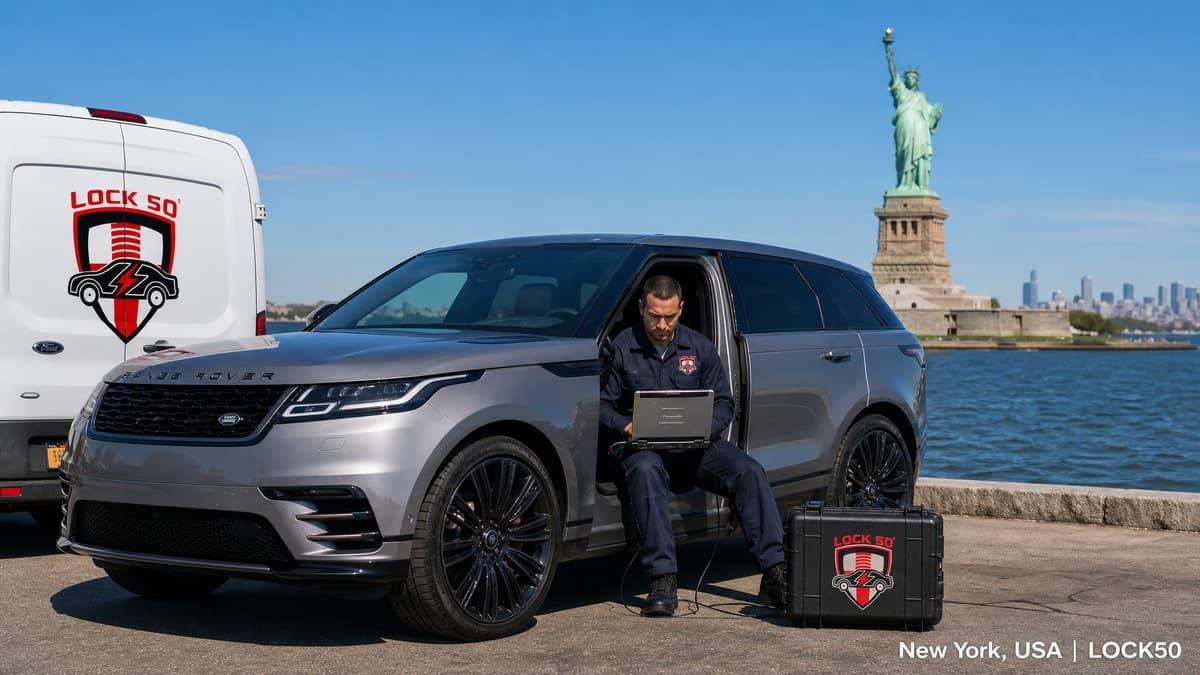
Locksmiths across the USA — from New York to Los Angeles, Miami to Dallas — use Lock50 to program Jaguar and Land Rover keys without dealer login. Lock50 handles spare keys, all keys lost and locked-RFA jobs on 2010–2024 vehicles over OBD.
Watch the Lock50 Demo
More demos on the Lock50 YouTube channel.
Coverage for US-market JLR
Lock50 supports all US-market Jaguar and Land Rover vehicles, including the latest UWB Range Rover, Sport and Defender.
Why US locksmiths choose Lock50
No dealer login, OBD only (no module removal), latest UWB support, and lifetime options with no subscriptions.
Which Lock50 Tool Do You Need?
- For the newest UWB models, use the HW04-C+ Tool Kit.
- For broad 2010–2024 coverage choose the HW04-C Peace Edition.
Frequently Asked Questions
Can I program a Range Rover key in the USA without the dealer?
Yes. Lock50 HW04 tools program Range Rover and Jaguar keys over OBD without dealer login anywhere in the USA.
Does Lock50 support US-market UWB Range Rovers?
Yes, the HW04-C+ supports UWB models including locked RFA.
Compare the full range and choose your tool: Lock50 HW04 OBD Tools.
???? About this video
Published Nov 24, 2023 on the official Lock50 YouTube channel
This Lock50 video demonstrates programming new keys for a 2023 Land Rover Defender using their JLR Key Tool software and 01/04 hardware. The process involves connecting the compact OBD tool, scanning vehicle modules (RFA, BCM), and performing immobilizer routines like checking and deleting all keys. Three new OEM keys are programmed in under two minutes, including remote functionality, proximity access, and emergency start without a battery, showcasing the tool's comprehensive capabilities on a fully updated vehicle with advanced security.
What this video covers
- Land Rover Defender key programming
- 2023 Defender key fob
- Lock50 JLR Key Tool
- Land Rover immobilizer programming
- Defender smart key add
- JLR key deletion
- OBD key programmer
- Land Rover security bypass
- Defender UWB antenna test
- Emergency start key programming
- Lock50 key programming software
- Land Rover remote key function
▶ Read the full spoken transcript
So Sean, I heard we're testing out the new 2023 Land Rover Defender. What are we doing today? Hey Liana, how are you? I'm great. We're demoing the our new our new and latest hardware and software. Okay. So, I'll just present everything. We have our Lock50 Hardware Zero One, which is our original Lock50. Okay. And then we have our 04 hardware. Oh, this is the new. This is the new hardware. The OBD, huh? Right there, look at the size. Wow, that's it. So compact. So now it just plugs into the OBD, right? right over here. Yes. Correct. It connects on one side. It connects USB to the computer and then it runs through and connects OBD to the car. Okay. And now we're working on the new style keys today. Correct. The Land Rover Defender 2023. All right, now what do we got going? So, this vehicle is notorious for having the latest and and greatest security. This vehicle is completely updated. All the modules are updated to the latest version. Okay. Um, one quick mention. This is a prototype. Our our Our mass production product will have our logos and information, of course, so Okay. So we're getting We're getting our first first peak. Yes. Absolutely. First Peak. We're just finished testing and I'd love I'm very excited to show you guys everything. So Okay, so what to do? With no further ado, we'll get the software open. This is the new software. As soon as we open it up, you can see that it communicates to both devices. If I unplug one of them, you can see that it mentions the device is disconnected. As soon as I plug it in, it goes right against the server, tests both serial numbers. Every piece has a serial number. And then we're going to go ahead and launch our software. From here, we're going to go into the diagnostic utilities. Okay. And we're going to scan the vehicle. Great. This will run a module scan on the vehicle. You can see it running through BCM, RFA and et cetera. Over here, we're not going to go into each and individual module, but you can see that you have the the remote function actuator, the RFA, the BCM, the gateway, the cluster, and et cetera. You can go into each individual You can see that you have functions here, but this is for another video. Now, that's that's a lot of information or um capabilities that the original dealer tool would have, isn't it? Absolutely. Yes. And over here on the main screen, once we went into utilities, you can see information about our security system. It let us know that the remote function band, which is the frequency, is 315 MHz and it let us know if it's disabled, armed, and et cetera. We can see that we have one key in the system, and this is the only key that's programmed right now. Wait, which one? I'm sorry. This is the only key that's programmed. Out of the three, this is the only key that's programmed. You can see that it reacts to the car and then no reaction. And no reaction, no response. Okay, what we're going to do first, I want to show you guys our immobilizations routine. And this will let us test for all working keys in the vehicle. It counts again, so you can see that there is one key programmed and one key found. And this is a very important test for theft recovery vehicles. This test all the antennas in the vehicle, the passive, the UWB, and et cetera. All antennas are connected and properly working. After that, we're going to have the UWB, the ultra wideband antenna status. So, we're running this software just take a second. So we can see that we have the front and the rear. So this is in the mirror and this is right under the the headline in the back and they both are running with no issue. What we're going to do next, we're going to delete all our keys. And it's not something you have to do. I'm just showing everything. You can add a key, you can delete keys, and et cetera. Yeah, because if we already have a key, there's no really point of deleting. Correct. And we have it in hand, so it's not lost or anything. But we would like to show from no keys on the system. So I'm going to go ahead and delete the keys. Okay. And now we can see that there is zero keys. If you guys remember, the key with the ring is the one that was programmed and now it's not doing anything. Okay. And you can see all three are the same. No reaction, no response. And then now we are going to go ahead and test the UWB antenna, which should be a negative situation, in a negative position. We should get an orange message in a moment. Then we will also show how to correct it. So you can see that it's incompatible uh software version. What we're going to do is we're going to pair our antennas. And this is how fast everything is happening. And now I would like to turn on the the the stopwatch and show you guys how long it takes to add three keys to the vehicle. Okay. I'm going to go ahead and start it. I'm going to go ahead and click Add Additional Key. Here, the software is asking me to place a key on hardware 01. Okay. I'm going to go ahead and click OK. It reads the key ID. You can see the key ID. The next step is to put the key on the passenger side. Okay. One very important piece of information. There's no need to press the buttons. We all know that it is so hard to press the buttons and if they work or doesn't work. And with me talking within 30 seconds. I have a key that's programmed. Here it is. And No way! We're going to go ahead and continue with programming. We'll show the next key. I'm just going to place it on here. I'm going to add the next key now. What do we just click on? Sorry, I missed that. Add Additional Key. Okay. And then I put the key on the plate before that. It reads the ID. My next instruction is to put the key on the passenger side. See? Wow, we're still under a minute. And this is the second key. We can do it faster. We're taking our time. Right? Okay. Second key is programmed. So now we have two reacting keys. That's one and that's two. Wow. Go for a third key. We're going to hit add additional keys. Okay. Reading the ID, placing the third key on the seat. And these are OEM keys. Nothing special about them. They're used keys. You can see I'm deleting and adding them, so they are used. And our third key is programmed. And then I want to show you guys that the car starts. Here we go. Oh, wow. Here we go. Amazing. Emergency start. No battery. We have proximity start, remote functionality. So these are fully functioning remotes. This is like dealer dealer keys. 100%. Here we go. We can step outside. Okay. We can go ahead and unlock it with with proximity. So you can see the mirrors are folding in. On the Defenders, a lot of people not sure if you put the key, the hand inside when you hold the key, it doesn't open. It's locked. You have to put the hand in, press the button and then it opens. Got it. So we have remote functionality. We have proximity inside and outside the vehicle. We have emergency start. All antennas are working. Extremely important. We all know that all other programmers, whatever is available between safe or not safe, not even talking about that, must turn off ultra bend antenna, which is the UWB. You guys all see the messages. You can see all antennas are on. Everything is working. Thank you very For any information, please contact Eliana. We are taking pre-orders and once we have production in mass production, then we'll take regular orders. Thank you very Oh, Sean, can you share my phone number? Absolutely. Ahead, it is 949 9909000. Thank you.
