
Cart is empty





Please sign in so that we can notify you about a reply
Choose the right key — keep the car working as intended
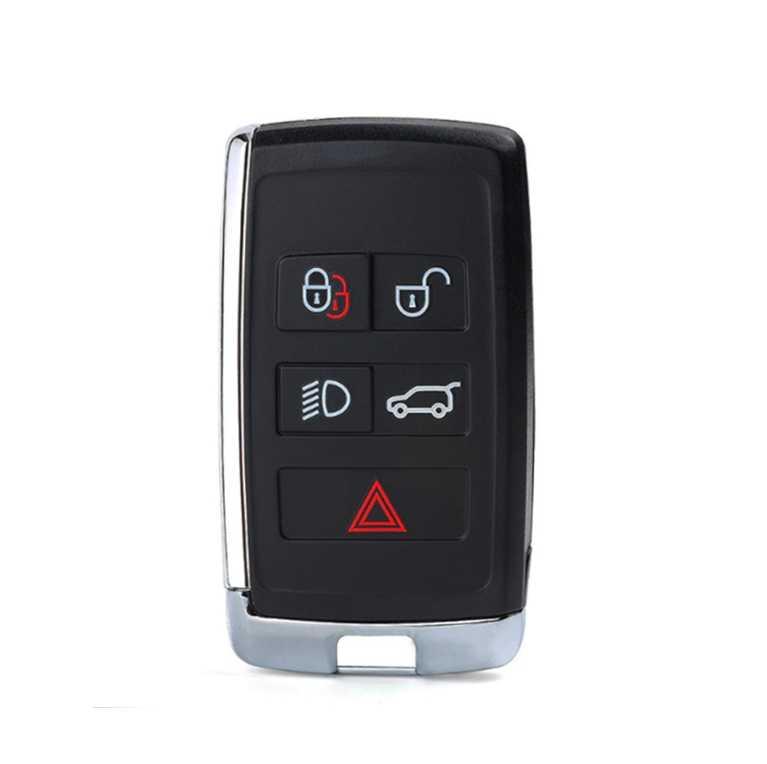
Fixed-ID, Change-ID and UWB variants differ.
Best choice: match the functions of the key the car was designed to use. SW25 also works with a locked RFA and is applied automatically when a car key is copied using SW36. SW36 is the default copying route for users. SW25 does not change GWM CCF or remove key functions. Choose the correct compatible key to retain the car’s original functions; cheaper keys may have different capabilities.
| Choice | GWM configuration | Key functions | Recommendation |
|---|---|---|---|
| SW36 — supported locked system / locked GWM | A locked GWM cannot be CCF-edited. Leave its configuration alone. | Copy from the supported locked system onto the correct compatible copy key/part number with the capabilities the car originally uses, to retain the customer’s original functions. | Default copying route for users, including supported locked-RFA systems. SW25 is applied automatically during SW36 key copying. Match frequency, compatible part number and copy-key capability to retain original functions. |
| SW25 + the correct key for the car | Unchanged. SW25 does not edit GWM CCF. | SW25 itself removes no key functions. Match the original key capability, frequency and supported programming route to retain original operation. | Works with a locked RFA too; automatically applied when copying a key through SW36. No separate SW25 step is needed in that copying workflow. Keep GWM CCF unchanged and select the right compatible key. |
| HW13 / HW14 copied keys on a CTO-required car | Leave GWM UWB enabled. | HW13/HW14 are SW36 copying keys, not learning keys. On compatible cars, fob locking/unlocking, door-handle locking/unlocking and keyless start work. Where the car supports automatic approach-unlock/walk-away-lock, those automatic functions are not provided by these keys. | Explain the automatic-function limitation before handover; SW25 does not remove those functions. Check Keys detection and SW30 eligibility must be checked separately for the vehicle and route. Do not assume that working entry/start, or detection alone, qualifies a key-learning operation. |
| HW27 / HW28 OEM CTO; HW29 / HW30 CTO Change-ID | Keep the required original configuration enabled. | Compatible CTO keys provide original-like entry, start and exit functions, including equipped and enabled automatic locking/unlocking. OEM keys are learned; Change-ID keys use the supported copying route. | Match what the car originally uses. A compatible CTO Change-ID key may provide a later key-to-key upgrade; confirm the exact supported copy route first. |
| HW17 / HW18 lower-cost keys | Do not switch off GWM UWB merely because the key is cheaper. | Keyless entry/start on supported routes; no automatic approach/walk-away functions. Compatibility and learning prerequisites still apply. | An option when it matches the car and the required functions, not a universal substitute for CTO keys. |
| HW15 / HW16 and HW19 / HW20 OEM PSFOB | Match the vehicle and supported route. | Keyless start; press the key-fob buttons to lock/unlock the doors. Not equivalent to a key with the car’s full passive-entry/automatic functions. | Use where this is the appropriate original-type functionality or the customer knowingly accepts the difference. |
| SW24 — switch off UWB in GWM CCF | Changes vehicle configuration; unavailable while the GWM is locked. | Switching off UWB changes the vehicle configuration and removes fitted/enabled automatic approach-unlock and walk-away-lock functions for original and new keys. It is not required to restore HW13/HW14 handle locking on compatible cars. CTO keys cannot restore automatic functions while the vehicle setting is off. | Last resort when no suitable practical option remains. Do not sacrifice original functions simply to save on keys. Explain the loss and obtain the customer’s agreement before editing. |
Before handover: check fob unlock, handle-button unlock, keyless start, fob lock, handle-button lock and equipped automatic functions separately. Working entry/start does not prove Check Keys detection or SW30 eligibility. Neither SW24 nor SW25 is a claim to unlock a locked BCM.
Read the key technology and key-choice guide and follow the linked product’s supported vehicle and programming requirements.
What SW24 does
- Makes a backup of the current CCF from the GWM and reads it over OBD.
- Downloads the As-Built or As-Is files from the server.
- Lets you edit / modify and write the CCF back to the GWM modules (2017 to 2025+).
When you use it
- When the car you are working on has damaged CCF data in the gateway (GWM) module and is throwing errors.
- When you want to do retrofits — modify the CCF and write it back with Lock50 in minutes.
Workflow. With a supported unlocked GWM, preserve the original backup, download the correct vehicle’s As-Built files or use its existing backup, make only the required CCF changes, then write the file back to the GWM using the supported Lock50 operation.
When preparing for GWM/BCM VIN matching: load the target car’s As-Built into the GWM first. Then use the appropriate module-programming function’s Change VIN command to make supported modules match the GWM VIN. Nearly all supported virgin modules can receive a VIN; most used modules allow overwriting, but not all. Existing VINs in PCM, ABS and locked modules cannot be changed; other module-specific restrictions still apply. SW24 loads the configuration; it is not itself the separate Change VIN operation.
Cables you use
- HW03-D dual-CAN OBD cable or the HW03-E Ethernet-to-OBD (DoIP) cable (HW04-B / HW04-C can use either).
Hardware, cars and years
- Runs on HW04 — packages B and C.
- Cars: Jaguar and Land Rover 2017 to 2025+.
Related Lock50 functions
| Function | What it does & when you need it |
|---|---|
| SW23 | Topix Cloud vehicles 2021–2024+ — module & VIN programming. |
| SW22 | Pathfinder vehicles 2017–2021 — module & VIN programming. |
| SW37 | DoIP programming & diagnostics via ENET, 2017–2024+. |
| SW20 | Read & clear diagnostic trouble codes (DTC) over OBD. |
Official Guide
Lock50 Points & Token FAQ — Single Source of Truth
View the comprehensive Master Token Price Matrix across all HW04 tiers (PAYG, A, B, C, C+), the 5 Golden Rules for free vs. token programming, and module hardware guides.
CCF editing software — guide and video demonstration
The vehicle's Car Configuration File (CCF), also referred to as the Central Configuration File, stores configuration settings used by its modules. SW24 provides the supported Lock50 workflow for backing up, editing and writing the CCF to the GWM gateway.

Software, activation and connection
Use the Lock50 JLR Key Tool software with the appropriate HW04 package, active CCF Editor function and vehicle-compatible connection. The reference page lists CCF editing on HW04-B, HW04-C and HW04-C+. The manual notes that the editor must be activated before use; confirm activation for your device rather than assuming the menu alone grants access.
For the SW24 workflow, use the supported HW03-D dual-CAN OBD cable or HW03-E Ethernet-to-OBD (DoIP) connection as appropriate to the vehicle. The existing SW24 instructions describe supported JLR 2017–2025+ applications; check the exact vehicle, software version and operation before starting. Server downloads depend on file availability for that vehicle.
SW24 — Lock50 backup, edit and GWM write function · HW134 — separate CCF Editor software for SDD, Pathfinder and TOPIx Cloud workflows. These are separate listings; this video demonstrates the Lock50 editor, not a guarantee of identical menus or licensing in other software.
Backup → edit → write
- Identify the vehicle and confirm the correct VIN, supported connection and software activation. Keep the hardware connections secure and follow the software's connection and internet requirements.
- In Diagnostics Utilities → CCF Utilities, use Backup CCF from Vehicles to save the current configuration. Keep the original unchanged.
- Where required and supported, use Download CCF from Server for the vehicle's available As-Built / As-Is file. Keep downloaded files separate from the vehicle backup.
- Open the appropriate CCF in the editor, review the parameter names and values against that vehicle's configuration, make only the intended changes and save a separate edited copy.
- Use the supported Load CCF to Vehicles / SW24 write operation to write the edited file back to the GWM. Follow the application's instructions and do not interrupt the write.
- After completion, read and review diagnostic faults and confirm the intended configuration and vehicle operation. Retain the original backup and edited file for traceability; use the supported restore procedure if needed.
CCF Editor video demo
Watch the CCF Editor demo on YouTube · Full CCF editing reference and demonstration
Before changing configuration
CCF editing is for experienced technicians. Incorrect settings can cause module communication errors, lost vehicle functions, dashboard warnings or vehicle immobilisation. Always retain the original configuration and check vehicle-specific compatibility. A CCF edit does not replace a module's separate programming or commissioning procedure.
JLR Tools
