

Cart is empty
Lock50 Blog
Friday, November 7, 2014
Lock50 at the ALOA Locksmiths Show and Highlight of Winners
Wednesday, July 1, 2026
ALOA 2026 recap 
Demos, conversations, giveaways, new Lock50 owners, and a lot of Jaguar/ Land Rover key programming talk.
Thank you to everyone who stopped by Booth 116, watched a demo, asked questions, entered the challenge, or supported Lock50 USA this week.
This is just the beginning. More tools, more training, and more high-level jobs for locksmiths nationwide.
Everybody’s asking about the new HW04-C+ Package.
For good reason.
This is the highest-level Lock50 configuration we’ve released for modern Jaguar & Land Rover workflows.
Locked RFAs. EVA2 capability. Advanced platform coverage. Expanded field control.
Built for locksmiths who want the fewest limitations possible.
The C+ Package was designed for the shops and technicians pushing into the newest JLR platforms — especially 2024–2026 vehicles and theft recovery scenarios.
More capability. More control. Less compromise.
This is not an entry-level setup.
Related guides
Lock50 HW04-C Offer Limited Time Double Keys 5 to 10 & 2 Years included free updates and Subscription
Monday, June 29, 2026


Lock50 SW39 Supports reset of IPCB (Instrument Panel Cluster B) belonging to the latest generation of Jaguar Land Rover vehicles.
Sunday, January 11, 2026
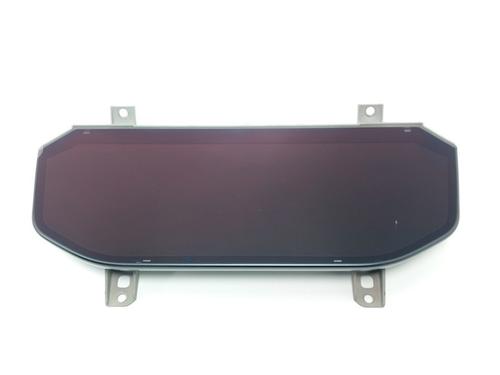
The code R8E2-10F948 -XX is an engineering part number for an IPCB (Instrument Panel Cluster B) belonging to the latest generation of Jaguar Land Rover vehicles.
Specifically, this part is used in the New Range Rover Sport (L461) and the New Range Rover (L460), typically for the 2023–2026 model years.
Engineering Part Number Breakdown
- R8E2: This prefix identifies the specific platform and revision. The "R" series typically denotes parts associated with the newest MLA (Modular Longitudinal Architecture) used in the L460/L461.
- 10F948: This is the base engineering code for a "Full Digital Virtual Instrument Cluster." (In older models, this was 10849; the 10F948 designation is for the high-definition "curved" or bezel-less displays found in the newest models).
- XX: This suffix refers to the specific software/hardware build level (e.g., LHD/RHD, region, or HUD compatibility).
Technical Details for this IPCB
| Attribute | Specification |
| Model Compatibility | Range Rover (L460) & Range Rover Sport (L461) |
| Years | 2022, 2023, 2024, 2025, 2026 |
| Architecture | EVA 2.0 (Newest JLR Architecture) |
| Communication | DoIP (High-speed Ethernet) |
| Diagnostic Tool | TOPIx Cloud (Requires active cloud connection) or Lock50 HW04+ SW39 |
Important Replacement Note
Because this unit is from the EVA 2.0 architecture, it is significantly more restricted than previous versions:
- Cloud-Only Programming: Unlike the older 2017–2021 clusters that could be programmed with offline versions of Pathfinder, this unit must be programmed using JLR's TOPIx Cloud.
- Strict Security: These clusters are paired to the vehicle's "Gateway" and Security Module. If you are buying a used unit with this part number, ensure you have a specialist who can "virginize" the EEPROM/Processor, as standard JLR dealer software will block the installation of a used cluster.
- Lock50 + Sw39 Module support making clusters in virgin state in 1 click via OBD
EVA 2.0 (Electrical Vehicle Architecture 2.0) is the "digital brain" or spine of all modern Jaguar Land Rover vehicles produced from roughly 2020/2021 onwards.
Think of it as the jump from a flip phone to a modern smartphone. While older JLR cars had multiple separate computers that barely talked to each other, EVA 2.0 unifies the car into a high-speed, always-connected network.
1. What makes EVA 2.0 different?
In previous JLR generations (like EVA 1.5 found in the 2017–2019 Range Rover), the car used traditional "CAN-bus" wiring, which is slow and limited. EVA 2.0 features:
- Automotive Ethernet: The car uses high-speed fiber-optic style data transfer. This is why the IPCB (your instrument cluster) can show complex 3D Google Maps and high-res video without lagging.
- SOTA (Software Over-The-Air): Like a Tesla or an iPhone, an EVA 2.0 car can update almost every module (engine, brakes, infotainment) via Wi-Fi or its built-in 4G/5G dual-sims while it's parked in your driveway.
- Pivi Pro Infotainment: EVA 2.0 is the foundation for the Pivi Pro system. It has its own dedicated power source, so the screens turn on instantly when you open the door, rather than waiting for the car to "boot up."
2. Which Models use EVA 2.0?
If your car has the newer Pivi Pro (usually a curved glass screen) rather than the older Touch Pro Duo (dual screens), it is an EVA 2.0 car.
- New Defender (L663): 2020–Current
- New Range Rover (L460): 2022–Current
- New Range Rover Sport (L461): 2023–Current
- Discovery 5 / Discovery Sport: 2021 Facelift onwards
- Jaguar F-Pace / XF / XE: 2021 Facelift onwards
- Range Rover Velar: 2021 Facelift onwards
3. Why does this matter for your Part Number?
Because of EVA 2.0, your part number (R8E2-10F948-LB) is part of a very locked-down ecosystem.
- Cloud-Linkage: In the old days, a mechanic could use a laptop to tell a car "you have a new dashboard." In EVA 2.0, the car must "call home" to JLR's servers in the UK to authorize the part.
- Unmatched Security: The cluster is cryptographically paired to the vehicle's Gateway. If the security keys don't match (which happens if you swap a used part), the car will often enter a "No Start" condition or "Transport Mode" to prevent theft.
Comparison at a Glance
| Feature | EVA 1.5 (Old) | EVA 2.0 (New) |
| Infotainment | Touch Pro / Duo | Pivi Pro |
| Updates | Dealer Only (mostly) | Over-the-Air (SOTA) |
| Networking | CAN-Bus | High-Speed Ethernet |
| Programming Tool | Pathfinder | TOPIx Cloud or Lock50 |
Related guides
Next Lock50 Update for B & C users Free OBD Scan 2024-2025 L461 L462 L663 & RFA update without asbuild/IVS
Sunday, November 30, 2025
CCF editor within Lock50 Went Live in Last Update
For next update Coming Next Week 1.4.50 OBD Scan 2024-2025 L461 L462 L663 & RFA update without asbuild/IVS
This Means faster programming New RFA as you dont need any asbuild files to be able to program a New RFA for Models like
L461 L462 L663 2024-2025
Already we have multiple ways to make keys in the JLR EVA2 that have the PIVI Pro infotainment systems but now you can also erase keys after new RFA Change for Latest 24+ Models.
1 HW04-C Copy key from Locked RFA on to Lock50 HW13/14 Keys uing HW03C Cable Conencted to RFA
2 HW04-A B or C Add Key OBD if you Active Service Mode from clients App
3 HW04-A B or C Add Key 3 OBD when you have 2 working keys
4 HW04-C+ Unlock RFA required to Erase Keys from System
5 HW04-B or C Swap to new RFA and Flash then adapt when BCM is locked without touching BCM
2021-2025 L461 L462 L663
This lets all users program new RFA if they need to erase keys and dont have the RFA Unlock Option SW40 yet to still get the Job Done in Minutes
Related guides
Updated SW24 Lock50 HW04-B & C OBD Tool JLR CCF Editor As built Flashing Programming to GWM
Friday, October 24, 2025

SW24 Lock50 HW04-B & C OBD Tool JLR 2006 to 2024+ CCF Editor As built Flashing Programming to GWM
Soon will Add support for 2006 to 2017 Models also but for now we use the SDD Application for those.
1 Make a Backup of the current CCF file from the GWM and read Via OBD
2 Download As Built or Asis Files from the Server.
3 Modify Edit & Write the CCF file to the GWM Modules. 2017 to 2025 +
When the Car your working has damaged CCF Data in the Gateway GWM Module and has errors or you Want to Do retrofits and Modify CCF with Lock50 and Write Back with Lock50 in Minutes.
Then you can Download the As-built Files or Backup from current Car and Edit and Modify inside Lock50 and flash back the GWM Module SW24 in the Lock50 JLR Key tools software.
???? About this video
Published Jan 21, 2026 on the official Lock50 YouTube channel
The video demonstrates using the Lock50 HW04 JLR Key Tool (software version 1.4.8.0) to edit a Central Configuration File (CCF) for a 2022 Land Rover Discovery / L462. It scans the vehicle via OBD-II, downloads the CCF, and utilizes the CCF Editor to modify settings. Specific modifications include disabling telematics protection, enabling video display while driving, and adjusting key fob and audio branding parameters. The tool then uploads the updated CCF to the vehicle's GWM module, showcasing comprehensive vehicle configuration capabilities.
What this video covers
- Lock50 JLR Key Tool
- CCF editing Land Rover
- Jaguar key programming
- Range Rover key programming
- Land Rover Discovery L462
- JLR diagnostics tool
- Vehicle configuration file
- Telematics protection disable
- Video in motion unlock
- OBDII key programming
- Land Rover ECU programming
- JLR security access
▶ Read the full spoken transcript
Welcome to a Demo to CCF Editing Lock50 HW04 JLR Key tools. The JLR Key Tool 1.4.8.0 software is shown. A Network Integrity Test initiates, connecting to the vehicle via an OBDII cable and searching various modules like AAM, ATCM, BCM, RFA, and TCM. The tool identifies the vehicle as a 2022 Land Rover Discovery / L462 with a 3.0L Diesel engine. The user navigates to CCF Utilities, downloads the 'As-Built' CCF file, and then opens it in the CCF Editor. The video highlights modifications to 'Telematics 1' (set to 'TCU not fitted'), 'Telematics Protection' (set to 'Not supported'), and 'Telematics 2' (set to 'No Feature Fitted (No TCU)'). After saving the modified CCF, it is uploaded to the vehicle's GWM module. The PEPS System configuration then reflects 'Telematic Protection... Not Supported'. Further edits are demonstrated for 'Safety Belt Reminder', 'Brand', 'Traffic Information', 'Heated Steering Wheel', 'Audio Brand', and 'Video Display Inhibit' (changed to 'Always allow video'). The user also browses 'Key Fob Technology' and 'VIN13' parameters.
Related guides
Check how many copies done for Lock50 HW13/HW14 HW05/HW06 keys in Latest update and if key is valid when Read the Keys
Thursday, October 16, 2025

Check how many copies done for Lock50 HW13/HW14 HW05/HW06 keys in Latest update and if key is valid when Read the Keys

Related guides
AKL Land Rover Discovery in France by Gentleman Prog
Monday, August 11, 2025
AKL Land Rover Discovery in France by Gentleman Prog
???? About this video
Published Aug 9, 2025 on the official Lock50 YouTube channel
This video demonstrates programming a new key for a 2018 Land Rover Discovery Sport in an 'all keys lost' situation. Initially, the alarm is deactivated using the Lock50 JLR Key Tool, as the Abrites tool requires the alarm to be off. An attempt to program the key with Abrites fails to extract the secret key. The Lock50 tool successfully programs a new key via OBD, showing the car starting and remote functions working, highlighting Lock50's efficiency compared to Abrites and dealership services.
What this video covers
- Land Rover key programming
- Discovery Sport key
- all keys lost Land Rover
- Lock50 JLR Key Tool
- Abrites key programming
- Land Rover RFA locked
- BCM key programming
- JLR key cloning
- car key replacement Land Rover
- automotive locksmith tool
- Land Rover key bypass
- 2018 Discovery Sport key
▶ Read the full spoken transcript
As you can see, for this example, I'm connected to the CAN wire. I could have done that by OBD with a Lock50, directly program the key. But I wanted to show you Abrites versus Lock50. And for that, I needed to deactivate the alarm first because Abrites won't work if the alarm is on. And Abrites can deactivate the alarm, but it's about 24 hours up to 72 hours. [Computer processing sounds] Alarm off in 5 minutes. No more light. Alarm is off. As you can see, RFA is locked. TA054 Abrites key. Old key. As you can see, nothing working. Alarm is off, but nothing working. [Abrites tool processing, then error message] So as you can see, Abrites doesn't works. I got everything which is needed, but no, it's not working. It happens to me many times. So the best device for this type of car would be Lock50 tool. You would see. [Lock50 tool processing, then success message] Never used. No lights, everything is working. Keyless, remote. Emergency starts working too. As you can see, Lock50 tool is the best one. This car is a Land Rover Discovery 2018. Uh, we can, we did everything by OBD. I mean, for the newer one, about 2020, 2019, you have to be connected on the RFA module. You cannot do it, all keys lost situation, by the OBD. But still, the only tool in this field that can do all keys lost situation on any Land Rover. Even the newest one, 2025, 2024. See, everything is working. And we have to talk about something, the price. The C package, which one is the best and the one you need to perform all keys lost situation. You can get another a package and then other specific option, but I advise you to take the C package. There is no subscription. You just buy the C package, then you're ready to go. For example, for this car, the dealership uh the price is about, we are in France currently, you have to know this. The RFA was locked, alarm was on. Uh in Europe, almost all the Land Rover 2018 to 2025, RFA is locked, BCM most of the time is locked. So you need the Lock50 tool. This is the only tool that can do that. Anyway, about the price, uh in dealership, it's about 2,500 to 3,000 euros. And you have to wait maybe one month, two months, it depends. Uh it's very, very uh long, you have to wait a lot. Uh you have to move the car to the dealership, but me, I got directly to the car and I've done the job in maybe 30 minutes. And I charge, personally I charge 2,400. 100 dollar less but 10 times, maybe 20 times faster. So the C package in Euro, it's about 10,000 euro. It's a lot of money, but see, one car 2,400. You just do four cars, then after that it's all uh benefits. Then you have something exclusive, you know. Customer will call you professional because you are the only person that can do that. So see you for next video guys, bye bye take care.
Related guides
2024 Land Rover Defender Telematics TCU programmed with Lock50 HW04-C at the Dealers in the USA
Thursday, July 17, 2025
???? About this video
Published Jul 16, 2025 on the official Lock50 YouTube channel
A locksmith from San Antonio details fixing a 2024 Land Rover with a no-start condition. The issue arose after a stolen key was recovered, and the owner disabled the car's start function via an app. While the key worked for locks and ignition, the car wouldn't start. After unsuccessful attempts by the dealer and themselves to reprogram or replace modules, they used the Lock50 C package to successfully replace the Telematics Control Module (TCM), resolving the car's starting problem.
What this video covers
- Land Rover key programming
- 2024 Land Rover key
- TCM replacement Land Rover
- Telematics Control Module JLR
- Lock50 C package review
- Land Rover won't start key found
- Automotive locksmith San Antonio
- Jaguar Land Rover key tools
- Disabled car start function
- Immobilizer repair Land Rover
- Stolen key recovered car won't start
- Lock50 key programming solution
▶ Read the full spoken transcript
to everybody. um my name is Idan from The Key Man Locksmith San Antonio. we had a case here with a 2024 Land Rover. after the client had a key, someone stole it and they found it and they apply for the app, with the app to disable the start. so everything was working including proximity, lock, unlock. ignition can turn on, the car will not start. we tried to replace module. we we tried to uh reprogram another key, didn't work. I contact Elyana and um Sean from Lock 50, awesome guys. um I'm using the Lock 50, the C package. um which was we was able to replace the TCM (Telematics Control Module). which it's, was a little bit hard to pull it out but it's right here. so we replace it from a Land Rover new one. this is the old unit. this is the new one. we hear the dealer by the way. uh they couldn't figure it out. so big thanks for Lock 50 Elyana and Sean. I appreciate it.
Related guides
JLR Key Programming in Australia — Range Rover & Jaguar
Wednesday, June 11, 2025
JLR Key Programming in Australia
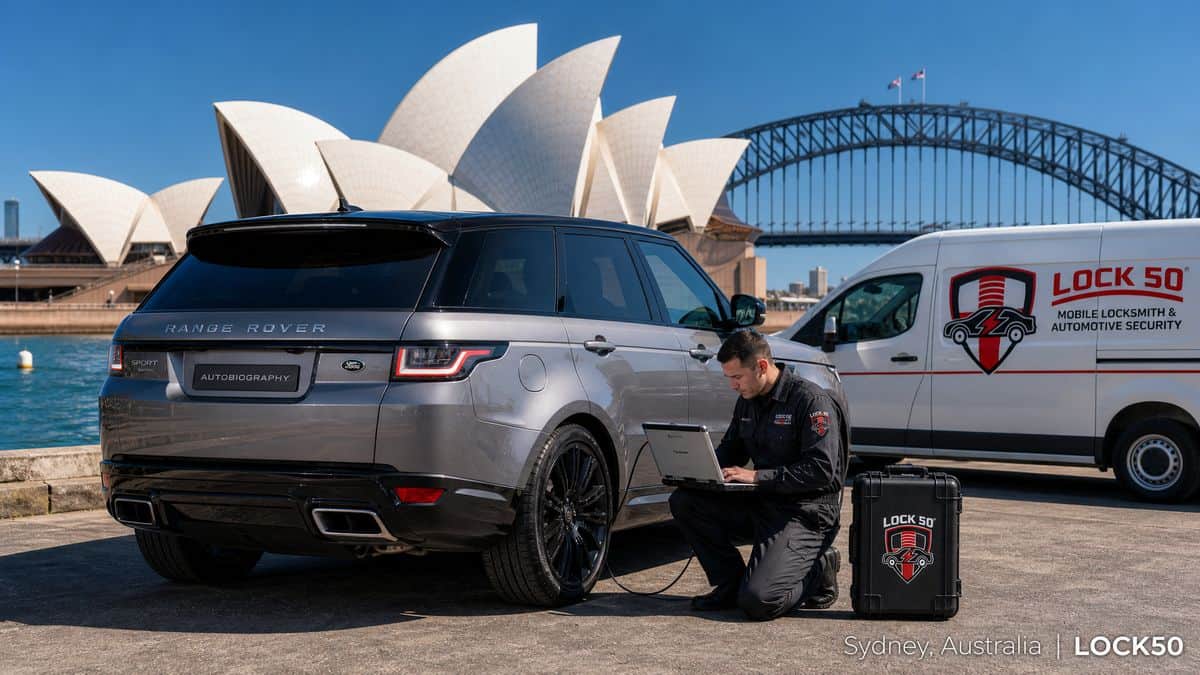
Locksmiths across Australia — Sydney, Melbourne, Brisbane and Perth — use Lock50 to program Jaguar and Land Rover keys without dealer login. Lock50 handles spare keys, all keys lost and locked-RFA jobs on 2010–2024 vehicles over OBD.
Watch the Lock50 Demo
More demos on the Lock50 YouTube channel.
Coverage for Australian-market JLR
Lock50 supports all Australian-market Jaguar and Land Rover vehicles, including the latest UWB Range Rover, Sport and Defender.
Why Australian locksmiths choose Lock50
No dealer login, OBD only, latest UWB support, and lifetime options with no subscriptions.
Which Lock50 Tool Do You Need?
- For the newest UWB models, use the HW04-C+ Tool Kit.
- For broad 2010–2024 coverage choose the HW04-C Peace Edition.
Frequently Asked Questions
Can I program a Range Rover key in Australia without the dealer?
Yes. Lock50 HW04 tools program Range Rover and Jaguar keys over OBD without dealer login anywhere in Australia.
Does Lock50 support Australian-market UWB Range Rovers?
Yes, the HW04-C+ supports UWB models including locked RFA.
Compare the full range and choose your tool: Lock50 HW04 OBD Tools.
???? About this video
Published Aug 16, 2024 on the official Lock50 YouTube channel
A technician demonstrates programming new keys for a 2024 Land Rover Defender using Lock50 tools. Initially, a spare key (Lock50 HW13) is added via RFA with HW03C. Subsequently, an OEM HW25 key is programmed via OBD, despite the RFA lock status being locked, successfully adding a third working key. The video showcases the simplicity of the process, concluding with a test of all three active key fobs for the latest model Defender.
What this video covers
- Land Rover Defender key programming
- 2024 Defender key
- Lock50 HW04-C
- JLR key tool
- RFA key programming
- OBD key addition
- Locked RFA key programming
- Land Rover spare key
- OEM key programming
- Car Keys Sydney
- Immobilizer programming
- Smart key add
▶ Read the full spoken transcript
Good afternoon. Here we have a 2024 Defender, the latest model. We've just programmed in a spare key. It's the original key. Spare key has been loaded in, and we have a new key we want to add in. Okay, okay, so let's get to it. Now that we have our two keys, we can go to the PEPS system. As you can see, RFA is Locked. Go to key learning, go to key learning, and I will add additional key. Add The key on the reader. Key fob has been detected. The key fob on the passenger seat. Move Key over there. Three keys there. We now have three keys. You don't want to add another key. Place all keys programmed on the passenger seat to complete operation, which we're going to do now. Okay, there we go. Let's test it on the vehicle. Okay. Look at that. One key working. Two keys working. Three keys working. As simple as that. Can't get much easier. Alright, thanks guys.
More demos from the Lock50 channel
???? About this video
Published Aug 7, 2024 on the official Lock50 YouTube channel
This video demonstrates preparing a 2018 Land Rover Range Rover Sport for key programming by disarming its alarm system using a Lock50 unit connected to a laptop. The presenter shows the wiring connections to the vehicle's CAN bus, specifically identifying the yellow-purple and orange-yellow wires. After connecting the Lock50 unit and running the software, the alarm is successfully disarmed, indicated by the car's mirrors unlocking and dashboard alarm light turning off, allowing for subsequent key programming.
What this video covers
- Land Rover key programming
- Range Rover Sport key
- Lock50 key tool
- JLR key programming
- 2018 Land Rover key
- Car alarm disable
- Vehicle key programming
- Automotive locksmith tool
- CAN bus wiring
- Key programming tutorial
- Land Rover security
- Car immobilizer bypass
▶ Read the full spoken transcript
Okay. So I am here at a 2018 Land Rover Range Rover Sport at the auction, obviously. You can see my alarm is set because it has the red flashing light, even if the alarm's not going off, you know that the alarm is set. So, on this model, we just got our new Lock50. And so what I did was, we've got a plug in here, right? And then it goes down to our Lock50 unit. I actually had to remove this unit because it, when it came in there, this was connected here. And then what we're gonna do is I just put my uh, unit lines here. So we've got our RTS, which is our yellow, which actually goes to the CAN bus. And so, the yellow is gonna go to the yellow-purple or yellow-lavender. And then your green line, right? Which is going to be your, sorry, here, DPR. Your green line is gonna go to your orange and yellow underneath the seat on this model. So, there you go. So that's how you set it up. And you can see that now I am talking to the vehicle. And we'll, uh, we're gonna try to get it out of alarm mode and be able to program a key. We're hoping. So, we're going to go alarm off. And we're gonna say okay to start. And I'm doing this all in real time, of course. There you go. So it says successful. My mirrors just moved out from being locked and look at that, we're of course low battery, and our light's out. So, awesome. Now we're gonna program a key.
Related guides
JLR Key Programming in India — Range Rover & Jaguar Key Solutions
Wednesday, May 14, 2025
JLR Key Programming in India
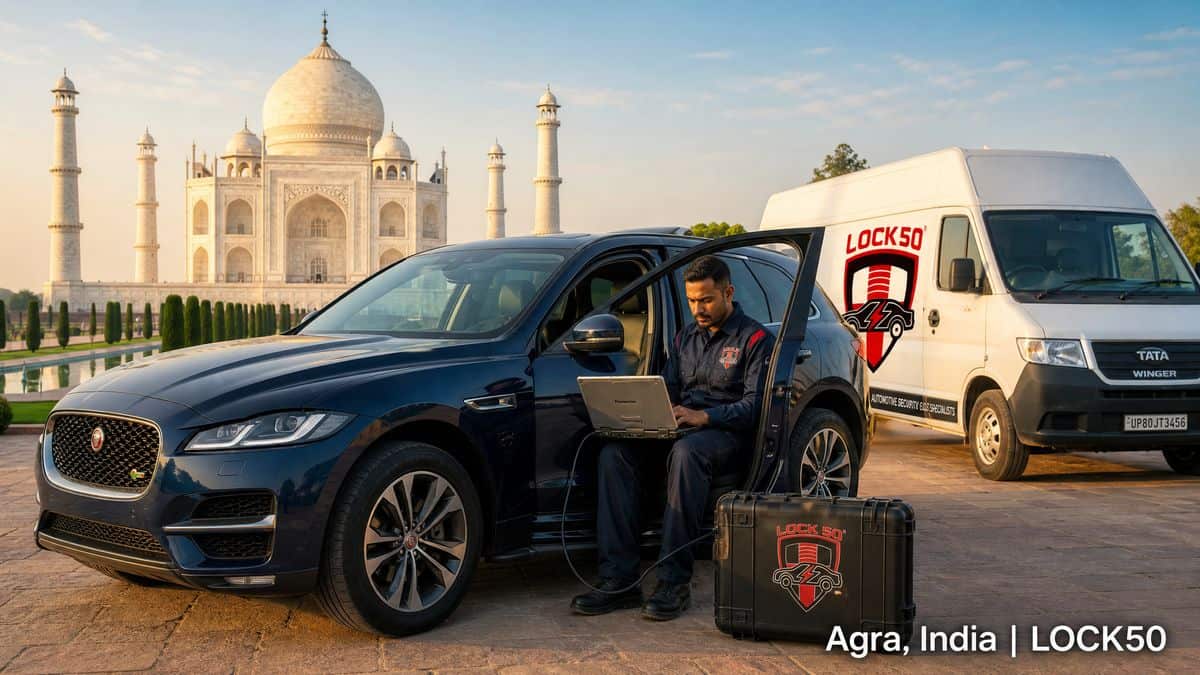
Locksmiths and workshops across India use Lock50 tools to program Jaguar and Land Rover keys without the dealer. From Delhi to Mumbai, Bengaluru to Chennai, Lock50 handles spare keys, all-keys-lost and locked RFA on 2010–2024 vehicles over OBD. (Range Rover ki chaabi ab dealer ke bina ban sakti hai.)
Watch the Lock50 Demo
More demos on the Lock50 YouTube channel.
Jaguar & Land Rover key programming
With Lock50 HW04 tools you program spare keys, solve all-keys-lost and unlock RFA/BCM modules — directly over OBD, with no dealer credentials.
Why Indian workshops choose Lock50
No dealer login, OBD only (no module removal), latest UWB models supported, and worldwide coverage including Indian-market JLR vehicles.
Which Lock50 Tool Do You Need?
- For recent UWB models choose the HW04-C+ Tool Kit.
- For most 2010–2024 jobs the HW04-C Peace Edition is ideal.
Frequently Asked Questions
Can I program a Range Rover key in India without the dealer?
Yes. With a Lock50 HW04 tool you program a spare or solve all-keys-lost over OBD, with no dealer credentials.
Are the latest UWB keys supported?
Yes, the HW04-C+ kit supports the newest UWB models.
Compare the full range and choose your tool: Lock50 HW04 OBD Tools.
???? About this video
Published Jan 26, 2025 on the official Lock50 YouTube channel
This Lock50 demo showcases copying an existing key for Land Rover Defenders vehicles using the JLR Key Tool 1.3.27.0. It details reading data from the ALM (Alarm and Central Locking) module, which replaced the Lucas 10AS. Users load a dump file, identify programmed keys, then select one to copy onto a Lock50 special clonable JLR key (HW05-HW12), demonstrating the ability to emulate an existing key and verify its learned status, providing both keyless and remote functions.
What this video covers
- Land Rover Defender key programming
- JLR ALM module key copy
- Lock50 key cloning tool
- Emulate existing car key
- Lucas 10AS alarm module replacement
- Land Rover Defender keyless entry
- JLR remote key programming
- Lock50 special keys HW05
- Key data dump JLR
- Automotive immobilizer bypass
- ECU key programming Land Rover
- Key transponder cloning
▶ Read the full spoken transcript
LOCK50 HW01+HW04 Device Upgrade FREE SW15 Full Function Remote + Keyless. The ALM (Alarm and Central Locking) module is an electronic control unit (ECU) for Land Rover Defenders. It replaced the Lucas 10AS Alarm Module. Welcome to a demo from lock 50. The ALM alarm and central locking module is an electronic control unit (ECU) for Land Rover Defenders vehicles. It replaced the Lucas 10 as alarm module. We have read the file from the the ALM module and now loading into lock 50. We now see the two keys already programmed and simply select one and write to the lock 50 keys. Add the lock 50 special keys, HW05 to HW12. Press copy for desired slot to copy. All done ready to start. And we will check the key position and check its programmed status. Can see position one was programmed and key ready to start. Keyless and remote. Thanks for watching.
Related guides
JLR Key Programming in the Netherlands — Sleutel Programmeren Range Rover & Jaguar
Tuesday, April 15, 2025
JLR Key Programming in the Netherlands

Slotenmakers en garages in heel Nederland gebruiken Lock50-gereedschap om Jaguar- en Land Rover-sleutels te programmeren zonder dealer. Van Amsterdam tot Rotterdam, Den Haag tot Utrecht regelt Lock50 reservesleutels, alle sleutels kwijt en vergrendelde RFA op voertuigen van 2010–2024 via OBD.
Watch the Lock50 Demo
More demos on the Lock50 YouTube channel.
Sleutels programmeren voor Jaguar & Land Rover
Met Lock50 HW04-gereedschap programmeer je reservesleutels, los je 'alle sleutels kwijt' op en ontgrendel je RFA/BCM-modules — rechtstreeks via OBD, zonder dealergegevens.
Why Dutch workshops choose Lock50
No dealer login, OBD only (no module removal), latest UWB models supported, and worldwide coverage including all Dutch-market JLR vehicles.
Which Lock50 Tool Do You Need?
- Voor recente UWB-modellen kies je de HW04-C+ Tool Kit.
- Voor de meeste klussen 2010–2024 is de HW04-C Peace Edition ideaal.
Frequently Asked Questions
Kan ik een Range Rover-sleutel programmeren zonder dealer?
Ja. Met een Lock50 HW04-tool programmeer je een reservesleutel of los je 'alle sleutels kwijt' op via OBD, zonder dealergegevens.
Worden recente UWB-sleutels ondersteund?
Ja, de HW04-C+ kit ondersteunt de nieuwste UWB-modellen.
Compare the full range and choose your tool: Lock50 HW04 OBD Tools.
???? About this video
Published Mar 2, 2023 on the official Lock50 YouTube channel
This video demonstrates how to remove the RFA module from a 2019 Range Rover Sport. The process involves removing interior panels from the rear trunk area and the passenger-side rear door. Specific steps include popping out airbag covers, unscrewing bolts, detaching seatbelt feeds, and pulling out various covers to access the RFA module. The goal is to remove the module to create a Lock50 emulator, which disables the car's alarm. The video shows disassembly to locate the RFA module for EPROM reading.
What this video covers
- Lock50
- Range Rover Sport
- RFA module removal
- 2019 Range Rover Sport
- car key programming
- JLR key programming
- Lock50 emulator
- car alarm off
- automotive locksmith
- Jaguar Land Rover
- EPROM reading
- vehicle security module
▶ Read the full spoken transcript
Hello everyone. This is Sean with Lock50.co.uk. We are working on a 2019 Range Rover Sport. In this video, I'm going to show you how you're going to remove the RFA module on the vehicle to be able to make a Lock50 Emulator, able to get the car out of alarm mode. So everything is already apart. I'm just going to walk you through the steps real quick. So we're going to start taking the airbag covers. There's a cover here you pop with any any sharp tool. Just pop it out. There's a there's an eight millimetre bolt inside and this just comes off. It just been held after that with those clips. We're going to go on the on the passenger side rear door. We're going to lower the seat. There's a handle right there, just lower the seat. We're going to take. That's a feed for the belt. It just pops out. There's nothing to it. And then there will be two screws. One screw, I'm sorry, on top, right there. And then the same thing there's going to be a cover for the airbag cover. And then you're going to pop this out. There's a eight millimetre inside and it just it just comes basically out. Just hold on those on those pins and and clips. And then once you have that off, we're going to go on this side. This bottom cover pulls out. So you're just going to pull this out. And then whoever if you do have the the 110 outlet, that cover just pulls out. Once you have these out, we're going to pull this cover off. It's under the rubber and just hold on different pins. There's one cable for lowering and controlling the height of the vehicle. Trying to do the single hand. There we go. So this comes off. The RFA is under this plastic. Over here, you'll have a couple plastic tab, look like screws. You're going to take that. You're going to take this one out. And then this whole piece comes off. Take it from this side. Once you have this out, there are two eight millimetre bolts that are holding the RFA. This is the RFA. One over here and one is over here, right there. So I just reached in with a wrench from here, a socket from here. This whole thing slides out. There are three plugs in this case. It just comes all over to your side. So you're just going to unplug, unplug, unplug and then open it, read the EPROM and that in the next video, I'll show you how to make the Emulator. That's how you get the RFA out. Thanks for watching.
Related guides
JLR Key Programming in the UAE — Range Rover & Jaguar Dubai
Wednesday, March 12, 2025
JLR Key Programming in the UAE

Locksmiths across the UAE — Dubai, Abu Dhabi and Sharjah — use Lock50 to program Jaguar and Land Rover keys without dealer login. Lock50 handles spare keys, all keys lost and locked-RFA jobs on 2010–2024 vehicles over OBD, ideal for the region's high volume of Range Rovers.
Watch the Lock50 Demo
More demos on the Lock50 YouTube channel.
برمجة مفاتيح جاجوار ولاند روفر
باستخدام أدوات Lock50 HW04 يمكنك برمجة المفاتيح الاحتياطية، وحل حالات فقدان جميع المفاتيح، وفتح وحدات RFA المقفلة — مباشرة عبر منفذ OBD دون الحاجة إلى الوكيل.
Why UAE workshops choose Lock50
No dealer login, OBD only, latest UWB Range Rover and Defender support, and coverage of all GCC-market JLR vehicles.
Which Lock50 Tool Do You Need?
- For the newest UWB Range Rovers common in the UAE, use the HW04-C+ Tool Kit.
- For broad 2010–2024 coverage choose the HW04-C Peace Edition.
Frequently Asked Questions
Can I program a Range Rover key in Dubai without the dealer?
Yes. Lock50 HW04 tools program Range Rover and Jaguar keys over OBD without dealer login anywhere in the UAE.
Does Lock50 support the latest UWB Range Rover in the UAE?
Yes, the HW04-C+ supports UWB models including locked RFA.
Compare the full range and choose your tool: Lock50 HW04 OBD Tools.
???? About this video
Published May 4, 2025 on the official Lock50 YouTube channel
Lock50 presents a comprehensive suite of tools for Jaguar and Land Rover key programming and diagnostics. The video showcases the HW01 Key Copy Tool for transponder keys, the HW04 OBD Tool with various packages, and a Change ID Keys tool supporting 2010 to 25+ systems. It also highlights dealer software like SDD and Pathfinder, CCF Editor, Alarm OFF Adapters for IMMO boxes, and rugged Toughbook devices, providing complete solutions for JLR vehicle locksmiths and technicians.
What this video covers
- Jaguar key programming
- Land Rover key programming
- JLR key tools
- Lock50 key programmer
- Transponder key copying
- OBD key programming
- JLR diagnostics tools
- Jaguar Land Rover locksmith
- IMMO box bypass
- SDD Pathfinder activation
- CCF Editor JLR
- Key duplication without KVM/RFA removal
▶ Read the full spoken transcript
Unlocking the Power of Lock50 Tools for Jaguar and Land Rover. Welcome to our deep dive into Lock50 tools, your ultimate solution for Jaguar and Land Rover key programming. First, let's explore the Lock50 HW01 Key Copy Tool. This tool is essential for copying and unlocking JLR transponder keys. Next, we have the Lock50 HW04 OBD Tool. This versatile tool offers various packages like HW04-A, HW04-B, and HW04-C for different needs. For those needing to change ID keys, the Lock50 Change ID Keys tool is a must-have. It supports 2010 to 25+ key systems. Dealer tools are also available, Jaguar, Land Rover SDD, Pathfinder, and Topix Cloud systems. The CCF Editor Tools and Seed Code Calculator are invaluable for advanced diagnostics and coding tasks. Lock50 also offers specialized modules like Key Chip Copy Tool Modules and OBD Cables to enhance your toolkit. For key duplicating needs, the Key Duplicator tool ensures you can copy keys efficiently without removing KVM or RFA units. Lock50's Alarm OFF Adapters are perfect for making keys from unlocked or Locked Land Rover Jaguar IMMO boxes without soldering. Don't forget about our Toughbook Laptops & Tablets. These rugged devices are ideal for fieldwork with JLR diagnostic tools. Lastly, our JLR Dealer Software Tools provide comprehensive support for SDD Activation and Pathfinder models up to 2025+. In summary, Lock50 tools offer a complete suite of solutions for key programming and diagnostics in Jaguar and Land Rover vehicles.
Related guides
SW39: Make JLR IPC/IPCB Virgin & Program Over OBD
Tuesday, February 18, 2025
SW39: Make JLR IPC/IPCB Virgin Over OBD

Lock50 SW39 makes the JLR instrument cluster (IPC/IPCB) virgin and programs it over OBD. Fit a used cluster or reset a locked one without a bench setup.
Why virgin an IPC?
A used cluster carries the old car's data and mileage lock. Making it virgin lets it accept the new vehicle's configuration cleanly.
OBD, not bench
SW39 does the reset over OBD, avoiding module removal and soldering for most jobs.
Which Lock50 Tool Do You Need?
- IPC/IPCB reset is part of the HW04-C+ Tool Kit.
Frequently Asked Questions
Can Lock50 reset a JLR instrument cluster?
Yes. SW39 makes the IPC/IPCB virgin and programs it over OBD.
Do I need to remove the cluster?
For most jobs no — SW39 works over OBD.
Compare the full range and choose your tool: Lock50 HW04 OBD Tools.
Related guides
Lock50 HW04 JLR RFA Change when BCM is Locked Demo SW28 Erase BCM Keys
Friday, February 14, 2025
Demo at the Upcoming Show Live
Upgrade your Lock HW04-B or C Models to Latest Software to Allow Swap To New RFA without SWAP BCM and program via OBD New RFA when BCM is Locked for IPCB Digital clusters Models in 5 Minhttps://lock50.co.uk/.../lock50-hw04-obd-tool-jlr-2017.../
???? About this video
Published Feb 14, 2025 on the official Lock50 YouTube channel
This Lock50 demo showcases the SW28 function for unlocking a locked Body Control Module (BCM) in a 2021 Land Rover Range Rover Evoque (L551) after an RFA module swap. Initial attempts to replace the RFA module and learn keys failed due to a locked BCM, returning "less than 2 keys found" error. The SW28 function bypasses this, enabling adaptation of the new RFA and programming of three keys, followed by erasing old keys from the BCM. The tool also clears various diagnostic trouble codes and syncs modules to ensure proper vehicle operation.
What this video covers
- Lock50 JLR Key Tool
- Land Rover Key Programming
- Range Rover Evoque Key Programming
- BCM Unlocking Land Rover
- RFA Module Replacement
- Erase Keys Land Rover
- JLR SW28 Function
- Locked BCM Bypass
- Auto Key Programming Tool
- Land Rover Diagnostics
- Key Learning JLR
- Immobilizer Repair Land Rover
▶ Read the full spoken transcript
Welcome to a Demo of the SW28 Function for Locked BCM systems. This car a New RFA has been swapped and we run the Replace RFA Option as normal. However we notice the BCM processing does not complete and we see this error. This Means the BCM is locked and a RFA alone cannot be learnt without Swapping to New BCM Normally. You can Order the SW28 option for B or C packages to Bypass this and Still be able to Adapt the New RFA without a BCM Change. We are scanning the car agian. Now we use the SW28 Replace RFA when BCM is Locked Function to Adapt the New RFA. All ok and RFA is being Programmed and any error we can check later and clear. All Done and now we shall program 3 keys the client required. Keys Added and now we will erase old keys from BCM and replace with the new Keys. All Done and Ready to Start and we can check the keys that are learnt and can see all. Now we will clear all codes in modules and also syn the BCM to the Door modules agian as due to an erro code that did not complete before fully. The error code the door module still is not allowing the sync so we shall clear codes agian and scan car agian till all codes are cleared and then run agian BCM sync. Note the Car came to the client with all this errors in modules and lock50 is clearing them. Some codes if fail to clear redo when the ignition is on and then will clear also. Now rerunning BCM Sync to Doors for rolling codes. All Done this time Completed. Final scan to check all Error codes are gone. We give the client back the car as it was from the showroom new with latest software in GWM BCM RFA. Thanks for watching the demo of RFA change and erase keys in BCM when BCM is locked with the SW28 Function.
Related guides
SW15 - FREE with Lock50 HW01 & HW04 JLR Defender DH12 ALM ECU Module Spare or All Lost Keys via Copy to Lock50 Keys via MCU Dump
Thursday, January 23, 2025
Defender - Module - ALM Door Lock And Alarm - (LR084667)
Avoid Buy New Modules that cost £400 and keys that cost £250 each from the Dealer.
Simply Read the Eeeprom from the Unit and Make a Key without swap any parts when all keys are lost or to do spare keys on to HW11 or HW12 Lock50 keys.
Immobiliser systems
Type of Method Used for Programming:
- EEPROM Dump Copy to Key with RF+ Keyless PCF7953 2007 to 2016
JLR Models 2010 to 2025+
ALM Part Numbers Can Key Copy from Module Via Mcu Dump:
- DH1215K600AB
- DH12-15K600-AB
- DH1215K600BC
- DH12-15K600-BC
Defender L316:

DH1215K600AB DH12-15K600-AB
DH1215K600BC DH12-15K600-BC
Size............................ 2048Bytes
Module Description: Component....................... JLR ALM module Memory device...................
Freescale MCU S9S08DZ128 Memory type..................... EEPROM (2048 bytes)
Dump Data:
Tools HW01 or HW04 & HW05/06 Lock50 keys: Make Key Copy................... Copy Key
https://lock50.co.uk/lock50-mo...
Related guides
SW40 Released: Unlock EVA2 RFA on the Latest JLR Models
Monday, January 20, 2025
SW40: Unlock EVA2 RFA on the Latest JLR Models

Lock50 SW40 unlocks the EVA2 RFA used on the newest Defender, Range Rover and Discovery. Locked EVA2 modules that blocked every other tool can now be programmed over OBD.
Watch the Lock50 Demo
More demos on the Lock50 YouTube channel.
What is EVA2?
EVA2 is JLR's latest electrical architecture, with a hardened, locked RFA. It stopped most aftermarket key tools — until SW40.
What SW40 unlocks
SW40 unlocks the EVA2 RFA in place so spare and all-keys-lost jobs work over OBD, with no hardware swap.
Which Lock50 Tool Do You Need?
- SW40 / EVA2 unlock ships with the HW04-C+ Tool Kit.
Frequently Asked Questions
What does SW40 do?
It unlocks the EVA2 RFA on the newest JLR vehicles so keys can be programmed over OBD.
Which tool includes SW40?
The HW04-C+ Tool Kit, which supports UWB and locked EVA2 models.
Compare the full range and choose your tool: Lock50 HW04 OBD Tools.
???? About this video
Published Jun 13, 2024 on the official Lock50 YouTube channel
This video demonstrates the programming of a new Remote Function Actuator (RFA) module for a 2020 Range Rover Evoque L551 using the TOPix cloud diagnostic tool. It showcases the steps involved in performing a module replacement, including initial checks, BCM software updates, RFA software updates, immobilization application, VIN learning, and key programming for two passive keys. The process highlights the integration of the TOPix system for JLR vehicles to replace and program critical modules, addressing a "Remote Function Actuator (RFA) is locked" error.
What this video covers
- Range Rover Evoque key programming
- RFA module replacement
- TOPix cloud programming
- Land Rover key fob programming
- Jaguar key programming
- BCM software update
- Immobilization application
- VIN learning car key
- Remote Function Actuator lock
- JLR module programming
- 2020 Range Rover Evoque
- Automotive key programming
▶ Read the full spoken transcript
Programming RFA Module After Replaced by TOPix cloud
New Range Rover Evoque / L551 2020
Fault and Breakdown
Battery Energy Control Module - NO RESPONSE
Remote Function Actuator - RESPONDED
RUNNING APPLICATION - RFA - ADD ADDITIONAL KEYS
ADD ADDITIONAL KEYS
1. This application can be used if an additional key(s) need to be added to the vehicle.
2. This will involve programming the new key(s) only and will not affect currently programmed key(s).
3. Minimum requirement for this application is to have one programmed key available so then the new key(s) can be added.
Continue
BATTERY VOLTAGE TEST IN PROGRESS
Diagnostic Tool applications will be disabled if the vehicle battery voltage is below:
Minimum voltage: 12v
Measured voltage: 12.6V
OPERATION IS NOT POSSIBLE
The Remote Function Actuator (RFA) is locked. The module must be replaced to add keys.
DIAGNOSTIC APPLICATION PASSED
Completed
Continue
REMOTE FUNCTION ACTUATOR - RESPONDED
RFA - Software - Replace Module
New Module Programming
Run
RUNNING APPLICATION - RFA - SOFTWARE - REPLACE MODULE
Make sure a Battery Support Unit (BSU) is connected to the vehicle
Do not start the engine. Do not disconnect any cables or turn the ignition on or off unless instructed to do so.
Do you wish to continue?
No
Yes
REMOTE FUNCTION ACTUATOR (RFA) IS LOCKED
NOTE
The RFA module must be replaced and the module replacement application completed, during this application both the RFA and Body Control Module (BCM) software will be updated to the required levels.
Continue
RUNNING APPLICATION - RFA - SOFTWARE - REPLACE MODULE
BCM SOFTWARE LEVEL CHECK
Checking software level
Module communications check
Reading Part Numbers
Software Level Check
Part name
Strategy (F188)
Calibration (F124)
Signal Configuration (F108)
Current
LPLA-14C184-AD
LB82-14C185-AA
LPLA-14C408-AA
Available
LPLA-14C184-AF
LB82-14C185-AB
LPLA-14C408-AB
Select 'continue' to proceed to the next stage
Continue
Retrieving files from server
100/100
UPDATING BCM SOFTWARE
Updating module: BCM
Starting programming
Getting security
Programming in progress
Programming file 2/4
Module initialization in progress
Clearing diagnostic trouble codes
Module has been updated to:
Part name
Strategy (F188)
Calibration (F124)
Signal Configuration (F108)
Previous
LPLA-14C184-AD
LB82-14C185-AA
LPLA-14C408-AA
Current
LPLA-14C184-AF
LB82-14C185-AB
LPLA-14C408-AB
Select 'continue' to proceed to the next stage
Continue
Sending updated module information to server
RFA SOFTWARE LEVEL CHECK
Checking software level
Module communications check
Reading Part Numbers
Software Level Check
Part name
Strategy (F188)
Calibration (F124)
Signal Configuration (F108)
Current
LB82-14C104-AJ
************
************
Available
KB82-14C104-AH
KB82-14C105-DD
KB82-14C430-AB
Do you wish to begin programming?
No
Yes
Retrieving files from server
100/100
UPDATING RFA SOFTWARE
Updating module: RFA
Starting programming
Getting security
Programming in progress
Programming file 2/4
Resetting module
Module initialization in progress
Reading Part Numbers
Module has been updated to:
Part name
Strategy (F188)
Calibration (F124)
Signal Configuration (F108)
Previous
LB82-14C104-AJ
************
************
Current
KB82-14C104-AH
KB82-14C105-DD
KB82-14C430-AB
Select 'continue' to proceed to the next stage
Continue
Sending updated module information to server
RFA VIN LEARN
VIN LEARN
Vin Learn 30/30
KEY PROGRAMMING
You must program at least 2 keys or more
Continue
BATTERY VOLTAGE TEST IN PROGRESS
Minimum voltage: 12v
Measured voltage: 12.8V
VERIFY KEYS
1. Enter the number of new keys you intend to program and have them ready
2. This application will not add activity keys use 'BCM - Activity key' instead
Number of Keys: 2
OPERATOR ACTION
The following screens will request the unlock button is pressed firmly then released, wait until the next screen and progress bar is displayed before pressing the unlock button on the key fob.
1. Use the same key
Continue
ADD A PASSIVE KEY
Press unlock button firmly then release
OPERATOR INFORMATION
Key programmed successfully
Continue
OPERATOR ACTION
The following screens will request the unlock button is pressed firmly then released, wait until the next screen and progress bar is displayed before pressing the unlock button on the key fob.
1. Use the next key
Continue
ADD A PASSIVE KEY
Press unlock button firmly then release
OPERATOR INFORMATION
Key programmed successfully
Continue
CHECK ALL LEARNT KEYS
Check all Learned Keys
ADD ADDITIONAL KEYS
Key summary
Number of keys programed: 2
Number of keys found: 2
DIAGNOSTIC APPLICATION PASSED
Completed
Continue
Check all Learned Keys
RFA - ODST
RUNNING ON DEMAND SELF TEST (ODST)
Running ODST
ON DEMAND SELF TEST
On Demand Self Test (ODST) did not log any Diagnostic Trouble Codes!
Completed
The module was successfully updated.
Continue
VEHICLE APPLICATIONS
Clear All DTC(s)
DOWNLOAD
RUNNING APPLICATION - CLEAR ALL DTC(S)
In Progress 40/40
Clear All DTCs
Continue
New Range Rover Evoque / L551 2020
Fault and Breakdown
Battery Energy Control Module - NO RESPONSE
Remote Function Actuator - RESPONDED
RUNNING APPLICATION - RFA - ADD ADDITIONAL KEYS
ADD ADDITIONAL KEYS
1. This application can be used if an additional key(s) need to be added to the vehicle.
2. This will involve programming the new key(s) only and will not affect currently programmed key(s).
3. Minimum requirement for this application is to have one programmed key available so then the new key(s) can be added.
Continue
BATTERY VOLTAGE TEST IN PROGRESS
Diagnostic Tool applications will be disabled if the vehicle battery voltage is below:
Minimum voltage: 12v
Measured voltage: 12.6V
OPERATION IS NOT POSSIBLE
The Remote Function Actuator (RFA) is locked. The module must be replaced to add keys.
DIAGNOSTIC APPLICATION PASSED
Completed
Continue
REMOTE FUNCTION ACTUATOR - RESPONDED
RFA - Software - Replace Module
New Module Programming
Run
RUNNING APPLICATION - RFA - SOFTWARE - REPLACE MODULE
Make sure a Battery Support Unit (BSU) is connected to the vehicle
Do not start the engine. Do not disconnect any cables or turn the ignition on or off unless instructed to do so.
Do you wish to continue?
No
Yes
REMOTE FUNCTION ACTUATOR (RFA) IS LOCKED
NOTE
The RFA module must be replaced and the module replacement application completed, during this application both the RFA and Body Control Module (BCM) software will be updated to the required levels.
Continue
RUNNING APPLICATION - RFA - SOFTWARE - REPLACE MODULE
BCM SOFTWARE LEVEL CHECK
Checking software level
Module communications check
Reading Part Numbers
Software Level Check
Part name
Strategy (F188)
Calibration (F124)
Signal Configuration (F108)
Current
LPLA-14C184-AD
LB82-14C185-AA
LPLA-14C408-AA
Available
LPLA-14C184-AF
LB82-14C185-AB
LPLA-14C408-AB
Select 'continue' to proceed to the next stage
Continue
Retrieving files from server
100/100
UPDATING BCM SOFTWARE
Updating module: BCM
Starting programming
Getting security
Programming in progress
Programming file 2/4
Module initialization in progress
Clearing diagnostic trouble codes
Module has been updated to:
Part name
Strategy (F188)
Calibration (F124)
Signal Configuration (F108)
Previous
LPLA-14C184-AD
LB82-14C185-AA
LPLA-14C408-AA
Current
LPLA-14C184-AF
LB82-14C185-AB
LPLA-14C408-AB
Select 'continue' to proceed to the next stage
Continue
Sending updated module information to server
RFA SOFTWARE LEVEL CHECK
Checking software level
Module communications check
Reading Part Numbers
Software Level Check
Part name
Strategy (F188)
Calibration (F124)
Signal Configuration (F108)
Current
LB82-14C104-AJ
************
************
Available
KB82-14C104-AH
KB82-14C105-DD
KB82-14C430-AB
Do you wish to begin programming?
No
Yes
Retrieving files from server
100/100
UPDATING RFA SOFTWARE
Updating module: RFA
Starting programming
Getting security
Programming in progress
Programming file 2/4
Resetting module
Module initialization in progress
Reading Part Numbers
Module has been updated to:
Part name
Strategy (F188)
Calibration (F124)
Signal Configuration (F108)
Previous
LB82-14C104-AJ
************
************
Current
KB82-14C104-AH
KB82-14C105-DD
KB82-14C430-AB
Select 'continue' to proceed to the next stage
Continue
Sending updated module information to server
RFA VIN LEARN
VIN LEARN
Vin Learn 30/30
KEY PROGRAMMING
You must program at least 2 keys or more
Continue
BATTERY VOLTAGE TEST IN PROGRESS
Minimum voltage: 12v
Measured voltage: 12.8V
VERIFY KEYS
1. Enter the number of new keys you intend to program and have them ready
2. This application will not add activity keys use 'BCM - Activity key' instead
Number of Keys: 2
OPERATOR ACTION
The following screens will request the unlock button is pressed firmly then released, wait until the next screen and progress bar is displayed before pressing the unlock button on the key fob.
1. Use the same key
Continue
ADD A PASSIVE KEY
Press unlock button firmly then release
OPERATOR INFORMATION
Key programmed successfully
Continue
OPERATOR ACTION
The following screens will request the unlock button is pressed firmly then released, wait until the next screen and progress bar is displayed before pressing the unlock button on the key fob.
1. Use the next key
Continue
ADD A PASSIVE KEY
Press unlock button firmly then release
OPERATOR INFORMATION
Key programmed successfully
Continue
CHECK ALL LEARNT KEYS
Check all Learned Keys
ADD ADDITIONAL KEYS
Key summary
Number of keys programed: 2
Number of keys found: 2
DIAGNOSTIC APPLICATION PASSED
Completed
Continue
Check all Learned Keys
RFA - ODST
RUNNING ON DEMAND SELF TEST (ODST)
Running ODST
ON DEMAND SELF TEST
On Demand Self Test (ODST) did not log any Diagnostic Trouble Codes!
Completed
The module was successfully updated.
Continue
VEHICLE APPLICATIONS
Clear All DTC(s)
DOWNLOAD
RUNNING APPLICATION - CLEAR ALL DTC(S)
In Progress 40/40
Clear All DTCs
Continue
More demos from the Lock50 channel
???? About this video
Published Jul 24, 2025 on the official Lock50 YouTube channel
This video from Lock50 demonstrates unlocking a locked RFA module on a 2025 Land Rover Discovery Sport (L550) using the Lock50 JLR Key Tool 1.3.62.0. The RFA module initially prevented key programming, displaying a "locked" status. The tool establishes a DoIP and CAN wire connection to the vehicle's RFA, performs a software download and rewrite, successfully changing the RFA lock status to "unlocked." This enables new keys to be added, simulating service mode without extra keys.
What this video covers
- Land Rover key programming
- Discovery Sport key unlock
- 2025 Land Rover key
- Lock50 JLR Key Tool
- RFA module unlock
- Jaguar Land Rover key solution
- JLR key programming tool
- Discovery Sport L550
- RFA locked status fix
- DoIP connection
- Immobilizer unlock tool
- Car key programming software
▶ Read the full spoken transcript
Hey guys, Sean with ING Locksmith. We are on a 2025 Discovery. The module on this vehicle is locked. We're doing the testing time. I'm just giving you guys a little bit of a teaser so you guys can see the module is locked and if you try to add a key, it's impossible. So we're going to demonstrate and show you guys is our latest and greatest and hottest feature ever. So we're gonna go here, we're gonna go to unlock. We're gonna say okay. We'll talk about the connection. It is a bit of a different connection and Elyana will update you guys about the licensing, but I just wanna show you the actual procedure and and the success of this of this new breakthrough that we just we just, we're literally testing, it's not even done yet. But this is huge for us and it's gonna be amazing for you guys. I'll just uh, wait through the process, downloading files, rewriting the files to the RFA. Please remember this RFA is locked. Meaning you cannot add keys unless you get it into service mode or you can present two keys or more in the car. And this video is a one piece so you guys can see and that means not getting to the RFA, not pulling anything out. It's just two connections. You have to connect via DoIP, meaning internet cable and then to the CAN wires. The easiest ones are in the door. So we're connected in two levels to the vehicle. And this is how the process is happening, it's happening live. There's no editing of the video, it's regular time. Almost there. All right. There we go, successful. I'm just gonna go back to the car to refresh the screen. I'm gonna scroll down to our PEP system and once I click it guys, whatever showed locked a second ago is unlocked and you can add keys just like the car is in service mode or anything else. I hope you guys are excited just as much as we are. See you soon, hope to see you all in Orlando on Thursday. You guys have a wonderful rest of your week.
Related guides
SW32 Upgrade free for all HW04 Tools Added OBD Alarm OFF For Jaguar Models with GX73 BCM Systems with FK72 KVM types.
Sunday, January 19, 2025
SW39 Added OBD Alalrm OFF to Simply Jobs further now with Free update for all for Jaguar Models like X250 & X760 and others with GX73 BCM Systems with FK72 KVM types.
Scan the Vehicle in Alarm Mode via OBD and in Special functions Press Alarm off Once to open the Door and Turn of the Alarm.
X760 2015 to 2019 Models use this GX73 BCM & FK72 KVM
X250 2014 to 2015 Models use this GX73 BCM & DPLA KVM

https://lock50.co.uk/lock50-mo...
Related guides
Lock50 HW01 & HW04 Tools new update to Emulate keys from BCM Data demo
Thursday, December 26, 2024
Lock50 HW01 & HW04 Tools new update to Emulate keys from BCM Data demo
???? About this video
Published Dec 25, 2024 on the official Lock50 YouTube channel
This video demonstrates the Lock50 JLR Key Tool's powerful file utilities. It showcases how to load BCM, RFA, and KVM module dump files to copy existing keys or add new ones. The tool supports BCM EEPROM (2018+), RFA flash (2017-2025+), and KVM (2010-2021, PCF7953) files, offering diverse options for Jaguar and Land Rover key programming, duplication, and emergency vehicle start through BCM alarms off.
What this video covers
- JLR key programming
- Land Rover key tool
- Jaguar key programmer
- BCM key copy
- RFA key programming
- KVM key programming
- Lock50 key tool
- EEPROM key programming
- Flash key programming
- PCF7953 key system
- Vehicle immobilizer
- Car key duplication
▶ Read the full spoken transcript
Welcome to a demo of how to use file utilities for lock 50. We shall open some files for bcm, rfa, KVM and show how to copy the keys from the files on lock 50 keys. Jpla bcm on the bench. Once eeprom is read out, you can open it and see the keys and copy on the HW13 or HW14 keys. This is another way to turn of alarms on the BCM on the bench using the key copy functions and use the key to emergency. Start the car with the bcm. This file is virgin and has no keys in the BCM file. This file is virgin and has no keys in the BCM file. As well as BCM files from 2017 to 2025. Plus you can use the RFA flash also to copy keys with remote functions supported. Add new keys to the file or copy existing keys from the RFA file. KVM files from 2010 to 2021 supported for the PCF7953 keys system. Opened Flash and eeprom files to be able to copy or add keys. Powerful options that allow you to have more ways to fix your vehicles. Thanks for watching and subscribe to see more demos.
Related guides
JLR Key Tools 1.3.2.1.0 New Update for HW04-B & C users Now Ready for Help program new RFA to BCM Locked JLR Vehicles
Wednesday, November 20, 2024

SW28 Lock50 HW04-B & HW04-C OBD Tool JLR 2017 to 2024+ New RFA Programming (Locked BCM R8E2 + M8E2 Supported)
New Special Function you can perform New RFA Replace with BCM is Locked.
Not to worry if BCM is locked. Simply Swap new RFA and adapt only without new BCM to Add keys to new RFA.
Why make life complicated when Topix Cloud or the Other Tools tell you the Latest Models cannot be done without first changing the BCM aswell as the RFA to make spare or lost keys then use the Lock50 HW04-C where new BCM is not required and only a new RFA is needed to make spare or Lost Keys.
If you went to a job where the RFA is missing in the Latest vehicles where the BCM is Locked and New RFA cannot be programmed for any reason this can help solve this car for you and get it started.
You need a new RFA to use this function for 21+ Cars which have been back to Dealerships for Software updates and cannot be programmed with others tools without first putting a new BCM in the Car. Also this will erase any lost keys Key ID still stored in BCM with the New Key ID you add to the newe RFA when programming.
Lock50 allow you to avoid messing with BCM or having to remove it and can program keys to a New RFA still with HW04 Lock50 obd tools and this function.
Can be ordered on demand for B or C packages of HW04 here or you can order the Unlimited Software function here.
RFA Software Downgrade.
New for all HW04-B or HW04-C users is to be able to downgrade the Firmwares in the New or Used RFA to able to adapt it without using HW03-A Clip adapter and MCU Programming Tools as was previously the only way to downgrade firmwares.
If RFA Software is is on a High Level to avoid updating GWM and BCM to Latest versions for faster programming of keys now u can downgrade it and adapt faster via OBD

Related guides
Lock50 at Mechanex Harrogate 2024
Tuesday, November 19, 2024
Lock50 at Mechanex Harrogate 2024

Lock50 showcased its JLR key programming tools at Mechanex Harrogate 2024, meeting UK garages and locksmiths and demoing locked-RFA solutions live.
Watch the Lock50 Demo
More demos on the Lock50 YouTube channel.
On the stand
Visitors saw spare-key and all-keys-lost jobs on current Range Rover, Defender and Discovery models, plus locked-RFA unlocking over OBD.
Why we exhibit
Trade shows let UK garages get hands-on with the HW04 workflow and see how much dealer work they can bring in-house.
Which Lock50 Tool Do You Need?
- UK garages start with the HW04-C Peace Edition.
Frequently Asked Questions
Was Lock50 at Mechanex 2024?
Yes — Lock50 exhibited at Mechanex Harrogate 2024 with live JLR key demos.
Which tool suits a UK garage?
The HW04-C Peace Edition covers most 2010–2024 JLR key work over OBD.
Compare the full range and choose your tool: Lock50 HW04 OBD Tools.
???? About this video
Published Mar 13, 2024 on the official Lock50 YouTube channel
This video demonstrates using the Lock50 JLR Key Tool (v1.2.6.0) to program keys for a 2020 Land Rover Discovery (L462). It identifies an existing smart key, performs a network integrity test, then replaces the PEPS system's passive entry security, deleting previous keys. Finally, it successfully adds two new passive keys to the vehicle, confirming their programming status and reviewing live data for BCM and RFA modules.
What this video covers
- Lock50 JLR Key Tool
- Land Rover Discovery key programming
- 2020 Discovery key fob
- JLR PEPS system SmartKey
- Add additional key Land Rover
- Replace passive entry security
- RFA module key learning
- BCM live data JLR
- Key identification tool
- Jaguar Land Rover immobiliser
- Car key programming software
- Transponder key programming
▶ Read the full spoken transcript
Mouse clicks on 'D FLASH-1 (1).bin' to open the Lock50 JLR Key Tool (version 1.2.6.0, © 2023 Oliveston Ltd.), which checks for updates and connects to the device. The main menu shows 'Identify Smart Key', 'File Utilities', and 'Diag Utilities'.
The user selects 'Identify Smart Key', places a key on the reader, and clicks 'OK'. The tool identifies the key as a JLR PEPS system SmartKey, 315 MHz, with serial number 6F6301EA, currently unlearned and unlocked.
Next, 'Diag Utilities' is selected to perform a 'Network Integrity Test' via OBDII. The tool processes RFA, BCM, GWM, DDM, PDM, DRDM, PRDM, IPC, PCM, TCU, RCM, GSM, and TCM modules. Vehicle details are shown: Land Rover, Discovery (L462), model year 2020. PEPS system status shows 3 programmed keys.
An attempt to 'Add Additional Passive Key' is made. The key (6F6301EA) is detected and added as key position 4, with 4 keys currently programmed. However, 'Check All Learnt Keys' triggers a warning: 'Return code 14: Key(s) not found. Not all programmed keys were found. Numbers of keys programed: 4. Numbers of keys found: 2.' A retry and abort leads to 'Operation Did Not Complete Successfully'.
The user then selects 'Replace Passive Entry' from 'PEPS Utilities'. This function deletes all learnt keys, sets new security codes, and replaces Ultra Wide Band SAT Transceivers. The operation completes successfully, and a subsequent diagnostic check confirms 0 programmed keys.
The 'Add Additional Passive Key' function is used again. The first key (6F6301EA) is successfully added as key position 1, with 1 key programmed. A second key (DF1A73E1) is then added as key position 2, with 2 keys programmed. 'Check All Learnt Keys' confirms 2 programmed and 2 found keys.
Finally, the video demonstrates checking 'Live Data' within the BCM and RFA control modules, specifically 'Remote Key Identification', which shows 'Transmitter #1... 6F6301EA' and 'Transmitter #2... DF1A73E1' detected in both modules.
The user selects 'Identify Smart Key', places a key on the reader, and clicks 'OK'. The tool identifies the key as a JLR PEPS system SmartKey, 315 MHz, with serial number 6F6301EA, currently unlearned and unlocked.
Next, 'Diag Utilities' is selected to perform a 'Network Integrity Test' via OBDII. The tool processes RFA, BCM, GWM, DDM, PDM, DRDM, PRDM, IPC, PCM, TCU, RCM, GSM, and TCM modules. Vehicle details are shown: Land Rover, Discovery (L462), model year 2020. PEPS system status shows 3 programmed keys.
An attempt to 'Add Additional Passive Key' is made. The key (6F6301EA) is detected and added as key position 4, with 4 keys currently programmed. However, 'Check All Learnt Keys' triggers a warning: 'Return code 14: Key(s) not found. Not all programmed keys were found. Numbers of keys programed: 4. Numbers of keys found: 2.' A retry and abort leads to 'Operation Did Not Complete Successfully'.
The user then selects 'Replace Passive Entry' from 'PEPS Utilities'. This function deletes all learnt keys, sets new security codes, and replaces Ultra Wide Band SAT Transceivers. The operation completes successfully, and a subsequent diagnostic check confirms 0 programmed keys.
The 'Add Additional Passive Key' function is used again. The first key (6F6301EA) is successfully added as key position 1, with 1 key programmed. A second key (DF1A73E1) is then added as key position 2, with 2 keys programmed. 'Check All Learnt Keys' confirms 2 programmed and 2 found keys.
Finally, the video demonstrates checking 'Live Data' within the BCM and RFA control modules, specifically 'Remote Key Identification', which shows 'Transmitter #1... 6F6301EA' and 'Transmitter #2... DF1A73E1' detected in both modules.
Related guides
Lock50 PAYG Pay as u go Version HW04 Released
Monday, October 21, 2024

Lock50 JLR OBD Link Tool HW04 Pay as You Use Tool
Keep start up costs Low and Stock the Lock50 tools and Pay only when you need to use them.
If your on a Budget and want to also Benefit with the HW04 Tool Kit for Locked or Unlocked Module Key Programming using the
Pay as you Use Kit options for doing Jobs where KVM RFA BCM Modules are Locked or Unlocked
Lock50 HW04 Kit can be upgraded to HW04-A or HW04-B or HW04-C Packages
Related guides
JLR Key Programming in the USA — Range Rover & Jaguar
Tuesday, October 15, 2024
JLR Key Programming in the USA
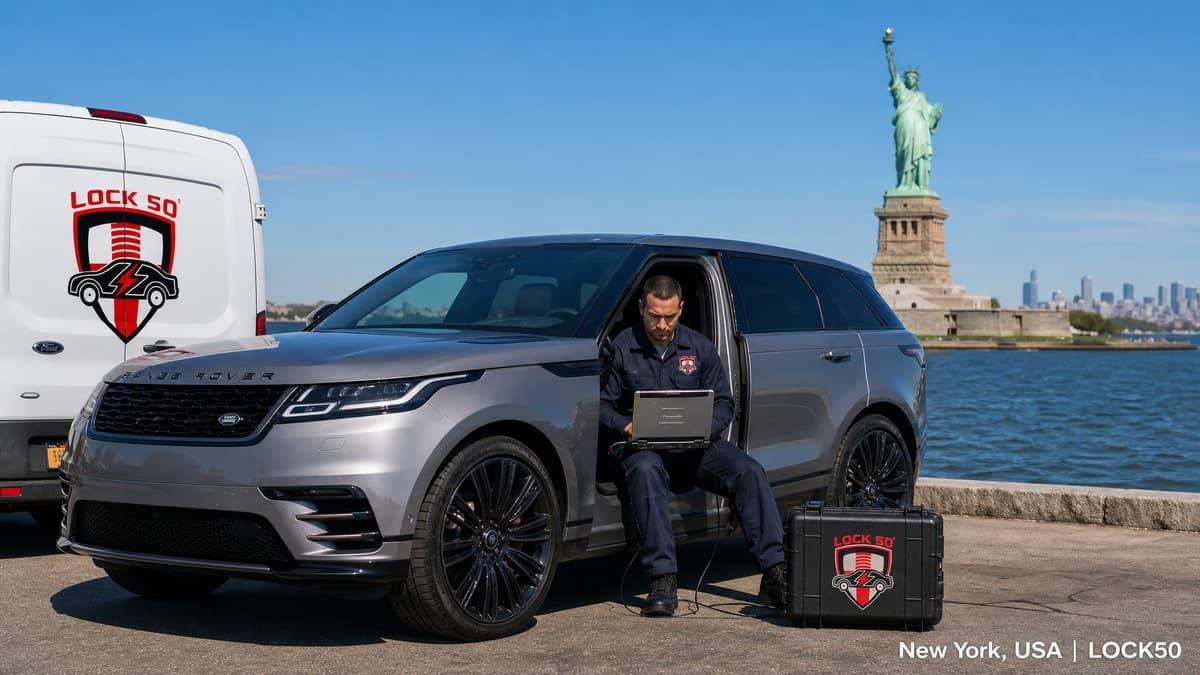
Locksmiths across the USA — from New York to Los Angeles, Miami to Dallas — use Lock50 to program Jaguar and Land Rover keys without dealer login. Lock50 handles spare keys, all keys lost and locked-RFA jobs on 2010–2024 vehicles over OBD.
Watch the Lock50 Demo
More demos on the Lock50 YouTube channel.
Coverage for US-market JLR
Lock50 supports all US-market Jaguar and Land Rover vehicles, including the latest UWB Range Rover, Sport and Defender.
Why US locksmiths choose Lock50
No dealer login, OBD only (no module removal), latest UWB support, and lifetime options with no subscriptions.
Which Lock50 Tool Do You Need?
- For the newest UWB models, use the HW04-C+ Tool Kit.
- For broad 2010–2024 coverage choose the HW04-C Peace Edition.
Frequently Asked Questions
Can I program a Range Rover key in the USA without the dealer?
Yes. Lock50 HW04 tools program Range Rover and Jaguar keys over OBD without dealer login anywhere in the USA.
Does Lock50 support US-market UWB Range Rovers?
Yes, the HW04-C+ supports UWB models including locked RFA.
Compare the full range and choose your tool: Lock50 HW04 OBD Tools.
???? About this video
Published Nov 24, 2023 on the official Lock50 YouTube channel
This Lock50 video demonstrates programming new keys for a 2023 Land Rover Defender using their JLR Key Tool software and 01/04 hardware. The process involves connecting the compact OBD tool, scanning vehicle modules (RFA, BCM), and performing immobilizer routines like checking and deleting all keys. Three new OEM keys are programmed in under two minutes, including remote functionality, proximity access, and emergency start without a battery, showcasing the tool's comprehensive capabilities on a fully updated vehicle with advanced security.
What this video covers
- Land Rover Defender key programming
- 2023 Defender key fob
- Lock50 JLR Key Tool
- Land Rover immobilizer programming
- Defender smart key add
- JLR key deletion
- OBD key programmer
- Land Rover security bypass
- Defender UWB antenna test
- Emergency start key programming
- Lock50 key programming software
- Land Rover remote key function
▶ Read the full spoken transcript
So Sean, I heard we're testing out the new 2023 Land Rover Defender. What are we doing today? Hey Liana, how are you? I'm great. We're demoing the our new our new and latest hardware and software. Okay. So, I'll just present everything. We have our Lock50 Hardware Zero One, which is our original Lock50. Okay. And then we have our 04 hardware. Oh, this is the new. This is the new hardware. The OBD, huh? Right there, look at the size. Wow, that's it. So compact. So now it just plugs into the OBD, right? right over here. Yes. Correct. It connects on one side. It connects USB to the computer and then it runs through and connects OBD to the car. Okay. And now we're working on the new style keys today. Correct. The Land Rover Defender 2023. All right, now what do we got going? So, this vehicle is notorious for having the latest and and greatest security. This vehicle is completely updated. All the modules are updated to the latest version. Okay. Um, one quick mention. This is a prototype. Our our Our mass production product will have our logos and information, of course, so Okay. So we're getting We're getting our first first peak. Yes. Absolutely. First Peak. We're just finished testing and I'd love I'm very excited to show you guys everything. So Okay, so what to do? With no further ado, we'll get the software open. This is the new software. As soon as we open it up, you can see that it communicates to both devices. If I unplug one of them, you can see that it mentions the device is disconnected. As soon as I plug it in, it goes right against the server, tests both serial numbers. Every piece has a serial number. And then we're going to go ahead and launch our software. From here, we're going to go into the diagnostic utilities. Okay. And we're going to scan the vehicle. Great. This will run a module scan on the vehicle. You can see it running through BCM, RFA and et cetera. Over here, we're not going to go into each and individual module, but you can see that you have the the remote function actuator, the RFA, the BCM, the gateway, the cluster, and et cetera. You can go into each individual You can see that you have functions here, but this is for another video. Now, that's that's a lot of information or um capabilities that the original dealer tool would have, isn't it? Absolutely. Yes. And over here on the main screen, once we went into utilities, you can see information about our security system. It let us know that the remote function band, which is the frequency, is 315 MHz and it let us know if it's disabled, armed, and et cetera. We can see that we have one key in the system, and this is the only key that's programmed right now. Wait, which one? I'm sorry. This is the only key that's programmed. Out of the three, this is the only key that's programmed. You can see that it reacts to the car and then no reaction. And no reaction, no response. Okay, what we're going to do first, I want to show you guys our immobilizations routine. And this will let us test for all working keys in the vehicle. It counts again, so you can see that there is one key programmed and one key found. And this is a very important test for theft recovery vehicles. This test all the antennas in the vehicle, the passive, the UWB, and et cetera. All antennas are connected and properly working. After that, we're going to have the UWB, the ultra wideband antenna status. So, we're running this software just take a second. So we can see that we have the front and the rear. So this is in the mirror and this is right under the the headline in the back and they both are running with no issue. What we're going to do next, we're going to delete all our keys. And it's not something you have to do. I'm just showing everything. You can add a key, you can delete keys, and et cetera. Yeah, because if we already have a key, there's no really point of deleting. Correct. And we have it in hand, so it's not lost or anything. But we would like to show from no keys on the system. So I'm going to go ahead and delete the keys. Okay. And now we can see that there is zero keys. If you guys remember, the key with the ring is the one that was programmed and now it's not doing anything. Okay. And you can see all three are the same. No reaction, no response. And then now we are going to go ahead and test the UWB antenna, which should be a negative situation, in a negative position. We should get an orange message in a moment. Then we will also show how to correct it. So you can see that it's incompatible uh software version. What we're going to do is we're going to pair our antennas. And this is how fast everything is happening. And now I would like to turn on the the the stopwatch and show you guys how long it takes to add three keys to the vehicle. Okay. I'm going to go ahead and start it. I'm going to go ahead and click Add Additional Key. Here, the software is asking me to place a key on hardware 01. Okay. I'm going to go ahead and click OK. It reads the key ID. You can see the key ID. The next step is to put the key on the passenger side. Okay. One very important piece of information. There's no need to press the buttons. We all know that it is so hard to press the buttons and if they work or doesn't work. And with me talking within 30 seconds. I have a key that's programmed. Here it is. And No way! We're going to go ahead and continue with programming. We'll show the next key. I'm just going to place it on here. I'm going to add the next key now. What do we just click on? Sorry, I missed that. Add Additional Key. Okay. And then I put the key on the plate before that. It reads the ID. My next instruction is to put the key on the passenger side. See? Wow, we're still under a minute. And this is the second key. We can do it faster. We're taking our time. Right? Okay. Second key is programmed. So now we have two reacting keys. That's one and that's two. Wow. Go for a third key. We're going to hit add additional keys. Okay. Reading the ID, placing the third key on the seat. And these are OEM keys. Nothing special about them. They're used keys. You can see I'm deleting and adding them, so they are used. And our third key is programmed. And then I want to show you guys that the car starts. Here we go. Oh, wow. Here we go. Amazing. Emergency start. No battery. We have proximity start, remote functionality. So these are fully functioning remotes. This is like dealer dealer keys. 100%. Here we go. We can step outside. Okay. We can go ahead and unlock it with with proximity. So you can see the mirrors are folding in. On the Defenders, a lot of people not sure if you put the key, the hand inside when you hold the key, it doesn't open. It's locked. You have to put the hand in, press the button and then it opens. Got it. So we have remote functionality. We have proximity inside and outside the vehicle. We have emergency start. All antennas are working. Extremely important. We all know that all other programmers, whatever is available between safe or not safe, not even talking about that, must turn off ultra bend antenna, which is the UWB. You guys all see the messages. You can see all antennas are on. Everything is working. Thank you very For any information, please contact Eliana. We are taking pre-orders and once we have production in mass production, then we'll take regular orders. Thank you very Oh, Sean, can you share my phone number? Absolutely. Ahead, it is 949 9909000. Thank you.
Related guides
HW01 & HW04 Users New changes on to Key copy from File and Key to Key for JLR 29A1 Keys.
Monday, October 7, 2024
HW01 & HW04 File to Key & Key to Key Copy functions now Require the HW13 or HW14 keys for 2017+ using 29A1 or the HW05 to HW10 using the 7953 keys.
When attempt to make a Key copy is made you will see this message which means to use the Correct Cloneable keys to be able to complete the operation.

 |  |
| Lock50 Change ID HW14 315 Mhz 2017 to 2024+ | Lock50 Change ID HW13 433 Mhz 2017 to 2024+ |
Related guides
Lock50 at the ALOA Security Expo 2024
Tuesday, September 17, 2024
Lock50 at the ALOA Security Expo 2024

Lock50 exhibited at the ALOA Security Expo 2024, showing locksmiths from across the USA and worldwide how the HW04 range programs JLR keys and unlocks locked RFA modules over OBD.
Watch the Lock50 Demo
More demos on the Lock50 YouTube channel.
What we demoed
Live spare-key, all-keys-lost and locked-RFA jobs on the latest Range Rover, Defender and Jaguar models — all over OBD.
Meet Lock50 in person
Events like ALOA let locksmiths see the tools in action and get hands-on with the workflow before buying.
Which Lock50 Tool Do You Need?
- See what locksmiths were programming with the HW04-C Peace Edition.
Frequently Asked Questions
Was Lock50 at ALOA 2024?
Yes — Lock50 exhibited and demoed live JLR key programming at the ALOA Security Expo 2024.
Where can I see Lock50 tools in person?
At locksmith trade shows like ALOA, Mechanex and others throughout the year.
Compare the full range and choose your tool: Lock50 HW04 OBD Tools.
???? About this video
Published Jun 13, 2024 on the official Lock50 YouTube channel
This video demonstrates key programming for a 2022 Land Rover Defender (L663). The process involves pulling out the Remote Function Actuator (RFA) module located under the driver's seat. Using the Lock50 JLR Key Tool software, a dump file is read from the module to copy an existing key, which initially disarms the car's alarm system. Subsequently, the tool is connected via OBDII to perform a "Replace Passive Entry" function, erasing all previous keys and successfully adding a new one to the vehicle.
What this video covers
- JLR key programming
- Land Rover Defender key
- Lock50 key tool
- RFA module programming
- Defender key cloning
- Add Land Rover key
- Erase Land Rover keys
- 2022 Land Rover Defender
- OBDII key programming
- Passive Entry key
- Vehicle security programming
- Key fob replacement
▶ Read the full spoken transcript
This is a 2022 Land Rover Defender. We just pull out a module that is located under the driver's seat. It's a really simple process to remove. We use, we read the OBDII, uh, OBDII port to read the, the dump, the dump file on it. And then we use the Lock 50 software to copy a key. Once we copy a key, it disables the alarm system on the car and everything works normal. So what we did after that, with the Lock 50 software, we actually added the keys, we erase everything, and we program a new Land Rover key. And now everything works fine. When it comes to programming keys, the Lock50 HW04 key programming tools are my go-to choice. These tools are a game changer, making key programming a breeze. With their user-friendly interface and advanced features, I can easily program keys for a wide range of vehicles. Say goodbye to complicated processes and hello to efficiency with Lock50 HW04, unlocking possibilities has never been easier.
Related guides
Lock50 C Package Demo 2023 Range Rover sport spare key Oem no modules changed
Wednesday, September 11, 2024
Make all keys lost or spare keys using same process
Add oem keys in Locked RFA BCM without using any parts in under 10 min the whole job
???? About this video
Published Sep 10, 2024 on the official Lock50 YouTube channel
The video demonstrates programming keys for a 2023 Range Rover Sport using the Lock50 JLR Key Tool. The process involves performing a network integrity test, then using the Key Duplicator function under Special Tools to program two existing clone keys. Finally, an additional OEM key is programmed via the PEPS System utilities, confirming three keys successfully programmed. The RFA module is heavily involved.
What this video covers
- Lock50 C Package
- JLR Key Tool
- Range Rover Sport key programming
- 2023 Range Rover Sport
- AC Locksmiths Leeds
- Land Rover key duplication
- RFA module programming
- OBD key programming
- Smart key cloning
- Jaguar Land Rover key tools
- Automotive locksmith equipment
- Spare key programming
▶ Read the full spoken transcript
Let's get a spare key done on this 73 reg Range Rover sport. It's firmware. It's firmware. Customer got one key, so we're just going to add the key. First key in. Next HW 13 key, both keys in. First key. Second key. It full proximity. All done. Now we'll add a genuine key. Right, so now we'll add a third key in by obd in the Locked RFA New Oem Key on Lock50 Right, that's now showing three keys programmed. All All done. Second key. All programmed.
Related guides
JLR BCM Data UFDFPN8 EEPROM file to Key 29A1 2017 - 2024+
Wednesday, September 4, 2024

Coming Soon in next Update Ability to from BCM latest models to Make Alarm off on the Bench via emulation on to HW13 or HW14 Keys and supports Emergency start.
You know the Lock50 Team like to do it all ways possible.
You can already make Alarm off via HW03A Adapter when rfa is Unlocked and C flash can be Read and then Emulate with RF Remote + Emergency start. with HW01 HW04-A HW04-B or HW04-C
You can already make Alarm off via CAN wires HW03B Adapter when in the Car using HW04-A HW04-B or HW04-C
You can already make Alarm off via RFA Connction using HW03C Adapter when in the Car using HW04-C .
Related guides
UK ALA Locksmith Event Lock50 HW04-C Alarm OFF & Key Copy Kit 2017 TO 2024+ Alfreton 26th and 27th October 2024 10AM - 4PM
Monday, August 26, 2024
UK ALA Locksmith Event Lock50 HW04-C Alarm OFF & Key Copy Kit 2017 TO 2024+ Alfreton 26th and 27th October 2024 10AM - 4PM
Learn more ahout the Tool and Functions with Live Car Demo

Holiday Inn South Normanton M1, Jct.28
Carter Lane East South Normanton Alfreton DE55 2EH England
The Auto Locksmiths Association

Related guides
Lock50 USA team at the Texas Locksmiths Association Convention September 21th, 2024
Saturday, August 17, 2024

See Full Demo of Lock50 Tools at the show with Hands on Training
https://texaslocksmithsassociation.org/convention/
Take Part in the The Texas Lockpicking Championship,
September 21st 11A-1P
Courtyard Marriott
16100 Impact Way, Pflugerville, TX
$1000 Cash Prize for Winner w/ Trophy and 2024 TLA Champion LockPicker Title
$50 for Non Members / $25 for TLA Members **Paid via TLA website**
Related guides
Lock50 at the SANDOWN PARK, SURREY 12 & 13th NOVEMBER 2024 10AM - 4PM
Friday, August 16, 2024


SANDOWN PARK, SURREY
12TH NOVEMBER 2024 | 10AM - 4PM 13TH NOVEMBER 2024 | 10AM - 3:30PM
See you at the Show
Stand number: C4
SANDOWN PARK
PORTSMOUTH ROAD ESHER SURREY KT10 9AJ
BY CAR
The arena is close to the M25 and is easily reached by car. Parking is FREE.
BY TRAIN
Esher railway station is a 10 minute walk from the arena.
Related guides
JLR Key Programming in Spain — Programación de Llaves Range Rover & Jaguar
Tuesday, August 13, 2024
JLR Key Programming in Spain

Cerrajeros y talleres de toda España usan las herramientas Lock50 para programar llaves Jaguar y Land Rover sin concesionario. De Madrid a Barcelona, Valencia a Sevilla, Lock50 gestiona llave de repuesto, todas las llaves perdidas y RFA bloqueado en vehículos 2010–2024 por OBD.
Watch the Lock50 Demo
More demos on the Lock50 YouTube channel.
Programación de llaves Jaguar & Land Rover
Con las herramientas Lock50 HW04 se programan llaves de repuesto, se resuelven los casos de 'todas las llaves perdidas' y se desbloquean los módulos RFA/BCM — directamente por OBD, sin credenciales del concesionario.
Why Spanish workshops choose Lock50
No dealer login, OBD only (no module removal), latest UWB models supported, and worldwide coverage including all Spanish-market JLR vehicles.
Which Lock50 Tool Do You Need?
- Para los modelos UWB recientes, elige el HW04-C+ Tool Kit.
- Para la mayoría de trabajos 2010–2024, el HW04-C Peace Edition es ideal.
Frequently Asked Questions
¿Puedo programar una llave Range Rover sin concesionario?
Sí. Con una herramienta Lock50 HW04 programas una llave de repuesto o resuelves 'todas las llaves perdidas' por OBD, sin credenciales del concesionario.
¿Se admiten las llaves UWB recientes?
Sí, el kit HW04-C+ admite los modelos UWB más recientes.
Compare the full range and choose your tool: Lock50 HW04 OBD Tools.
???? About this video
Published Feb 20, 2023 on the official Lock50 YouTube channel
This video demonstrates how to add an OEM smart key to a 2022 Land Rover Defender L663 in an "all keys lost" scenario for USA models. It showcases bypassing the TCU (Telematics Control Unit) service mode requirement using Lock50 HW01 and HW02 emulator keys, which are generated from MCU data files. The process involves using JLR OEM Pathfinder software with a Bosch DOIP VCI to program a new key without needing two existing keys or the InControl app.
What this video covers
- Land Rover Key Programming
- Defender L663 All Keys Lost
- JLR Pathfinder Key Programming
- Bosch DOIP VCI Key Programming
- Lock50 HW01 Emulator
- Lock50 HW02 Emulator Keys
- TCU Bypass Land Rover
- Telematics Control Unit Service Mode
- OEM Smart Key Addition
- Car Key Duplication Tools
- Immobilizer Bypass JLR
- Automotive Locksmith Tools
▶ Read the full spoken transcript
Hi and welcome back to short demo of the JLR OEM Pathfinder software and how to use the HW01 Lock50 with the programmed HW02 Lock50 emulator keys to bypass TCU service mode enabling. This particular job, the clients requires one OEM key and does not want to have two keys. However, the car originally has no keys with alarm on. Note new 2020 models and up require TCU Telematics Control Unit to be put into service mode before can add keys via InControl app on the client's mobile phone. For USA, this is important as when you have two working keys you can bypass TCU service mode and add keys via OEM OBD directly with Pathfinder. At this stage, if two keys are not present then it's required to put vehicle in service move normally. Place your Lock50 emulators you generated from the MCU dumps on gear shifter. Select smart key. Select number of OEM smart keys to program. Click next and now current two keys will be checked and only then can proceed to add new keys when the Lock50 keys are detected. As you can see, you are now able to proceed to add one new OEM key. Follow the guide on screen. You will need to enter the transponder ID found printed on the packet of new keys or if used keys you can use the Lock50 Tagpro to read out the key ID number and enter here to proceed to learn the new key. If you recall in the last video, we showed you how to use the Lock50 Dump tool to open the MCU data files to extract the current key info and then use the Lock50 HW01 software to open the file and generate the two keys in order to add one new OEM key when this car has no keys at all. Now the Pathfinder software is completed the rest of the key programming routine. Remember we supply all these tool used to complete this job and we ship all over the world. Lock50 HW01 is token free. Unlimited use one time purchase. Lock50 team publish regular updates. Alarm off and key emulation technologies. Thanks for watching of Defender 2022 all keys lost plus added spare key without setting TCU to service mode. More demo videos coming soon for Lock50.
Related guides
Training Lock50 Hw04 C Tool allows Makes keys in Alarm State and even add oem keys to Locked RFA
Saturday, August 3, 2024
When any other Tools dont allow you to make keys when RFA is locked and BCM is Locked
We show you that Lock50 Products allow you make even spare or lost non original full working keys in the Vehicles even when in Alarm state.
The Impossible does not end thier and as then Lock50 will add OEM keys in the locked RFA and BCM.
???? About this video
Published Aug 2, 2024 on the official Lock50 YouTube channel
The video demonstrates programming keys for a 2021 Land Rover Defender while its security system is in an alarm state, without RFA BCM module changes. The Lock50 HW04-C device and HW03-C RFA adapter are used to add an existing original key and a new aftermarket HW13 key. The process involves accessing the RFA module directly, bypassing normal OBD communication due to the active alarm. Both keys are successfully programmed and tested for keyless entry and start, showcasing compatibility with JLR PEPS/UWB systems from 2017-2024.
What this video covers
- Land Rover key programming
- Jaguar key programming
- Lock50 HW04-C
- JLR key programming tool
- Land Rover Defender key
- PEPS key programming
- UWB security system
- Lost key programming
- Spare key programming
- Alarm state key programming
- RFA module key programming
- 2021 Land Rover Defender
▶ Read the full spoken transcript
Good afternoon, ladies and gentlemen. It's the lock 50 team, the official team from the UK presenting to you a demo. A demo on a Land Rover Defender 21 Reg. We have the car to be demoed in alarm state for you. So this can work all the way to 24 year, any model that is a PEPS system. What we have today is our Lock50 HW04 device. We have at the moment, the customer's got an original key already. Yeah, what we're going to do is put the car in alarm mode and open it with this blade and we're going to do the job in alarm state and then reprogram this key and one other key, an aftermarket HW13 Lock50 key into the system. Then what we're going to do is show you also in the Lock KVM are the genuine key. Yeah, original PEPS key without without changing any modules. All of this job is happening without changing any BCMs. The car is updated to the very highest security. And we're about to begin. We've got our Lock50 kit here. Osman is our technician for today. He's going to now open the vehicle for you and set in alarm mode. Once the alarm is activated, we are going to log in through OBD. Okay, welcome, guys. Hello, my name is Usman. Uh, we're going to put the vehicle into an alarm state now. Now we're going to plug in through OBD. Now, you don't need to plug in to OBD when on the job and for purpose of demo. Now, as you can see, the the vehicle alarm is on. You don't need to plug in to OBD when on the job and for purpose of demo. Now, as you can see, the vehicle alarm is on. We're ready now. We're going to scan the car. You don't need to plug in to OBD when on the job and for purpose of demo. So here we're going to log into the RFA. We're going to check the RFA state. Obviously, it's going to be locked. And it's going to be an alarm state. So it's going to finish scanning the vehicle. We're going to quickly come here and show you the modules. We can see all of these modules at the moment. We're going to come back down to the PEPS system. And here, you can see it's in arm status at the moment. And we can't communicate with anything. You cannot talk to any of the modules right now. Now, we're going to plug into the RFA adapter. This is the HW03-C adapter. And with this, we're going to connect the RFA now. Into the boot, and we're going to connect the laptop to the boot, and we're going to make this key that way now. Usman, okay. So we're taking off the OBD connector. We're disconnecting the OBD cable. Leave that to the side for now. And for this, we're going to need the Lock50 adapter hardware. Zero three C. Yeah. And that entails a Y cable attached to the adapters. So you're going to attach the Y cable, the single side like this. And that's your Lock50 prepared and ready now. And on the other side, we have two connectors. So now we're going to take this to the RFA. Obviously, we won't be able to open the door. So at this stage while it's in alarm mode, we need to unplug the RFA from the back. So on this time we're not even going to be going through the side door. So I'll just go get the laptop back but I'll show you exactly here. We're going to unplug this RFA right now. The RFA is unplugged. Now as you can see there's there's one side of the cable. This is what we need access to. I'll just go get the trolley back again. Okay, Usman. Okay. Now we are plugging in the RFA adapter that came out from the RFA. I'm just I'm just showing you here. So I've got the customer's key at the moment which is not working because we've got the RFA disconnected. We're going to learn this and we're going to learn a HW13 key which is an aftermarket key. Let's go Usman. We're going to start by plugging the original key on the reader. So hold the original key on the reader. Yeah, let's start the process. So we've got the original key on the reader. We're going to read this key. Next key, Usman, please. Yeah, that one's currently programmed. Our HW13 key. Yeah, the non-original key right now. This is on the reader. Yeah. HW13. Yep, on the reader itself. On the reader now, click continue. Press yes. All done. Now we are ready. There are two keys are programmed, the existing one and the new one. Now we're ready to plug in the RFA back Usman. Yeah, okay. Then both these keys will be active and fully working. Then we're going to demo to you how to add a further key into this vehicle without changing an RFA as well. So all we're doing is unplugging the our connector, plugging back the original RFA and we'll take both the keys out of the car for now. So this is the original key. We know that would work anyway. We'll put that over here. We want to now test with our new key. The alarm is still active. Yeah, the RFA is plugged in. Our new key is ready. Is in the hand. Alarm is still on. Press the button. Alarm is off. This key is our new key now, yeah? Yeah, we're ready to start the car. Let's press the start button. Vehicle started. Vehicle started. Everything is done. Let's check the keyless function for you as well. Open that door if you want. We can exit from there. Just unlock the vehicle. Yeah, unlocked it again. I've got child lock on there. One moment. So now everything's done. We're just going to show you the keyless function. Remember, the other key is still over here, the original one that came with the car. We're going to come back to that in a minute, but this is our current key, the aftermarket key. We shall now log out from here, lock the car. Everything's locked. We'll test the keyless function on this key now. The keys in the hand. Press the button. Everything's active. Let's press the start button. The key is fully done, fully working. We shall test you the original now that the customer had originally. So I'm going to put this in its place over here that's on the floor. This is the original key for the customer. Still working Usman, close the door, please. We're going to plug into OBD next, please. So now, again, keyless is fine on the original key. Car starting, everything's fine with the original key. Now we're going to go and do something else. I just want to plug into OBD, please. We're going to need both the keys here that we've made and the car will go through some software functions, how everything works, how the Lock50 scans the vehicle. Right, let's start the scan now. We can go back from this option. We finish from the duplicator. We're going to start a new scan now in the vehicle. We've got our two keys on the dashboard here. The car scan. Alarm has been deactivated. Deactivated. We've got spare key made. It's fully working. It's fully keyless. Five minutes have not passed. Now we're going to do some more magic. We're going to run you through the software. Also one of the most advanced functions, we're in the locked KVM, we can add a genuine key now. And this is without any module changes all this is happening. Remember, car was in an alarm state, could be any PEPS system, up to 24 All Models all supported. Could be the new Sport, old Sport, could be the Defender, whatever. So now when we go to modules, we can see more modules because we're actually got the alarm off and we're in the car. If we come back to our PEPS system, it's going to tell us a bit more information. Look, it's the the module is locked here in red. Yeah, in red. So now we're going to come back down all the way, go to key learning. And we're going to now add an additional key. We'll put an additional key into the reader. Onto the vehicle. Yeah, we're going to put our key on the reader. Put one of the Lock50 keys on the reader. This is a genuine key now, which has not been programmed in this vehicle before. We shall come back to the software. Press okay. It will detect the key. Press next. There we have it. The third key, which is an original key that's been programmed in. Do we want to program more? We don't. We're just going to write the BCM data. And we will now test this original key that we've just done. Place all keys on the seat. Now we need to put all three of the keys on the seat itself. Yes. On the passenger seat. Everything's on the passenger seat. Back to the software, press okay now. The car's on the the keys on the seat, and it's going to write you the BCM information. So basically, this is a locked module we've just demoed for you. And inside it, three keys have been added. We are now going to take out both the keys, which originally, the original one and the aftermarket one that we made. And we're going to test this third key now, which is the original one. This one here that we've just put in. So these keys here, all three of them, I'll put two to a side. And we have the new genuine. Just close the door for me now, please, Usman. So now we're going to lock everything again. And this is the genuine key, the third key now, made by Land Rover with full PEPS. We're testing this one. Open and close. Let's test the keyless. Keyless is fine. Let's test the start. Everything's fine. So there you have it. Under ten minutes, you can have an aftermarket key programmed. You can have an original key programmed in latest vehicles after 21, plus the one before this. You can make a backup key which is a non genuine key, and turn the alarm off. The most advanced functions in the world we just demoed for you. Thank you for your patience. More videos will be coming soon. Lock50. You have a nice day. Thanks a lot.
Related guides
Lock50 HW04 B 217 to 24+ Demo Key Programming & Flash New RFA & Write New ID To BCM
Wednesday, July 17, 2024
5 Simple Steps to Program all 2017 to 24+ RFA in JLR Vehicles
???? About this video
Published Jul 17, 2024 on the official Lock50 YouTube channel
This 5-minute demo showcases key programming for Jaguar Land Rover (JLR) vehicles using the Lock50 HW04-B tool after replacing a Remote Function Actuator (RFA) module. It illustrates the five-step process: scanning the vehicle (Range Rover Sport L494, 2020 model), updating the new RFA software, running immobilization, deleting all old keys from the Passive Entry Passive Start (PEPS) system, and finally adding new passive keys. The tool facilitates adding keys to both unlocked and locked RFA modules, streamlining lost key replacement and new RFA programming.
What this video covers
- JLR key programming
- Lock50 HW04-B
- RFA module programming
- Land Rover key replacement
- Range Rover Sport key
- Jaguar key programming
- Immobilizer system reset
- Lost key add JLR
- Key fob programming tool
- Automotive diagnostic tool
- PEPS security setup
- Smart key programming
▶ Read the full spoken transcript
Hi, and welcome to the Lock 50 training video. of how to add keys after changing to a new RFA. Once you log into the software, you can start the diagnostic scan. Lock 50 will scan the modules in the vehicle, read and DTC codes present, and show you in the next screen. Our software is the most easy to use JLR key programming system that requires very little input to operate. We shall demo how to add a new key and remove a lost key from the vehicle's software. The whole process takes only a few minutes. Lock 50 team support via remote team viewer is available also, but you can see how simple either process is. Already Lock 50 can add keys in unlocked RFA in under one minute. However, we have here a locked RFA vehicle where we shall load the new RFA software into the new RFA that has been fitted. On the right menu, select modules and locate the RFA module. Now click on software update and will see the software is blank and the VIN is blank on the RFA. When the software parts are checked, you can click on continue to download, and then yes, to begin programming. Don't forget to check out the upcoming demo of the Lock 50 HW04-C tool that does not require any new RFA and can allow you to make cheaper copy keys via a simpler method, releasing on the 25th of July. Once the RFA is programmed, we will move to the PEPS utilities menu to the next stage of programming the keys. This process for flashing can take few minutes to complete, and finally the RFA will be rebooted and will be ready to go to the next step. We stock new RFA and keys to use, you can contact our sales team when you're ready to come onboard to receive all that's required to get started in JLR key programming. Lock 50 team offer full support on how to use our tools. Scroll to the bottom of the page to see the key programming menu, then run immobilization. This will take up to 30 seconds. Done. The next step is to clear the PEPS system and remove all old keys in the system that no longer with us and need to be replaced. This can take 30 seconds. Done. Now we are ready to add the one old and one new key and complete programming by placing the keys on the Lock 50 HW04 device when requested. If you use a non UWB key, when the function UWB PEPS disable has not been used, then you will see this error. Now we will add a real original key on the reader to finish the program. Final stage now and keys ID is written to BCM to finish the job. Subscribe to see more demos.
Related guides
Release of the HW03C Alarm OFF All Keys Lost PEPS Locked RFA Keys Adapter kit 2017 TO 2024+
Thursday, July 11, 2024
25 in UK & 25 in USA July Release of the HW04-C OBD Tool and Adapter called the HW03C Alarm OFF All Keys Lost PEPS Locked RFA Keys Adapter kit 2017 TO 2024+
It's Time for the Release of the HW04-C Package that Promises to do the impossible.
Since 2017 to 2024 the PEPS JLR Keys Programming system has been updated by JLR to the Level where now its impossible to make spare of lost keys without BCM & RFA Changes using All tools Except the Lock50 HW04.
New Software versions like the L8B2 BCM upgrades and the Dealer Mitigation Security updates from Topix Cloud are soon to put a Nail in the Coffin for All JLR Key programming tools as without new RFA + BCM Changes its not possible no more.
All is not lost and the Lock50 Team go forward when others go backwards.
Not only do Lock50 Team Tool allow making keys with the highest Security applied on to the BCM + RFA Modules when they are Locked in PEPS Systems by swapping to a new RFA Module alone without BCM Changes but in fact go one step further.
Lock50 HW04-C functions allow you to make a full working key without any RFA Changes using the HW03C Adapter set.
HW04 has been Made Modular so you can start with the HW04-A Package and addon Functions that you require from the B or C package without buying the full B or C Packages.

Good News for All Lock50 HW04 Obd Tool owners.
If you have HW04-A or HW04-B then this adapter HW03C can work for you to be able to Do All keys Lost and Make key copy 2017 to 24+ PEPS Vehicles without any soldering to Supply a New Full working HW13 or HW14 Lock50 Key even with an Active Alarm.
Adapter HW03C Normally would only come with the Purchase of OBD Programming HW04-C OBD Version Devices.
However a U Turn was made for the better for the Lock50 Community.
Lock50 Team Value our Users continuted investment in our tools and we feel they all deserve something Extra Peace of Mind that can Normally only come with Ownership of the HW04-C Package.
Now All Users who invested in the Lock50 HW04 Obd tool will be Given options never offered by any others and have a backup so they never walk away on any JLR jobs.
We all Know how it feels like to walk away from a Vehicle and not being able to get the Job Done.
Next Month we will start to Upgrade all Lock50 Generation 1 OBD Tool users to the Lastest Design .


Now you will have even more power with the All in 1 Design so you only have 1 Device Connected.
You can do all same functions as the HW01 as well as the HW04 OBD Tool.
If you Purchased the HW04 OBD Gen 1 Tool then you will have the Following Free Upgrades Coming.
- FREE HW04 Upgrade to the Latest All in Design HW04 + Intergrated HW01 Key Copy tool.
- FREE Dual Can adapter to Add support via OBD for older PCF7953 Keys 2010 - 2020
- FREE Licence for All HW04-A users to Support Can Wires Alalrm OFF 2017 to 2020
- FREE HW03B Alarm off Adapter kit & Cables to use for 2017-2020 PEPS or Non PEPS Vehicles
Optional Adapter to use for Alarm OFF + Key Copy when RFA is Locked + Special Keys with support to 2024+ Using Pay as You Use without having to upgrade to the HW04-C Packages.
- HW03C Solder Free Adapter Alarm OFF and Key Copy kit & Cables to use for 2017-2024 PEPS Vehicles when RFA is Locked *
- Keys you can use for Key Copy when RFA is Locked HW13 or HW14
Simply Order the Adapter Kit and the HW13 or HW14 Keys and even if you dont have the HW04-C Full Package its still possible for you to make keys without any RFA changes and Turn off Alarm to 24+ Vehicles and use on a Pay as you Go Basis.
Great as you dont need to stock OEM keys and you dont need to Stock new RFA when your RFA is Locked and can keep inventory Low .
Simply Pre book a apointment with us and Make the One Time Programming Fee ( HW04-C Owners not need pay extra fees to use ) and get the Job done.
https://lock50.co.uk/training-...
Related guides
Lock50 vs Dealer — Mobile JLR Key Programming Compared
Wednesday, July 10, 2024
Lock50 vs Dealer: Mobile JLR Key Programming

Why do more JLR owners call a mobile locksmith than the dealer? Cost, speed and convenience. Here is how a Lock50-equipped locksmith compares to a main dealer.
Watch the Lock50 Demo
More demos on the Lock50 YouTube channel.
Cost
Dealers carry high overheads; a mobile locksmith with a Lock50 tool passes on lower prices for the same spare or lost-key job.
Speed and convenience
No booking weeks ahead, no recovery to a dealer — the locksmith comes to the car and programs the key over OBD on the spot.
Which Lock50 Tool Do You Need?
- Locksmiths equip with the HW04-C Peace Edition for full 2010–2024 coverage.
- Add UWB support with the HW04-C+ Tool Kit.
Frequently Asked Questions
Is Lock50 cheaper than the dealer for JLR keys?
Typically yes — lower overheads mean lower prices for the same job.
Can a mobile locksmith program a JLR key at my location?
Yes. Lock50 tools work over OBD, so the job is done at the car.
Compare the full range and choose your tool: Lock50 HW04 OBD Tools.
???? About this video
Published Jan 15, 2026 on the official Lock50 YouTube channel
This video introduces the Lock 50 HW04 tool, designed to simplify complex JLR (Jaguar Land Rover) car key programming. It showcases the red hardware device connected to a laptop running proprietary software, illustrating a streamlined process for key programming. The tool promises to unlock efficiency, enable faster programming, and deliver smarter results for JLR vehicles. The video concludes by presenting the complete Lock 50 JLR OBD Master Edition kit, highlighting its capabilities for automotive locksmiths and technicians working with JLR immobilizer systems.
What this video covers
- JLR key programming
- Lock 50 HW04 tool
- Jaguar key programming
- Land Rover key programming
- JLR key programmer
- OBD key programming
- Automotive locksmith tool
- Car key programming device
- JLR immobilizer programming
- Lock 50 JLR Master Edition
- Vehicle key solutions
- Key programming efficiency
▶ Read the full spoken transcript
The Lock 50 HW04 tool, simplifying complex JLR key programming. Unlock efficiency, faster programming, and smarter results.
Related guides
UK 25 July Live Lock50 HW04-C Demo in Latest Vehicles without any RFA or BCM changes to Add Keys
Tuesday, July 9, 2024

Come to the UK Office to Feel and See the Power with Live Demo in Latest Vehicles without any RFA or BCM changes to Add Keys
25 July All Day Demos on site.
BE sure to Register in the website first.
https://lock50.co.uk/training-...
Related guides
Lock50 TagPro: Hitag AES Transponder Tool
Tuesday, June 18, 2024
Lock50 TagPro: Hitag AES Transponder Tool
The Lock50 TagPro reads, writes and emulates Hitag AES transponders — the chip family used across modern Jaguar Land Rover keys and many other makes.
Watch the Lock50 Demo
More demos on the Lock50 YouTube channel.
What TagPro does
It handles Hitag AES transponder read/write and emulation, useful for key chip work, testing and advanced key jobs.
Where it fits
TagPro complements the HW04 OBD tools for locksmiths who need low-level transponder control.
Which Lock50 Tool Do You Need?
- Pair TagPro with the HW04-C Peace Edition for full JLR coverage.
Frequently Asked Questions
What is the Lock50 TagPro?
A transponder tool for reading, writing and emulating Hitag AES chips used in modern JLR keys.
Does TagPro replace the HW04 tool?
No — it complements it for low-level transponder work.
Compare the full range and choose your tool: Lock50 HW04 OBD Tools.
???? About this video
Published Feb 19, 2023 on the official Lock50 YouTube channel
This video demonstrates programming an OEM key for a 2022 Land Rover Defender L663 (USA) in an 'all keys lost' scenario. It highlights how newer models (2020+) require the TCU (Telematics Control Unit) to be in service mode, or two existing keys. Using Lock50 HW01 software and programmed HW02 emulator keys, the video shows bypassing this TCU service mode check, enabling the addition of a new OEM key directly via JLR OEM Pathfinder software with a Bosch DOIP VCI.
What this video covers
- Land Rover key programming
- Defender L663 all keys lost
- JLR Pathfinder key programming
- Lock50 Tagpro
- TCU bypass key programming
- Bosch DOIP VCI
- OEM key programming Land Rover
- HW01 Lock50 emulator
- HW02 Lock50 emulator keys
- Land Rover Defender 2022 key
- Key programming tools JLR
- Immobilizer bypass Land Rover Defender
▶ Read the full spoken transcript
Hi and Welcome back to short Demo of the JLR OEM Pathfinder Software & How to use the HW01 Lock50 with the Programmed HW02 Lock50 emulator Keys to ByPass TCU Service Mode Enabling. This Particular Job the clients requires 1 OEM Key to be Programmed. The Car Originally has No Keys with Alarm on. At This stage if 2 Keys are not Present then its required to put Vehicle in Service Move Normally. Note New 2020 Models and up require TCU Telematics Control Unit to be put into Service Mode before can Add keys. Via InControl App on the Clients Mobile Phone. For USA this is important as when you have 2 working Keys you can ByPass TCU Service Mode and Add Keys Via OEM OBD Directly with Pathfinder. At This stage if 2 Keys are not Present then its required to put Vehicle in Service Move Normally. Place your Lock50 Emulators you generated from the MCU Dumps on Gear Shifter. Click Next and Now Current 2 Keys will be checked and only then can proceed to add New keys when the Lock50 Keys are Detected. Select Smart Key. Select Number of OEM Smart Keys to Program. Click Next and Now Current 2 Keys will be checked and only then can proceed to add New keys when the Lock50 Keys are Detected. As u Can see. You are now able to proceed to Add 1 NEW OEM Key. follow the Guide on screen. You will need to enter the Transponder ID found printed on the packet of new keys or if used keys u can use the Lock50 Tagpro to read out the Key ID number and enter here to proceed to Learn the New Key. If u recall in the Last Video We showed you how to use the Lock50 Dump tool to open the MCU Data files to extract the current Key info and then use the Lock50 HW01 Software to open the file and generate the 2 keys in order to add 1 New OEM Key when this car has no keys at all. Now the Pathfinder software is Completed the rest of the key programing routine. Remember we supply all these tool used to complete this Job and we ship all over the world. Lock50 Tag Pro is Token Free and Unlimited use Tool. Write unlimited time on our emultors and reuse. Lock50 Tag Pro is Token Free and Unlimited use Tool. Write unlimited time on our emultors and reuse. Lock50 Team publish regular Updates. Alarm off USA Cars + emulate current Keys. Thank's for Watching. of Defender 2022 all keys lost + Added spare key without setting TCU to Service Mode. More demo videos coming soon for Lock50.
Related guides
Lock50 uk Demo Locked RFA Alarm ON iPace Jaguar 2019 Solved no RFA Changed done with HW04-C
Monday, June 10, 2024
???? About this video
Published Jun 9, 2024 on the official Lock50 YouTube channel
Lock50 showcases programming new aftermarket keys for a 2019 red Jaguar iPace after all keys were lost and the alarm was active. Previous locksmiths failed, but Lock50's specialized team successfully enabled keyless entry, lock/unlock, and engine start. Crucially, this was achieved without replacing any vehicle modules, offering a cost-effective alternative to expensive dealer services. A key cutting machine is shown, highlighting their comprehensive key solution.
What this video covers
- Jaguar iPace key programming
- 2019 Jaguar iPace all keys lost
- Jaguar iPace alarm disabling
- Aftermarket Jaguar car keys
- Lock50 JLR key solutions
- Jaguar keyless entry setup
- No module change key programming
- Jaguar auto locksmith UK
- Vehicle key cutting service
- JLR smart key replacement
- Cost-effective Jaguar keys
- Emergency car key service
▶ Read the full spoken transcript
Hello and welcome to a video by the Lock 50 team. In this video, we're showing new keys programmed to this Jaguar I-Pace. It was in a situation with the alarm on and no keys to the vehicle. A couple of locksmiths have been and gone and they're not been able to make any keys. Our team at Lock 50, we're the ones that have specialized in this alarm off scenario. And what we do here is we can show you that we can program aftermarket keys to the vehicle, which can save you a lot of cost from having genuine keys made from the dealer at a very, very high price. We can offer these at a much, much more, better discounted price. I can I can show you the the keys are working and um I'm going to cut the blade soon as well for the for the customer. I can just show you, keys are starting. Customer had it on the back of a trailer. He's had a few locksmiths out trying to get it. There you go. You got an aftermarket working key for the vehicle now. And it works hands-free as well. I can walk up to the vehicle without touching any other button on the key. I can just press the button and the vehicle was unlocked keyless. Also to show you, is starting and fully functioning. All hands-free and keyless. Thank you very much. That's another successful video from Lock 50 team. There you go. Here's the vehicle. Fully ready, fully working. Programmed, one's in the vehicle, one's with me. Customer's very happy. Everything's working bang on. Everything's working bang on. You're happy with our service? Very happy. Happy with it all, yeah? Yep, excellent. Thank you very much. Right there, just to, uh, another quick video from the Lock 50 team. Also showing you that once we do program vehicle keys, we also have the capability of cutting a new key blade for your vehicle. If you have an existing one, you can copy the key. Uh, if your vehicle is locked, we can pick the lock, decode it and make the key for you as well. Thank you very much. Bye.
Related guides
Good New for all Lock50 Prospective Purchasers with More Affordable Pricing announced
Monday, June 3, 2024
Good New for all Lock50 Prospective Purchasers
As you know Lock50 is a Small Company from the UK that Decides it will make the Best JLR Tool to be ever Created with Functions never promised by any others.
To make the Dream happen takes a Lot of time and Effort and investments. Infact the Lock50 Creators had to put in all thier resources in to get this Far and all this is only possible due to our Great Customers who have seen the Time Saving and Reliablity of our tools over the Years and invested with us continually.
We all want to have a Affordable Tool but Due to the Very High Development costs of ownership was higher. Now 6 Month in the Project and As More Users Come On Board the HW04-A OBD Tool in the USA HW04-B worldwide tool we can offer better deals on the the upcoming HW04-C Tool and lower the cost of upgrading from the HW04-A or HW04-B Packages
Also HW04 has been Made Modular so you dont need to make a Full commitemnt from the A to the B Package and can start with the HW04-A Package and addon Functions that you require from the HW04-B package without buying the full B Package.
As the Lock50 Userbase Grows we aim to further bring down the Cost of upgrades to the HW04-C Package which is due for Release in June 2024 with the Exact Date waiting to be anounced.
Join the JLR Lock50 Tool Revolution and Order your Tool Soon.
Only 1000 Devices are due be Sold worldwide and once Sold out only those Users have the Chance to Make Keys without RFA Changes and be able to do Alarm off on the Latest 24+ Vehicles with the Highest BCM RFA updates applied.
https://lock50.co.uk/lock50-to...

Related guides
PIVI PRO 13.1" SCREEN UPGRADE RETROFIT Your Land Rover or Jaguar
Sunday, June 2, 2024
HomeServicesMultimedia InfotainmentActivation of the Navigation Function

PIVI PRO 13.1" SCREEN UPGRADE RETROFIT
'The New Range Rover elevates Land Rover’s award-winning Pivi Pro infotainment technology with its largest ever touchscreen. The 13.1-inch curved, floating screen embodies the architectural lightness of the interior with its elegant design and provides intuitive control of all the major vehicle functions, using the latest consumer technology to deliver a smartphone-inspired interface.
NOTE
Screen Comes Bubble Wrapped and is NEW.
NO Brackets or Cables included and will need to Sourced Yourself
Fitted and Programmed Price around 2.5K GBP Nationwide in the UK if required.
CODE:13.3 inch pivi pro display new
https://lock50.co.uk/services/...
Related guides
Meet Lock50 Team at the ALOA Convention & Security Expo from July 22nd to 28th, 2024
Thursday, May 30, 2024

https://lock50.co.uk/training-...
June 22-28, 2024 @South Point Hotel Casino & Spa • Estimated Attendance: 3,000+
Lock50 and UHS Hardware are sponsoring a FREE Land Rover Training Event 7/26 5-7!
The event will train users how to make keys for Land Rover Range Rover 2010 through 2024+ including all keys lost, add a key, and Alarm mode
The vehicle that we are highlighting is a Land Rover Range Rover Sport 2021
Live DEMO with HW01 Alarm Off Tool, HW04 OBD Programmer, HW14 Aftermarket Keys & the brand NEW CANwire alarm off adapter!!!
We will be in an air conditioned, state of the art facility about 10 minutes from the conference center at 5850 La Costa Canyon Ct, Las Vegas, NV 89139
We will be providing refreshments. Following the FREE training is the ALOA kickoff party sponsored by Key Innovations at 7 at the South Point Hotel & Casino.
You must RSVP to save your spot!
Call (949)900-9000 with any questions
Security Professionals Unite at The ALOA Convention & Security Expo 2024 in Las Vegas
Security professionals from across the industry will converge in Las Vegas this July for The ALOA Convention & Security Expo 2024. Held at the South Point Hotel Casino & Spa from July 22nd to 28th, 2024, this premier event offers a one-stop shop for education, networking, and exploration of the latest security technology and trends.
The ALOA (Associated Locksmiths of America) Security Professionals Association has a long history of fostering excellence in the security industry. Their annual convention reflects this commitment, providing a platform for attendees to:
Lock50 will be doing Training and Demo if the HW04-C and HW04-B HW04-A + HW01 Packages
- Deepen Their Knowledge: Engage in a variety of educational sessions led by industry experts. Topics will cover everything from Key Programming for JLR + New RFA BCM Prgoramminng with Alalrm OFF and other emerging technologies.
The ALOA Convention & Security Expo isn't just for locksmiths; it's for anyone involved in the security industry. Whether you're a security guard, a system integrator, a security consultant, or a manufacturer, this event offers something valuable for you.
Register today and be part of the security industry's premier event in Las Vegas!
Addendum
The ALOA Convention & Security Expo typically attracts thousands of security professionals from across the United States and around the world. This year's event promises to be particularly well-attended, offering a unique opportunity to learn, connect, and discover the latest advancements in the security field.
Expected Attendance Figures: Organizers anticipate welcoming over 3,000 security professionals and industry stakeholders to The Aloa Convention & Security Expo 2024 @South Point Hotel Casino & Spa in Las Vegas.
- Read more and register at aloa.org
Related guides
Lock50 HW04 Now Adds Support for DoIP Programming & Diagnostics via Enet Cable 2017 to 2024+
Wednesday, May 29, 2024
Lock50 HW04-B & C OBD Tool JLR DOIP Programming & Diagnostics via Enet 2017 to 2024+
Now You can Faster Programming up to 100 Mbs via the Enet OBD Programming Cable that be used with this Module to Program and keys and Module Softwares.
Support 2017 - 2024 + Models
Latest New Range Rover and Range rover Sport Model Programming Required This Cable for Some Functions.
Note Lock50 HW04 Device needs be plugged in to usb as normal but the Enet Cable is plugged to the OBD and Ethernet Port on your Laptop.

Related guides
Lock50 HW04-C Demo Key Copy and Add OEM PEPS Key in to M9R3 Locked RFA Worldwide without RFA or BCM.
Sunday, May 26, 2024
Lock50 HW04-C Demo Key Copy and Add OEM PEPS Key in to M9R3 Locked RFA Worldwide without RFA or BCM.
Today we do the Impossible and Show Lock50 Team can Add Keys and Copy Keys from Latest Models Vehicles in 5 Min. See how easy the software is to use and work with.
Dealer Tool or Other tools make you jump through hoops while the Lock50 HW04-C lets you do the the 2 keys job in a breeze.
We Make First a Copy of the Key..
Then in the Same Locked RFA we add via OBD a OEM PEPS Key.
All without Modules Changes and Modules are Locked in this BCM + RFA.
???? About this video
Published May 25, 2024 on the official Lock50 YouTube channel
This video demonstrates using the Lock50 HW04 OBD tool to duplicate and program keys for a 2023 Range Rover (L460) with a locked RFA module, supporting models from 2017 to 2024+. It first shows how to create a spare key by duplicating an existing one via the special RFA-adapter. Then, it illustrates adding an OEM PEPS key via OBD, successfully registering it as a third key, without needing to change RFA or BCM modules. This method bypasses typical security challenges in locked systems.
What this video covers
- JLR key programming
- Land Rover key programming
- Range Rover key programming
- Lock50 HW04 OBD tool
- Key duplication tool
- Add spare key Land Rover
- Locked RFA module
- BCM key programming
- OEM PEPS key programming
- 2023 Range Rover key
- L460 key programming
- Car key programmer
▶ Read the full spoken transcript
Welcome to a demo from the Lock 50 team in the UK. We are presenting a demo of the HW Zero four C package today. We shall demo the key duplicator for locked RFA modules onto Lock 50 non-PEPS keys. Yes, we mean in a locked RFA module. Then we shall show you how to add a OEM PEPS key via OBD in the same vehicle when the RFA is locked. Today's demo defies logic and goes against the norm. Let's proceed to the action. The vehicle today is a 2023 year Range Rover model. Nobody is claiming to make a new key for this vehicle without RFA plus BCM changes, except the Lock 50 team from the UK. We start with a diagnostic scan while connected with the HW zero three C adapter and the Lock 50 HW Zero four C tool. As we are not connected via OBD and via the CAN adapters set, then we see only a few modules on the the CAN bus. We shall click on the RFA to check comms. RFA type is showing M 9 R 3, latest highest security. Now we shall proceed to the key duplicator function, which will allow us to make a spare key without RFA modules or BCM changes, which is a non original key. You can see the two key IDs in this RFA, and can see the RFA is locked. Now let's proceed to make a key copy of one of the keys from the RFA. Let's show you how fast the magic happens. Lock 50 will read and show the info of what can be done first. All PEPS models from 2017 to 2024 plus are supported. Lock 50 team deliver the only solution in the world where you can in minutes make spare or lost keys in all PEPS vehicles, any country in the world with ease in minutes. Note upcoming video how to swap RFA and program new RFA without change BCM in 22 latest models with RFA is locked. Now, we start by adding our existing key in to top of the Lock 50 HW, Zero four C. Key is detected and position in RFA is showing it's the key too. Now add the lock 50 key on the reader. Now this will complete making the spare key from position one in the RFA and job is complete and fully functioning Key is ready to use. Now we shall proceed to add via OBD Apeps OEM key in the locked RFA. We start by doing a OBD scan of the vehicle so you can see only two keys are in the RFA and BCM right now. Visit lock50.co.uk for more info. Lock 50 HW Zero four. See releasing end of next month. Let's now add a OEM peps key in to the locked RFA as a third key. New key to add is placed on the Lock 50 HW, Zero four C. Key is added and the RFA will be updated with new keys info and key is ready to start full function. Place current keys programmed on the seat or on the gear shifter. The BCM will verify all keys present. And now write the emergency start info to the BCM for the new key. All done. Can see only two keys right now. Thus we will do a rescan of the car to show the new key added. In under six minutes, we do a key copy and a OEM key, locked RFA on the latest Range Rover model L460. See here the new key that is added via OBD into a locked RFA. Job done in Blackburn at Autostyle UK. Powerfull new modules only available in the Lock 50 HW Zero four C. Thanks for watching, more demo coming soon.
???? About this video
Published Jun 9, 2024 on the official Lock50 YouTube channel
This video showcases the Lock 50 tool's capabilities for programming new keys for a 2022+ Range Rover. It demonstrates adding a replica key and a customer-provided dealership key, both functioning identically to the original. The solution supports spare keys and all keys lost scenarios without needing to replace BCMs, antennas, or KVMs, offering a cost-effective alternative to dealer services. The newly programmed keys successfully lock, unlock, and start the vehicle, retaining full functionality.
What this video covers
- Range Rover key programming
- Lock 50 key tool
- Jaguar Land Rover key solution
- New Range Rover spare key
- All keys lost Range Rover
- Automotive locksmith tools
- JLR key programming without part change
- Range Rover KVM programming
- Land Rover key replacement
- Key programming devices
- Autostyle automotive solutions
- UK key programming solution
▶ Read the full spoken transcript
We're just gonna come back to what we were doing on this Range Rover. So I mentioned in the, uh, I mentioned previously that we have got the only solution in the UK, in fact, not even the UK, the only solution in the world to be able to offer spare keys, all keys lost, um any type of key solution uh on the new Range Rovers without having to change any parts. You're not changing any BCMs, no antennas, no KVMs, you're not having to change anything. We have got the solution for it. It's not available to purchase just yet, but, um, we have got other other solutions in the pipeline which will be available to purchase for our trade customers. But I'm just gonna show it to you. This vehicle only came with one key. This is the key for the car, as you can hear, it's doing its thing. So we haven't changed any parts on this car. This vehicle is currently running. We'll just turn it off to demonstrate this for you, right? So, car's currently running. Sorry, the car switched off. It will lock and it will unlock. This is the factory key. This is the key that the vehicle came in from the factory. It will have come with two keys, but unfortunately, one of the keys has been lost or misplaced on this occasion. The dealers wanted thousands of pounds to do this job. We've got a solution that allows you to do this job, um, uh, if you're a locksmith or an authorized, um, uh, you know, repairer, we can tell you the tool which will be available to purchase very, very soon, uh, but you will be able to make the key for the car at a fraction of the cost. So just to show you, factory key works. Now, besides the factory key, I've also got this is a key that the customer themselves have ordered from the dealership. They paid for the key from the dealership. They thought they might need an original key, so they gave me the key. So I've also got this working. Locks and unlocks the car. And in fact, I'm going to show you it starts with the vehicle as well. But also, we can do one better. Why pay hundreds of pounds at the dealership for that key? When we've got our own replica keys that look exactly the same and and that's working as well. How good is that? Now, this will deactivate the alarm, lock and unlock the doors, give you the emergency stop function. All of the features that you will have from your regular key that you will get from Land Rover, you can have from these keys as well. So you do not lose any kind of functionality. Um, it does, you know, our job does everything that the that the key replacement solution at the dealership will do. However, um, it is it is carried out at a fraction of the cost. Now, in case any of you guys are thinking, well, we've only seen you unlock and lock the doors, let me do you one better, okay? The the original key, it's just there on my laptop. I'm going to place one of the keys in the car just there. Let me put my foot on the brake. There you go. The engine started without the original key, well, that's the key that we've just made, and you can see it's doing it, we've got no warning lights, no errors, nothing of the sort. Everything is working as normal. Now, a lot of you guys will be asking, where can I get the tool? Um, how can I get it? How much does it cost? You'll be full of full of questions. I'm going to tell you, um, our tool is called the Lock 50. That's the logo there. If you search through it on Google, you will find the website. If you go to the website, Lock 50, um, we have got several different packages available. Uh, some of the packages will allow you to do the older Land Rover vehicles. Some of the some of the newer packages which are still due to be released will allow you to do the newer vehicles. Uh, but Lock 50 is the name of the brand. Reach out to Lock 50 or reach out to us at Autostyle. Uh, send us an email, we can put you in, uh, we can point you in the right direction and get you this tool. But as I say, you must be an authorized repairer or an authorized locksmith to be able to purchase these products. Um, but yeah, any any questions, drop us an email, give us a shout. Another job well done by the Lock 50 team in auto style. Thank you very much.
Related guides
Lock50 OBD Tool Support PEPS Models for Programming Spare or Lost Keys
Thursday, May 23, 2024
Lock50 OBD Tool Support PEPS Models for Programming Spare or Lost Keys
Related guides
JLR Key Programming in Italy — Programmazione Chiavi Range Rover & Jaguar
Tuesday, May 14, 2024
JLR Key Programming in Italy
Fabbri e officine in tutta Italia usano gli strumenti Lock50 per programmare le chiavi Jaguar e Land Rover senza concessionario. Da Roma a Milano, Napoli a Torino, Lock50 gestisce chiave di scorta, tutte le chiavi perse e RFA bloccato sui veicoli 2010–2024 via OBD.
Watch the Lock50 Demo
More demos on the Lock50 YouTube channel.
Programmazione chiavi Jaguar & Land Rover
Con gli strumenti Lock50 HW04 si programmano chiavi di scorta, si risolvono i casi 'tutte le chiavi perse' e si sbloccano i moduli RFA/BCM — direttamente via OBD, senza credenziali del concessionario.
Why Italian workshops choose Lock50
No dealer login, OBD only (no module removal), latest UWB models supported, and worldwide coverage including all Italian-market JLR vehicles.
Which Lock50 Tool Do You Need?
- Per i modelli UWB recenti, scegli l' HW04-C+ Tool Kit.
- Per la maggior parte dei lavori 2010–2024, l' HW04-C Peace Edition è ideale.
Frequently Asked Questions
Posso programmare una chiave Range Rover senza concessionario?
Sì. Con uno strumento Lock50 HW04 programmi una chiave di scorta o risolvi 'tutte le chiavi perse' via OBD, senza credenziali del concessionario.
Le chiavi UWB recenti sono supportate?
Sì, il kit HW04-C+ supporta i modelli UWB più recenti.
Compare the full range and choose your tool: Lock50 HW04 OBD Tools.
???? About this video
Published Jan 30, 2024 on the official Lock50 YouTube channel
This video introduces Lock50's comprehensive range of JLR (Jaguar Land Rover) key programming tools and software. It details key programmers like HW01 and HW04-A/B/C, supporting models from 2010 to 2024+. Features include key copying via MCU dumps, direct key-to-key cloning, unlocking/renewing keys without opening them, and safe alarm bypass solutions for USA/Canada vehicles. Various Lock50-branded OEM and non-OEM key types are presented, alongside toughbook solutions and dealer diagnostic software for a full JLR key programming ecosystem.
What this video covers
- JLR key programming
- Land Rover key tool
- Jaguar key fob replacement
- Lock50 HW01
- Lock50 HW04
- Car key emulator
- Immobilizer bypass JLR
- OBD key programmer
- Transponder key copy
- JLR alarm off
- PEPS UWB keys
- KVM module programming
▶ Read the full spoken transcript
Lock50 Products Introduction LOCK50 Products Introduction LOCK 50 JLR KEYTOOL www.Lock50.co.uk Lock50 Products Introduction Lock50 HW01 JLR Transponder Key Copy & Unlocking & Change ID Emulator Programming Tool Lock50 HW01 HiTAG Pro Transponder Programming Tool Released 8 February 2021 JLR Smart Key Unlocking & Change ID Emulator Programming Tool Features Compatible with all Jaguar / Land Rover models (2010-2024+) HW01 Lock50JLR Key Tool Hardware Main Functions: • Make a Key Copy 2010 to 2020 PCF7953 Keys from MCU Dump Full Keyless + Remote • Make a Key Copy 2010 to 2020 PCF7953 Key to Key Full Keyless + Remote without OBD • Unlock 2010 to 2020 Chrome strip style keys without opening with PCF7953 • Make a Key Copy 2017 to 2024+ NCF29A1 From MCU Dump with Emergency Start • Make a Key Copy 2017 to 2024+ JLR Unlocked PEPS Key to Key with Emergency Start • Safest Alarm off Solution for Unlocked RFA from USA & Canada for all 2010 to Current Models to 2024+ • Works with HW04 OBD tools Hand in Hand to Get the Jobs Done Lock50 Products Introduction HW01 JLR Key Tool USA + Canada Lock50 Pack with 10 HW05 UK + EU Lock50 Pack with 10 HW05 Kits with 10 Keys with Box Unlimited Lifetime Use One Time Purchase But with Optional Paid Updates Coming Soon HW01 - Hardware 01 is The JLR Key Tool programmer & is the latest generation tool intended for operation with keys and transponders used in the latest authentication systems and immobilizers from JLR 2010 to 2024+ HW01 is ready to program all keys and transponders produced by our company & JLR. Read Program Authenticate: Supports Transponders from NXP® (hitag-3, hitag-pro, hitag-aes). SW01 to SW13 Modules Included Described in the Next Pages Lock50 Products Introduction SW 01 - FREE with Lock50 HW01 Read JLR Key PCF7953 Part Frequency Position Locked Status info Read JLR PCF7953 Detailed Key Info SW 02 - FREE with Lock50 HW01 Read JLR Key NCF29A Part Frequency Position Locked PEPS UWB Status info Read JLR PCF7953 Detailed Key Info Read JLR NCF29A Detailed Key Info Lock50 Products Introduction SW 03 - FREE with Lock50 HW01 Jaguar Land Rover Precoding Dealer Key Dump Tool FK72 HPLA DPLA for MCU MC9S12 Add Remove Keys Via KVM Mca MC9S12 Files 2010 To 2020 Supports Hitag Pro Read Write Key Programmer for Jaguar Land Rover KVM AH32 BJ32 DPLA FK72 HPLA 2010-2020 Firstly you need to use HW53 to read out the D-Flash and EEE data in the KVM Then use Lock50 HW01 JLR Key Programmer to generate new key and data files, finally write back to KVM the new Dflash + EE files. Optionally, you could also now use one of our emulators that would emulate an existing key from the data you have extracted from an existing KVM with SW09 Lock50 Products Introduction SW_04 05 06 07 - FREE with Lock50 HW01 SW04 JPLA-19H440- XX DE BE CE AE SW05 K8D2-19H440-XX BB BC AB AC SW06 J9C3-19H440-XX DE BF SW07 For MCU SPC560B60L3 Emulate Exitsing 2017-2024+ All 2017 to Future RFA Models Supported Turn Off Alarms Safest Way for USA CANADA Rest of World for Unlocked RFA Emulate Exitsing Keys Via RFA MCU SPC560B60L3 Files 2017 to 2024+ Emulate Exitsing Keys Via RFA MCU SPC560B60L3 Files 2017 to 2024+ Emulate Exitsing Keys Via RFA MCU SPC560B60L3 Files 2017 to 2024+ Emulate Exitsing Keys Via RFA MCU SPC560B60L3 Files 2017 to 2024+ Simply Easy Safe USA Canada Alarm Read SPC MCU From RFA with the HW53 Mcu Programmer + HW03 Solder Free Adapter HW53 SPC560B60L3 MCU Reading Programmed Tool for Bench Use with HW03 Solder-Free Virginise Only HW03 Solderfree Adapter LOCK50 TagPro HW03 NO Soldering Required SPC560B60L3 V0825472 22K3L VQ MLT 22.847 Lock50 Products Introduction How to Turn Of USA Alarms 2017+ to 24+ Copy & Emulate the key on HW02 or HW05 to HW10 Keys to Emergency Start Firstly you need to use HW53 Mcu Programmer to Read the Dflash of SPC560B60L3 inside the RFA's Unlocked MCU using the MCU Reading Adapter Tool without Any Soldering with HW03 Then you can use the HW01 Lock50 Key Programmer to Emulate any Key ID in the Mcu Dump file Then use the Supplied HW02 or HW05 to HW10 Change ID Emulator Keys & once Programmed to Start car & get ignition on holding under steering wheel to Emergency Start. Ideal Safe Way to Turn of Alarms 2017 to 24+ JLR ALL Models Supported Vehicles is ALL Supported Years of JLR Vehicle: 2017 2018 2019 2020 2021 2022 2023 2024 Temp. Vinner? Programmed Keys Check existing keys Checking keys Check Key Copy Key Lock50 Products Introduction SW 08 - FREE with Lock50 HW01 Module Jaguar Land Rover SPC56XX BCM Module Emergency Start Emulation on To Lock50 Keys Supports Hitag Pro Read Write USE BCM DATA EMULATE ON SPC564B64 TO HW02 SW08 Use the HW53 Mcu Programmer tool to Read the Dflash from SPC56464 Series For Emergency Start Key emualtions from BCM Key Data on HW05 to HW10 Lock50 JLR Car Key Change id Emulator Keys Lock50 Products Introduction SW09 - FREE with Lock50 HW01 Module Copy Key via MCU Dumps for KVM 9S12 on HW05 to HW10 Emulators with RF & Keyless + Emergency start Copy Key via KVM 9S12 MCU Dump AH32 - BJ32 - DPLA - FK72 - HPLA SW09 SW09 Extends the SW03 that only Allows Add New Keys in the Mcu Dump and is required to write new dumps back to the KVM and those keys work remote and keyless but dont have Emergency Start. SW09 only Needs the Dumps and No need to Write Back new Dump Files to KVM as this we will Copy the Current Keys in the File and Not Add new Fixed ID keys You can use the Lock50 change id Keys HW06 to HW10 to Fully emulate the Exising keys ID and Crypto Data and make a Fully Working Key. To Have Emergency Starts its Required to Copy Position 1 or 2 from the Dflash and EE Data to make the Same Keys that also exisit in the BCM and use HW05 to HW10 Lock50 keys to make a Fully working Keys from Mcu files alone with Keyless + Remote and Emergency Start Lock50 Products Introduction SW10 - FREE with Lock50 HW01 Module Copy Unlocked JLR PCF7953 Key Direct on HW05 to HW10 Lock50 Keys with RF & Keyless & Emergency start Supported JLR KEY COPY DIRECT SW10 How to Copy a Key Step 1 Read the Key on Lock50 HW01 Place a Lock50 Key and Press Copy All done in 30 Seconds We Found Way to Make a Copy of Unlocked Keys on to our High Grade Keys we Supply HW05 to HW10 Simply Read Other Brands Change ID Keys and Copy to High Grade Lock50 Keys in Seconds. If Your using a Diffrent Tool than HW04 Lock50 OBD Tool to program keys then the quality of the chnage ID Keys will have your clients soon Calling You Back with Complaints. Copy those Low Grade Keys of other change id key providers to the Lock50 High Grade Keys and hear back only from your Existing clients when they want more Jobs doing and will not be Calling you let you know the keys stopped and need replacing agian within Warranty Period. Give Lock50 Keys with 2 Years Warranty and have full Peace of Mind. www.Lock50.co.uk Lock50 Products Introduction SW 11 - 2010 to 2020 Key Unlocking / Renewing Without opening Keys PCF7953 JLR KEY UNLOCKING Normally u would need to open the JLR Key to unlock it. But u know the Lock50 Team always like to do things never done before by another. Now simply unlock your key without needing to open the key and connect wires. Very easy and simply and when selling used keys in Grade A Condition you don't need break open the key and keep the internal seals intact as if the keys was never used. Unlock OEM Keys from JLR in a new way and easy way and unique way. Lock50 Products Introduction SW12 - FREE with Lock50 HW01 Module Copy Locked JLR PCF7953 Key Direct on HW05 to HW10 Lock50 Keys with RF & Keyless & Emergency start Supported HW01 Lock50 JLR Key Tool Write data to Lock50 Range of JLR HW05 to HW10 Hitag Pro Change ID Keyless. Option 1 Via Direct Copy for Kvm Keyless Vehicle Module 2010 - 2020 Option 2 Simply Place Key to copy to Lock50 HW01 and Read Key Info Press Copy Key and Place a HW05 to HW10 Lock50 JLR Key on Reader Make a Used/Damaged or Non working or Low Grade JLR Key on to Lock50 JLR High Grade OEM keys Copy Key to Key no OBD Needed Fastest Way to Make a New High Grade OEM Quality Key without RFA Changes and Impossible without SW12 + HW05 to HW10 OEM Revive Dead Non Working Keys in Seconds to New Keys to Quickly solve Cars without any OBD Programming by Simply Copy Key to Key in under 30 Seconds without any Opening and only placing on the HW01 Convert Low Quality keys to High Grade OEM Quality HW05 or HW06 Keys Use Real OEM Keys HW07 to HW10 Lock50 Products Introduction Lock50 Range of Keys we Supply Lock50 Make The Most advanced Change ID Key emulators In 2021 the HW02 was released to Be used on Vehicles from 2010 to 2021 and can still be used Till 24+ Vehicles without updating. HW02 Can work as PCF7953 Transponder MCU but also can emulate NCF29A1 used in the latest PEPS Cars Keys Systems till 24+ HW02 Only supported Emergnecy Start and No Remote Funtions Support ALL JLR Model 2010 to 24+ Unlimited and Reuseable First & Only Worldwide Safe Solution to Turn of Alarms in USA Canada Vehicles Using the RFA (ST Mcu RFA 2017 + to Now or the KVM with 9S12 Mcu 2010 to 2020) Dumps files that can be Read without Soldering using HW53 MCU Reader Tools Lock50 Products Introduction Lock50 HW05 to HW10 Keys Lock50 Change ID HW05 HW06 JLR Key Note these are Aftermarket Keys But Very High Quality like OEM spec Non Original PCB + Non OEM Cases Lock50 Change ID HW07 HW010 JLR Key Original JLR Key Very High Quality Same as Dealers Keys with OEM PCB + OEM Cases Lock50 Products Introduction 2017 + Non OEM Non PEPS Keys Non Original Cheapest Keys can use when RFA is Replaced with New One if Locked or when RFA is Unlocked 2017 + Non PEPS OEM Keys Original OEM non PEPS Cheapest Keys can use when RFA is Replaced with New One if Locked or when RFA is Unlocked Lock50 Products Introduction OEM PEPS UWB KEYS 2017 - 2024+ Original PEPS UWB Keys can use when RFA is Replaced with New One if Locked or when RFA is Unlocked already and support 2017 to 2024+ All JLR Vehicles & can use with Lock50 HW04-A or HW04-B or HW04-C Learn Keys with HW04 or Pathfinder or Topix Cloud New Dealer Originals Keys is always Best for your Clients but needs New RFA Changed to use if outside USA/Canada Lock50 Products Introduction Change ID Lock50 OEM Non PEPS UWB KEYS 2017 - 2024+ for HW04-C Change ID Lock50 2017+ to 24+ OEM Non PEPS Use Cheaper OEM Keys with Change ID Tech from Lock50 Exclusive without RFA Changes Change ID Lock50 2017+ to 24+ Non OEM PEPS Use Cheapest Non OEM Keys with Change ID Tech from Lock50 with HW04-C Till 24+ Lock50 Products Introduction HW04-C Users Key Choices Coming Soon Exclusive to Lock50 HW04 Users the Ability to Use Oem or Non Oem Keys Till 24+ Change ID Lock50 2017+ to 24+ OEM PEPS HW04-C Users can use the OEM PEPS Keys with Change ID Lock50 Tech All Models 2017+ to 24+. The Change ID Keys for HW04-C is a Revolution as never before you Can Offer OEM Grade Keys to Clients that you can Learn to Vehicles without the Need to Change any Parts like RFA BCM or TCU Lock50 Products Introduction 2017+ RFA + MCU Reading Tools All the Drama Started in 2017 due to the Release of this New MCU SPC560B60L3 and was chosen by JLR to be at The Heart of thier RFA previously known as the KVM for the Vehicles Keyless Security system. The Usa Canada Market has Unlocked RFA Chips inside the RFA where the Dflash 64 KB file can be Extracted that has the Key Data Encoded in side it. The Rest of the World has this Mcu Locked and the Dflash File cannot be Read unless 0 or 1 Key has been Added the RFA and until 2 or more keys are Written to the RFA it does not Lock the Chip. You can Dump the Unlocked Chips with the HW03 Solder free Adapter in Seconds with HW53 Programmer Lock50 Products Introduction USA Canada HW04-A + HW01 Package Deals with Keys Revolutionize JLR Car Key Programming with the Lock50 HW04-A + HW01 Key Tool Full Package In the dynamic realm of automotive technology, offering a complete array of features For All Key Lost programming for 24+ Vehicles from the renowned luxury car brand Land Rover & Jaguar. Alarm OFF Till 24+ Using HW01 via RFA MCU Dump ADD Spare or Remove Lost Keys under 1 Minute OBD with HW04-A Lock50 Products Introduction LOCK50 HW04-A OBD TOOL Simple to Use Fast Under 60 Seconds Add OEM Keys Remove Lost Keys Support 24+ Models Safe Reliable Tool USA Canada JLR has Unlocked RFA Modules. JPLA-19H440-CE 2017 - 2021 K8D2-19H440-BB 2019 - 2022 K8D2-19H440-BC 2019 2022 M9R3-19H440-BD 2021 - 2024+ Common Parts Numbers you will Find in the USA/Canada Market. USA/Canada clients with HW04-A with HW01 can Learn Keys in Record time with Full function & use OEM Keys. Lock50 Products Introduction USA MEGA DEAL SDD + Pathfinder + Topix Cloud 12 Month + Unlimited CCF Editor + Seed code Calc Lock50 HW04 OBD 2017 - 23+ HW131 JLR Soft HW132 JLR Soft HW133 JLR Soft HW134 JLR Soft HW01 Activation SIM HW01 Alarm Off 2017-23+ HW130 JLR Soft HW01 DOOR JLR HW03 HW04 HW01 Limited Time Pre Order Deal 2010 to 2023+ JLR All Smart Keys Spare or Lost Keys + Alarm Off Deals with JLR Dealer tool Softwares and Hardware Package Deals with HW04-A + HW01 Ready Setup Configured Have Best of Both Worlds with Powerfull JLR Key Programming Tools and Dealer Diagnostics with Support to 24+ Lock50 Products Introduction LOCK50 HW04-B OBD TOOL WORLDWIDE JLR KEY PROGRAMMER 2010 - 2024+ HW04-B + HW01 Add OEM Keys Remove Lost Keys Support 24+ Models Safe Reliable Tool Supports NEW RFA Replacement • Programming + Write Vin Functions • Flash New Virgin RFA Modules to Add New Keys to Vehicle • Backup Dealer Tools • Bonus New RFA in Kit Wordwide JLR has Locked RFA Modules except in USA & Canada JPLA-19H440-DE 2017 - 2021 K8D2-19H440-BB 2019 - 2022 K8D2-19H440-BC 2019 2022 M9R3-19H440-BD 2021 - 2024+ Common Parts Numbers you will Find in the Worldwide Market Where the RFA will be Locked. Wordwide clients with HW04-B with HW01 can Learn Keys after Replacing with a New Unlocked RFA with Full function & use OEM Keys. Lock50 Products Introduction LOCK50 HW04-C OBD TOOL WORLDWIDE 315 MHz JLR KEY PROGRAMMER 2010 - 2024+ HW04-C + HW01 HW17 TF-01 • Use the Change ID Keys to Add 2 types of OEM or 1 type of Non Oem Keys • Offer 3 Types of Key Choices • Support 24+ Models Alarm OFF • Program keys without replace any Security Modules • Flash New Virgin RFA Modules to Add New Keys to Vehicle if RFA was Missing • Alarm OFF Possible even when RFA is Missing & TCU is Missing • Backup Dealer Tools in Kit • No Need Replace RFA • No Need Unlock BCM or Replace BCM • No Need Replace TCU Revolutionize JLR Car Key Programming with the Lock50 HW04-C Tool Full Package More than just a key programmer, Lock50 HW04-C Tool Full Package is a holistic solution for those seeking total control over their vehicle's security. From seamless key generation to advanced features like Alarm OFF Support to 24+ when RFA BCM TCU is Locked This tool is engineered to make Key programming an intuitive and effortless process. Lock50 Products Introduction Key Features of Lock50 HW04-C Tool Full Package Effortless Key Generation: Say farewell to complex coding. The Lock50 HW04-C Tool guides users through the key programming process step-by-step, ensuring accessibility even for those with limited technical expertise. Dealer-Level Access: Break free from reliance on expensive dealerships. This tool empowers users to generate and program aftermarket or genuine dealer keys, granting complete control over car access. Wide Compatibility: Covering an extensive range of models Land Rover & Jaguar ensures comprehensive coverage for your prized vehicles. Alarm OFF 2010 to 24+ Models: Experience precision in key programming with advanced HW04-C Online auto Updates, ensuring accuracy in generating keys for future Models 24+. Enhanced Security: Security is paramount. The Lock50 HW04-C Tool employs advanced encryption protocols to safeguard your vehicle's data, preventing unauthorized access and ensuring peace of mind. Simplified Life: So Long as the Vehicle is 2017+ and with PEPS UWB Keys you dont need to Carry any Parts like BCM RFA TCU for spare or All lost keys even when the Alarm is Activated with support to 24+ Vehicles. No need Vin number of Vehicles and no need search EPC to know about Parts numbers of Modules before Take on Jobs. Lock50 Products Introduction Key Features of Lock50 HW04-C Tool Full Package • You can say yes to more Jobs and respond faster as u you dont need any new RFA BCM or TCU. You can Give 3 Types of Keys and give your clients multiple options for Non Oem or OEM non PEPS or OEM PEPS like for like to dealer. • No Inventory Required: Except Lock50 Keys. • No Need to worry about swapping any modules and without requiring any other Tools or Logins or Services M•aking you fully Independant and able to repsond faster to Emergency Response and out of hours Jobs when Dealers are Closed & Others Are Still searching EPC for part numbers to check thier stock levels. Lock50 Products Introduction Lock50 JLR Keys Matrix OEM Freq. Chip Type Change ID PEPS UWB Add OBD Add Dump Can Copy To HW02 NO None PCF7953 YES YES NO YES YES HW05 YES 433 PCF7953 YES NO YES YES YES HW06 YES 315 PCF7953 YES NO YES YES YES HW07 YES 433 PCF7953 YES NO YES YES YES HW010 YES 315 PCF7953 YES NO YES YES YES HW011 NO 433 NCF29A1 NO NO NO YES YES HW012 NO 315 NCF29A1 NO NO NO YES YES HW013 YES 433 NCF29A1 NO NO NO YES YES HW014 YES 315 NCF29A1 NO NO NO YES YES HW015 NO 433 NCF29A1 YES NO NO NO NO HW016 NO 315 NCF29A1 YES NO NO NO NO HW017 YES 433 NCF29A1 YES NO NO NO NO HW018 YES 315 NCF29A1 YES NO NO NO NO HW019 OEM Freq. Chip Type Change ID PEPS UWB Add OBD Add Dump Can Copy To HW020 YES 433 NCF29A1 YES YES YES YES YES HW021 YES 315 NCF29A1 YES YES YES YES YES HW022 YES 433 NCF29A1 YES YES YES YES YES HW023 YES 315 NCF29A1 YES YES YES YES YES HW024 YES 433 NCF29A1 YES YES YES YES YES HW025 YES 315 NCF29A1 YES YES YES YES YES HW026 YES 433 NCF29A1 YES YES YES YES YES You can Quickly know the Diffrences in Lock50 JLR Keys and thier Lock50 Part Numbers for Quick Ordering Lock50 Products Introduction Lock50 Range of ToughBooks HW80 CFD1 Dual Core 4Gb RAM 240 SSD Disk Tablet PC HW82 CF53 Quad Core 8Gb RAM 480 SSD Disk Laptop HW83 CF53 Quad Core 8Gb RAM 1 TB SSD Disk Laptop HW84 CF53 Quad Core 16 Gb RAM 2 TB SSD Disk Laptop Panasonic Toughbook Tablet CF-20 Dual Webcam 8GB 256GB SSD Win 10 HW86 CF-20 Panasonic Toughbook FZ-G1 8 GB RAM 240 SSD Win 10 Touch Screen HW87 FZ-G1 Lock50 Products Introduction Lock50 Range of Dealer Tool VCI + Dealer Softwares Activation + Setup HW90 Bosch Original VCI JLR DOIP Germany Dealer Diagnostics Solutions for JLR Worldwide CCF Coding + Module Programming + Keys 24+ HW91 DOIP VCI JLR UK Made JLR Approved HW130 JLR Soft Symptom Driven SDD HW131 JLR Soft Activate Pathfinder 2017 to 2022 HW132 JLR Soft Topix Cloud HW133 JLR Soft Seed Code Calc Unlimited HW134 JLR Soft JLR CCF Editor Unlimited Use CCF Editor Activation SDD Pathfinder Cloud Lock50 Products Introduction About Lock50 Team Lock50 Team is Backed by Oliveston Ltd a UK Company since 2015. Development began 2 Years ago and The release of the Latest OBD Tools is set for Release at the end of the First Quater of 2024 Revolutionize JLR Car Key Programming with the Lock50 Range of JLR Car Keys & Car Key Programming Tools with Optional Dealer Tool Kits for the most Comprehensive Packages in the World for JLR Key and diagnostics & JLR Module Programming Tools. Lock50 Team rewrite the Rules & Bring You the World First Game changing Products for the Last 2 Years Already. Where we come from thier is no Box and is no need think outside the Box and we are never in the box in the first place. This allows us to think in ways that get you connected to the heart of the JLR Systems while others are looking for the pulse in the wrists. All 2010 to 2024+ JLR BCM RFA TCU Security Systems. Supported in the Most Comprehensive Tool HW04
Related guides
New HW04-B OBD All in 1 Design with Intergrated HW01 Chip Key copy tool Now shipping
Wednesday, May 8, 2024

HW04-B OBD All in 1 with Intergrated HW01 Chip Key copy tool Simplified Setup.
One USB Cable required only and use as Key copy tool on the Bench or OBD in the Car.

Related guides
New BCM repair Exclusive Function to Lock50 OBD HW04 Users coming in next Update
Thursday, May 2, 2024

When you have Bricked a GWM Module now not start firmware update and only start boot firmware.
This Means Firmware damage. No one tool not do it now,
only Lock50 HW04-B or C have solution for update ecu in boot state
Enjoy your new update and fix those bcm that all others have given up on.
Some of the supported BCMS
GX73-14F041-AJ GX73-14F041-AK GX73-14F041-AL GX73-14F041-AM JPLA-14F041-BD JPLA-14F041-BE JPLA-14F041-BF JPLA-14F041-BG JPLA-14F041-BH HPLA-14F041-BD HPLA-14F041-BE HPLA-14F041-BF HPLA-14F041-BG HPLA-14F041-BH M8E2-14F041-AA M8E2-14F041-AB M8E2-14F041-BA M8E2-14F041-BB J9C314F041AA J9C314F041AB J9C314F041AC J9C314F041AD J9C314F041AE L8B2-14F041-AA L8B2-14F041-AB L8B2-14F041-AC L8B2-14F041-AD L8B2-14F041-AE
Related guides
Lock50 JLR OBD Link Tool HW04-C Users can Now Add OEM Keys in to Locked RFA & BCM Vehicles 22+
Thursday, April 25, 2024

-
Lock50 JLR OBD Link Tool HW04-C Peace Edition Worldwide Master Locksmith Version (2017 to 2024+)
-
No Need To Replace Locked RFA & Can Copy Keys + Alarm OFF to 24+
-
Update Lock50 HW04-C Users can Now Add OEM Keys in to Locked RFA & BCM Vehicles 22+
You know no body is working harder than the Lock50 team in the world in the field of JLR Tool Development.
Flashing Modules is now also Supported to 24+
Not only RFA but rest of Modules can also be Software Upgraded or Programmed in as NEW in the Latest update that is in Beta Testing around the world in 40 Countires now.
Feedback has been Great and you going to Love now Programming Faster and Easier than Pathfinder Modules to 2022 with Lock50 HW04-B & HW04-C Packages Support Pathfinder and Topix Cloud Supported Vehicles to 2024+
Related guides
Lock50 JLR OBD Link Tool HW04-B Worldwide R8E2 + M8E2 Latest BCM Key Programming Supported to 24+
Monday, April 22, 2024

-
Lock50 JLR OBD Link Tool HW04-B Worldwide (2017 to 2024+)
-
Need To Replace Locked RFA with NEW Unlocked RFA & Can Add Remove Keys Even
-
R8E2 + M8E2 Latest BCM Supported When BCM is not Locked
Substantial savings can be made in terms of time & Energy and Resources when you owm the Lock50 HW04-B or HW04-C Tool to avoid having to Swap and Program New Body Control Modules.
Related guides
Complete Demo 2022 Land Rover Defender Active Alarm All Keys Lost USA HW01 HW04 A OBD Tool Used
Saturday, April 20, 2024
Complete Demo 2022 Land Rover Defender Active Alarm All Keys Lost USA HW01 HW04 A OBD Tool Used
???? About this video
Published Apr 19, 2024 on the official Lock50 YouTube channel
This video demonstrates an 'all keys lost' scenario for a 2022 Land Rover Defender with an active alarm. The RFA module, located behind the driver's seat, is removed. A Lock50 TagPro HW03A is used to read the MCU's D-Flash data, which is then saved via VVD2 software. The alarm is deactivated, and an emulator key is programmed. Finally, the Lock50 HW04 OBD tool is utilized to program a new smart key, allowing the vehicle to start.
What this video covers
- 2022 Defender
- All Keys Lost
- JLR key programming
- Land Rover key
- RFA module removal
- Lock50 TagPro HW03A
- Lock50 HW04 OBD
- car alarm deactivation
- key learning
- immobilizer programming
- automotive locksmith tools
- SPC560BGQL3
▶ Read the full spoken transcript
Hello, everyone. Working on our 2022 Defender alarm. Alarm active, as you can hear. All keys lost. RFA is behind the driver's seat. Little panel it's a little push, little pull tab here. Pull this out. Ten millimetre deep socket it, pretty loose. Graphing Two T80. You got a read adapter? Read this, but probably doubt it. Your mask is right here. VVDI Two. I mean via product programme. MCU ST SPC 56. Reading D Flash be successful. Here's the bin file save. Now open up your Lock Fitting. Fire utilities. Put your emulator key on your pad. Another key. RF it. Emergency stop. We're going to put your emulator right here. Not sure if you can see it. Car is on. Car starts the emulator now. The alarm is deactivated. We'll proceed to programme the key. Lock50 HW04 OBD tool using now. Check your smart key so you can see it's a Pep's key. Keynote utilities. Just reading all the models in the vehicle. Turns it on key. Learning an additional key cheque. All the keys put the problem the passenger seat. So done. No more keys. Will you test? It's the only key that's in the vehicle. The one that we just made has four keys. Car comes on. Let's see if we start this puppy. Okay, all done all keys lost 2022 Defender. The Lock50 kit. Thank you, guys.
Related guides
Lock50 New Interface coming soon flashing Modules CCF Keys Programming
Sunday, April 14, 2024
Lock50 New Interface coming soon flashing Modules CCF Keys Programming
Change Vin OBD in more Parts now
CCF and Modules Programming Seperated
Flashing all Modules coming soon
Clear See all DTC faster now
New Video of new Interface Egnine Coming Soon showing how to use
???? About this video
Published Jan 21, 2026 on the official Lock50 YouTube channel
The video demonstrates using the Lock50 HW04 JLR Key Tool (software version 1.4.8.0) to edit a Central Configuration File (CCF) for a 2022 Land Rover Discovery / L462. It scans the vehicle via OBD-II, downloads the CCF, and utilizes the CCF Editor to modify settings. Specific modifications include disabling telematics protection, enabling video display while driving, and adjusting key fob and audio branding parameters. The tool then uploads the updated CCF to the vehicle's GWM module, showcasing comprehensive vehicle configuration capabilities.
What this video covers
- Lock50 JLR Key Tool
- CCF editing Land Rover
- Jaguar key programming
- Range Rover key programming
- Land Rover Discovery L462
- JLR diagnostics tool
- Vehicle configuration file
- Telematics protection disable
- Video in motion unlock
- OBDII key programming
- Land Rover ECU programming
- JLR security access
▶ Read the full spoken transcript
Welcome to a Demo to CCF Editing Lock50 HW04 JLR Key tools. The JLR Key Tool 1.4.8.0 software is shown. A Network Integrity Test initiates, connecting to the vehicle via an OBDII cable and searching various modules like AAM, ATCM, BCM, RFA, and TCM. The tool identifies the vehicle as a 2022 Land Rover Discovery / L462 with a 3.0L Diesel engine. The user navigates to CCF Utilities, downloads the 'As-Built' CCF file, and then opens it in the CCF Editor. The video highlights modifications to 'Telematics 1' (set to 'TCU not fitted'), 'Telematics Protection' (set to 'Not supported'), and 'Telematics 2' (set to 'No Feature Fitted (No TCU)'). After saving the modified CCF, it is uploaded to the vehicle's GWM module. The PEPS System configuration then reflects 'Telematic Protection... Not Supported'. Further edits are demonstrated for 'Safety Belt Reminder', 'Brand', 'Traffic Information', 'Heated Steering Wheel', 'Audio Brand', and 'Video Display Inhibit' (changed to 'Always allow video'). The user also browses 'Key Fob Technology' and 'VIN13' parameters.
???? About this video
Published Apr 14, 2024 on the official Lock50 YouTube channel
This video demonstrates the Lock50 device performing a network integrity test and RFA module software update on a 2020 Range Rover Evoque (L551). The Lock50 tool connects via OBD, scans various vehicle modules, then checks the RFA module's software. The tool indicates the software is up to date, but then simulates a download and programming process. This highlights the device's diagnostic and programming capabilities for Jaguar Land Rover vehicles.
What this video covers
- Lock50
- Range Rover Evoque
- L551
- RFA module
- software update
- OBD programming
- JLR key programming
- automotive diagnostics
- Land Rover key tool
- ECU software replace
- Range Rover diagnostics
- auto key programming
▶ Read the full spoken transcript
Connecting to device... Checking the device Registration... Initialising... Processing... RFA Processing... GWM Processing... BCM Searching... DDM Searching... PDM Searching... ABS Searching... OMM Searching... RCM Searching... IDMA Searching... SASM Searching... RGTM Searching... TPM Searching... CHCM Searching... IMC Searching... AAM Searching... AWD Searching... AWDB Searching... PCM Searching... ICDM Searching... TCM Searching... PAM Searching... DDCM Searching... HCM Searching... GSM Searching... HCMB Searching... CMR Searching... HVAC Searching... PSCM Searching... IPMA Searching... EPIC Searching... PRDM Searching... BECM Searching... Z-FLR Searching... PSM Searching... DSM Searching... DRDM Searching... SODL Searching... DCDC Searching... SODR Searching... SCCM Searching... FUIP Software Assembly resolving... Reading Part Numbers... Software is Up to Date. No software download process is required. Downloading... Download complete Software Files was downloaded successfully Do you wish to begin programming? WATCHING LIKE, COMMENT AND SUBSCRIBE
Related guides
Lock50 HW04 B Demo with UWB & Alarm OFF Can wires 1 Button Alarm off 1 button uwb off Disable PEPS
Thursday, April 11, 2024
???? About this video
Published Apr 11, 2024 on the official Lock50 YouTube channel
This Lock50 video demonstrates managing a 2020 Land Rover Discovery Sport's alarm and keys using the HW04-B JLR Key Programmer. It details direct wiring connections to the RFA module under the seat and in the rear, bypassing the OBD port. The process includes disarming the alarm instantly via software, triggering it manually, and then programming a new HW14 key. The video also shows disabling Ultra-Wideband (UWB) PEPS functionality for enhanced security, all without removing vehicle modules.
What this video covers
- Land Rover key programming
- JLR key programmer
- Discovery Sport key
- Lock50 HW04-B tool
- Car alarm disable
- RFA module programming
- New key addition Land Rover
- UWB PEPS disable
- Key learning Land Rover
- Jaguar Land Rover key tools
- 2020 Discovery Sport security
- Alarm off without module removal
▶ Read the full spoken transcript
Hey Sean, what you got going on? Hey Liana. So we're gonna show you guys how we turn off alarm without removing any modules. Okay. So the first type of connection is gonna be true the wires in the back. Okay. And this is our extension cord that's going to the back to the front, we'll talk about that in a moment. Okay. And then we're gonna show you the connection here. Let me close this so we can put it in alarm mode in a moment. Okay. And then we're gonna show you the first connection we're going to show you is under the seat. So Okay. There is a plug under the seat. It's not hard to remove. I'm pressing the retainer right now and just pushing it back. Does it feel like there's more than one plug under the seat or just one? Yes, but this is very distinguished. It's easy to find and it's the longest cable and the thickest cable under there. Okay. So this is the connector. This is the retainer. So it's plugged in this way. And then what I do is I reach with my finger, I push it and with this finger I just push it out and it just slides out. For easy access, I'm going to remove the back gap, the back cap, just four of those little clips and this thing just comes out. These are our target wires. It's the same in the back by the way, it's yellow and orange and yellow. It's called Violet. It's yellow and purple. Okay, so the purple is going to be our black. Okay. The black the red okay. Correct. I'm gonna just you can see I'm just gonna poke it right in. Here we go. How's your focus? Good. Okay, so you're poking it into the middle of the wire. Yes. Okay, got it. You have a little V at the end. That makes it easy. Okay. Excuse me. So you have a little V at the end. That's where your wire is gonna get trapped. And then the and then the pin will poke it right in. Okay. So here. And the red goes on the Was that red and orange? Okay. Correct. And it goes in the middle you said, right? Correct. Right into the wire. I missed it. There we go. Cool. Now we're gonna connect our prototype connector. Okay. And that will connect to the Y cable. And then you guys will see. Right. We're gonna leave the we're gonna leave the OBD connector disconnected. Okay. Correct. Okay. OBD is disconnected. Okay, got it. So you can see the OBD is disconnected. We're connecting to the Y connector. Okay. Right now. Got it. And then we're gonna scan the vehicles to show you guys that we have communication. That's something you'll be able to check later. Okay. So what did you press to start this scan? Just uh, diagnostic utility, diag utilities and then hit okay for scanning. Okay. And you can see again, our OBD cord is disconnected. And you can see the OBD port right here is not connecting to anything. Got it. Okay. So we are on the canvas past the BCM. Okay. And that's how we're gonna do alarm off. This is gonna be our button right now. Right now it's disarmed. So you can see right here, we're disarmed in a moment. We'll put it in alarm mode and then show you how in one click we get it out of alarm mode. Got it. Okay, got it. So we're gonna back up a little bit. Okay. We're gonna use the original key to lock the vehicle. Got it. You'll see the the mirror is folding in. Yep. Okay. We'll give it about 10 seconds just to go into sleep mode. And then we'll use the blade to unlock the vehicle to trigger the alarm. Okay. Okay, so we're putting the key away. Correct. Got it. I got the blade out. 2020 Discovery Sport. Alarm mode with the click of a button. Got it. All right. Let's give it a shot. All right. So as soon as I'm going to turn the key to the unlock position. Uh-huh. The alarm will go off. Okay. And then we'll open the door. So You can see this is the alarm. Got it. Now if you come in, I'm gonna I'm gonna go ahead and scan the vehicle. And once we're here, we're gonna go to the alarm off button. We're just gonna click the arrows. We're gonna confirm it. And just like that, seriously, we're out of alarm mode. That fast? That fast. Wow. And then at this point, we can go into key learning and we can add a new key. We can here. We can even check existing keys on the RFA. So we're gonna go into live data right here, identify, and then you can see the two IDs that are in the vehicle right now. Okay. So we have full communication. We can see DTC's, door situation. And of course, we can add more keys at that point. We just turned off the alarm. We can go into key learning and then we can go ahead and add a key at that point. Can we add a key using one of our new keys? Absolutely. You got it right here or is it ready? Yeah, I can grab it. Okay, cool. All right. So we've got new keys out. They're HW 14 keys. Uh, they work just like the OEM keys. The OEM keys will continue to work. Um, but this is just another option to have in your toolbox, uh, less expensive option. And they're they're working awesome. So again, we've got our Y cable. We've got our new prototype. Got our original lock 5001 or lock 5004, which is what we're connecting with. Okay, Sean, here we go. So this is our programmed key. Okay. And this is our new key. Okay. And this is our HW 14, by the way. Okay. We'll show you guys, at the same chance we're gonna show you how we add this key. All right. And how we and how we disable UWB and then how everything works right away. Okay. So as you guys know, we're gonna put our key. So we don't even have to press the unlock button. We're gonna place the key on the zero one. Okay. As shown, we're gonna hit. Okay. It's gonna read the key and give us the ID. At this point, it's asking us to put it on the passenger seat. I'm gonna go ahead and do that. Okay. And then I'm gonna go ahead. Just a moment. Oh, yeah. We gotta we gotta plug in the zero the OBD at this point, right? Correct. Okay, got it. We're gonna go ahead and place it on the zero one again. Okay. And then we're gonna place it on the passenger seat. Okay. So we do need to turn off the UWB first. Okay. We're gonna go ahead and back out of that. I'm gonna scan the vehicle real quick. So what are we doing right now? We're scanning the UWB, is that what you said? We are going to disable the UWB. We're scanning the vehicle. We're just getting into the software with all the modules. Okay, we're going to do UWB off. Okay. So here we go. You can see the function right here. So if you go to the top, you will see that it's enabled. Just bear with me. And then we can go straight to the bottom and hit disable. Okay. It's going to go through the process. It's pretty fast. Again, comparing to other other devices that might can do it. Not all of them support, but you can see. How fast is this one? Okay, cool. And it shows you the process and the progress. Wow, this is all going pretty fast. We're in under ten minutes right now. And we've gone. We've taken the car already out of alarm mode. Now we're programming new keys. It's pretty cool. And that's with explaining everything during that. Right. All right. There we go. So we have UWB off. Okay. And now we're gonna go ahead and add our HW 14. It's on the key reader. Placing it on the passenger seat. Got it. There it is. Wow. We're gonna say no and no need. You can just cancel out of here. You don't have to check the keys. So we went from alarm mode to not alarm mode, to program to key in under ten minutes with explanation and everything. And everything and everything was done technically without removing any hardware off the vehicle. We just tapped into the wire under the seat, turned off alarm, added the key, we're all done. I'm gonna remove the original key so you guys can see that proximity works. Okay. Here we go. We have our new HW 14. New HW 14. Proximity outside, and then proximity opens the vehicle. Put on the brake. And it works. Guys, that's a wrap. We'll see you next time. For the next location or the next option.
Related guides
How the JLR Immobiliser System Works
Tuesday, April 9, 2024
How the JLR Immobiliser System Works

Understanding the JLR immobiliser makes every key job clearer. Here is how the key, RFA, BCM and PEPS work together — and where the tool fits in.
Watch the Lock50 Demo
More demos on the Lock50 YouTube channel.
The chain of trust
The key proves its identity to the RFA, which checks with the BCM before allowing start. Break any link and the car will not start — which is exactly what happens with all keys lost.
Where the tool fits
A Lock50 tool talks securely to the RFA/BCM over OBD to add or erase keys, re-establishing the chain of trust.
Which Lock50 Tool Do You Need?
- See the HW04-C Peace Edition for immobiliser key work 2010–2024.
Frequently Asked Questions
What is the RFA in a JLR immobiliser?
The RFA (Remote Function Actuator) authorises keys and keyless start; it checks with the BCM before allowing the car to start.
Why won't my car start with all keys lost?
Without a valid key the immobiliser chain of trust is broken. Lock50 reads the immobiliser data over OBD to generate a new key.
Compare the full range and choose your tool: Lock50 HW04 OBD Tools.
???? About this video
Published Feb 19, 2023 on the official Lock50 YouTube channel
This Lock50 demo shows how to remove a JLR Remote Function Actuator (RFA) module (JPLA-19H440-CE/DE) from a Land Rover/Jaguar (2018+). Using the Lock50 HW03 clip with VVDi Prog software, the SPC560B60L3 MCU's D flash data is read and saved. This data is then used with Lock50 HW01 software to precode a Lock50 HW02 key emulator. The video demonstrates an emergency start of the vehicle without the RFA module connected, showcasing the emulator's functionality.
What this video covers
- JLR key programming
- Land Rover key programming
- Jaguar key programming
- RFA module removal
- read RFA MCU
- precode key emulator
- emergency start JLR
- Lock50 HW01
- Lock50 HW02
- Lock50 HW03
- VVDI Prog D flash
- JLR immobilizer bypass
▶ Read the full spoken transcript
I removed, I removed the side cover. Three clips and the rest is just snugs on the bottom. RFA was right up where you saw in the previous video. This is the RFA, that's how it looks inside. And this is where we're gonna connect our clip. See it well. So this is, it just opens with with clips around it very simply. It's literally a second to to open, you just pop the tabs out and it just opens up right away. There's no need for cleaning of the flux. That area is all the times that I've seen it's exposed. So in this case, I have the Lock50 hardware, which is this one, with the USB cable. It comes, it comes with a clip to read. The reading is gonna be done by VVDI Prog. So I'm gonna connect the Prog and then I'm gonna power it up. I'll give the Prog 12 volts. The clip simply attaches this way, facing it up. You're just gonna go ahead and just let the pins drop right in the holes. It lines up pretty easily. Alright guys, this is the last portion of the video. You can see that this is the Lock50, that's the hardware. Connects with USB to the computer. I'm gonna go ahead and open the software. The software verifies the unit itself. Over here we're gonna drop down menu, dump viewer. We're gonna go ahead and open the D-flash file. I didn't read the C-flash as well, but we need the D-flash in this case. When you open it here you can see that it opens up, it gives you the V number, you can verify that. And then it gives you the keys that are in the system. We're gonna go ahead and open the emulator maker. I'm gonna open the same D-flash file and then I'm going to make an emulator. So this key is an emulator key. I'm gonna put it right here on the Lock50. And then I'm gonna emulate a key. It's basically done. Now the RFA is not connected to the vehicle, still in my vehicle. And you can see because that key is on the BCM. Again, there is no, there is no RFA connected. You can see the plugs right here. Right now when I'm going to the vehicle. Now sometimes by the way, the the steering wheel is pushed all the way in. So if it doesn't fit, I just take it out of the out of the the shell of the key and then just put the board on. So you can see there is no recognition. I'm gonna go ahead and put the key right against the reader. And you can see that our vehicle starts. Let me go ahead and start it all the way. You can see the car is running. And again the RFA is not even connected to the vehicle. We created a key that's on the system, on the BCM. Car is running with no RFA connected. Thank you very much, guy. This is the Lock50 solution. A tool that any person that works on Land Rovers and Jaguars must have.
Related guides
Lock50 HW04 B RFA Module Flashing and Adding Removing keys jlr Evouqe 2020 Demo
Friday, March 29, 2024
???? About this video
Published Mar 28, 2024 on the official Lock50 YouTube channel
This video demonstrates using the Lock50 OBD Tool HW04-B to program keys for a 2020 Land Rover Range Rover Evoque (L551). It shows RFA module flashing (software update), clearing PEPS security, and successfully adding two passive keys. Finally, it confirms key programming by verifying learned keys and re-initializing the RFA immobilisation system, including VIN learning and rolling code synchronization, all at 433 MHz.
What this video covers
- Land Rover key programming
- Range Rover Evoque key fob
- Lock50 OBD Tool HW04-B
- RFA module flashing
- Passive Key Entry System (PEPS)
- 433 MHz key programming
- Add additional keys Land Rover
- JLR key programming tool
- RFA Immobilisation
- Rolling Code Synchronization
- Land Rover key replacement
- New Range Rover Evoque L551
▶ Read the full spoken transcript
On-screen: Network Integrity Test. *Connect Lock50 Device to the vehicle diagnostic socket using OBDII cable. *Click [OK] to start operation. Processing... RFA. Processing... GWM. Processing... PDM. Processing... PRDM. Processing... TCU. Please wait until it is completed. Vehicle information for Land Rover New Range Rover Evoque (L551), model year 2020, is displayed, including RFA Control Module PEPS Config showing two programmed keys. The user attempts to verify keys, receiving a warning: "Return code 14 Key(s) not found." Operation did not complete successfully. The user then selects Clear/Init PEPS Security. On-screen: This function will delete all Learnt Keys, setup new Passive Entry Security Codes, and replace/repair Ultra Wide Band SAT Transceivers. Processing... RFA. Learn Passive Secret Key. Processing... BCM. Processing... RFA. Complete. Passive Entry Security Code has been successfully set. Passive Keys counter has been reset to 0. The user navigates to RFA Control Module and views Live data, showing no transmitters identified. Then navigates to BCM Control Module Live data, showing two transmitters (keys) E4D215E6 and 881DB6EF. The user selects Software Update for the RFA module. On-screen: This application will download latest ECU software and update software in ECU. Download is Ready. Processing... RFA programming initialisation. Processing... RFA upload K8D2-14C107-AA. Processing 78%... RFA Memory Erase. Processing... RFA upload K8D2-14C104-AH (progressing from 1% to 81%). Reboot. RFA clear DTC. Complete. Data has been successfully uploaded. The user selects Add Additional Passive Key. On-screen: Put Additional Key on Key Reader Device. Read Key Identification. Key Fob E4D215E6 has been detected. Processing... RFA. Additional Key E4D215E6 has been successfully added. Numbers of keys currently programed: 1. Do you want add more Keys? Yes. On-screen: Put Additional Key on Key Reader Device. Read Key Identification. Key Fob 881DB6EF has been detected. Processing... RFA. Additional Key 881DB6EF has been successfully added. Numbers of keys currently programed: 2. The user selects Check All Learnt Keys. On-screen: Place all available existing (already programmed) Keys within the vehicle on the passenger seat. Processing... RFA. Complete. All Keys has been successfully checked. Numbers of keys programed: 2, Numbers of keys found: 2. The user selects RFA Immobilisation. On-screen: This function will set up the immobilisation system, learn VIN to RFA, setup new Unlocking Rolling Code Synchronization, and replace/repair the Immobiliser Antenna Unit (IAU). Processing... BCM (Write Target Security Id). Processing... IPC. Processing... RFA. Processing... BCM (Write Stolen Vehicle Tracking Target Id). Processing... RFA (Learning VIN). Processing... DDM (Rolling Code Synchronization). Processing... DRDM. Processing... PRDM. Processing... PDM. Processing... RFA. Complete. RFA immobilisation system has been successfully configured.
Related guides
JLR Chiptuning: Range Rover L663 590hp Performance Remap
Sunday, March 17, 2024
JLR Chiptuning: Range Rover L663 Tuned to 590hp

Beyond key programming, the Lock50 team also offers performance chiptuning for Jaguar Land Rover vehicles. In this demo a 2023 Range Rover L663 is remapped to 590hp and put through a real-world performance test.
???? About this video
Published Mar 17, 2024 on the official Lock50 YouTube channel
This video showcases the enhanced performance of a 2023 Land Rover Range Rover L663 model after receiving a chip tune, increasing its power output to 590hp. The demonstration features a digital dashboard view as the vehicle rapidly accelerates, with the speedometer quickly climbing. The clip focuses on the driving dynamics and increased speed, but does not visually detail the specific tuning process, performance modules, or tools used for the upgrade.
What this video covers
- L663 performance tune
- 2023 Range Rover chip tune
- 590hp Land Rover upgrade
- Range Rover L663 acceleration
- Land Rover engine remapping
- JLR performance tuning
- Lock50 car tuning
- Range Rover speed test
- ECU flash L663
- Luxury SUV performance
- Chip tune demonstration
- Land Rover power upgrade
▶ Read the full spoken transcript
Oare la diesel îți dă și tu, boost de minim o dă-i mă.
What chiptuning does on the L663
A chip tune (ECU remap) rewrites the engine control unit's fuel, boost and timing maps to safely unlock extra power and torque the factory left on the table. On the L663 Range Rover this demo lifts output to 590hp, sharpening throttle response and mid-range pull.
Tuning and key work under one roof
Lock50 is best known worldwide for JLR key programming tools, but the same team supports performance work too. If you are already visiting for a spare key, all-keys-lost job or a locked-RFA repair, ask about a complementary performance remap.
Is it safe and reversible?
Reputable remaps stay within safe mechanical limits and can be returned to stock. Always use a specialist who understands the JLR platform, gearbox tolerances and cooling headroom before increasing power.
Frequently Asked Questions
How much power can a Range Rover L663 gain from a remap?
In this demo the L663 was tuned to 590hp. Exact gains depend on the engine variant, fuel quality and supporting hardware.
Does chiptuning affect JLR key programming?
No. Engine remapping and key/immobiliser programming are separate systems. Lock50 tools handle keys; the remap changes engine ECU maps only.
Can a remap be reversed?
Yes, a professional remap can be returned to the original factory map at any time.
Compare the full range and choose your tool: Lock50 HW04 OBD Tools.
Related guides
Lock50 add keys remove keys demo world world wide for any unlocked RFA or if Replaced with New
Thursday, March 14, 2024
???? About this video
Published Mar 14, 2024 on the official Lock50 YouTube channel
This video demonstrates the Lock50 JLR Key Tool (version 1.2.6.0) and HW04 product for programming keys on a 2020 Land Rover Discovery. It shows identifying a new, unlearned smart key and performing an OBDII network integrity test. Initially, adding a key fails as not all existing keys are present. The video then illustrates clearing all programmed keys from the PEPS system, followed by successfully adding two new passive keys using the key reader, and verifying their functionality.
What this video covers
- JLR key programming
- Land Rover Discovery key
- Lock50 JLR Key Tool
- HW04 product
- smart key programming
- Range Rover key fob
- add passive key
- clear programmed keys
- PEPS system
- OBDII key programming
- key identification
- 2020 Discovery
▶ Read the full spoken transcript
Good afternoon. Good morning. Good evening. Thank you for watching our brief demo. All about the Lock50 HW04 Air product. Uh, this is a customer in the USA whose uh about to make a key for a Range Rover and uh we're just going to demo that the device how it works. So right now we've got a new key, which is not been used on the actual HZ01 reader and uh we're going to go into OBD programming and test adding and removing keys and show you how easy it is. How simplified the process is. And how within minutes the job is completed without much effort at all. So as you can see, we logged in, it shows us the year, the model, the modules and the current keys, it's showing three inside the car. We're going to add another another key for you and demo how fast. Put the key on the reader, which we already is on the reader as we read it earlier. continue. And the key writing will begin. Completed. And we don't want to add any more. We've got four keys in the car at the moment. But only two of those keys are here right now that have been added. Previously, one key was added before the video was started. This gives us a mismatch. Normally, all keys would be present to complete this operation, but we can't complete the whole operation right now because two of the keys are not in the car, are not present in the car. So, in this scenario, we would have to do is erase all the existing keys from the car itself and then relearn only two of the keys, the new ones that we were going to learn. So, it's always good practice to erase all the existing keys that are not available at that time and somebody might be in possession of a key. So if you look here, replace passive entry keys. This is what we're going to do. We're going to clear all the keys in the car. So we start the function, it's going to delete all the keys. Press okay to continue. Once this is completed, now we go back to adding the keys. The same two keys or any other keys. And we'll be ready. So we're logged out and we're re-logging back in. And when we check this time, it should show that there's no keys in the car at all. And now we will proceed to add the two new keys into the car and complete the task. So, right now, if we come back down here, it's showing you there's no keys. So go back to our key learning. Add our additional key again. Put the key on the reader. Remember, if we don't have the reader, the HW01, you can still learn the key, but you would have to press the button on the key itself to learn the key. That way, it can be more time-consuming, and you will normally need to have body support connected to the car. This way, you can avoid that process. So, the first key is added. We're going to add the second key now. The new key's on the reader. Press okay. The second key is detected, and we're adding the second key now. Second key's been added. We don't want to add no more keys. And now we're going to check those two keys that are in the car, that are definitely available. And this time, only the two that are added are in the car. The old ones have all been erased and everything should pass the check here as it has. Press okay. And the job is done, all completed. We can test the keys. Key does open, close, emergency start. Everything is functional. Within a few minutes, sorry, we learned some keys, erased keys, we learned keys again. And now we're just logging back in just to show you that only the two keys are going to be present back in. When we come, scroll down here, the two new keys are there. The rest are not. We can also go into live data functions within our tool. Click on the live data and check the keys that are inside the car right now. So, if you check the remote identification, it's going to show you in the BCM, in the emergency start, we've got these keys available, which are the same keys in the RFA, and the old keys have all been removed. So, your old keys cannot emergency start the car. They cannot open the car. They cannot do anything. They're fully disabled. All this happened within the blinks of a few eyes. Very easy, very stable, very fast tool. Contact us more for for for any information and uh thanks for watching again. You have a nice day. And thanks again for showing interest in the Lock50 product. You have a nice day.
Related guides
JLR Activity Key Programming for Range Rover Sport — Guide
Tuesday, March 12, 2024
JLR Activity Key Programming for Range Rover Sport

The Activity Key is a favourite on the Range Rover Sport for gym, beach and trail use. Here is how it is enrolled with a Lock50 HW04 tool over OBD.
Watch the Lock50 Demo
More demos on the Lock50 YouTube channel.
How enrolment works
The Activity Key is added to the RFA like a standard key. On locked models the RFA is unlocked first, then the key is enrolled and tested.
Why owners love it
No battery, waterproof, and lets them leave the main fob locked inside — popular with active Sport drivers.
Which Lock50 Tool Do You Need?
- Enrol the Activity Key with the HW04-C Peace Edition.
- Newer UWB Sport models use the HW04-C+ Tool Kit.
Frequently Asked Questions
Can I add an Activity Key to a Range Rover Sport?
Yes. Lock50 HW04 tools enroll the Activity Key over OBD.
Does the Activity Key need a battery?
No, it is battery-free and waterproof.
Compare the full range and choose your tool: Lock50 HW04 OBD Tools.
???? About this video
Published Jun 28, 2024 on the official Lock50 YouTube channel
The Lock50 team demonstrates programming two new keys for a Range Rover Sport using their Lock50 HW04-C tool and JLR Key Tool 1.3.6.0 software. The vehicle arrived with no keys and its alarm active. The video shows the successful disarming of the alarm, which then allowed access to the rear boot. Subsequently, two new keys were programmed to the RFA Control Module, replacing any previously existing keys. The process was completed without RFA module changes, highlighting the tool's capability for PEPS Sport models.
What this video covers
- Land Rover key programming
- Range Rover Sport key programming
- JLR key programming tool
- Lock50 HW04-C
- PEPS Sport key
- Alarm disarming JLR
- Lost car keys Land Rover
- Auto locksmith JLR
- Remote Function Actuator programming
- Jaguar Land Rover key solutions
- Immobilizer bypass JLR
- Key duplication Land Rover
▶ Read the full spoken transcript
Hi there. This is a video from the team from Lock50. So, today we're working on a vehicle. As you can see, it's on the back of a trailer and it's come with, no keys. Today we'll be programming two keys to this vehicle. There's a situation with the vehicle at the moment the alarm is on. So, first things first we take the alarm off. Take it out of alarm state and then we can proceed to make two new keys for this vehicle. Okay, Okay. So as you can see, disarming complete and successful. And we can now open the back boot. There you go. The back boot is now open. That only happens when the alarm is is disengaged from the vehicle. So now we can go ahead and program two keys. First key, First key, as you can see, finished video. So, as you can see, we are making a key for this vehicle now. Key is on the reader. As you see, there's two keys existing in the vehicle. I'm going to take over them. That's the first key done. The one key is programmed. Test it. Program the next one. Key number two. As you can see there, two keys have been programmed to this vehicle. That's another job done successfully from the Lock50 team. Get in contact with us. If you have no keys and the alarm is on, we can disengage the alarm and program new keys to your vehicle. Thank you very much.
Related guides
All keys lost 2024 Range Rover key in under a minute USA HW04-A
Monday, February 26, 2024
???? About this video
Published Feb 20, 2024 on the official Lock50 YouTube channel
A Lock50 expert demonstrates key programming for a 2024 Range Rover Sport in an "all keys lost" scenario. The process involves connecting the Lock50 HW04 device via USB to a laptop running Lock50 JLR Key Tool software. After running diagnostic checks to confirm zero programmed keys and antenna functionality, the expert uses the "add additional key" function. A brand new OEM key is successfully programmed in seconds by pressing its lock button, allowing the vehicle to start, showcasing the tool's efficiency for modern Land Rover/Jaguar vehicles.
What this video covers
- Land Rover key programming
- Range Rover Sport key replacement
- 2024 Range Rover key
- All keys lost Range Rover
- Lock50 key programming tool
- JLR key programming
- Land Rover key fob programming
- Range Rover Sport key fob
- Automotive locksmith tools
- Key learning Land Rover
- Lock50 HW04
- Range Rover smart key
▶ Read the full spoken transcript
Hey guys, Eliana here, IANJ Locksmith and Lock50. Hey, today we're going to go over how to, um, program a key when it's all keys lost, not alarm mode, but all keys lost. We're in a 2024 Range Rover Sport. We have plugged in the Lock50 HW04, and we've plugged it into the computer, and we've plugged it into the USB port. But other than that, there is no, no, um, nothing has been run yet. And if you look at the, the instrument panel, you'll see that the car's saying, 'Hey, you need to, to do an emergency start. There's no keys.' So now we're going to go to, we'll double click on the, um, yes, right? Mhm. Okay, click here. Okay, we're going to go to diagnostic utilities. Okay. So now there's no keys programmed on the car, which I'll run that test here in a second and show you. Um, so say for example, your customer, you know, started the car, left it on the top of the roof, drove off, we don't have any keys. So we're going to go to the bottom here, which is where the, the, the, um, the software took us. We're going to go to key learning. Now we're going to verify keys, so we're going to check all keys. Okay. So it's going to show us that we've got three keys programmed, but zero keys are found. Okay. So then we're going to go, okay. We're going to check the antennas. Okay. Everything looks good. We'll check the UWB antenna. Okay. Everything looks good. Now, we are all keys lost. However, we're not in alarm mode, so we're going to go to add additional key. Okay. And now I've got a brand new, out of the bag OEM key. And I'm going to go back up to my, the, to my, yes, you see it's not working, which of course it's not, because we've already just shown the, that we've checked it. Okay. Now we're going to go, okay. And we're at add additional key. Says press the lock button. Wow. Okay, complete. That's it? We're done? I can't even believe it. This is, oh, press. Oh my god, that was like five seconds. How does that even happen? Okay, guys. See you next time. Bye.
Related guides
Join us at the LOCKEXPO 2024 NOTTINGHAM BELFRY 2ND & 3RD MARCH 2024
Monday, February 26, 2024
Copying a dead Land Rover / Range Rover Remote Keyfob using Lock 50 Tool PowerfullUK
Saturday, February 17, 2024
Copying a dead Land Rover / Range Rover Remote Keyfob using Lock 50 Tool PowerfullUK
???? About this video
Published Feb 18, 2024 on the official Lock50 YouTube channel
This video demonstrates using the Lock50 reader to copy a Land Rover Discovery Sport car key. A working key's data is transferred to a new key fob, which successfully unlocks and starts the vehicle. The original key is then subjected to water (washing machine simulation) and battery removal (dead key simulation); the Lock50 tool can still read its data and the car can be started using the RFID function. However, microwaving the key renders it unreadable, illustrating the tool's limits with severely damaged keys.
What this video covers
- Land Rover key programming
- Lock50 key reader
- Discovery Sport key copy
- JLR key programming tool
- Dead car key recovery
- Washing machine damaged key
- Microwaved car key
- Land Rover key fob duplication
- Keyless entry programming
- RFID emergency start
- Land Rover Discovery key
- Auto locksmith tool
▶ Read the full spoken transcript
Land Rover keys. This is the key for the Discovery Sport, but it's much the same on the Discovery Sport, the Evoque, the L494 Sport, the L405 Range Rover. So, imagine you've put your key in the washing machine. You've got two keys, this is alright, but you're down to one key. But that old key is useless, there's nothing you can do with it. Well, we've got the guys from Lock50 have come up to see us today. Um, we're not joined or affiliated or anything, they just said give this a test for us Simon and see if it works. And so we are going to do a test today. We've got the Discovery Sport key. Nothing wrong with my key, as it happens. We are going to see if this Lock50 kit can read this key and make a copy. Now, bear in mind, this will actually stop this one working and replace it with this key. Okay? So, first of all, we're going to do that, so I've still got a working key. But this won't give you two working keys. This, this tool will not allow you to have more keys, it will just get a dead key and allow you to buy a new key body and make it work, and your old one you can throw away or keep in the drawer. Right, but it's quite clever because there's sort of three layers of technology in a normal key. You have got the, um, RFID emergency start, where you put it near the steering column, that's one layer of technology. You've got the keyless entry on some vehicles where you've got up to the car and press the button, that's another layer of technology. And you've also got the remote opening and locking. So, I'm bit, it's quite tricky. There's a lot in this key and it's got to get all that information from your key into the new one to make the new one. Right, but then what we're going to do, once we've done that, this is a perfectly working key, making a copy of that is easy. We are then going to put it in water to simulate it going in a washing machine. We're then going to take the battery out and see if it can copy a totally dead key. Then we are going to put it in the microwave and then we are going to run over it and we're going to see how dead your key can be, because everyone out there has run over their key, dropped it down the toilet, done whatever. So, we're going to see whether this will give hope to people who have been less than kind to their key. Right, so, let's put the key. So, what we've got here is we've got a little reading plate here and we are going to put that on there and then we're going to try, let me swing this aside. We're going to try and read the key. The software is a little bit DOS looking, isn't it? Right. Anyway, let's have a look. So, let's read the key. Oh, right, so it hasn't done it. So, we've got to, it actually, yeah, it works. Let's spin it around. Okay? And let's have a look. We have, it is a, it is send, here it goes. It looks like it's reading. So, it's read all the codes of the key and it allows us to to erase the key or to copy it. So, we're going to select copy. So, let's go copy. And it's saying, okay, right. Place the, right, special JLR. Right. So, we're going to take that key off. So, that's our original key and this is a brand new key. We're going to put on there and we're going to go okay. Okay. Don't move. Right, it's completed. Right, that was quick. So, let's go to the car now and see if this works. And then we're going to start mutilating this one and just bring it back. We're not going to copy it every time. We're just going to see if it can still read it. We know if it can read it, it can copy it. Right, let's go. Right, copied key. Will it work with the Discovery Sport? Right, so it unlocks it. Will it start it? Jump on in there, Destiny. Oh, we got rubbish everywhere. Right, so let's have a look. Will it start? Oh, That's the battery. Nothing to do with the key. Right, that's cool. Now, one thing we've also got to check is will it work if we've got the flat battery? So, this is if we've got the battery, or if we've got a key on it. Right, we've opened it with the trim tool. Right, we're going to take the key out. Where where's the battery? Okay, there's the battery. So, this is all brand new, genuine stuff. All right. Let's take the battery out, okay? So, the battery is out. So, that now we've got a dead key battery. Will the RFID function work? Where is it on this one? Oh, yeah, you can feel it there. Will it start the car? Yeah. So, it's not just written it for the remote entry, it's written all the functions of that key just with that simple tool. So, right, let's put that one back together. That is now our good key for this car. So, now let's go and get the old key and see what mutilation we can do to it and it still read it. Destiny, can you put that together for me? Right, we have our own washing machine simulator. So, we have got some water, I'll put some fairy liquid. I know you don't put, don't ever put fairy liquid in the washing machine. You ever put fairy liquid in the dishwasher? No. You get bubbles everywhere. Right, then, anyway, we digress. Right, so, let's put the key in the water. Right, and let's give it a bit of Oh, I can't even use a cup. [spluttering] cup. Right then. Let's have a look. That should have got it wet, shouldn't it? I can't even get it out now. Hold on, let me let's get it. Right, luckily, it's all low voltage. Right, and let's have a go again then. Let's see if it will read again. Okay, hold on then. We need to go back. Right, let's see if it will read. Here we go, fingers crossed. Right, it's read everything. So, it's got the same data, so it's got that data dump. It could write that to a key again. So, washing machines, good. What should we try next? Should we try microwave? Will I blow up the microwave? Let's go now. We'll put some water in it as well. Right, you join us in our canteen. Right, so, we are going to put, but I'm a bit, I've taken the metal bit off because you're not supposed to put metal in the microwave. And I'm going to put a cup of water in here so we don't destroy the microwave. Right, here we go. Oh, this is industrial thing. Right. Right, what's it doing? How many seconds should we give it? We've got no sparks yet. What, what do you want? Key in it? It's smoking. Stop, stop. Oh. What is smoking? The key. Should I touch it? Should I? Oh. Oh. Right. Let's take a smoking key and see whether it works on the reader, shall we? We probably should have taken the battery out before we did that. Don't do this at home. But I was saying, who would ever microwave a key? And someone said, well, you know what people are doing now to stop relay theft, some people are convinced that putting it in the microwave and it, it will to a degree, um, stop their sort of, the the key sort of transmitting its data. And people have been coming in and turning the microwave on, not realizing there's a key in there. So, it is actually a thing. Right, here we go. It's still warm. Right, then. Let's have a look. Right, then. Let's go back on here. Right, and let's go read again. Oh, we might have blown it. We might have blown it. Sometimes it is a bit sensitive to its position. Oh, I think we, I think microwaving might be the might be the end of it. Oh, it tried. Let's give it, maybe if I take the battery out. Oh, I, let's take the battery out. See if that makes it any better or worse. That is looking, that is properly wet. Right, let's take the battery out. Right, let's try again. Do you reckon if I flip it out, it will be closer to the Let's try that. Right, there we go. Right, then. Let's have a look. Can I pop the circuit board out? You had the circuit board out a minute ago, didn't you? Yeah, it should just fall out. I think it's, I think it's microwaved itself together. Right, let's have a look. Oh. Right, then. Let me give that a dry off. I don't think the water is helping it much. Let's have, let's, a bit of tissue. Right, let's give it one last go. Oh, he's not happy about something. Right, here we go. No, I think we can conclude microwaving, no. So, there you go. So, don't microwave your key. But washing machines fine, no battery's fine, probably running it over is fine. That was what I was going to do next, but we've, we've failed at the second. But I don't think that's necessarily a bad thing. But if you've got a dead key, there is a way to revive it. Now, we may offer a postal service for doing this where you could post your dead key and we can see if we can copy it onto a new one. That's something we'll think about doing. But we'll continue testing this key. At the moment, um, there was one, two keys it couldn't read actually. It read the Disco 4, the Evoque, but not the L405 or 494. Um, so there are, it's not fully developed yet, but it's it's 95% there. So, we'll keep you updated on this and what we plan to do with it. All right. Good luck.
Related guides
Discovery Sport 2023 (L550) Key Copy with Locked RFA & BCM
Tuesday, February 13, 2024
Discovery Sport 2023 (L550) Key Copy

The 2023 Discovery Sport (L550) ships with a security-locked RFA and BCM. Lock50 HW04 tools copy and add keys over OBD without removing a single module.
Watch the Lock50 Demo
More demos on the Lock50 YouTube channel.
Locked from the factory
On 2023 builds both the RFA and BCM are locked, blocking older tools. Lock50 unlocks and programs them in place.
Fast key copy
With a working key present, a spare is copied and enrolled in minutes.
Which Lock50 Tool Do You Need?
- Use the HW04-C Peace Edition for locked L550 key work.
- For UWB variants use the HW04-C+ Tool Kit.
Frequently Asked Questions
Can Lock50 copy a 2023 Discovery Sport key?
Yes, over OBD including locked RFA and BCM — no module removal.
Does the locked BCM stop key programming?
Not with Lock50; the tool unlocks it first, then programs the key.
Compare the full range and choose your tool: Lock50 HW04 OBD Tools.
???? About this video
Published Oct 16, 2024 on the official Lock50 YouTube channel
This video demonstrates using the Lock50 HW04-C tool to duplicate a key for a 2016 Land Rover Discovery Sport L550. It shows identifying the existing key, performing a network integrity test, and reviewing module information. Crucially, the tool successfully clears a Diagnostic Trouble Code in the GWM (Gateway Module). The main feature is duplicating a new key for a locked RFA module, bypassing the usual 'add spare key' limitations and successfully programming a cloneable JLR key.
What this video covers
- Land Rover key programming
- Jaguar key programming
- Lock50 HW04-C
- Land Rover Discovery Sport key
- KVM key duplication
- Locked RFA module key programming
- JLR key cloning
- Keyless Vehicle Module key
- Auto key programming tool
- Discovery Sport L550 key
- Add spare key Land Rover
- Car immobilizer bypass
▶ Read the full spoken transcript
The video opens with the Lock50 software interface, demonstrating key identification. It shows successful identification of a Mitag Security Transponder key. A network integrity test is performed, connecting to the vehicle via an OBDII cable, and processing various modules like BCM, GWM, IPC, RFA. Vehicle information for a 2016 Land Rover Discovery Sport L550 is displayed. The software then accesses the GWM module, reads and successfully clears a Diagnostic Trouble Code related to software incompatibility. Next, in "Special Tools," the "Key Duplicator" function is selected. An information pop-up confirms the function is for locked RFA modules and requires a special cloneable JLR key. The tool collects data from the vehicle, processes the RFA module, and displays key copy options. It shows 2 keys are currently learned and 1 key is prepared. The software prompts to place the next key on the reader, then proceeds to read and write the key data. Finally, it confirms that 2 keys have been successfully programmed into the vehicle.
More demos from the Lock50 channel
???? About this video
Published Oct 31, 2025 on the official Lock50 YouTube channel
This video demonstrates the Lock50 JLR Key Tool (v1.4.3.0) being used to program keys for a 2023 Land Rover Discovery Sport (L550 model). The process involves duplicating an existing key and adding a third OEM key, even with a locked RFA module. The tool performs RFA unlocking and enables emergency start functionality. The entire job is shown to be completed quickly, around 5 minutes, without needing to replace any modules like the RFA or BCM.
What this video covers
- Land Rover key programming
- Discovery Sport key programming
- 2023 Discovery Sport key
- L550 key programming
- Lock50 JLR Key Tool
- JLR key duplication
- RFA module unlocking
- BCM key programming
- Add OEM key Land Rover
- Emergency start functionality
- JLR key programmer
- No module change key programming
▶ Read the full spoken transcript
The video displays the Lock50 JLR Key Tool interface. It shows the software loading, connecting to the vehicle, and performing a 'Network Integrity Test' to identify modules like RFA, BCM, GWM, IPC, DDM, DRDM, PCM, TCU, and VIM. The tool then accesses the 'Special Tools' menu to use 'Key Duplicator.' After selecting the option, it prompts to place the key on the reader. It reads the first key (Position 1), then prompts to make more keys. It reads and writes the second key (Position 2). Next, it navigates to 'PEPS System > Utilities > Add Additional Passive Key.' It identifies the third OEM key and proceeds to process the RFA and BCM, successfully adding the third key (Position 3). The final screen confirms three programmed keys.
Related guides
Lock50 2017 to 24+ Key Matrix for HW04 A B or C Packages
Wednesday, January 31, 2024


Land Rover Defender Activity Key Programming (2024, Locked RFA)
Tuesday, January 16, 2024
Land Rover Defender Activity Key Programming

The Land Rover Activity Key is the waterproof wristband key that lets owners lock their fob in the car. On the 2024 Defender with a locked RFA, Lock50 HW04-C+ programs it over OBD — no dealer login.
Watch the Lock50 Demo
More demos on the Lock50 YouTube channel.
What is the Activity Key?
It is a rugged, battery-free wristband key ideal for sport and outdoor use. It still has to be enrolled to the RFA like any other key.
Locked RFA on 2024 models
The 2024 Defender RFA is security-locked. The HW04-C+ unlocks it, then enrolls the Activity Key over OBD.
Which Lock50 Tool Do You Need?
- Activity Key on locked 2024 models needs the HW04-C+ Tool Kit.
Frequently Asked Questions
Can Lock50 program a Defender Activity Key?
Yes. The HW04-C+ enrolls the Activity Key over OBD, including on locked-RFA 2024 Defenders.
Is the Activity Key programmed differently?
It is enrolled to the RFA like any key; the tool just handles the locked module first.
Compare the full range and choose your tool: Lock50 HW04 OBD Tools.
???? About this video
Published Oct 29, 2025 on the official Lock50 YouTube channel
This video demonstrates using the Lock50 JLR Key Tool 1.4.3.0 to add an additional passive entry key to a 2023 Land Rover Defender. It highlights the process when the Remote Function Actuator (RFA) is unlocked, showing key identification, successful key programming, and the addition of a fourth key. A subsequent check of all learned keys resulted in a warning indicating two keys were found despite four being programmed.
What this video covers
- Land Rover Defender key programming
- 2023 Defender key add
- Lock50 JLR Key Tool
- RFA unlocked key programming
- Passive Entry Passive Start (PEPS)
- JLR key learning
- Add additional key Defender
- Land Rover key fob programming
- Remote Function Actuator (RFA)
- Land Rover immobilizer programming
- Car key programming tool
- Lock50 USA
- Key serial number detection
- Defender key programming issue
▶ Read the full spoken transcript
Lock50 Defender 2023 Add keys when RFA is unlocked Lock50 in USA 1 Minute. [On-screen text from JLR Key Tool 1.4.3.0 showing a dialog 'Add Additional Key - Action Required'. It displays an OEM Keyless Entry Remote image with part numbers LR116874, LR128398, and mentions MY2018+, 315 MHz, UWB(PEPS). Instructions: 'Place Key on Reader and Click Ok'. User clicks Ok.] [Processing... RFA screen appears, followed by 'Read Key Identification - Complete' dialog. It states 'Operation successfully completed. Key Fob has been detected. Key Serial No: ES7419E9'. Instructions: 'Hold the key fob next to the gear shifter. Click Next to continue.' User clicks Next.] [Processing... RFA screen again, followed by 'Add Additional Key - Complete' dialog. It states 'Operation successfully completed. Task Report: #12833 routine has been completed successfully. Description: Return Code: Key Added OK. Number of Keys Programmed: 4. Added Key Number: 4. Added Key SerialNo: ES7419E9'. Instructions: 'Click Next to continue.' User clicks Next.] [Add Additional Key - Action Required dialog: 'Do you want add more Keys? To add next Key, place it on Reader and press YES. Press NO to proceed to the next step.' User clicks No.] [Add Additional Key - Action Required dialog: 'Hold all programmed Keys next to the gear shifter. Click OK to start operation.' User clicks Ok.] [Collecting Data, then Processing... BCM screens appear, followed by 'Add Additional Key - Complete' dialog: 'Operation successfully completed.' User clicks Ok.] [User navigates back to select 'Check All Learnt Keys'.] [Check All Learnt Keys - Information dialog: Describes testing the Passive Start/Passive Entry (PS/PEPS) system. Instructions: 'Hold all programmed keys next to the gear shifter. Click OK to start operation.' User clicks Ok.] [Connecting to vehicle, then Processing... RFA screens appear, followed by 'Check All Learnt Keys - Warning' dialog: 'Operation completed with issues. Task Report: #12832 routine completed with invalid return code. Description: Return Code: Failure. Number of Keys Programmed: 4. Number of Keys Found: 2.' User clicks Abort.]
More demos from the Lock50 channel
???? About this video
Published Oct 7, 2024 on the official Lock50 YouTube channel
The video demonstrates adding a Land Rover smart key watch to a vehicle using the Lock50 programming tool. It shows the process of connecting the device via OBD, reading the vehicle's RFA module to confirm two existing keys, and then programming the new watch key. The operation successfully adds the watch key, bringing the total programmed keys to three. Finally, the watch is tested to verify it can lock, unlock, and start the vehicle.
What this video covers
- Land Rover key programming
- JLR smart key watch
- OBD key programming
- Locked RFA module
- Lock50 key tool
- Land Rover Defender key
- Automotive key solutions
- Smart key addition
- Car key programming Ireland
- LockDoctor services
- Remote key programming
- Vehicle security solutions
▶ Read the full spoken transcript
on today. Okay. Pull that down. Show two keys present. PEPS. Two keys programmed. Locked. Add additional key. Read the key. Processing RFA... Three keys programmed. No more keys. I don't know whether that's gonna work all the way over the back. All keys programmed. Place all keys on the passenger seat. You can just read, see if the key reads as locked now. Processing. So key reads... watch reads now as learned unlocked. So that's done. So we need to take the two keys away from the car. Now watch only in the car. Start and running. Locking and unlocking.
Related guides
How to Program a Range Rover Key in 5 Minutes Without Removing Modules
Monday, December 11, 2023
How to Program a Range Rover Key in 5 Minutes

Adding a spare Range Rover key does not require module removal or a dealer. Here is the simple OBD workflow a Lock50 HW04 tool uses to do it in about five minutes.
Watch the Lock50 Demo
More demos on the Lock50 YouTube channel.
Step 1 — connect over OBD
Plug the tool into the OBD port and let it identify the vehicle and RFA status.
Step 2 — read and add
With one working key present, the tool reads the system and adds the new key. On locked RFAs it unlocks first.
Step 3 — verify
Test both keys start the car. Done — no modules removed, no dealer login.
Which Lock50 Tool Do You Need?
- Most jobs use the HW04-C Peace Edition.
- Newer UWB models need the HW04-C+ Tool Kit.
Frequently Asked Questions
Can you program a Range Rover key without removing modules?
Yes. Lock50 HW04 tools do it entirely over the OBD port, no module removal.
How long does it take to add a spare Range Rover key?
About five minutes when a working key is present.
Compare the full range and choose your tool: Lock50 HW04 OBD Tools.
???? About this video
Published Sep 20, 2024 on the official Lock50 YouTube channel
This video demonstrates the process of programming a spare key for a 2024 Land Rover Defender using the Lock50 JLR Key Tool. The Lock50 device, connected to the vehicle's KVM module (located under the passenger seat) via a special RFA-Adapter, is used to collect data, read existing key information, calculate security keys, and then write the data to a new blank key. The technical key duplication process is shown to be completed in approximately two minutes.
What this video covers
- Land Rover Defender
- Defender 2024
- JLR Key Programming
- Spare Key Land Rover
- Key Duplication
- Lock50 Key Tool
- Automotive Locksmith
- Car Key Programming
- KVM Module Programming
- Land Rover Key Fob
- New Defender Key
- JLR RFA Adapter
▶ Read the full spoken transcript
Land Rover Defender 2024, spare key added by us using Lock 50. Happy watching. So we're about halfway through the job now, so about a minute in. So the last part of this job now is um reading the key data from the KVM and then writing that to the new key which you're going to see very shortly. All in all, this job took about two minutes to complete from once everything was wired up. The process is about two minutes dead on the on the knot. Um no issues whatsoever. In most instances, it'll actually take longer to expose the KVM than it will to do the actual job itself. Um Land Rover Defender, very, very easy to find the KVM on this one. Um it's located under the passenger seat, you just move it all the way forward. Um and you can access it from the back to get it all undone. Put the seat all the way to the back and then you can access it from the front to actually do all the wiring. What you're going to see here now is the last part or we're nearing the last part of the actual job itself, um which is basically reading the original key which we're doing here. And then we then put the next key on so the key that we're going to write ID to here, and then any second now, that's job complete. So all in all, two minutes to actually complete the job in terms of technically, 10 minutes overall.
Related guides
USA Canada Lock50 HW01 HW04 All keys Lost programming + JLR Dealer Tool Package Mega Deal Limited Time
Thursday, November 30, 2023

Lock50 hw04 USA Demo usa 1 min
to add peps key to defender
2023 spare or all lost or
spare obd
Thursday, November 23, 2023
Lock50 hw04 USA Demo usa 1 min
to add peps key to defender
2023 spare or all lost or
spare obd
???? About this video
Published Nov 22, 2023 on the official Lock50 YouTube channel
The video demonstrates programming a new key for a 2023 Land Rover Defender using Lock50's latest OBD hardware and software. The process involves placing the unprogrammed key on the Lock50 device connected to a laptop running the “Topics Cloud” software. A timer shows the new key was successfully programmed in 47 seconds, and both the original and newly programmed keys were tested to confirm functionality and vehicle start.
What this video covers
- Land Rover Defender key programming
- 2023 Defender key fob
- Lock50 OBD key programming
- JLR key programming tool
- Land Rover security bypass
- Topics Cloud software
- Automotive locksmith tool
- Car key duplication Land Rover
- Program Land Rover key fast
- New Land Rover Defender key
- Key programming under a minute
- Smart key programming Land Rover
▶ Read the full spoken transcript
Hello everyone. Sean with Lock50 and ING Locksmith. We are working on a 2023 Rover Land Rover Defender. Has the latest security, has the latest updated softwares on all modules. This car as of now can only be done with Topics Cloud successfully. What I'd like to present to you is something that we've been waiting and working on for hard and a long, long time. This is Lock50 OBD. This is our original tool which you guys are familiar with, to get vehicles out of alarm mode and being able to program. This is our latest piece of hardware with our brilliant software that will allow us to program a key under a minute. We have a timer in the background. I'll show you guys two keys. This one is a program key. You can hear the the horn goes off and then we have a non programmed key. I'm going to go ahead and open the software. I'll show you guys everything opens up. Here you go, just start over. So this is our new software. It's it's going to read the vehicle real quick. Everything works super fast. And right before we start adding a key, I'm going to go ahead and start the timer. So, you know how about I'll start the timer now. Here we go. We have a timer running. I'm going to immobilizations routine. I'm going to go to add additional key. The software is asking me to place the non programmed key on our Lock50 hardware. Hardware 01. Going to hit okay, it's going to read the key. We got a green reading and then it's asking us to put the key on the seat, another on the passenger seat. Another very important piece of information. We don't even have to push the button. The key's on the seat. I'm going to hit okay, procedure is done. We have two keys now. 47 seconds. Let's test the keys. And this is the key that was not programmed. Not programmed and here's the key that's programmed. And of course, we're going to go ahead and start the vehicle and... Job completed. Thank you very much. Lock50 OBD.
Related guides
UK JLR KEY Tool Lock50 HW04 Demo Locked RFA Spare Lost Keys 2020 defender peps Locked No Module changes
Tuesday, November 21, 2023
JLR KEY Tool Lock50 HW04 Demo Locked RFA Spare Lost Keys 2020 defender peps k8d2 19h440 bb Locked No Module changes
Coming soon
???? About this video
Published Nov 21, 2023 on the official Lock50 YouTube channel
This video demonstrates programming a new spare key for a 2020 Land Rover Defender using Lock50 HW04 and HW01 JLR key programming tools. The process involves connecting the tools via OBD to read existing key data and programming a non-original key online. A key feature is that no module changes are required. The newly programmed key is successfully tested for keyless entry, locking, unlocking, and emergency start, confirming full functionality in under five minutes.
What this video covers
- JLR key programming
- Land Rover Defender key
- Lock50 HW04
- Keyless entry programming
- Spare key making
- Jaguar Land Rover key programmer
- Defender 2020 key
- No module changes key programming
- Emergency start key
- JLR immobilizer bypass
- Locksmith tools JLR
- OBD key programming
▶ Read the full spoken transcript
Good afternoon. Welcome to a quick demo from the Lock 50 team in the UK. Today is a demo of making a spare key for a Defender 2020. We're going to do a spare key for this car without any module changes. Stay tuned in. This has never been done before. Okay, we're in the car. This is the original key for the customer that come with a car. It's on the Lock 50. We're just going to read it. We've got our Lock 50 HW04. To the OBD connected. As well as the Lock 50 HW01. So both the tools are connected. We fired up the software. Remember, this is a cloud software. It needs to be online. Okay, we've got our new key that we've just made. Non original, which is without any module changes. Now one of the keys has been detected and we will place the new key to be added on the HW01. Now data collection will start and will program the new key added on the Lock 50 HW01 and the new key is getting programmed. All done ready keyless and remote and emergency start. Now move key from Lock 50 HW01 to the passenger seat and we will check all learnt keys in the car to confirm all is well and then proceed to test the new. Okay, we've got our new key that we've just made. Non original, which is without any module changes. Now we're going to go to the car. We're going to check this keyless door function. First. Open and closing. No problem. Without pressing any button, let's check the keyless start. I'll put the key at the top here. Let's press the start button for you. Ignition is on. Let's fire up and see if this key can start the car. Of course it can. Yep and running. Less than 5 minutes. Literally 5 minutes. Car started, no module changes. Only the Lock 50 team can offer you the solution. Open, running. I'll test it again for you. Open, close, everything. It's a perfect key. Now I'll check the back door. Yeah, back door is fine. Let's check the other door for you. This is full keyless function, by the way, without changing any modules. Everything's fine here. That door's got closed. There you have it. 2020 Range Rover Defender. Lock 50 team present to you a solution. Full keyless. Full keyless entry. Emergency start without installing anything in the car. Full keyless entry. We will demo for you the 2023 latest security soon. This is the slightly older version. Thank you for watching. Video diary. Lock 50 team, this is a different Range Rover than the other one that we just tested a few minutes ago. Yeah, so basically this is a 21 reg. We're just plugging in now. OBD is in. Lock 50 is connected. We're ready to show. So basically everything is connected. We're connecting our software and we're going to read the vehicle information and see what type of security system it's got. Not that it matters. Remember, Lock 50 is the only tool can do all 2017 onwards. To 23+. New key style system without any module changes with full keyless system even after it's had a BCM update on the latest topic software online. We don't need to change no modules. Very straightforward. It's coming out soon. Keep watching for more info.
Related guides
JLR Topix Cloud: Adding Keys to PEPS Cars — Guide
Tuesday, November 14, 2023
JLR Topix Cloud: Adding Keys to PEPS Cars

JLR dealers use Topix Cloud — an online system — to add keys to PEPS vehicles, which ties key work to dealer accounts and internet access. Lock50 offers an offline route over OBD.
Watch the Lock50 Demo
More demos on the Lock50 YouTube channel.
How the dealer route works
Topix Cloud requires an online dealer account and connection to authorise key additions, which independents cannot access.
The Lock50 alternative
Lock50 adds spare and lost keys to PEPS cars over OBD without Topix accounts — offline, on-site and far cheaper.
Which Lock50 Tool Do You Need?
- Skip Topix accounts with the HW04-C Peace Edition.
- UWB PEPS cars need the HW04-C+ Tool Kit.
Frequently Asked Questions
Do I need JLR Topix Cloud to add a key?
Dealers do, but Lock50 adds keys to PEPS cars over OBD without Topix accounts.
Is the Lock50 method online?
No — it works offline over OBD, unlike Topix Cloud.
Compare the full range and choose your tool: Lock50 HW04 OBD Tools.
???? About this video
Published Jun 13, 2023 on the official Lock50 YouTube channel
This video demonstrates replacing a Remote Function Actuator (RFA) module and programming keys for Jaguar Land Rover (JLR) vehicles using Topix Cloud. It addresses spare or all keys lost situations not supported by Pathfinder software. The HW90 OEM Bosch DOIP interface and HW132 Topix dealer account are utilized for programming. Lock50.co.uk offers remote programming, CCF editing, PEPS keys, RFA modules, chip tuning, and multi-boot Windows systems for 2010-2023 JLR models, including bench programming for 2017+ US/Canada RFAs.
What this video covers
- JLR key programming
- Land Rover RFA module replacement
- Jaguar lost keys programming
- Topix Cloud programming
- HW90 Bosch DOIP interface
- HW132 Topix dealer account
- Remote key programming service
- CCF editing JLR
- PEPS keys JLR
- Bench programming RFA
- Lock50 JLR tools
- Immobilizer learn JLR
▶ Read the full spoken transcript
Hi. Welcome to a topics cloud demo from the Lock 50 team. Today we are showing how to replace RFA when doing spare or lost keys on vehicles not support in the Pathfinder software. The part number of the RFA is K8D219H440BC that is being programmed. The HW90 OEM Bosch doip interface and the HW 132 topics dealer account are being used to program the vehicle and can be ordered to the Lock 50 webstore. If you are stuck on programming any JLR vehicles contact us for a remote programming session with our team. We also supply laptop and software tools and ship globally. CCF editing and coding services as well as supplying PEPS keys and new RFA modules are other products and services we supply. For USA or Canada, the Lock 50 tool can help you to add keys over the MCU dump to avoid using any other tools to program the keys via OBD, as well being able to turn of alarm on all 2010 to 2023 JLR vehicles. Now it's possible to do bench programming for USA Canada RFA for 2017 plus vehicles. We offer few options on these RFA and types of keys that can be generated with Lock 50. We also offer chip tuning and CCF editing and customization services. Remote software software setups and multi-boot Windows systems with multiple dealer tools. We also offer handheld key programmers and multiple types of JLR keys. Thanks for watching. Visit lock50.co.uk.
Related guides
JLR Key Programming in France — Programmation de clé Range Rover & Jaguar
Wednesday, October 11, 2023
JLR Key Programming in France

Les serruriers et garages en France utilisent les outils Lock50 pour programmer les clés Jaguar et Land Rover sans concessionnaire. De Paris à Lyon, Marseille à Lille, Lock50 gère clé de rechange, toutes clés perdues et RFA verrouillé sur les véhicules 2010–2024 via OBD.
Watch the Lock50 Demo
More demos on the Lock50 YouTube channel.
Programmation de clé Jaguar & Land Rover
Avec les outils Lock50 HW04, vous programmez des clés de rechange, résolvez les cas 'toutes clés perdues' et déverrouillez les modules RFA/BCM — directement via OBD, sans identifiants concessionnaire.
Why French workshops choose Lock50
No dealer login, OBD only (no module removal), latest UWB models supported, and worldwide coverage including all French-market JLR vehicles.
Which Lock50 Tool Do You Need?
- Pour les modèles UWB récents, choisissez le HW04-C+ Tool Kit.
- Pour la plupart des travaux 2010–2024, le HW04-C Peace Edition est idéal.
Frequently Asked Questions
Puis-je programmer une clé Range Rover sans concessionnaire ?
Oui. Avec un outil Lock50 HW04, vous programmez une clé de rechange ou résolvez 'toutes clés perdues' via OBD, sans identifiants concessionnaire.
Les clés UWB récentes sont-elles supportées ?
Oui, le kit HW04-C+ prend en charge les modèles UWB les plus récents.
Compare the full range and choose your tool: Lock50 HW04 OBD Tools.
???? About this video
Published Sep 11, 2023 on the official Lock50 YouTube channel
This video introduces the Lock50 HW04 OBD JLR Key Tool for programming new keys to Jaguar and Land Rover vehicles. It addresses the difficulty of adding keys to post-2017 JLR models with new PEPS smart keys, which previously required RFA module replacement. The HW04 allows key programming via OBD without changing modules, providing full keyless and emergency start support for locked RFA/BCM modules. It also showcases budget, mid, and high-range Lock50 JLR keys with varying UWB and OEM support.
What this video covers
- JLR key programming
- Lock50 HW04
- Land Rover key
- Jaguar key
- RFA module bypass
- OBD key programming
- smart key cloning
- keyless entry
- emergency start
- immobilizer programming
- KVM module
- PEPS keys
▶ Read the full spoken transcript
Welcome to the introduction on the new OBD Lock50 JLR key tool. The Lock50 HW04 OBD JLR key tool is the companion tool to our JLR key copy HW01 tool. Since 2017, when the change over happens for the JLR vehicles to the new types of PEPS smart keys. The programming new keys to these vehicles has not been so easy and has always required the change of RFA remote vehicle actuator modules, also know as the KVM module in the older vehicles. All the modules you see can be found in and Europe and rest of the world where modules are locked. Always locked and to add keys must replace RFA. Only Lock50 HW04 OBD JLR key tool can do this without module changes via OBD with full keyless and emergency start supported when the RFA and BCM is locked. 315 Mhz USA JLR vehicles, you will find these RFA modules and unlocked. Here no module change is required and you have full keyless supported with Lock50 OBD JLR key tool. Over to Jenny who will explain differences in new Lock50 JLR keys that can be used to copy key when modules are locked. Hi and welcome. Lock50 OBD JLR key tool can use the following keys that will be available soon. Budget range are not original and non-PEPS don't support UWB. Mid-range are original and non-PEPS don't support UWB. High range are original and support PEPS with UWB supported. This is the first time OEM keys can be used and can be programmed without module changes with keyless and emergency start supported. Thanks for watching and more info the demo video coming soon.
Related guides
JLR Module Change: RFA, PCM, TCU & BCM VIN Coding for Used Parts
Wednesday, September 13, 2023
JLR Module Change: RFA, PCM, TCU & BCM for Used Parts

Fitting a used RFA, PCM, TCU or BCM saves money — but the module must be VIN-coded to your car or it will not work. Here is how Lock50 precodes used JLR modules over OBD.
Why used modules need coding
A used module carries the donor car's VIN and security data. It must be reset and coded to your vehicle to function.
Which modules Lock50 codes
RFA/KVM, PCM, TCU and BCM can be precoded and VIN-matched over OBD, then keys re-enrolled where needed.
Which Lock50 Tool Do You Need?
- Used-module precoding is handled by the HW04-C Peace Edition.
- UWB/EVA2 module work needs the HW04-C+ Tool Kit.
Frequently Asked Questions
Can I fit a used RFA to my Range Rover?
Yes, but it must be VIN-coded to your car. Lock50 precodes it over OBD, then enrolls keys.
Which used JLR modules can Lock50 code?
RFA/KVM, PCM, TCU and BCM among others.
Compare the full range and choose your tool: Lock50 HW04 OBD Tools.
More demos from the Lock50 channel
???? About this video
Published Apr 13, 2024 on the official Lock50 YouTube channel
This video demonstrates how to use the Lock50 software on a Land Rover vehicle to learn the correct VIN into a used Remote Function Actuator (RFA) or Body Control Module (BCM). The process, shown on a Panasonic Toughbook, involves selecting the RFA module and initiating the "Learn Vin" function. This reprograms the used module with the vehicle's correct VIN from the BCM/ECU, making it fully functional. This is crucial when replacing modules that have the wrong VIN.
What this video covers
- Land Rover key programming
- Jaguar key programming
- Lock50 key tool
- RFA module programming
- BCM module programming
- VIN learning
- Used module reprogramming
- Range Rover key tool
- JLR key programming software
- Automotive diagnostic tool
- Key programming solution
- Vehicle VIN synchronization
▶ Read the full spoken transcript
Check on in. Hey, Eliana. What we're going to show next and demonstrate is when you get a used RFA on the vehicle, it has the wrong VIN number on it, right? Or when you get a used BCM on the vehicle, you have the wrong VIN number on it. We'll show you guys how our software can learn the VIN into the used module and then can be used on the vehicle coming in. Come in. So in our case, we're going to go to the RFA. And then right here, guys, you have in the third line, it says, Learn Vin. It takes the VIN from the BCM or the ECU and then it puts it on the used module. So the process is fairly short, as you can tell, successfully. And then if we're going right here, we can see we have the VIN on the unit, and then we can go back and back in and you see that the VIN is registered to that specific unit. Thank you very much. Awesome. So for questions, call or text 619-564-0605 and for ordering, go to lock50.co.uk.
Related guides
Land Rover Defender L663 Key Programming — EVA2 & Locked RFA
Wednesday, August 9, 2023
Land Rover Defender L663 Key Programming
The new Defender (L663) uses the EVA2 architecture with a locked RFA and UWB keys — some of the toughest JLR security to date. Lock50 HW04-C+ unlocks EVA2, adds keys and resets modules over OBD.
Watch the Lock50 Demo
More demos on the Lock50 YouTube channel.
EVA2 explained
EVA2 is JLR's latest electrical platform. Its RFA is security-locked from the factory, so the module must be unlocked before any key can be added. The HW04-C+ does this over OBD.
Add keys and unlock in minutes
Once the RFA is unlocked, spare and lost keys are added in the usual quick workflow — no bench work, no dealer.
Which Lock50 Tool Do You Need?
- EVA2 Defenders require the HW04-C+ Tool Kit with EVA2 unlock and locked-RFA programming.
Frequently Asked Questions
Can Lock50 program a 2024 Defender L663 key?
Yes. The HW04-C+ supports EVA2 Defenders including locked RFA and UWB keys.
What is EVA2 on the Defender?
EVA2 is JLR's latest electrical platform with a locked RFA that must be unlocked before key programming — the HW04-C+ handles it over OBD.
Compare the full range and choose your tool: Lock50 HW04 OBD Tools.
???? About this video
Published Jun 15, 2023 on the official Lock50 YouTube channel
This video from Lock50.co.uk demonstrates the precise location of the Remote Function Actuator (RFA) module in a 2023 Land Rover Defender. The presenter guides viewers to the rear seat, where they lift the carpet to reveal a pull lever. Pulling this lever releases a cover, exposing the RFA module beneath the rear passenger footwell. This information is crucial for automotive locksmiths or technicians needing to access this specific module for key programming or diagnostics on this modern Land Rover model.
What this video covers
- Land Rover Defender RFA location
- 2023 Defender RFA module
- Defender key programming
- Land Rover Remote Function Actuator
- RFA module removal
- JLR key programming
- Land Rover Defender locksmith
- Defender module access
- Automotive key solutions
- Lock50.co.uk Land Rover
- Defender security module
- Land Rover immobilizer
▶ Read the full spoken transcript
Hey guys, Sean with lock50.co.uk. Today we are working on a 2023 Defender. I'm gonna start and show you the RFA location. Just uh, go ahead and get in the back seat. Pick up carpets if or any. And then you'll find a little pull lever right there. So you just pull this and then this cover comes out pretty easy. And here's our lovely RFA. Thank you.
Related guides
JLR Pivi Pro Infotainment Coding & Customization Guide
Tuesday, July 11, 2023
JLR Pivi Pro Infotainment Coding & Customization
Pivi Pro is JLR's modern infotainment system. With the right coding you can enable hidden options and tailor the system — here is what is possible.
What can be customized
Display behaviour, feature toggles and regional options can often be enabled via configuration where the hardware supports them.
Doing it safely
Back up the configuration first and change only supported flags. Lock50's coding tools make the changes cleanly over OBD.
Which Lock50 Tool Do You Need?
- Coding and configuration are available with the HW04-C Peace Edition.
Frequently Asked Questions
Can Pivi Pro features be unlocked by coding?
Where the hardware supports them, yes — via configuration changes over OBD.
Is Pivi Pro coding risky?
Back up first and change only supported options; then it is safe.
Compare the full range and choose your tool: Lock50 HW04 OBD Tools.
Related guides
Range Rover Sport L461 Key Programming — Spare & All Keys Lost
Monday, June 12, 2023
Range Rover Sport L461 Key Programming
The 2022-onward Range Rover Sport (L461) uses the latest JLR security with UWB keys and a locked RFA module. Lock50 HW04 tools add spare keys and handle all keys lost on the L461 straight over the OBD port — no dealer login and no module removal.
Watch the Lock50 Demo
More demos on the Lock50 YouTube channel.
What makes the L461 different
The L461 ships with ultra-wideband (UWB) keys and a security-locked RFA. Older tools simply cannot talk to it. The Lock50 HW04-C+ unlocks the RFA, adds keys and supports EVA2, so the newest Sport is fully covered.
Spare key vs all keys lost
If the customer still has a working key, adding a spare takes only minutes. For all keys lost the tool reads the immobiliser data and generates a fresh key — still far quicker than a dealer visit.
Which Lock50 Tool Do You Need?
- For UWB L461 models you need the HW04-C+ Tool Kit with locked-RFA and EVA2 support.
- For most 2010–2024 JLR work the HW04-C Peace Edition is the master locksmith version.
Frequently Asked Questions
Can Lock50 program a 2023 Range Rover Sport L461 key?
Yes. The HW04-C+ kit supports UWB L461 models including locked RFA programming over OBD.
Do I need to remove the RFA module?
No. Lock50 unlocks and programs the L461 RFA through the OBD port with no module removal.
Compare the full range and choose your tool: Lock50 HW04 OBD Tools.
???? About this video
Published Feb 9, 2026 on the official Lock50 YouTube channel
This video demonstrates programming additional smart keys for a 2024 Land Rover Range Rover Sport / L461 using the Lock 50 HW04 tool. Initially, a Lock 50 cloned key is made and its remote functions synchronized. The video then shows how to bypass the locked Remote Function Actuator (RFA) and Body Control Module (BCM) via OBD, allowing the addition of three new OEM keys without module changes. This method is presented as an alternative to using the client's phone app for service mode activation.
What this video covers
- JLR key programming
- Land Rover key programming
- Range Rover Sport key programming
- 2024 Range Rover key
- Lock 50 key tool
- OBD key programming
- RFA locked key programming
- BCM bypass key programming
- SmartKey programming JLR
- Add additional keys Land Rover
- JLR PEPS system
- HW04 key programmer
▶ Read the full spoken transcript
Hi, welcome to a quick demo of adding keys into a locked RFA via OBD after making a Lock 50 key using key copy connected to the RFA. The new key that's copied is the remote button are not working and we are in the process of reading the key on the Lock 50 reader and pressing remote sync once to bring the remote buttons alive to make fully working key. Remote is now working on the Lock 50 HW13 cloned key that can be copied onto 10 times and also client's original key is working. The job is done, but client asks for three new OOM keys to be added. You can either use the client's phone app to simply activate service mode and add keys via OBD into locked RFA that use L8B2M8E2R8E2S8E2BCM types found in models after 2020 to 2026 plus. However, we are showing you another way if you don't have access to the app and using the key copy from locked function to make a second key and then we can bypass the RFA lock once the vehicle can see two working keys and will allow us to add more keys into the lock system in minutes to get the job done. With emergency start supported on keys with full functions. Now we run the OBD scan and add both keys on passenger seat, 30cm apart. For the key copy, the HW03C adapter kit was used to connect to Lock 50 HW04 tool and now we can use any of the two OBD cables HW03D or HW03E to add these new keys via OBD in the locked RFA. As we have two working keys to show the vehicle to bypass the locked RFA BCM and add more keys without module changes. HW4C+ packages can even unlock the RFA when you have two working keys or via can wires connection when you have no working keys. Proceed the the PEPS system menu and can see RFA is locked and has two keys in RFA and BCM. Put two working keys in the passenger seat and run check keys and when see both keys you're ready. Now click add passive keys and place new key on Lock 50 tool and proceed to add the first of the three new keys. So we have total five. Bingo, you're ready to bypass the locked BCM and RF and make it accept new keys. Now you can either use OEM keys HW20 to HW26 with UWB or non UWB keys like HW17 or HW18. However, if you use the service mode method without making a Lock 50 key using key copy, then only OEM keys can be used that have UWB. Follow on screen guide tile is completed. This is a easy task and dealer prices exceed 2,500 pounds as they need to supply three OOM keys a new RFA and BCM. Use the passenger seat to place keys 10cm apart once the ID has been read as the shifter may not have enough space to put so many keys. When we write the BCM ID for emergency start, then that will not work if keys are placed next to each other to close and not spaced apart. We onto the final third. New OEM key now. Some error. Just retry. All keys was mixed up and already programmed. Key added by mistake, but now correct. Key added and all done. See, all keys now in RFA and BCM. And RFA has been unlocked to show the power of Lock 50 tools. Expect on the impossible.
Related guides
How to Remove the RFA on a JLR Range Rover & Use the Lock50 Emulator to Turn the Alarm Off
Monday, May 29, 2023
How to Remove the RFA & Use the Lock50 Emulator to Turn the Alarm Off

When a Range Rover's RFA (Remote Function Actuator) is locked and all keys are lost, one proven route is to remove the RFA and use the Lock50 emulator to silence the alarm and regain control. These two demos walk through the full process on a 2019 Range Rover Sport (USA & Canada method).
???? About this video
Published May 29, 2023 on the official Lock50 YouTube channel
This video demonstrates how to remove the Remote Function Actuator (RFA) module from a 2019 Range Rover Sport. The process involves systematically disassembling interior trim panels, including airbag covers and rear seat components, to access the RFA module located behind the rear passenger seat. The goal is to prepare the module for programming a Lock50 emulator, enabling the vehicle to exit alarm mode. This is a practical guide for automotive locksmiths or technicians.
What this video covers
- JLR Range Rover RFA removal
- Land Rover RFA module access
- Range Rover Sport alarm off
- Lock50 emulator programming
- Range Rover key programming
- Automotive locksmith tools
- RFA module bypass
- JLR vehicle security
- Range Rover EPROM read
- Car alarm disabling
- Key cloning
- Immobilizer bypass
▶ Read the full spoken transcript
Hello everyone. This is Sean with Lock50.co.uk. We are working on a 2019 Range Rover Sport. In this video, I'm going to show you how you're going to remove the RFA module on the vehicle to be able to make a Lock50 Emulator, to be able to get the car out of alarm mode. So everything is already apart. I'm just going to walk you through the steps real quick. So we're going to start taking the airbag covers. There's a cover here you pop with any sharp tool. Just pop it out. There's an eight millimeter bolt inside and this just comes off. It's just been held after that with those clips. We're going to go on the passenger side rear door. We're going to lower the seat. There's a handle right there, just lowers the seat. We're going to take. That's a feed for the belt. It pops out. There's nothing to it. And then there will be two screws. One screw on top right there. And then the same thing. There's going to be a cover for the airbag cover. And then you're going to pop this out. There's an eight millimeter inside and it just comes basically out. Just hold on those pins and and clips. And then once you have that off, we're going to go on this side. This bottom cover pulls out. So you're just going to pull this out. And then whoever, if you do have the 110 pin outlet, that cover just pulls out. Once you have these out, we're going to pull this cover off. It's under the rubber and just hold on different pins. There's one cable for lowering and controlling the height of the vehicle. Trying to do the single hand. There we go. So this comes off. The RFA is under this plastic. Over here. You'll have a couple plastic tab, look like screws. You're going to take that, you're going to take this one out and then this whole piece comes off. Take it from this side. Once you have this out, there are two eight millimeter bolts that are holding the RFA. This is the RFA. One over here and one is over here, right there. So I just reached in with a wrench from here, a socket from here. This whole thing slides out. There are three plugs in this case. It just comes all over to your side. You're just going to unplug, unplug, unplug, and then open it, read the EPROM. We will show you how to read the MCU EPROM in the next video. I'll show you how to make the emulator. But that's how you get the RFA out. Thanks.
???? About this video
Published May 29, 2023 on the official Lock50 YouTube channel
This video demonstrates how to remove the Remote Function Actuator (RFA) module from a 2019 Range Rover Sport. The presenter explains the disassembly of interior panels, starting from the rear boot and moving to the passenger-side rear door, to access the RFA. They show how to pop off airbag covers, remove specific screws, and detach plastic trim pieces to reveal the RFA module. The purpose is to prepare the module for EPROM reading to create a Lock50 emulator and disable the car's alarm system, with further steps promised in a subsequent video.
What this video covers
- JLR RFA removal
- Range Rover Sport RFA
- Lock50 emulator
- Car alarm bypass
- JLR key programming
- Range Rover module access
- 2019 Range Rover Sport
- RFA EPROM read
- Land Rover security module
- Range Rover key emulator
- Car alarm disabling
- Vehicle RFA module location
▶ Read the full spoken transcript
Hello everyone. This is Sean with Lock 50.co.uk. We are working on a 2019 Range Rover Sport. In this video I'm going to show you how you're going to remove the RFA module on the vehicle to be able to make a Lock 50 emulator, to be able to get the car out of alarm mode. So everything is already apart. I'm just going to walk you through the steps real quick. So, we're going to start taking the airbag covers. There's a cover here you pop with any any sharp tool. Just pop it out. There's a there's an 8 millimeter bolt inside and this just comes off. It's just been held after that with those clips. We're going to go on the on the passenger side rear door. We're going to lower the seat. There's a handle right there, just lowers the seat. We're going to take that's a feed for the belt, it pops out. There's nothing to it. And then there'll be two screws. One screw, I'm sorry, on top right there. And then the same thing, there's going to be a cover for the airbag cover. And then you're going to pop this out. There's an 8 millimeter inside and it just comes basically out. Just hold on those on those pins and and clips. And then once you have that off, we're going to go on this side. This bottom cover pulls out. So you're just going to pull this out. And then whoever, if you do have the the 110 outlet, that cover just pulls out. Once you have these out, we're going to pull this cover off. It's under the rubber and just hold on different pins. There's one cable for lowering and controlling the height of the vehicle. Trying to do the single hand. There we go. So this comes off. The RFA is under this plastic. Over here you'll have a couple plastic tab, look like screws. You're going to take that, you're going to take this one out and then this whole piece comes off. Take it from this side. Once you have this out, there are two 8 millimeter bolts that are holding the RFA. This is the RFA. One over here and one is over here, right there. So I just reached in with a wrench from here, a socket from here. This whole thing slides out. There are three plugs in this case. There we go. And it just comes all over to your side. So you're just going to unplug, unplug, unplug, and then open it, read the EPROM. And that in the next video I'll show you how to make the emulator. But that's how you get the RFA out. Thanks.
Where the RFA lives
On the L494/L461 platform the RFA sits behind interior trim. The videos show the disassembly order so you can reach and unbolt the module without damaging clips or connectors.
Why use the Lock50 emulator
The emulator lets you turn the alarm off and work the vehicle when the original RFA is locked or unavailable, so all-keys-lost jobs can be completed cleanly on locked modules.
USA & Canada workflow
This method is popular with North American locksmiths handling 2018+ Range Rover Sport vehicles where dealer routes are slow or unavailable.
Frequently Asked Questions
What is the RFA on a Range Rover?
The Remote Function Actuator is the module that manages keyless entry, immobiliser and alarm functions on modern JLR vehicles.
Do I have to remove the RFA to turn the alarm off?
On locked/all-keys-lost cases, removing the RFA and using the Lock50 emulator is one reliable way to disable the alarm and proceed.
Does this work in the USA and Canada?
Yes, this demo specifically covers the USA and Canada workflow for the 2019 Range Rover Sport.
Compare the full range and choose your tool: Lock50 HW04 OBD Tools.
Related guides
Lock50 JLR Key Copy: From MCU Dump or Direct Key-to-Key
Monday, May 29, 2023
Lock50 JLR Key Copy: From an MCU Dump or Direct Key-to-Key
This demo shows the Lock50 JLR Key Tool creating a working backup copy of a Jaguar/Land Rover key — either directly key-to-key or from an MCU dump — with no further vehicle programming required.
???? About this video
Published May 29, 2023 on the official Lock50 YouTube channel
This video demonstrates the Lock50 JLR Key Tool (version 1.0.8) for creating backup copies of Jaguar/Land Rover car keys directly, without further vehicle programming. The process involves reading an existing key and copying its data, including a changed ID and new crypto, to a Lock50 clonable key in seconds. The resulting key supports remote, keyless, and emergency start functions, offering a quick and efficient solution for JLR key duplication.
What this video covers
- JLR key copy
- Lock50 key programming
- Jaguar Land Rover key
- car key cloning
- auto key programmer
- JLR key tool
- transponder copy
- keyless entry programming
- emergency start key
- Lock50 HW01
- OEM spec key
- JLR immobilizer
▶ Read the full spoken transcript
Welcome to Lock 50. Here we'll demo how to make a backup copy of JLR key, simply read your key and press Copy and place one of our keys on Reader. Simple and fast and powerful. Save time and simply copy other brands, change ID keys on to our OEM spec keys. 100% copy in seconds. The copy is with ID changed and new crypto data written with remote and keyless and emergency start functionality. No further programming required on the car to start car. Look out for our special offers with ten JLR super chipped keys packs with Lock 50 HW01 and ten Lock 50 Keys. keys and start using the Lock 50 to simply your key programming for JLR. Thanks for watching the demo of Lock 50 showing how to use the JLR key copy function. Be able to clone current key data on a brand new OEM quality Lock 50 key in under 30 seconds on the bench.
Two ways to copy a key
You can clone an existing working key straight to a new blank (key-to-key), or build a copy from an MCU dump read from the module. Both produce a functional key you keep as a spare.
Why keep a copy
A pre-made backup key means a lost-key situation is a quick swap rather than a full all-keys-lost job, saving time and cost for owners and fleets.
Part of the wider toolkit
Key copying sits alongside spare-key adding, all-keys-lost and locked-RFA programming in the Lock50 HW04 range.
Frequently Asked Questions
Can Lock50 copy a JLR key without programming the car?
Yes. This demo copies the key directly or from an MCU dump, producing a working backup with no additional vehicle programming.
What is an MCU dump?
It is the data read from the key/module microcontroller, which the tool uses to recreate an identical working key.
Is a copied key a full working key?
Yes, the copy functions as a genuine spare for locking, unlocking and starting the vehicle.
Compare the full range and choose your tool: Lock50 HW04 OBD Tools.
Related guides
JLR Key Programming in Germany — Range Rover & Jaguar Schlüsselprogrammierung
Wednesday, May 10, 2023
JLR Key Programming in Germany — Range Rover & Jaguar Schlüsselprogrammierung

Locksmiths and workshops across Germany use Lock50 tools to program Jaguar and Land Rover keys without dealer login. From Berlin to Munich, Hamburg to Frankfurt, Lock50 handles spare keys, all-keys-lost and locked-RFA jobs on 2010–2024 vehicles over OBD.
Watch the Lock50 Demo
More demos on the Lock50 YouTube channel.
Schlüsselprogrammierung für Jaguar & Land Rover
(Key programming for Jaguar & Land Rover)
Mit den Lock50 HW04 Werkzeugen programmieren Sie Ersatzschlüssel, lösen "alle Schlüssel verloren" (all keys lost) und schalten gesperrte RFA-/BCM-Module frei — direkt über die OBD-Schnittstelle, ohne Händler-Login. Unterstützt werden Range Rover, Range Rover Sport, Evoque, Velar, Discovery, Defender sowie Jaguar F-Pace, E-Pace, I-Pace, XE, XF und F-Type.
Why German Workshops Choose Lock50
- No dealer login required — full independence from JLR TOPIx.
- OBD, no module removal — schneller und sauberer.
- Latest UWB models supported with the HW04-C+ kit.
- Worldwide coverage including all German-market JLR vehicles.
Choose Your Tool
- HW04 PAYG / HW04-A — pay-as-you-go.
- HW04-B Tool Kit — locked-key programming.
- HW04-C Peace Edition — master locksmith version.
- HW04-C+ — UWB, EVA2 unlock, lifetime.
Häufige Fragen (FAQ)
Kann ich einen Range Rover Schlüssel ohne Händler programmieren?
Ja. Mit einem Lock50 HW04 Werkzeug programmieren Sie Ersatzschlüssel oder lösen "alle Schlüssel verloren" selbst über OBD — ohne Händler-Login.
Werden die neuesten UWB-Schlüssel unterstützt?
Ja, das HW04-C+ Kit unterstützt die neuesten UWB-Modelle inklusive gesperrter RFA-Programmierung.
Jetzt starten: Vergleichen Sie die HW04-Reihe.
???? About this video
Published Jun 18, 2026 on the official Lock50 YouTube channel
This video details Lock50's JLR key programming tools, highlighting their extensive UK-based phone and remote support for Jaguar and Land Rover vehicles. It presents five service tiers (PAYG to C+), explaining features like quick key additions for unlocked modules, BCM bypass for locked modules, and a unique 'no swap' trick for newer keyless systems. The tools cover JLR models from 2017 to current, aiming to expedite jobs and avoid module replacements, emphasizing continuous updates and robust dealer-level capabilities for locksmiths.
What this video covers
- Lock50 JLR key programming
- Jaguar key programming tool
- Land Rover key programming
- JLR OBD Master Edition
- Keyless entry programming
- BCM bypass JLR
- RFA module programming
- JLR remote key programming
- Lock50 support UK
- Reusable gateway key
- JLR key programming tiers
- Automotive locksmith tools
▶ Read the full spoken transcript
Right, that's me topped up. Come on, then, Soph. You've done more reading on this than either of us. Where do we start? Where do we start? Where do we start? Honestly, Tom, the best way to get your head around Lock50 is to think about everything we've just moaned about for the last 10 minutes and then flip it on its head. Every single pain point we've described, they've built a solution for. Alright, go on, sell it to me, because I've been sold things before, as you well know. Easy, Tiger. No, it's fair enough. So let's start with the single biggest thing that was missing from every bit of kit we've just slagged off. Support. Because without support, you've got nothing. I don't care how clever the software is. Hundred percent. Lock50 are based here, in the UK. Proper office, proper engineers, proper phone number. When you ring, a British voice answers, and they know the cars. Not a call center reading from a script. Actual engineers who've had the same motors up on the ramp as you. Hang on, a phone number that gets answered in 2026? That's almost exotic. I know, it's practically witchcraft. But that's the point. You're stood on a drive somewhere, it's chucking it down, something's not going to plan. You ring, someone picks up, they know the car, they know the software, they walk you through it and if it's really sticky, they'll jump on a remote session, take a look at your screen, get you moving. Remote session? So they can actually see what I'm seeing? Exactly. Scream, share remote in, sort it. 10 minutes instead of 10 days. No ticket number, no 48 working hours, no replies that have been through three translation apps. It's a person, it's English, and they've seen your problem a hundred times before. And that's the bit you can't put a price on, Tom. That is the difference between a job done and a car on a flatbed. And it's free. Phone support, remote support, you're not getting billed every time you ring. It's baked in. Only time it costs you is if you've properly gone and made a pig's ear of it on another tool and you're asking them to dig you out of someone else's hole. Fair enough, there's a fee for that. On your own jobs, on your own kit, you ring as much as you like. Right. Right. That's already a different world. Okay, talk me through the packages, because I've seen the names floating about PAYG, A, B, C, C+, and I honestly don't know what I'm looking at. All right, five tiers. Think of it like a ladder. At the bottom, you've got PAYG, pay as you go. Entry level, cheapest way in. You buy the kit and then you buy tokens as and when. No successful job, no token burnt. It's literally no start, no cost. So I only pay when the car actually fires up? Exactly that. Perfect as a backup or if you're dipping your toe in, not committing 5 grand on day one. And mate, even PAYG on its own will do more than half the foreign kit out there for a fraction of the heartache. Then you step up to A. Annual subscription, handles your unlocked modules nicely, and if the car's in service mode, it can add keys really quickly over the diagnostic port. Solid starter for someone doing the odd JLR job. Service mode, that's the one the owner turns on through the app? That's the one. Customer taps a button, gives you a 5-minute window, you're in and out. Lovely when you can get it. But if the customer's not there, trader job, all keys lost, auction motor, service mode's no use, because there's no one to tap it. Which is where the real packages start earning their keep. Exactly. Exactly. B is the big step up. B gets you what they call BCM bypass over the diagnostic port. The BCM is that brain module JLR have locked with B and above. You don't have to physically rip it out. You work through the port. Clean, quick, warranty doesn't care. So B already saves me from that nightmare of pulling the BCM out from under the passenger footwell? Saves you from that horror show. Yeah, I've done it and I wouldn't wish it on my worst enemy. Lying on your back, torch in your teeth, five plugs you can't see, knuckles getting shredded. And if you leave a single mark on the casing, the dealer spots it next service and the whole car warranty goes pop. Now, pay attention here, Tom. B is brilliant for the brain module, but B still struggles when certain other bits of the car are locked. There's a couple of inner modules that handle he's and comfort stuff. If those are locked, B asks you to swap them out. Buy a replacement, fit it, adapt it. Works, but it costs you. How much for those? Anywhere between 150 and two and a quarter plus VAT for the common ones. Five or six a month, it adds up. Grand a month minimum, just in parts. And that's money going into the car and staying there. You don't see it again. Which is where C comes in. C is, in my opinion, where Lock50 properly pulls ahead. C package gives you the no swap trick. No swap? No swap. When those inner modules are locked, C doesn't ask you to replace them. It reads them, copies the data directly through an adapter and writes keys without you ever touching a spanner. Module stays in the car. Zero parts cost. That is the holy grail, Tom. Every swap you avoid is 200 quid of parts you're not buying and half an hour of fiddling you're not doing. And C+ is C with knobs on. C with the works. C+ is C with the works. Everything C does, plus a couple of extra functions for the very latest stuff. And the killer, C+ has no annual subscription, ever. You buy it once, software updates are free for life. For life? For life. No renewal, no yearly fee. Plus you get 10 renewable gateway keys in the box to get you started, which we'll come back to in a minute because they're genuinely clever. 10 reusable keys in the box. Right, all right. But here's my next question, and it's the one that scared me off with the other tools. How do I know Lock50 is still gonna work in six months? When JLR do their next sneaky lockdown thing, what happens? That's the only question that really matters long term. And this is where Lock50's whole philosophy is different. They're not a tool company that happens to do JLR. They're a JLR company that happens to make a tool. How do you mean? They're watching JLR every single day. When JLR push a software update overnight, Lock50 are pulling it apart in the morning. When JLR, updates how a module talks, Lock50 engineers are already testing. They move in step, not behind. It's like having a mechanic who actually cares about your car versus one who just does the oil and goes home. Lock50 are the ones who care. And because they're here, in the UK, they're seeing it firsthand. Real cars, real workshops, real problems rolling in every day from their users. That's their testing ground. When they push an update, it's been tested on actual jobs, not in a lab six time zones away. So when this next lockdown drops on the older motors, the 2013, 2014 stuff, they'll already have it. They'll either have it or they'll be days away. They know it's coming. They've been preparing for it. Whereas the foreign kit, they'll find out when their users find out from angry emails at 10:00 on a Monday. And by the time they scramble a fix together, three months have gone and you've turned down 20 jobs. 20 jobs at 7, 800 quid a pop. That's your mortgage, that is. That's the bit that sold me, actually. Because it's not about today, it's about will the thing still work next summer. That's the whole game, mate. Anyone can build something that works today. The trick is building something that still works when the rules change and the engineering shows in the software itself. It's fast, properly fast. Jobs that used to take half an hour on the old kit, you're doing in five, 10 minutes. Less time per job, more jobs per day, more revenue. All right, tell me about the keys themselves. Because this is the bit I've always found a bit confusing. Can you just lay it out in English? Yes, and it's genuinely simple once someone explains it properly, which nobody ever does. Broadly, there's two worlds of JLR keys. There's the non-keyless cars, where you still push a button on the fob and the key needs to be near the start button. And then there's the proper keyless cars, the newer stuff. Fob in your pocket, car just knows. Right, fob in pocket versus fob in hand. Basically, for the non-keyless cars, Lock50 use what I call the cloneable gateway key. It's a blank you can write, erase and write again up to 10 times per key. Reusable. That's the magic one, because that's not a key you sell to the customer, that's a key you use as a tool, a workshop key. Imagine a skeleton key for programming. You make the gateway key from the locked module in the car, the car sees it as a valid key. And now the software lets you add a proper customer key over the diagnostic port. Then you take your gateway key back out, wipe it, use it on the next job. So it's a master that gets the door open, so I can invite the real guest in. That's a lovely way of putting it. Yes. And the customer key you actually hand over, that's either an original spec one from JLR, or there's a non-original one Lock50 supply that does the same job for about 50 quid plus VAT. 50 quid for a key that works like the original. Same functions, same lock, same start. Only difference is the badge for trader work for auction cars. They're brilliant. Massive margin. And C+, remember, comes with 10 gateway keys in the box. 10 keys each reusable 10 times. That's a hundred jobs worth of gateway operations ready to go before you spend another penny. Bloody hell. A hundred non-keyless jobs, out of the box? Out of the box. Now, the newer keyless cars, those need a different key. Think of these as the dealer spec ones. Proper keyless fobs, ultra wideband built in, same spec as what the main dealer would fit, about 200 plus VAT each, which sounds dear, but that's the same price the dealer's paying behind the scenes. And that's what the customer wants on their Defender or their new Range Rover. The real deal. Keyless entry working properly. Walk up, unlock the lot. So between those two, reusable cloneable gateway keys for the older non-keyless, and dealer spec keys for the newer keyless, you've got the whole JLR range covered from 2017 right through to this year's motors. And I don't need to learn 10 different part numbers. No, you've basically got the reusable ones and the dealer spec ones. That's it. The software tells you which one the car wants. Which is another Lock50 touch. You plug in, it identifies the car, it tells you what keys you need and what workflow to run. You're not flicking through a PDF in the rain, thank God. Thank God. Now, Tom, can I just hammer the no swap thing one more time? Because I don't think it's sunk in yet how big a deal it is. Go on. Old way. Car comes in, modules locked. On most kit, you've got to buy a replacement module, post it to yourself, fit it, pair it, hope it works first time. If it doesn't, you're on attempt 2, 3, 4. Module's been tried so you can't return it. You've spent your own money, your own time, your own sanity. And sometimes it just won't go. You've bricked the module. Four or five hundred quid of your money gone because you can't bill it to the customer. You quoted a flat price for a key job, not a let's gamble on parts job. Now, with C or C+, you don't swap, you don't order, you don't post, you don't pair. You plug in, copy the data off the locked module while it's still in the car, write the keys. Done. No parts, no gamble, no marks. No marks, no pri-marks, no scream-marks, no evidence. Car is exactly as you found it, just with new working keys. And that means no warranty risk. Dealer could take that car apart next week and not know you'd ever been in there. That peace of mind alone, Tom, on a hundred grand motor is worth the upgrade on its own. C&C+ protect your reputation as much as they do your wallet. Right, I think I get the shape of it now. Lock50, UK based, proper phone support, keeps pace with JLR because they're watching them like a hawk. Five tiers from PAG up to C+, where you pay once and you're sorted for life. Reusable gateway keys for the older non-keyless stuff, dealer spec keys for the newer keyless stuff and the big ones. C&C+ let you do all of it without pulling a single module out of the car. Nailed it again, mate. Word perfect. Honestly, Tom, you should write the brochure. I'll send you an invoice. Fee for the copywriting. That's the solution. At a high level. The tool keeps up with JLR, the support picks up the phone. The packages scale from dip your toe in to own the whole market. And the no swap on C&C+ means you're making money, not spending it. Okay, I'm following, but and I know this is the next thing, I want to see what that actually looks like in a real job. Because it's one thing to hear the theory, it's another to watch someone go from customer rings, keys lost to, here's your new key, sir. Funny you should say that. Oh, here we go. Because that's exactly where we're going next, Tom. We are all, all talking together, but not doing this. Spare key, all keys lost, the gateway key trick, step by step, and the absolute jaw dropper, the erase keys function on the newest keyless cars that no other tool on the planet can do. No other tool on the planet. Not one. And when you see how it works, you'll understand why Lock50 users are flying all over the country picking the best jobs, while everyone else is stuck in their postcode. Top the bruise up, lads. This is the bit where it gets really good. I'm ready. Let's see it.
Related guides
SW13 - FREE Module Add JLR NCF29A1 PEPS UWB or PSFOB NON UWB Unlocked Keys to RFA MCU Dump with RF & Keyless Supported
Saturday, April 15, 2023

Use HW15 to HW25 Keys to Add via MCU D Flash Dump for RFA.
Only Unlocked New Keys Supported for Adding By Dump.
Locked used keys for new type JLR 2017+ cant be used for Add key to MCU Dump.
Supported Vehicles
Supported Years of JLR Vehicle:
- 2017
- 2018
- 2019
- 2020
- 2021
- 2022
- 2023
Smart / Proximity / Keyless Entry Programming Supported:
- Yes
Lock50 Functions & Supported Features
KVM Security Type:
- JPLA
- K8D2
- J9C3
- M9R3
Supported MCU in KVM/RFA:
- SPC560B60L3
Emergency Start Proximity/Handsfree Operation
- No Emergency Start But Proximity/Handsfree Operation is Supported for Latest ST Chip RFA 2017+ when Add key via RFA MCU DUMP
Related guides
How to Re-Enable a Disabled JLR Key Locked Inside the Car
Tuesday, April 11, 2023
Re-Enable a Disabled JLR Key

JLR vehicles can disable a key that gets locked inside the car as an anti-theft measure. The fob then appears dead even with a good battery. Here is how it is restored.
Why the key gets disabled
If the system detects a key left inside during a lock cycle, it can invalidate that key to prevent theft. It is a feature, not a fault.
Restoring the key
A Lock50 tool re-enables the disabled key in the RFA over OBD — no need to buy a new key.
Which Lock50 Tool Do You Need?
- Re-enable disabled keys with the HW04-C Peace Edition.
Frequently Asked Questions
Why is my Range Rover key disabled after being locked inside?
JLR can invalidate a key left inside during a lock cycle as anti-theft. It can be re-enabled with a Lock50 tool over OBD.
Do I need a new key if it is disabled?
No. Lock50 re-enables the existing key rather than replacing it.
Compare the full range and choose your tool: Lock50 HW04 OBD Tools.
Related guides
English TOPIX cloud how To add Keys in Could software for PEPs cars after Alarm off and Ignition On
Monday, March 20, 2023
???? About this video
Published Mar 19, 2023 on the official Lock50 YouTube channel
This Lock50 demo illustrates how to add new keys to a 2021+ Jaguar Land Rover (JLR) vehicle using the Topix Cloud software. The process involves selecting the number of keys to add, then pressing the unlock button on each OEM JLR PEPS key. Initial attempts to program the second key encountered errors, which were resolved by retrying and positioning the key near the car's roof for better signal. The video highlights using Lock50 HW01 to make the alarm off in an all-keys-lost scenario, enabling key addition via the RFA and BCM modules.
What this video covers
- JLR key programming
- Land Rover key programming
- Jaguar key programming
- Topix Cloud
- Lock50 HW01
- Add car keys
- All keys lost JLR
- RFA module programming
- BCM programming
- Bosch OEM VCI CF 53
- Smart key programming
- Transponder cloning
- Car key solutions
- 2021+ JLR key
- Emergency start key
▶ Read the full spoken transcript
Welcome to another demo from Lock 50 team. Today's demo shows how to use topics cloud to add keys in latest years cars 2021 plus once in the key programming routine then select the numbers of keys to learn to car. We have selected two new keys as this car was all keys lost and the Lock 50 HW01 was used to make alarm off. First press the button on your OEM JLR peps keys and press the unlock button. All programmed fine. Now proceed to learn the second key press. Continue and try the add the second key. Follow the on-screen guide and press the button on the unprogrammed key. You should hear a tick tick horn sound coming from the vehicle. Make sure have battery support on the vehicle and new battery in key fob. Second key was not picked up by and we will reattempt adding the second key shortly. Click continue and continue again to reattempt adding key. Note at times if the unlock key does not pick up then try press the Lock or lights button to avoid this try to hold the key high up near the roof of the car when inside. The second keys did not program in in this attempt either and is normal. Click continue and try one time again as you have three attempts per key. Remember the Lock 50 team supply all the tools used here Bosch OEM VCI CF 53 Laptop Topics Cloud Software. Topics Cloud Login Remote Team Viewer support for Lock 50 clients one free remote login with all Lock 50 orders from the website this all keys lost can cost a lot more to solve at the dealership. Use Lock 50 for USA Canada vehicles and reuse unlimited times to make an emergency start key from Rfamcu dump data to make alarm off to be able to add keys easily. Now the one OEM that was successfully programmed is being added to the BCM and RFA module initialization will shortly finish and we will add this time only that second key that was not programmed in in the first attempt. Now the new key that was programmed will be verified and confirmed by the cloud software. Place the working key that was programmed as shown in the passenger seat. Press continue and the RFA will scan the car and upon detection show on screen the information all as well as car is showing three keys programmed in and found the one new one in the car. The error showing is normal as we intended to do two keys and one was done. Now let's proses continue and restart the add keys application to do the second key. Under module application scroll down to R. Here we run again add Keys note we don't run replace lost keys application as that way we risk losing all key data in the car and will take longer to solve without having the ignition on. If you recall first the start of the demo we used the Lock 50 to emulate an existing key from MCU. Refa data was used to get igniten on. Then we got one original OEM Peps key that was successfully programmed in the first attempt and we are attempting to add the second OEM original keys to the car. Select smart key. Number of new keys we want to add now is one. Select one at the bottom of the page. Have new OEM key ready in hand now in the car and hold here the roof with battry support on the car. Press continue and use the middle part of your thumb to press firmly and hold for 5 seconds. Soon as you hear the horn tick tickets all done. Press Continue and the new key will be updated to the BCM and RFA. And now show the new status of found keys as two. If you require help or support with JLR lost spare keys visit us at lock50.co.uk. All done Ready. Thanks again for watching Lock50 cloud key programming demo.
Related guides
30 seconds to Copy JLR Keys Lock50 Demo how Read Locked JLR Keys and use copy Key Worldwide English
Sunday, March 19, 2023
???? About this video
Published Mar 19, 2023 on the official Lock50 YouTube channel
This video demonstrates the Lock50 JLR KeyTool 1.0.10, featuring the HW01 device, for identifying and copying Jaguar/Land Rover keys. It showcases reading existing keys to extract data and then cloning this data onto Lock50 Superchip keys in under 30 seconds, providing full RKE, PKE, and emergency start functionality. The tool supports JLR models from 2009-2020, emphasizing key creation without requiring OBD programming or the vehicle, making it ideal for locksmiths.
What this video covers
- JLR key programming
- Jaguar Land Rover key cloning
- Lock50 JLR KeyTool
- Hitag-Pro transponder
- Key copy function
- No OBD key programming
- Jaguar key replacement
- Land Rover key replacement
- Automotive locksmith tool
- RKE PKE emergency start
- Key data reading
- OEM quality JLR keys
▶ Read the full spoken transcript
Welcome to another demo of Lock 50 HW01 JLR key tools. Run the workshop app and select key identification. Place any locked JLR key as in picture on the reader. Lock 50 will read the whole key info and you will see the copy and renew options at the bottom. This is a world first by Lock50 Team and be able to read locked keys data. The most safest way to make a full working JLR key using Key copy function takes less than 30 seconds. No obd programming needed, no need for vehicle. Many times your clients will have two keys and only one will be working. Using key copy you can make the copy of the non working key on to our Lock 50 JLR Superchip keys. Now, all locksmiths and shops and key repairers can offer clients a totally new key ready in seconds with RKE PKE and Emergency start. If your client has only one key, then without any obd programming you make a backup of the current key in minutes without risk. 2009 to 2020 models of JLR keys can use the Copy key option. This means you only need to stock our JLR Super keys and can use 14 models of JLR vehicles and from 2009 to 2020 see the Supported Vehicle list. No complications and simple and easy and fast to make a backup copy of existing keys without any other programming required. Now you don't need to high tech technician to be able to produce Quality working JLR keys to supply your clients. Lock 50 team take away complexities and risk for JLR key programming and everyone with the Lock 50 can complete jobs in record times, typically under 1 minute. To make new copy key, the Lock 50 JLR Super chipped keys must be used to copy onto and we supply OEM quality keys HW05 plus HW06. Or use our Excluse original OEM Keys sane as Dealer HW 07 to HW 10 to complete key copy. Watch carefully now as it's important if you see this message. This means the chip has not been read fully and it's required to change the position of the key on the Lock 50 reader and read Again after changing position. It's reading. Now remember, no experience is required. The Lock 50 Tool is very easy to use to make copy of damaged non working or working keys for your clients. Works in all countries, no dealer softwares tools or online accounts required, and no monthly fees and no recurring costs. Simply order more of our range of non oem and OEM Superchipped keys to copy onto. For EU and UK and Australia and Africa. The HW05 HW07 HW09 433 megahertz key frequency. For USA and Canada. Rest of world use the the HW06 H08 HW10 315 megahertz key frequency. Now my colleague will show you how to use the JLR Copy key function. Welcome to Lock 50. Here we'll demo how to make a backup copy of JLR key simply read your key and press Copy and place one of our keys on Reader. Simple and fast and powerful. Save time and simply copy other brands, change ID keys on to our OEM spec keys. 100% copy in seconds. The copy is with ID changed and new crypto data written with remote and keyless and emergency start functionality. No further programming required on the car to start car. Look out for our special offers with 10 JLR super chipped keys packs with Lock 50, HW01 and ten Lock 50 Keys. Start using the Lock 50 to simply your key programming for JLR thanks for watching the demo of Lock 50 showing how to use the JLR key copy function. Be able to clone current key data on a brand new OEM quality Lock 50 key in under 30 seconds on the bench.
Related guides
Land Rover Locked KVM/MCU Replacement Guide
Tuesday, March 14, 2023
Land Rover Locked KVM/MCU Replacement

On many Land Rover and Range Rover models the KVM (Keyless Vehicle Module) — sometimes called the RFA — locks down and blocks key work. Here is how a locked or replacement KVM/MCU is handled.
Watch the Lock50 Demo
More demos on the Lock50 YouTube channel.
What the KVM does
The KVM/RFA authenticates keys and manages keyless entry and start. When it locks, older tools cannot add keys.
Replacement & precoding
A used or new KVM must be precoded to the car. Lock50 unlocks and precodes the module over OBD, then enrolls keys.
Which Lock50 Tool Do You Need?
- Locked KVM/RFA work is handled by the HW04-C Peace Edition.
- UWB/EVA2 KVMs need the HW04-C+ Tool Kit.
Frequently Asked Questions
What is the KVM on a Land Rover?
The Keyless Vehicle Module (KVM/RFA) authenticates keys and manages keyless entry/start.
Can Lock50 program a replacement KVM?
Yes — it unlocks and precodes the KVM over OBD, then enrolls keys.
Compare the full range and choose your tool: Lock50 HW04 OBD Tools.
???? About this video
Published Oct 19, 2024 on the official Lock50 YouTube channel
This video demonstrates the Lock50 HW04-C JLR Key Tool (version 1.3.16.0) used to duplicate keys for a 2017 Land Rover Range Rover Sport (L494). The tool connects to the vehicle via OBDII, processes various modules, and then uses the "Key Duplicator" function under "Special Tools." It shows how to copy existing keys, programming two keys successfully, specifically for locked RFA (Remote Function Actuator) modules where a standard "Add Spare Key" function isn't available or the alarm is armed, requiring a special clonable JLR key.
What this video covers
- Lock50 HW04-C
- JLR Key Tool
- Land Rover key programming
- Range Rover Sport key copy
- Locked KVM key programming
- RFA key duplication
- Add spare key Land Rover
- Jaguar key programming tool
- Keyless Vehicle Module bypass
- Remote Function Actuator programming
- Automotive locksmith tools
- 2017 Range Rover Sport key
▶ Read the full spoken transcript
Lock50 HW04-C Demo Copy keys in Locked KVM. www.Lock50.co.uk. Network Integrity Test. Connect Lock50 Device to the vehicle diagnostic socket using OBDII cable. Click [OK] to start operation. Connecting to vehicle… Download Vehicle Info… Force Ignition On… Processing… GWM. Processing… BCM. Processing… RFA. Processing… HVAC. Processing… CHCM. Processing… RGTM. Processing… FCIM. Processing… VIM. Processing… PCM. Processing… PRDM. Processing… PDM. Processing… GSM. Processing… DDM. Vehicle Info: VIN SALWA2EKXHA688990, Brand Land Rover, Model Range Rover Sport / L494, Model Year 2017, Engine 3.0L Diesel, Body 5 door, Drive LHD, Transmission 8-Speed Automatic. Control Modules, DTCs Report, CCF Utilities, PEPS System, Special Tools. Diagnostic Tools > Modules. (Scrolling through module list). RFA. Diagnostic Tools > Utilities > RFA > Description. ECU Identifiers, Core Assembly Number HPLA-14C250-AC, Delivery Assembly Number HPLA-19H440-AD, Software Number HPLA-14C104-AG, ECU Calibration Data #1 HK62-14C105-AC, Signal Configuration Number HPLA-14C438-AF, Serial Number 3351512704, VIN SALWA2EKXHA688990, Central Broadcast VIN SALWA2EKXHA688990. ECU Utilities: DTC, On Demand Self Test, RFA Module Reset, Live Data. ECU Programming: Software Update, Learn Key. (Navigating back). Diagnostic Tools > Special Tools. Key Duplicator. Arm Off. Key Duplicator Information. This function make a copy of the working key if it has been lost. This function is intended for LOCKED RFA modules where [Add Spare Key] function is not provided or the alarm is ARMED. This function requires a Special Clonable JLR Key. Click [OK] to start Data Collection. Follow further instructions. Collecting Data. Connecting to vehicle… Processing… RFA. Information. RFA Control module description: Software Number HPLA-14C104-AG, Alarm mode DISARMED. Passive Entry/Passive Start (PEPS) function Allowed for copy, Remote Lock/Unlock function Allowed for copy, Emergency start function Allowed for copy. Click [OK] and follow further instructions. Key Duplicator. Processing... Please wait until it is completed. Make Key Copy Information. Learned Keys in vehicle: 2. Prepared Keys: 0. You can prepare up to 2 Key(s). If you have existing Key(s) use it first, otherwise, use a Special Clonable JLR Key. Place Key on Reader and click [OK] to continue. Key Duplicator. Read Key... Please wait until it is completed. Write Key... Please wait until it is completed. Make Key Copy Complete. Operation successfully completed. Return code 2: Existing Key has been rewritten. Description: Key is currently programmed. Key Position: 2. Key SerialNo: 03B15D36. Click [OK] to continue. Make Key Copy. Make more Keys ? Learned Keys in vehicle: 2. Prepared Keys: 1. You can prepare up to 1 Key(s). If you have existing Key(s) use it first, otherwise, use a Special Clonable JLR Key. Place Next Key on Reader and click [Yes] to continue or click [No] to finish. Key Duplicator. Read Key... Please wait until it is completed. Write Key... Please wait until it is completed. Make Key Copy Complete. Operation successfully completed. Return code 1: Key has been written. Description: Key is currently programmed. Key Position: 1. Key SerialNo: 94EEF235. Click [OK] to continue. Key Duplicator Complete. Operation successfully completed. Description: 2 Key(s) has been programmed.
More demos from the Lock50 channel
???? About this video
Published Jul 29, 2023 on the official Lock50 YouTube channel
The video demonstrates replacing a faulty MCU chip on a 2021 Range Rover Discovery KVM module. The technician initially attempts hot air desoldering but encounters issues with the board's protective coat. He then switches to a low-melt solder technique for safe removal and later drag-solders a new virgin chip. The process is critical for resolving key programming issues, which a locksmith customer couldn't fix. The video also highlights the use of various micro-soldering tools and the challenges posed by automotive board coatings.
What this video covers
- JLR key programming
- Land Rover key programming
- Jaguar key programming
- KVM module repair
- MCU chip replacement
- Range Rover Discovery key
- car key programming tools
- virgin chip installation
- automotive locksmith
- board coating removal
- low-melt solder technique
- drag soldering
▶ Read the full spoken transcript
Here we have a KVM module for a 2021 Range Rover Discovery that came in for an MCU virgin chip replacement. The customer is a locksmith and he said that he's not able to program a key for that vehicle because of a KVM lock located on that chip. So he brought us another chip. He wants it installed, soldered on the board. He's going to reprogram that chip and reprogram a key for that vehicle. He said if you were to take this to Range Rover to do it for you, it's about $4,000. For all of you who wanna buy Range Rovers. He knows best, I do not know about the prices but that's what he told me. Now one thing I can tell you about the board is I hate working on those boards because of the coat that you see on the board. You see that shiny coat? Makes it very difficult to solder or desolder components off the board. I worked on similar boards before, vehicle boards, where when I applied hot air to the board, everything smoked like crazy. I do not know how it's going to be like on this one but I did tell the customer, there's a chance that we may not work on the board. If it's going to smoke, I do not want my store to be filled with smoke. So we'll see. Let's take a look at the board and that's the coat I'm telling you about, that shiny coat. I'm thinking instead of applying hot air to remove that chip and expose all the coat on that board to heat, maybe we can apply low-melt solder onto the pins and desolder the chip that way. But for the sake of trying, why not try hot air first and see how it goes. That's a very expensive board and you need to have a heart of steel to work on such a board. Because if you damage it, the customer is gonna pay a lot of money to get one from Range Rover. We're gonna have to be careful. And to be honest, I'm kinda nervous applying hot air to that board. I mean that coat is changing colors, right as we speak. I applied just a tiny bit of hot air. And look at this. You now see a brown spot. I only applied a tiny bit of hot air. So I do not think that I'm gonna go that route and I already smell the smoke. That weird smell. The coat is melting down and the same smell that happened when I worked on a similar board where everything just suddenly smoked. I'm not gonna apply hot air. We're gonna have to do it the safe way and the healthy way. The organic way. Let me turn my fume extractor on and let's go the low-melt solder way. I was right now applying hot air. By applying hot air we are exposing the whole board to heat. And the site is not gonna be good after we are done desoldering the chip because everything is gonna look brown. And the customer is gonna look at the board and say what's all that brown stuff? Did you burn my board? I still smell that burnt. Smells like burnt plastic. This cannot be good. It cannot be healthy, no way. I do have my fume extractor on but still you cannot escape all the smell. That smell is intense. When the customer first came in, I told them that we're not going to work on it, but he insisted. And he's an old customer that always comes in with stuff like that. Since maybe five years ago. Oh yeah, it looks like low-melt solder did its job. The pins are loose, very nice. Let's move that ball right over here. No, no, no, not over here. Over here. What I like about this solder ball is it listens to me. Perfect. Good boy. But I mean, you know, this. And you have to be slick with those techniques. You have to know how to move that solder ball from over the chip, from under the chip, from between the pins. Juggle with it behind your neck, under your legs and then out. Do the job and. One more time and then we're gonna attempt to desolder the chip. We just wanna soak those pins with low-melt solder. Now one thing we forgot to do is check the alignment on the chip. I cannot read any letters on that chip. We have to know where pin number one is and how the chip is aligned because we do not have any indicators on the board. So if I just remove that chip, we're not gonna know how to align the other chip. Should pin number one be here? Should it be here? Should it be here? Should it be here? I cannot read a thing. We're gonna try our anti-glare light and see if we are able to read anything. But as of now, I cannot read a thing. Okay. I can read BD right here. Let me look at the new chip. Do we have a BD on that chip? Yes, we do. So the chip the dot here should be here. Right, so we have BD and we have BD right here. So pin number one should be on the bottom. Let's put a dot here. That's pin number one, whatever that arrow means. I do not even know what that arrow means but I just put it there. It's pointing the wrong direction, but who cares. I do weird stuff sometimes. Let's apply hot air right now and see if we are able to remove that chip. Are we gonna be able to remove it with just minimal heat? It looks like that chip did not even flinch. Oh well. Yeah, that chip is not going anywhere. I'm not able to remove that chip even with low-melt solder. Look at this. And look at the smoke. You can already see some of the smoke. And that coat, it turns brown quick. We're gonna have to apply heat again. Maybe just to show you the struggles of replacing that chip. What can we do? Look, the pins are loose, but the center under is what's giving us a hard time. The chip is loose. You know what? Let me grab a BGA blade and maybe we can just go under that chip. Oh, right there, right there. You see? Think outside the box. Think outside the box. Right? That chip was glued, or that's an underfill. From the coat that they applied on top, it went under the chip and and we're all good. Yep, I think so. Everything looks flat to me. And I can tell you one thing, the reason I like to work for this customer is he's very generous. He's one of those customers that I like working for. We test all the tools that we sell, or we use them on our bench here. So buy with your eyes closed. Now, we're gonna use the NF.Mini Pen to apply solder onto those pins. And we're gonna drag solder, right? Just like that. Beautiful. The amazing NF.Mini Pen. If you have not already bought one, just log in to our site, search for NF.Mini. NF stands for Northbridge Fix. And that's one great tool. Wow. I've been using this very same tip for the past maybe six months, seven months and it still works like new. Amazing. Just notice how no two pins are bridging. And that's because of high quality flux. Original Amtech Flux, one of the best fluxes in the market. Look at how consistent that flux is. Just imagine yourself using cheap flux. Then you have to reapply flux and then you have bridges and then you have to clear the bridges and then you rip pads off just because you do not have good flux, you end up with a big mess. Now we're gonna grab that chip and again, where's pin number one? Pin number one is right here. That's the virgin chip. And pin number one is gonna align with the mark that we have on the board. We're gonna align it and then apply hot air. Now, let's go ahead and see if we can reflow that chip. It doesn't have to be perfectly aligned now. Once solder melts on the pads, then we can move that chip down in place. But let me just use my anti-glare light so we can see better. Awesome. Let's go ahead and clean up. Then we're gonna test all the pins. Make sure they are solid. The way I see it, all the pins are perfectly aligned. But we're gonna have to check pin by pin. Then if everything is good, we're gonna call the customer to come and pick up tomorrow. Let's start from here. Look at the way the pins are solid. Nice. Just tell me that's not better than factory. Right? Solid, solid, solid. And how about I say solid for every pin on this chip? What do you think? Wow, amazing. Every pin is making a very solid connection. This guy is loose. What's going on? So we have one, two and three. Let's take care of this now because those are the only three loose pins on the board. Did we check all three corners or I'll go over this corner just in case. And that's how we would solder pin by pin. Using the NF.Mini Pen, one of the most amazing pens that you can lay your hand on. It's amazing and awesome for tiny jobs like this. Just look at the precision on the tip. And since we're making this side look like a mirror, why not do the rest? Just fly through it. But of course we're gonna have to apply flux. Unless we are asking for trouble. And we're done. Now we can say that we are done. Grab a swab, some alcohol, clean up. And then we're gonna go over the pins one more time, one last time. And then we're gonna call it off for this video. Let's go ahead and test the pins pin by pin. Make sure all the pins are solid, we do not have bridges. Very nice. And finally, wow.
Related guides
How to Fix JLR SDD on Windows 10 Using Microsoft Edge IE Mode
Wednesday, February 22, 2023
How to Fix JLR SDD on Windows 10 (Microsoft Edge IE Mode)

After a Windows 10 update, JLR SDD (Symptom Driven Diagnostics) can suddenly refuse to launch. This Lock50 guide shows the fix: enabling Internet Explorer mode in Microsoft Edge for the SDD localhost addresses so the software runs again.
???? About this video
Published Feb 22, 2023 on the official Lock50 YouTube channel
This video from Lock50 demonstrates how to fix issues with JLR SDD (Symptom Driven Diagnostics) software not working on Windows 10 after an update. The tutorial shows how to enable Internet Explorer mode in Microsoft Edge, navigate to the default browser settings, and add specific localhost URLs (http://localhost:8080 and http://localhost:8081) to the Internet Explorer mode pages list, allowing SDD to launch correctly within the Edge browser.
What this video covers
- JLR SDD fix
- Windows 10 SDD issues
- Microsoft Edge IE mode
- Jaguar Land Rover diagnostics
- Symptom Driven Diagnostics fix
- SDD compatibility Windows 10
- Legacy browser mode Edge
- Automotive diagnostic tools
- Lock50 tutorial
- JLR software update
- SDD localhost configuration
- Internet Explorer mode settings
▶ Read the full spoken transcript
Welcome to Lock 50 demo. Today we are showing how to get your SD working again in Windows 10 after an update that prevents it from working. Go to edge settings page. Click on default browser. Under options select allow. Click add. Add the following. HTTP colon for/for/ local host colon 880. Add the following. HTTP colon for/for/ local host colon 8081. But note this only valid for 30 days and need to repeat it when expires on date shown. No restart the edge browser. Now start SD. Close the message at the top. When you see the know your in IE mode. Thanks for watching.
Why SDD breaks after a Windows update
SDD relies on legacy Internet Explorer components. When Windows updates disable or remove IE, SDD's browser front-end can no longer load, so the application appears dead.
The fix in short
In Edge settings, open Default browser, allow sites to reload in Internet Explorer mode, then add the SDD localhost pages (http://localhost:8080 and http://localhost:8081). Restart Edge, launch SDD, and you should see the IE indicator confirming IE mode is active.
Note on the 30-day limit
Edge IE-mode entries expire after 30 days. When SDD stops again, simply re-add the two localhost addresses using the same steps.
Frequently Asked Questions
Why did my JLR SDD stop working on Windows 10?
A Windows update commonly disables Internet Explorer, which SDD depends on. Enabling Edge IE mode restores it.
Which addresses do I add to Edge IE mode for SDD?
Add http://localhost:8080 and http://localhost:8081 to the Edge Internet Explorer mode pages list.
Why does the fix stop working after a month?
Edge IE-mode page entries are valid for 30 days. Re-add the localhost addresses when they expire.
Compare the full range and choose your tool: Lock50 HW04 OBD Tools.
Related guides
Demo How to use the JLR Dump tool to Precode Keys from 2010 to 2023 Using KVM RFA Dumps Lock50 HW01 To Alarm off for USA
Friday, February 17, 2023
???? About this video
Published Feb 17, 2023 on the official Lock50 YouTube channel
This Lock50 demo showcases key emulation for Jaguar and Land Rover vehicles (2010-2023) using a JLR MCU dump tool. It covers KVM modules (2010-2018, 9S12XEP100 MCU, DFlash/Eeprom) and RFA modules (2017-2023, SPC560B60L3 MCU, DFlash only). The process involves extracting key data, then copying it to a Lock50 clonable key for emergency starts or full RKE/PKE functionality. It highlights module identification, key slot selection, and successful transponder writing for different JLR models.
What this video covers
- JLR key programming
- Land Rover key cloning
- Jaguar key emulation
- Lock50 key tool
- MCU dump tool
- KVM key programming
- RFA key programming
- 9S12XEP100 key
- SPC560B60L3 key
- Transponder cloning
- Keyless entry programming
- Emergency start key
▶ Read the full spoken transcript
Welcome to Lock50 demo. How to use the JLR KVM RFA MCU data dump tool to emulate existing keys from 2010 to 2023. For 2010 to 2018 KVM, open the DFlash and Eeprom files. Once opened, you will see the copy and add key options. Select copy key. Choose one of the key position to make a copy. Place Special JLR Clonable Key on Device and press OK for continue. Press OK to make a copy on our Range of Key emulators. All done. You can check the key info also and confirm. When you read the key now, you will see the new ID and position copied. Now we will show to copy the second key info. We will open the files again and demo how to make a copy of the second key in the file. Simple, fast, reliable and easy to use. Last video, we showed how to make a copy direct from a change ID key from any provider or any unlocked key. Now we are showing how to use HW01 Lock50 via the KVM RFA MCU data. All done. See how fast two keys can be generated ready to start. Now we will move on the key emulation of the latest RFA types from 2017 to 2023 MCU demo. The older RFA used the 7953P transponders and the new ones use NCF29A. Only DFlash required. Select position to copy. Press OK. Done. Let's read and check the key. You will see the transponder type also changed. Now it's NCF29A. Key is ready for emergency start or for non-PEPS cars, can use for PKE RKE. Non-PEPS cars required to edit out UWB from CCF for RKE PKE, but ready to emergency start. Note New 2020 Models and Up require TCU Telematics Control Unit to be put in to service mode before can add keys, via Incontrol app on Mobile Phone. For USA this is important as when you have 2 working keys you can by pass TCU Service Mode and add keys via OEM OBD directly with Pathfinder. When Pathfinder asks to put 2 working keys on gear shift then use 2 of our Lock50 keys and then be able to by Pass TCU Service and proceed to add OEM keys. Thanks for watching the Lock50 HW01 MCU dump tool demo. Have a great day. More demos coming soon.
Related guides
Jaguar I-Pace Key Programming — EV Considerations
Wednesday, February 15, 2023
Jaguar I-Pace Key Programming

The all-electric Jaguar I-Pace uses the same JLR PEPS key security as its combustion siblings, but EVs have a few extra considerations. Lock50 HW04 tools program the I-Pace over OBD.
Watch the Lock50 Demo
More demos on the Lock50 YouTube channel.
EV-specific tips
Ensure the 12V system is healthy before programming — EVs can behave oddly with a weak 12V battery. Otherwise the I-Pace key routine matches other JLR PEPS vehicles.
Spare and lost keys
Both are handled over OBD; all keys lost reads the immobiliser data to generate a fresh key.
Which Lock50 Tool Do You Need?
- The HW04-C Peace Edition covers the I-Pace 2018–2024.
- Newer UWB Jaguars use the HW04-C+ Tool Kit.
Frequently Asked Questions
Can Lock50 program a Jaguar I-Pace key?
Yes, over OBD for both spare and all-keys-lost jobs.
Are electric Jaguars different to program?
The key routine is the same; just ensure the 12V battery is healthy first.
Compare the full range and choose your tool: Lock50 HW04 OBD Tools.
???? About this video
Published May 29, 2023 on the official Lock50 YouTube channel
The Lock50 JLR Key Tool (HW01) demonstrates fast key copying for Jaguar/Land Rover vehicles (2009-2020), directly from an existing key or MCU dump. It reads locked key data, enabling duplication in under 30 seconds without OBD programming or vehicle access. Ideal for replacing damaged or lost keys, the tool utilizes Lock50 Superchip keys supporting various frequencies (315/433 MHz) and offers a simple, cost-effective solution for locksmiths without recurring fees.
What this video covers
- JLR key copy
- Jaguar Land Rover key programming
- Lock50 Key Tool
- MCU dump key cloning
- Direct key to key copy
- No OBD key programming
- JLR lost key solution
- Hitag-Pro key cloning
- Automotive locksmith tool
- JLR transponder key
- Key renew function
- Lock50 Superchip keys
▶ Read the full spoken transcript
Welcome to another demo of Lock50 HW zero one JLR key tools. Run the workshop app and select key identification. Place any a locked JLR key as in picture on the reader. Lock 50 will read the whole key info and you will see the copy and renew options at the bottom. This is a world first and be able to read locked keys data. The most safest way to make a full JLR key using Key copy function takes less than 30 seconds. No obd programming needed, no need for vehicle. Many times your clients will have two keys and only one will be working. Using key copy you can make the copy of the key on to our Lock 50 JLR Superchip keys. Now, all locksmiths and shops and key repairers can offer clients a totally new key ready with RKE Pke and Emergency start. If your client has only one key, then without any obd programming you make a backup of the current key in minutes without risk. 2009 to 2020 models of JLR keys can use the Copy key option. This means you only need to stock our JLR Super keys and can use 14 models of JLR vehicles and from 2009 to 2020 see the Supported Vehicle list. No complications and simple and easy and fast to make a backup of existing keys without any other programming required. Now you don't need to high tech technician to be able to produce Quality working JLR keys to supply your clients. Lock 50 team take away complexities and loaded with JLR key programming and everyone with the Lock 50 can complete jobs in record times, typically under 1 minute. To make new copy key, the Lock 50 JLR Super chipped keys must be used to copy onto and we supply OEM quality keys HW05 plus HW06 or use our Excluse original OEM Keys same as Dealer can be used also HW07 to HW10 to complete key copy. Watch carefully now, as it's important if you see this message. This means the chip has not been read fully and it's required to change the position of the key on the Lock 50 reader and read AGN after changing position. It's reading now. Now remember, no experience is required. The Lock 50 Tool is very easy to use to make copy of damaged non working or working keys for your clients. Works in all countries, no dealer softwares tools or online accounts required, and no monthly fees and no recurring costs. Simply order more of our range of non oem and OEM Superchipped keys to copy onto. For EU and UK and Australia and Africa, the HW zero five HW zero seven HW 9433 433 megahertz key frequency. For USA and Canada rest of world use the the HW zero six HW zero eight HW ten 315 megahertz key frequency. Now my colleague will show you how to use the JLR Copy key function.
Related guides
Lock50 Products Introduction Video
Tuesday, February 14, 2023
Lock50 hw01 copy hitag pro Locked or unlocked keys direct 1 Min on to our OEM key emulators 14 February 2023
Tuesday, February 14, 2023
???? About this video
Published Feb 14, 2023 on the official Lock50 YouTube channel
This video demonstrates using the Lock50 JLR Key Tool 1.0.8 to create a backup copy of a Jaguar/Land Rover smart key. It shows reading an existing key's transponder data (Hitag-Pro, PCF7953P or NCF29A) and quickly writing it onto a special Lock50 clonable key (HW02, HW05, HW12 emulators). The copied key includes new crypto data for remote, keyless, and emergency start functions, often eliminating the need for further on-car programming, offering a fast, safe solution for key reproduction.
What this video covers
- JLR key cloning
- Land Rover key copy
- Jaguar key programming
- Lock50 Key Tool
- JLR transponder cloning
- Hitag-Pro key
- PCF7953P key
- NCF29A key
- Car key backup
- Key emulator
- Keyless entry programming
- Emergency start key
▶ Read the full spoken transcript
Welcome to Lock50. Here we'll demo how to make a backup copy of key onto our HW02 or HW05 to HW12 key emulators. Simply read your key and press copy and place one of our keys on reader. Simple and fast and powerful. Save time and simply copy other brands, change ID keys onto our OEM spec keys. 100% copy in seconds. The copy is with ID changed and new crypto data written with remote and keyless and emergency start functionality. No further programming required on the car to start car. For the newer RFA types with STMCO when key is unlocked can also make a copy. For Peps keys only emergency start will work unless PEPPS is removed from the CCF. PCF7953P as well as NCF29A security transponder are supported. When you have working damaged keys, unlock simply clone onto our keys. No need to repair the old key, no need to spend further time programming on the car OBD OBD and no need program any of the car's modules. Safest way to reproduce keys. Thanks for watching the key copy demo. Bye for now from the Lock50 team.
Related guides
SW09 - SW09 - Module Copy Key via MCU Dumps for KVM 9S12XEP100 on HW05 to HW10 Emulators with RF & Keyless + Emergency start
Wednesday, February 8, 2023

SW09 - SW09 - Module Copy Key via MCU Dumps for KVM 9S12XEP100 on HW05 to HW10 Emulators with RF & Keyless + Emergency start
SW-09 Is a sofware licence that works with the LOCK 50 TAG PRO tool HW01 . This software will enable users to add and program new LandRover and Jaguar keys known as Change ID Keys HW05 to HW10 and can be found here
The SW03 is Similar but with that you can only add Fixed ID Keys like in postion 3 or higher and must write back the MCU Dump to the MCU for KVM with 9S12XEP100
Here simply load the files Eeprom and Dflash & be able to copy exisiting keys ID postion 1 or 2 or Both on to the Change ID Keys and can be found here
With the SW09 its now possible to use slots 1 and 2 and be able to emulate them with HW02 for Emergency start only or with the RKE Keyless Functions as normal HW05 to HW10 Emulator keys.
This will mean for Cars that have TCU fitted and when u add keys to mcu dump the key info is missing in the BCM and TCU.
When u add keys via dump on these model with TCU only RF open close can work.
however when use the Copy option from the dump its possible to make copy of existing keys info in the KVM and then all works when u use HW05 to HW10 Lock50 Keys and can use emergency start Keyless and Remote functions for 2015 to 2020 higher secueitry models with TCU fitted.
Use Lock50 keys like HW05 and HW06
Or You Can can Supply Original OEM Keys to clients when you use the HW07 HW08 HW09 HW10
Firstly you need to use other devices to read out the D-Flash and EEE data in the KVM.
Then use Lock50 HW01 to generate new key and data on to your choosen Lock50 emulators & finally NO NEED TO wirte back to KVM new files as with SW09 as this does not add keys like the SW03 but only Emulates Exisitng Keys with full function that are present in the files.
Using Lock50 HW01 and our Lock50 Keys that emulate an existing key info from the data you have extracted from an existing KVM
- Copy the key Via Mcu Dump for RFA onto HW05 to HW12 Keys to Emergency Start or Use Keyless or Remote
- Firstly you need to use other devices to read out the files in MCU MC9S12XEP100 of KVM
- Then you can use the HW01 Lock50 Key Programmer to Copy any key in the MCU Dump file
- NO NEED to Write Back new Dump file and you have a Fully working Lock50 Key.
- Note emergency start is supported & Remote and Keyless is ok
- To Overcome the 2015 to 2020 models with TCU use the Copy option in SW09 to copy Same ID in slot 1 or 2 in KVM.


Related guides
DoIP vs CAN Bus — What Changed for JLR Key Programming in 2023
Tuesday, January 17, 2023
DoIP vs CAN Bus: What Changed in 2023

Newer Jaguar and Land Rover vehicles moved from traditional CAN bus to DoIP (Diagnostics over IP) — faster ethernet-based communication. If your tool cannot speak DoIP, it cannot program the latest keys.
What DoIP means
DoIP runs diagnostics over an ethernet link instead of the older CAN lines, giving much faster data transfer needed by modern modules.
Why it matters for keys
Latest RFA/BCM operations expect DoIP. Lock50 HW04 tools support DoIP, so 2023+ key jobs work over OBD as normal.
Which Lock50 Tool Do You Need?
- For DoIP-era vehicles use the HW04-C Peace Edition.
- For the newest UWB/DoIP models use the HW04-C+ Tool Kit.
Frequently Asked Questions
What is DoIP on Jaguar Land Rover?
DoIP (Diagnostics over IP) is ethernet-based communication used on 2023+ JLR vehicles, replacing older CAN bus for faster data.
Does Lock50 support DoIP key programming?
Yes. The HW04 range supports DoIP for the latest JLR key jobs over OBD.
Compare the full range and choose your tool: Lock50 HW04 OBD Tools.
Related guides
Jaguar Key Replacement Guide: XE, XF, E-Pace & F-Pace
Tuesday, December 13, 2022
Jaguar Key Replacement: XE, XF, E-Pace & F-Pace

The Jaguar XE, XF, E-Pace and F-Pace all use JLR's PEPS smart-key system. Lock50 adds spare keys and handles all-keys-lost over OBD across the range.
Spare keys
With one working key, a spare is programmed in minutes — far cheaper than the dealer.
All keys lost
Lost every key? Lock50 handles all-keys-lost on these Jaguars over OBD, including locked-RFA models.
Which Lock50 Tool Do You Need?
- Program these Jaguars with the HW04-C Peace Edition.
- Occasional jobs can use HW04 PAYG / HW04-A.
Frequently Asked Questions
Can Lock50 program a Jaguar F-Pace key?
Yes — spare and all-keys-lost over OBD, including locked-RFA models.
Do these Jaguars need module removal?
No — all key work is done over OBD.
Compare the full range and choose your tool: Lock50 HW04 OBD Tools.
Related guides
PEPS & Ultra-Wideband (UWB) JLR Keys Explained
Tuesday, November 15, 2022
PEPS & Ultra-Wideband (UWB) Keys
Modern Jaguar and Land Rover keys use PEPS (Passive Entry Passive Start) and, on the newest models, ultra-wideband (UWB) ranging for precise, secure keyless entry. Here is what that means for programming.
Watch the Lock50 Demo
More demos on the Lock50 YouTube channel.
Why UWB was added
UWB measures the exact distance to the key, defeating relay attacks. It also means older tools cannot program the newest keys — you need UWB support.
Programming UWB keys
The Lock50 HW04-C+ supports UWB models including locked RFA, so the newest Range Rover, Sport and Defender keys are covered over OBD.
Which Lock50 Tool Do You Need?
- UWB models require the HW04-C+ Tool Kit.
Frequently Asked Questions
What is a UWB key on a Range Rover?
UWB (ultra-wideband) keys measure exact distance to the car for secure keyless entry, used on the newest JLR models. Lock50 HW04-C+ programs them over OBD.
Do older tools program UWB keys?
No. UWB support requires the HW04-C+.
Compare the full range and choose your tool: Lock50 HW04 OBD Tools.
???? About this video
Published Dec 4, 2025 on the official Lock50 YouTube channel
This video demonstrates programming a new spare key for a 2021 Land Rover Discovery Sport EV model, which initially had only one key. The process involves removing the KVM (Key Vehicle Module) from the vehicle's trunk, connecting it to the Lock50 tool via an adapter, and using the JLR Key Tool 1.4.0 software. The RFA lock status is checked, and then the Key Duplicator function is used to program a new HW13 special key. After programming, the KVM is reinstalled, and the new key is successfully tested to unlock and start the car.
What this video covers
- Land Rover Discovery Sport key programming
- 2021 Discovery Sport spare key
- Lock50 JLR key tool
- HW13 special key programming
- KVM module key programming
- RFA unlock Land Rover
- JLR key duplication
- Land Rover EV key programming
- Car key replacement specialist
- Jaguar Land Rover key tools
- Program Land Rover key fob
- Automotive locksmith JLR
▶ Read the full spoken transcript
Alright, today we got client with Discovery Sports 2021. Client's got only one key, and client's would like to have a spare key done. It's an EV model. Now I'm going to program a key and show you in a bit um how to get it done by Lock50. So, we take the KVMs out, plug it in with the adapter, plug back in. And we will load the form. Once it's loaded, you can get to check if the KVM is um locked or not. So, I'll just go to PEPS. And as you can see, the RFA is locked. It's got two keys in it. And we are going to make two keys using Key Duplicator and Lock50 HW13 special key. I'm going to show you the fully key programmed, even if it's a locked RFA. So, we can do key duplication. So, to start with, we will put um client's existing key. And then we'll put a HW13 key duplicator. So, once it's load up, just put the key pop in there. And start with the existing working key. And it's saying it's currently programmed. We switch and put the new HW13. And press OK. Press yes. And it will make the key in literally seconds. And all done. Now I'm going to put the KVM back on and plug back in, and then we will test the key. So, now we have put the KVM back on. And we're going to test the new key. And it works. We're going to start the car. So, keys in lap, and car starts. So, that's how you do spare key in minutes with Lock50.
Related guides
JLR Relay Attack Prevention: Protect Your Range Rover
Wednesday, October 12, 2022
JLR Relay Attack Prevention

Relay attacks let thieves amplify your keyless fob's signal to unlock and start the car while your key sits indoors. Here is how they work and how to stop them.
How relay theft works
One thief holds a relay near your house to capture the fob signal; another relays it to the car, which thinks the key is present.
Prevention
Store keys in a Faraday pouch, enable motion-sleep on the fob, and note that newer UWB keys resist relay attacks by measuring true distance.
Which Lock50 Tool Do You Need?
- Programming a UWB key needs the HW04-C+ Tool Kit.
Frequently Asked Questions
How do I stop a relay attack on my Range Rover?
Keep the fob in a Faraday pouch, enable motion-sleep, and consider UWB keys which resist relay attacks.
Do UWB keys prevent relay theft?
Yes — UWB measures true distance, so a relayed signal fails.
Compare the full range and choose your tool: Lock50 HW04 OBD Tools.
Related guides
Land Rover Discovery Sport L550 Key Programming
Wednesday, September 14, 2022
Land Rover Discovery Sport L550 Key Programming

The Discovery Sport (L550) is a frequent spare and lost-key job. Lock50 HW04 tools program it over OBD, including the locked-RFA builds from 2020 onward.
Watch the Lock50 Demo
More demos on the Lock50 YouTube channel.
Locked RFA on later builds
From 2020 the Disco Sport RFA is security-locked. The HW04-B or HW04-C unlocks and programs it without removing the module.
Quick spare keys
With one working key present, a spare is added in minutes.
Which Lock50 Tool Do You Need?
- The HW04-B Tool Kit covers locked-key programming on the L550.
- For the widest coverage use the HW04-C Peace Edition.
Frequently Asked Questions
Can Lock50 program a Discovery Sport L550 key?
Yes, spare and all-keys-lost over OBD including locked-RFA builds.
Does it need module removal?
No, everything is done over the OBD port.
Compare the full range and choose your tool: Lock50 HW04 OBD Tools.
???? About this video
Published Nov 20, 2024 on the official Lock50 YouTube channel
This video demonstrates programming a replacement key for a 2023 Range Rover Discovery Sport (L550) using the Lock50 JLR Key Tool (version 1.3.19.0) and an HW04-C programmer via OBD. The process involves checking existing keys, running diagnostic utilities to read vehicle information and control modules, accessing PEPS Utilities to verify two pre-programmed keys, then adding an additional OEM PEPS/UWB key. The new key is placed on the HW04-C key reader for identification and on the passenger seat for emergency start function programming, successfully adding a third key.
What this video covers
- Range Rover Discovery Sport key programming
- 2023 Land Rover key replacement
- JLR Key Tool operation
- HW04-C key programmer
- OBD key programming Land Rover
- PEPS Utilities JLR
- Add additional key Land Rover
- Emergency Start function programming
- Land Rover key fob duplication
- L550 key programming
- Lock50 JLR Key Tool
- Range Rover smart key cloning
▶ Read the full spoken transcript
0:00 - Checking all keys.
0:07 - Running Diagnostic Utilities and checking all modules via OBD with HW04-C connected via USB.
0:30 - Checking all vehicle control modules.
1:06 - Entering PEPS Utilities and checking all learnt keys.
1:23 - 2 learnt keys found.
1:33 - Add additional OEM PEPS/UWB key via OBD.
1:47 - Place the key on the HW04-C key programmer and add key via OBD.
2:01 - Place key on the passenger seat to add Emergency Start function.
2:13 - All done.
2:37 - Operation complete.
2:48 - Remote is functioning and the job is complete.
3:07 - Thanks for watching.
0:07 - Running Diagnostic Utilities and checking all modules via OBD with HW04-C connected via USB.
0:30 - Checking all vehicle control modules.
1:06 - Entering PEPS Utilities and checking all learnt keys.
1:23 - 2 learnt keys found.
1:33 - Add additional OEM PEPS/UWB key via OBD.
1:47 - Place the key on the HW04-C key programmer and add key via OBD.
2:01 - Place key on the passenger seat to add Emergency Start function.
2:13 - All done.
2:37 - Operation complete.
2:48 - Remote is functioning and the job is complete.
3:07 - Thanks for watching.
Related guides
M9R3-19H440-BD RFA for 2020 to 2024 Latest Jaguar Land Rover in stock & Support Added to Lock50 TagPro Module 10
Monday, September 5, 2022
M9R3-19H440-BD RFA for 2020 to 2024 Latest Jaguar Land Rover in stock & Support Added to Lock50 TagPro Module 10

Related guides
JLR CCF Coding Guide: Unlock Hidden Features
Wednesday, August 10, 2022
JLR CCF Coding Guide: Unlock Hidden Features
The CCF (Car Configuration File) controls which features a JLR vehicle enables. Editing it can switch on hidden factory options — here is what is possible and how it is done safely.
What the CCF controls
Everything from lighting behaviour to display options is flagged in the CCF. Enabling an option the hardware supports can unlock hidden features.
Coding safely
Always back up the original CCF first. Lock50's as-built/CCF editor lets you change flags and reflash cleanly.
Which Lock50 Tool Do You Need?
- CCF/as-built editing is available with the HW04-C Peace Edition.
Frequently Asked Questions
What is the CCF on a JLR?
The Car Configuration File defines which features the vehicle enables; editing it can unlock hidden options.
Is CCF coding safe?
Yes if you back up the original first and only enable hardware the car actually has.
Compare the full range and choose your tool: Lock50 HW04 OBD Tools.
Related guides
Jaguar F-Type & F-Pace Spare Key Programming Made Easy
Wednesday, July 20, 2022
Jaguar F-Type & F-Pace Spare Key Programming

Adding a spare key to a Jaguar F-Type or F-Pace (X761) is a breeze with Lock50. Both share JLR PEPS security that the HW04 range programs over OBD in minutes.
Watch the Lock50 Demo
More demos on the Lock50 YouTube channel.
One workflow, many Jaguars
The F-Type, F-Pace, XE and XF share the same key platform. Lock50 detects the model and applies the right routine automatically.
Lost keys covered too
All keys lost is handled by reading the immobiliser data — no dealer, no waiting.
Which Lock50 Tool Do You Need?
- The HW04-C Peace Edition is the go-to for Jaguar spare and lost keys 2010–2024.
- Newer UWB Jaguars are covered by the HW04-C+ Tool Kit.
Frequently Asked Questions
Can Lock50 add a spare Jaguar F-Pace key?
Yes, in minutes over OBD with the HW04-C.
Does it work on the Jaguar F-Type?
Yes, the F-Type uses the same JLR PEPS platform Lock50 supports.
Compare the full range and choose your tool: Lock50 HW04 OBD Tools.
???? About this video
Published Jun 21, 2024 on the official Lock50 YouTube channel
The Lock50 team showcases programming a new remote key for a white Jaguar F-Type convertible. Initially, the customer possessed only one key. Lock50 successfully programmed a brand-new remote, demonstrating its functionality by locking, unlocking, and starting the luxury sports car. This service provides spare keys or replacements for lost keys, ensuring full remote and transponder chip operation, available within 24 hours. The video highlights Lock50's expertise in JLR key programming, without explicitly showing the programming tool used.
What this video covers
- Jaguar F-Type key programming
- Lock50 key services
- Spare Jaguar key
- Lost Jaguar keys
- Jaguar F-Type remote key
- Car key programming UK
- JLR key programming
- Jaguar key replacement
- Luxury car key fob
- Auto locksmith Jaguar
- Emergency key programming
- New Jaguar key
▶ Read the full spoken transcript
Hello and welcome to another video by the team. Lock 50 team. Uh, in this video we're showing you a very sporty Jaguar. And on this Jaguar, the customer only had one key. That was his existing key, the keychain. As you can see, we've programmed him a brand new key to the vehicle. You can see it's got the buttons are working. All locking and unlocking. Just going to check the vehicle to make sure it starts. Oh. Oh. Perfect. Two keys programmed to the Jaguar. Get in touch with us if you need a spare key, if you've lost your keys, you have no keys. We can do your brand new keys within 24 hours. Thank you very much. It's from the team. Lock 50 team.
More demos from the Lock50 channel
???? About this video
Published Jun 21, 2024 on the official Lock50 YouTube channel
This video demonstrates the successful programming of an additional original key to a Jaguar E-Pace using the Lock 50 HW04-B JLR Key Programmer. The vehicle initially had one existing key. The video shows both the newly programmed key and the original key functioning correctly, locking/unlocking the doors and starting the engine. The Lock 50 HW04-B tool is highlighted for its efficiency in key programming for JLR vehicles.
What this video covers
- Jaguar E-Pace key programming
- JLR key programmer
- Lock 50 HW04-B
- Land Rover key programming
- Jaguar key fob replacement
- Add new key JLR
- All keys lost JLR
- Car key programming tool
- Immobilizer programming
- Automotive locksmith JLR
- Spare car key Jaguar
- HW04-B key tool
▶ Read the full spoken transcript
Hi, and welcome to a video by the team from Lock 50. Uh, this is a Jaguar E-Pace. And today we've programmed an original, uh, key to the vehicle. Customer had one existing key, and we've successfully added one original key to the vehicle. As you can see, just going to close the the vehicle for you. Buttons are working, and original key is still working. Fully working, and it's all fully starting. Show you the vehicle starting. And, there you go. Another successful job done by the team from Lock 50. Get in contact with us. If you're looking for a spare key, or you have no keys, we can provide a good service for you. Thank. When it comes to programming keys, the Lock 50 HW04 key programming tools are my go-to choice. These tools are a game-changer, making key programming a breeze. With their user-friendly interface and advanced features, I can easily program keys for a wide range of vehicles. Say goodbye to complicated processes and hello to efficiency with Lock 50 HW04. Unlocking possibilities has never been easier.
???? About this video
Published Jun 21, 2024 on the official Lock50 YouTube channel
This video demonstrates the successful programming of an original spare key for a Jaguar E-Pace using Lock50's JLR Key Programmer HW04-B. The customer had one existing key, and a second key was added. The video shows both keys fully functional, locking and unlocking the vehicle, and successfully starting the engine, highlighting Lock50's service for spare or all-keys-lost situations.
What this video covers
- JLR key programming
- Jaguar E-Pace key
- Lock50 key programmer
- HW04-B key tool
- Land Rover key duplication
- Spare car key
- Lost Jaguar keys
- Automotive locksmith
- Car key coding
- JLR immobilizer
- Jaguar key fob
- Key replacement service
▶ Read the full spoken transcript
Hi, and welcome to a video by the team from Lock 50. This is a Jaguar E-Pace. And today we've programmed an original key to the vehicle. Customer had one existing key, and we've successfully added one original key to the vehicle. As you can see, just going to close the vehicle for you. Buttons are working, and original key is still working. And that's our our new key in the back. Fully working, and it's all fully starting. Show you the vehicle starting. And there you go. Another successful job done by the team from Lock 50. Get in contact with us if you're looking for a spare key or you have no keys, we can provide a good service for you. Thank you. WHEN IT COMES TO PROGRAMMING KEYS, THE LOCK 50 HW ZERO FOUR KEY PROGRAMMING TOOLS ARE MY GO-TO CHOICE. THESE TOOLS ARE A GAME CHANGER, MAKING KEY PROGRAMMING A BREEZE. WITH THEIR USER FRIENDLY INTERFACE AND ADVANCED FEATURES, I CAN EASILY PROGRAM KEYS FOR A WIDE RANGE OF VEHICLES. SAY GOODBYE TO COMPLICATED PROCESSES AND HELLO TO EFFICIENCY WITH LOCK 50 HW ZERO FOUR, UNLOCKING POSSIBILITIES HAS NEVER BEEN EASIER.
Related guides
Choosing the Right JLR Diagnostic Tool: SDD vs Pathfinder
Wednesday, June 15, 2022
Choosing the Right JLR Diagnostic Tool: SDD vs Pathfinder

JLR uses two dealer diagnostic platforms — SDD for older vehicles and Pathfinder for newer ones. Knowing which your car needs saves time, and Lock50 handles the key work either way.
SDD (older vehicles)
SDD covers pre-2017/2018 vehicles. It is being phased out but still needed for legacy models.
Pathfinder (newer vehicles)
Pathfinder covers newer models and is the current dealer platform, tied to online accounts.
Where Lock50 fits
For adding keys you do not need dealer accounts — Lock50 programs keys over OBD across both eras.
Which Lock50 Tool Do You Need?
- Add keys across both eras with the HW04-C Peace Edition.
Frequently Asked Questions
Is SDD or Pathfinder right for my JLR?
SDD covers older (pre-2017/18) vehicles; Pathfinder covers newer ones. Lock50 handles keys on both over OBD.
Do I need a dealer account to add a key?
No — Lock50 programs keys over OBD without dealer accounts.
Compare the full range and choose your tool: Lock50 HW04 OBD Tools.
Related guides
Land Rover Discovery 5 (L462) Key Replacement & Programming
Wednesday, May 18, 2022
Land Rover Discovery 5 (L462) Key Replacement
The Discovery 5 (L462) is a common all-keys-lost and spare-key job. Lock50 HW04 tools program the L462 over OBD, covering both early and locked-RFA later builds.
Watch the Lock50 Demo
More demos on the Lock50 YouTube channel.
Spare and lost keys
Adding a spare to a Discovery 5 takes minutes. For all keys lost the tool reads the immobiliser and cuts a new key into the system.
Later locked builds
From around 2020 the L462 RFA is locked. The HW04-C handles the unlock and programming without removing the module.
Which Lock50 Tool Do You Need?
- For most Discovery 5 jobs the HW04-C Peace Edition covers 2010–2024.
- Occasional users can start with HW04 PAYG / HW04-A.
Frequently Asked Questions
Can I program a Discovery 5 key myself?
Yes. Lock50 HW04 tools program the L462 over OBD for both spare and all-keys-lost jobs.
Does Lock50 cover the locked 2021 Discovery 5?
Yes, the HW04-C handles the locked RFA on later L462 builds.
Compare the full range and choose your tool: Lock50 HW04 OBD Tools.
???? About this video
Published Jan 28, 2025 on the official Lock50 YouTube channel
This video demonstrates programming a spare key for a 2020 Land Rover Discovery using the Lock50 key programming tool. The process involves reading data from the original key via a reader connected to a laptop. The Lock50 HW03C RFA Adapter is then connected to the vehicle's RFA module for diagnostic tests. Finally, the key duplicator function is utilized to program a new Lock50 cloneable key, which is successfully tested for remote locking/unlocking and push-button start.
What this video covers
- JLR key programming
- Land Rover Discovery key
- Lock50 key tool
- 2020 Discovery spare key
- RFA module key programming
- car key cloning
- auto locksmith tool
- Land Rover key duplicator
- Jaguar Land Rover key
- HW03C RFA Adapter
- keyless entry programming
- immobilizer bypass
▶ Read the full spoken transcript
2020 Discovery Spare Key by Lock50
Testing Working Key
Working Key is on the Reader
Now Reading Key Data
Key is Learned & Locked
Working Key is Replaced with the Lock50 Cloneable Key
Key is Unlearned and Unlocked and Ready for Programming
Removing Side Cover and connecting to the RFA module
Lock50 connected to RFA with HW03C RFA Adapter
Entering Diagnostic Utilities & Running Network Integrity Test
Entering Special Tools and Running Key Duplicator
Working Key is on the Lock50 JLR Key Programmer
Key Duplicator operation has completed successfully
Operation completed successfully
Replacing Working Key with Lock50 Cloneable Key
Running Key Duplicator using the Lock50 Cloneable Key
Operation completed successfully
Remote and Keyless Tests Successful. Thanks for watching.
Testing Working Key
Working Key is on the Reader
Now Reading Key Data
Key is Learned & Locked
Working Key is Replaced with the Lock50 Cloneable Key
Key is Unlearned and Unlocked and Ready for Programming
Removing Side Cover and connecting to the RFA module
Lock50 connected to RFA with HW03C RFA Adapter
Entering Diagnostic Utilities & Running Network Integrity Test
Entering Special Tools and Running Key Duplicator
Working Key is on the Lock50 JLR Key Programmer
Key Duplicator operation has completed successfully
Operation completed successfully
Replacing Working Key with Lock50 Cloneable Key
Running Key Duplicator using the Lock50 Cloneable Key
Operation completed successfully
Remote and Keyless Tests Successful. Thanks for watching.
Related guides
The Evolution of JLR Security 2017–2026: OBD vs RFA
Wednesday, April 13, 2022
The Evolution of JLR Security 2017–2026

Jaguar Land Rover key security has changed dramatically from 2017 to 2026 — from straightforward OBD programming to locked RFA modules and UWB keys. Here is the timeline and what each era needs.
Watch the Lock50 Demo
More demos on the Lock50 YouTube channel.
2017–2019: open OBD
Early cars allowed keys to be added over OBD with minimal restriction.
2020–2022: locked RFA
JLR locked the RFA, blocking older tools. Lock50 responded by unlocking it in place.
2023–2026: UWB & EVA2
Ultra-wideband keys and the EVA2 architecture arrived, needing the HW04-C+ and SW40.
Which Lock50 Tool Do You Need?
- Cover the locked-RFA era with the HW04-C Peace Edition.
- For UWB/EVA2 use the HW04-C+ Tool Kit.
Frequently Asked Questions
When did JLR lock the RFA?
Around 2020, JLR began locking the RFA module, blocking older key tools.
What changed in 2023+?
UWB keys and the EVA2 architecture arrived, needing the HW04-C+ and SW40.
Compare the full range and choose your tool: Lock50 HW04 OBD Tools.
???? About this video
Published Feb 11, 2026 on the official Lock50 YouTube channel
This video showcases the LOCK50 JLR OBD tool, a 'Peace Edition Worldwide Master Locksmith Version' for Jaguar and Land Rover vehicles (2010-2024+). It simplifies key programming, including EVA2RFA unlocking and one-click rolling code synchronization, often without module removal. The unique credit-based business model allows technicians to earn tool upgrades. Comprehensive support, diagnostics, and step-by-step guides make complex automotive security tasks accessible, democratizing high-end technology and raising industry standards for locksmiths.
What this video covers
- JLR key programming
- Land Rover key tool
- Jaguar key programming
- LOCK50 OBD tool
- Automotive locksmith
- EVA2RFA unlocking
- Rolling code synchronization
- Car security tools
- Key cloning JLR
- Transponder learning
- Diagnostic trouble codes JLR
- Car immobilizer tool
▶ Read the full spoken transcript
You know what's mind blowing? The average luxury car today has more lines of security code than the first spacecraft that landed on the moon. And now there's this tool that can crack through all that complexity in just five minutes. That's quite a leap in technology. How exactly does something like that work without compromising security? Well, it's this system called LOCK50. And what makes it fascinating is how they've managed to interface directly with Jaguar and Land Rover's security systems without removing a single module. But here's the really clever part. They've created this business model that's completely transforming how locksmiths access these high-end tools. Hm. Tell me more about this business model. How are they making such sophisticated technology accessible? So picture this. Instead of forcing technicians to shell out thousands up front, they've created this credit based system where you can start small and literally earn your way up. Each key programming job you complete with credits counts towards upgrading your equipment. It's like getting paid to improve your toolkit. That's actually pretty brilliant. So what happens when technicians encounter these newer, more sophisticated vehicle systems? That's where their EVA2RFA unlocking system comes in. It's specifically designed for the latest generation of JLR vehicles. They've even created a separate credit system just for this feature, following the same upgrade principle. But what's really impressive is their one click rolling code synchronization technology. You're going to have to break down what that means for those of us who aren't security experts. Think of it like this. Modern luxury cars have multiple security modules that all need to talk to each other perfectly. This system automatically ensures they're all in sync. Kind of like a conductor keeping an orchestra playing in perfect The technical complexity must be enormous. How do they ensure technicians can handle all this? They've built this incredible knowledge base with everything from diagnostic trouble codes to step by step guides. What's fascinating is their six step programming process that covers everything from transponder learning to final verification. They've essentially taken rocket science and turned it into a cookbook. But what about when things go wrong? These are expensive vehicles after all. Well, that's where their comprehensive support system comes in. They've created this massive database of diagnostic codes specifically for JLR vehicles. Each code comes with priority levels, specific solutions, and detailed troubleshooting steps. Looking ahead, what do you think this means for the automotive security industry as a whole? You know, I think we're seeing a fundamental shift in how specialized automotive tools are distributed and accessed. LOCK50 has proven you can democratize high-end technology while actually raising industry standards. As vehicles become more complex and connected, this kind of accessible, yet sophisticated approach might become the new normal. That's quite a transformation for an industry that's traditionally been pretty exclusive. Exactly right. And what's really exciting is how this could inspire similar changes in other technical fields. When you make professional grade tools more accessible while maintaining high standards, you're not just helping individual technicians, you're elevating the entire industry.
Related guides
Range Rover Evoque Key Replacement (L538 & L551) — Programming Guide
Tuesday, March 15, 2022
Range Rover Evoque Key Replacement (L538 & L551)
Whether it is the first-generation Evoque (L538) or the newer L551, Lock50 tools program spare keys and handle all keys lost over OBD. The L551 uses newer PEPS security that the HW04 range fully supports.
L538 vs L551
The L538 (2011–2018) and L551 (2019+) use different generations of immobiliser. Lock50 covers both, automatically detecting the vehicle and applying the correct programming routine.
Common Evoque jobs
Spare keys, lost keys and RFA flashing are the everyday tasks. On locked 2020+ cars the HW04-B or HW04-C handles the RFA/BCM securely.
Which Lock50 Tool Do You Need?
- The HW04-B Tool Kit covers locked-key programming and RFA flashing on the Evoque.
- For a pay-as-you-go option start with HW04 PAYG / HW04-A.
Frequently Asked Questions
Can I replace a lost Evoque key without the dealer?
Yes. Lock50 HW04 tools handle Evoque all keys lost over OBD without dealer login.
Does Lock50 support the 2020+ Evoque L551?
Yes, including locked RFA on the newer L551.
Compare the full range and choose your tool: Lock50 HW04 OBD Tools.
Related guides
Range Rover L460 Locked BCM & RFA — 2024 Security Unlock
Wednesday, February 16, 2022
Range Rover L460 Locked BCM & RFA Unlock

The all-new Range Rover (L460) uses JLR's toughest security yet — a locked BCM/RFA and UWB keys. Lock50 HW04-C+ unlocks it and programs keys over OBD, with no hardware swap.
Watch the Lock50 Demo
More demos on the Lock50 YouTube channel.
Why the L460 is different
The L460 ships with a security-locked BCM and RFA plus ultra-wideband keys. Older tools cannot add keys until the module is unlocked — which the HW04-C+ does over OBD.
No hardware swap needed
Where some solutions require replacing modules, Lock50 unlocks the existing RFA/BCM in place, saving cost and preserving the car's original parts.
Which Lock50 Tool Do You Need?
- The L460 requires the HW04-C+ Tool Kit with locked-RFA/BCM unlock and UWB support.
Frequently Asked Questions
Can Lock50 add a key to a 2023 Range Rover L460?
Yes. The HW04-C+ unlocks the locked BCM/RFA and programs UWB keys over OBD.
Do I need to replace the RFA on an L460?
No. Lock50 unlocks the existing module in place — no hardware swap.
Compare the full range and choose your tool: Lock50 HW04 OBD Tools.
???? About this video
Published May 28, 2025 on the official Lock50 YouTube channel
This video demonstrates programming keys for a 2025 Land Rover Defender L663 using the Lock50 JLR Key Tool. The process starts with connecting the C-package adapter to the RFA module. After a vehicle scan, the "Key Duplicator" function is used to program two new aftermarket keys in an "all keys lost" scenario. The system successfully programs the keys. Subsequently, two OEM keys are added via the "Add Additional Passive Key" function, resulting in a total of four working keys for the vehicle.
What this video covers
- Land Rover Defender key programming
- JLR Key Tool
- Lock50 key programmer
- RFA module programming
- Land Rover all keys lost
- OEM key addition
- Defender L663 key fob
- automotive locksmith tool
- car immobilizer bypass
- Jaguar Land Rover key
- smart key duplication
- vehicle diagnostic software
▶ Read the full spoken transcript
We're connected with the C package adapter. We have the Y cable connected to the unit, the plug from the vehicle connected to the orange and the gray connected to the RFA. Then we scan the vehicle, we get in a short scan of just a handful of modules. We're explaining the C package. So now we're going to scroll down to special functions, Key Duplicator. We're gonna let the unit calculate the vehicle. So now we're gonna we're adding a key, correct, Ari? And now you see, and now you see everything is blue. You see that, right? Yep. And then and then go ahead and place the customer's original key on the unit. And it'll say it right here. So let let's do the calculation first. Sometimes it'll show that it failed. It doesn't matter. You just do it again. It won't calculate again. It's just a little a little delay sometimes on the car cause that, but we might get a green message. We'll see in a second. Either way, it's it's working. So no matter what the result is. Perfect. And now you can see that there are two keys on the car. We have prepared zero of them. You can prepare up to two. If you have existing keys, extremely important, use it first. Otherwise, use special clonable key. So HW14. You do have one key, correct? I have two. I'm going to I have no, but I have two keys. I have two keys in the car. No, no, no, but do we have any do we have any working keys? No, no. So it's all keys lost? Yes. Okay, so we're gonna prepare both keys. Yes. Okay. Go ahead and place the first one on the unit. Yep. Done. First one is done. Go ahead and swap the keys. Let me grab the next one. Hold on. Sure, I'm waiting. Okay, it's ready. Okay. All right. Now, it will let us know that the procedure is complete cause we've made two keys. Go ahead and unplug the the C connector from the RFA and reconnect the RFA back properly to the vehicle. Done. Go ahead and check the remote. Is it supposed to work? Yeah, just press it a few times. You reconnected the RFE, correct? Oh, yeah, yeah. Yep, it works. Yofi! Go ahead and start the vehicle. Hold on a second cause the the battery wasn't on tight. I think there's something clipped by the battery. So give me a second. You got it. But now if I want to go in now and add in OEM keys. We will know in a moment. It's not guaranteed, but we can try. Are you supposed to give the customer two keys or one key? Two. Okay, let's see what's going on. Connect the connect the the battery and let's test the starting. shop. Disconnect the battery. And then never properly. No, they didn't put it back. They didn't leave me that there's a nut that I'm missing. When I try and start it, it jumps a little bit and loses connection. Yeah, you you might be able to um, to put a vice grip on it or something. I can do that, but it's it's programmed. So the keys are working, yeah. I mean, you can see the ignition turns on. I can hear the car running. Yep. Okay. So we're running. Right right. So go go ahead and plug OBD only. So just a regular connection through OBD. Okay, one second. Let me get rid of the Y cable. And Okay. It's connected. Network Integrity Test. Processing... BCM. Processing... GWM. Searching... IPC. Processing... DDM. Searching... DRDM. Processing... PCM. Searching... TCU. Searching... VIM. Oh, wow! The Defender you can wishy. Hmm. First, first, first. First. Okay. What first? First. Check all learn keys. Okay. Correct. All right. Okay. Do you want to see how many keys in there is it four? Yeah, should be. But let's see. It might not pick on all four. Perfect. Beautiful. Okay, all right. Make sure you don't make sure you don't mix your fourteens. Take your fourteens, put them back in a bag. No, really. Mark 14. That's $700 worth.
More demos from the Lock50 channel
???? About this video
Published Oct 26, 2025 on the official Lock50 YouTube channel
This video demonstrates how to unlock and program keys for a 2024 Land Rover New Range Rover L460 using the Lock50 JLR Key Tool (v1.3.64.0). It showcases bypassing the BCM RFA latest security measures to unlock the RFA module and erase old, lost keys without physical module changes or removal. The process then involves successfully adding new passive keys, confirming the RFA module is unlocked and new keys are programmed.
What this video covers
- Land Rover key programming
- Range Rover L460 key
- 2024 Range Rover key
- Lock50 JLR Key Tool
- RFA module unlock
- BCM RFA security bypass
- Lost key programming
- Spare key programming
- Immobilizer bypass
- EVA2 electrical system
- Jaguar Land Rover key
- Keyless entry remote programming
▶ Read the full spoken transcript
0:00: The screen displays "Lock50 Easy Job Spare Key L460 Locked BCM RFA Latest Security applied 2024 RFA Unlock and Erase old Lost keys without module changes or Removal" at the top. The main screen shows Vehicle Info: VIN (SXLKA9A...83), Brand: Land Rover, Model: New Range Rover / L460, Model Year: 2024, Engine: 3.0L Petrol PHEV, Body: 5 door, Drive: RHD, Transmission: 8-Speed Automatic. On the right, icons for CCF Utilities, PEPS System, and Special Tools are visible.
0:06: The user scrolls down slightly on the right menu.
0:09: The user clicks on "Special Tools".
0:10: The screen changes to "Diagnostic Tools > Special Tools". Icons displayed include Key Duplicator, Arm Off, RFA Downgrade, Replace RFA (BCM is locked), EVA2 RFA Unlock, Virginize IPC.
0:12: The user clicks on "EVA2 RFA Unlock".
0:13: An "Information" dialog box appears. Description: "This function is intended for unlocking a secured RFA module. This function is available on vehicles equipped with EVA2 electrical system." It notes: "* This function requires 2 Existing Keys. ** If 2 existing keys are missing, an additional connection to the internal CAN bus is required." A "Select option" dropdown is visible.
0:15: The dropdown is opened, showing "I have 2 Existing Keys" and "I will use Special Connection".
0:22: "I will use Special Connection" is selected.
0:26: The user clicks "OK".
0:27: A new "Unlock RFA Module Information" dialog appears. Function description: "This function requires an additional connection to the internal CAN bus: * Connect the DoIP cable to the OBD diagnostic connector. * Use the Special Adapter to establish a direct connection to the internal bus."
0:38: The user clicks "OK".
0:45: A "Connecting to vehicle" dialog with a spinning circle and "Processing... Please wait until it is completed." text appears.
0:50: A "Warning!" dialog appears: "Operation finished with warning. Task Report: Application Error (20491): Internal CAN-BUS connection required. Description: Internal CAN-BUS not connected. Application is not able to communicate with the vehicle. Check the connection."
0:55: The user clicks "Retry".
1:00: The "Warning!" dialog is still present. The user clicks "Retry" again.
1:05: The "Warning!" dialog is still present. The user clicks "Retry" again.
1:10: The "Warning!" dialog is still present. The user clicks "Retry" again.
1:15: The "Warning!" dialog is still present. The user clicks "Retry" again.
1:20: The "Warning!" dialog is still present. The user clicks "Retry" again.
1:21: The "Warning!" dialog is still present. The user clicks "Retry" again.
1:26: The "Warning!" dialog is still present. The user clicks "Retry" again.
1:31: The "Warning!" dialog is still present. The user clicks "Retry" again.
1:32: The "Connecting to vehicle" and "Processing..." dialog reappears.
1:33: "Reading Part Numbers" is displayed.
1:34: "Processing... RFA" is displayed.
1:35: "Download Software" is displayed.
1:36: "Downloading file 2 of 3" is displayed.
1:37: "Programming Initialisation" is displayed. "Processing... RFA".
1:46: "RFA upload LBB2-14C104-AA" is displayed. Then "RFA Memory Erase".
1:49: "RFA upload LBB2-14C104-AX" is displayed, with a progress bar "Processing 6/11 -- 0%" to "6/11 -- 98%".
2:22: "Processing 8/11 -- %" to "8/11 -- 73%", "9/11 -- 23%" to "9/11 -- 100%".
2:27: "RFA upload LBB2-14C430-AE" is displayed, with "Processing... 100%".
2:29: "Collecting Data", "Processing... RFA".
2:30: "Unlock RFA Module Complete" dialog appears: "Operation successfully completed. Description: Operation was performed successfully."
2:31: The user clicks "OK".
2:32: The screen returns to the Vehicle Info.
2:34: The user clicks on "PEPS System". The screen shows "Diagnostic Tools > Utilities > PEPS Utilites". RFA Control Module Data shows "RFA Lock Status... Unlocked", "Programmed Keys... 2", "Passive key #1 Id... A9628DE5", "Passive key #2 Id... 14628DE5".
2:39: The user scrolls down and clicks on ">> Replace RFA module" under "Key Learning".
2:42: An "Information" dialog for "Replace RFA Module" appears: "This function will setup a new Security Codes. This function will delete all Learnt Keys. This function will replace/repair Ultra Wide Band SAT Transceivers. -Make sure that the installed RFA has the correct firmware levels. If there are any issues on the operation it may result in the loss of ignition operation."
2:43: The user clicks "OK".
2:43: A "Warning!" dialog for "Checking modules connection" appears: "Operation finished with warning. Task Report: Application Error (20492): ECU not present. Description: IPCB Control Module is missing or not responding."
2:45: The user clicks "Abort".
2:46: The user clicks on ">> Replace RFA module" again.
2:47: The "Information" dialog reappears. The user clicks "OK".
2:48: The "Warning!" dialog reappears. The user clicks "Abort".
2:49: The user clicks on ">> Replace RFA module" again.
3:05: The "Information" dialog reappears. The user clicks "OK".
3:13: The "Warning!" dialog reappears. The user clicks "Abort".
3:14: The user clicks on ">> Check All Learnt Keys" under "PEPS System Test Utilities".
3:15: "Connecting to vehicle", "Processing... RFA" dialog appears.
3:16: A "Warning!" dialog appears: "Operation finished with warning. Task Report: Application Error (20492): ECU not present. Description: IPCB Control Module is missing or not responding."
3:17: The user clicks "Abort".
3:19: The user clicks on "Control Modules".
3:20: The screen shows a list of control modules with green checkmarks for connected/OK and red exclamation marks for errors. ABS, BCM, EESM, EPIC, HVAC, IPCB, PCM, RCM, PSM, are shown with errors (red icon).
3:26: The user clicks back to Vehicle Info and then on "Diag Utilities".
3:27: The user clicks on "Network Integrity Test" (stethoscope icon).
3:28: "Connecting to vehicle" dialog appears. Then "Download Vehicle Info...".
3:33: "Force Ignition On" is displayed. Then it proceeds to process multiple modules (BCM, CHCM, EESM, EPIC, HCM, IPCB, PCM, RCM, RFA, RGTMB, SODL, TBM, HUD, FARC, ICIMA, TRM, OCS) with "Processing..." messages.
4:07: The processing finishes. The screen returns to Vehicle Info. Control Modules still show red icons.
4:15: The user clicks back to Vehicle Info, then "PEPS System".
4:18: The user clicks ">> Replace RFA module".
4:20: The "Information" dialog appears. The user clicks "OK".
4:21: "Force Ignition On", "Processing... BCM", "Learn Target Security Id", "Processing... BCM" dialogs appear.
4:26: A "Warning!" dialog appears: "Operation finished with warning. Task Report: BCM routine completed with invalid return code. Description: Return Code: Less Than The 2 Keys Found".
4:28: The user clicks "Abort".
4:29: The screen returns to "PEPS Utilities". "Programmed Keys... 2" is still displayed.
4:32: The user clicks on "Replace RFA (BCM is locked)" under "Special Tools".
4:33: An "Information" dialog for "Replace RFA Module (Locked BCM)" appears. "This function will setup a new RFA Module. This function is intended for LOCKED BCM modules where [Replace RFA] function is not available. -Make sure that the installed RFA has the correct firmware levels."
4:34: The user clicks "OK".
4:34: "Force Ignition On", "Processing... BCM", "Collecting Data", "Processing... RFA", "Processing... BCM", "Learn Vehicle Tracking Id", "Processing... RFA", "Processing... BCM", "Rolling Code Synchronization", "Processing... DDM", "Processing... PDM", "Processing... DRDM", "Processing... PRDM", "Learn Passive Secret Key", "Processing... RFA", "Processing... BCM", "Learning VIN", "Processing... RFA", "Collecting Data", "Processing... RFA" dialogs appear sequentially.
4:57: "Replace RFA Module (Locked BCM) Complete" dialog appears: "Operation successfully completed. Description: Operation was performed successfully."
4:58: The user clicks "OK".
4:59: The screen returns to the Vehicle Info.
5:00: The user clicks "PEPS System". The "PEPS Utilities" screen now shows "Programmed Keys... 0".
5:06: The user clicks "Control Modules" then "Diag Utilities" then performs "Network Integrity Test" again. The process is similar to 3:27-4:07, processing modules. No error dialogs pop up.
5:52: The Network Integrity Test completes.
5:53: The user clicks back to Vehicle Info, then "PEPS System".
5:56: The "PEPS Utilities" screen shows "Programmed Keys... 0".
5:57: The user clicks "Special Tools".
5:58: The user clicks "Replace RFA (BCM is locked)".
5:59: The "Information" dialog appears. The user clicks "OK".
6:02: "Force Ignition On", "Processing... BCM", "Collecting Data", "Processing... RFA", "Processing... BCM", "Learn Vehicle Tracking Id", "Processing... RFA", "Processing... BCM", "Rolling Code Synchronization", "Processing... DDM", "Processing... PDM", "Processing... DRDM", "Processing... PRDM", "Learn Passive Secret Key", "Processing... RFA", "Processing... BCM", "Delete all learnt keys", "Processing... RFA", "Learning VIN", "Processing... RFA", "Collecting Data", "Processing... RFA" dialogs appear sequentially.
6:32: "Replace RFA Module (Locked BCM) Complete" dialog appears: "Operation successfully completed. Description: Operation was performed successfully."
6:33: The user clicks "OK".
6:35: The screen returns to the Vehicle Info.
6:36: The user clicks "PEPS System". "Programmed Keys... 0".
6:39: The user clicks ">> Add Additional Passive Key".
6:40: An "Information" dialog for "Add Additional Key" appears: "This function will add additional Passive Key to vehicle. Click [OK] and follow further instructions."
6:41: The user clicks "OK".
6:41: An "Action Required" dialog appears: "This operation requires an OEM Keyless Entry Remote. See the image below to ensure you are using the correct part." An image of a JLR smart key with part numbers LR116874 / LR128398 is shown. "Place Key on KeyReader and Click [OK]".
6:42: The user clicks "OK".
6:42: A "Read Key Identification Complete" dialog appears: "Operation successfully completed. All checks are passed. Description: Key Fob has been detected. Key SerialNo: 14628DE5. Put Key Fob on the passenger seat. Click Next to continue."
6:43: The user clicks "Next".
6:43: "Add Additional Key", "Processing... RFA" dialog appears.
6:47: A "Warning!" dialog appears: "Operation finished with warning. Task Report: RFA routine completed with invalid return code. Description: Return Code: Lock Config Timeout".
6:48: The user clicks "Retry".
6:51: An "Action Required" dialog appears: "Place Key on KeyReader and Click [OK]".
6:52: The user clicks "OK".
6:52: A "Read Key Identification Complete" dialog appears: "Operation successfully completed. All checks are passed. Description: Key Fob has been detected. Key SerialNo: 4F7040EF. Put Key Fob on the passenger seat. Click Next to continue."
6:54: The user clicks "Next".
6:55: "Add Additional Key", "Processing... RFA" dialog appears.
6:58: A "Warning!" dialog appears: "Operation finished with warning. Task Report: RFA routine completed with invalid return code. Description: Return Code: Lock Config Timeout".
6:59: The user clicks "Retry".
7:03: A "Warning!" dialog appears: "Operation finished with warning. Task Report: Application Error (20500) : key not found. Description: Key was not detected. Put Key on the KeyReader and repeat operation."
7:04: The user clicks "Retry".
7:06: "Add Additional Key", "Processing... RFA" dialog appears.
7:11: A "Complete" dialog appears: "Operation successfully completed. Description: RFA routine has been completed successfully. Return Code: Key Added Ok. Number of Keys Programmed : 1. Added Key Number : 1. Added Key SerialNo : 4F7040EF. Click Next to continue. Do you want add more Keys?"
7:13: The user clicks "Yes".
7:14: A "Read Key Identification Complete" dialog appears: "Operation successfully completed. All checks are passed. Description: Key Fob has been detected. Key SerialNo: 14628DE5. Put Key Fob on the passenger seat. Click Next to continue."
7:16: The user clicks "Next".
7:16: "Add Additional Key", "Processing... RFA" dialog appears.
7:22: A "Warning!" dialog appears: "Operation finished with warning. Task Report: RFA routine completed with invalid return code. Description: Return Code: Timeout Waiting for Key".
7:23: The user clicks "Retry".
7:26: An "Action Required" dialog for "Check Keys" appears: "Place all already programed Keys on the passenger seat. Click [OK] to start operation."
7:27: The user clicks "OK".
7:27: "Write Emergency Keys Identification", "Processing... BCM", "Collecting Data", "Processing... BCM" dialogs appear.
7:31: A "Complete" dialog appears: "Operation successfully completed. Description: Operation was performed successfully."
7:32: The user clicks "OK".
7:34: The screen returns to "PEPS Utilities". "Programmed Keys... 1", "Passive key #1 Id... 4F7040EF".
7:41: The user clicks "Workshop" in the top left, then "Identify Smart Key".
7:44: "Key Identification", "Processing..." dialog appears.
7:45: The "Key Identification" screen shows: "Key Serial Number... 14628DE5", "Key number... 2", "Learning status... Learned", "Lock status... Unlocked".
7:49: The user clicks "Clear Key" under "Key Utilities".
7:50: An "Information" dialog for "Clear Key" appears: "Function description: After this operation Key will be unlearned from current vehicle. * All security data will be removed from Key. * Key will be ready for relearning. * Use this function if you want to prevent further use of this key on the current vehicle. Make sure the coin-cell battery in condition."
7:51: The user clicks "OK".
7:51: "Clear Key", "Put Key on device...", "Processing..." dialog appears.
7:53: A "Complete" dialog appears: "Operation successfully completed. Return code 0: All checks are passed."
7:53: The user clicks "OK".
7:54: An "Action Required" dialog for "Read Key Data" appears.
7:55: A "Warning!" dialog appears: "Application Error (20500) : key not found. Description: Key was not detected. Put Key on the KeyReader and repeat operation."
7:56: The user clicks "Retry".
7:57: "Key Identification", "Processing..." dialog appears.
7:58: The "Key Identification" screen shows: "Key Serial Number... 14628DE5", "Key number... 2", "Country Code... not programmed", "Learning status... Unlearned", "Lock status... Unlocked".
8:02: The user navigates back to "PEPS Utilities". "Programmed Keys... 1", "Passive key #1 Id... 4F7040EF".
8:06: The user clicks ">> Add Additional Passive Key".
8:07: The "Information" dialog appears. The user clicks "OK".
8:08: The "Action Required" dialog for OEM Keyless Entry Remote appears.
8:09: The user clicks "OK".
8:09: The "Read Key Identification Complete" dialog appears, detecting "Key SerialNo: 14628DE5".
8:10: The user clicks "Next".
8:11: "Add Additional Key", "Processing... RFA" dialog appears.
8:15: A "Complete" dialog appears: "Operation successfully completed. Description: RFA routine has been completed successfully. Return Code: Key Added Ok. Number of Keys Programmed : 2. Added Key Number : 2. Added Key SerialNo : 14628DE5. Click Next to continue. Do you want add more Keys?"
8:17: The user clicks "No".
8:18: An "Action Required" dialog for "Check Keys" appears.
8:19: The user clicks "OK".
8:20: "Write Emergency Keys Identification", "Processing... BCM", "Collecting Data", "Processing... BCM" dialogs appear.
8:24: A "Complete" dialog appears: "Operation successfully completed. Description: Operation was performed successfully."
8:25: The user clicks "OK".
8:27: The "PEPS Utilities" screen shows "Programmed Keys... 2", "Passive key #1 Id... 4F7040EF", "Passive key #2 Id... 14628DE5".
8:32: The user scrolls up and down the PEPS Utilities screen, confirming the programmed keys.
8:40: The user clicks ">> Check All Learnt Keys".
8:41: "Processing... RFA" dialog appears.
8:45: A "Complete" dialog appears: "Operation successfully completed. Description: RFA routine has been completed successfully. Return Code: OK. Number of Keys Programmed: 2. Number of Keys Found: 2."
8:49: The user clicks "OK".
8:50: The screen returns to "PEPS Utilities".
8:56: The user clicks back to Vehicle Info, then "Special Tools".
8:57: The user clicks "Replace RFA (BCM is locked)".
9:11: The "Information" dialog appears. The user clicks "OK".
9:12: "Force Ignition On", "Processing... BCM", "Collecting Data", "Processing... RFA", "Processing... BCM", "Learn Vehicle Tracking Id", "Processing... RFA", "Processing... BCM", "Rolling Code Synchronization", "Processing... DDM", "Processing... PDM", "Processing... DRDM", "Processing... PRDM", "Learn Passive Secret Key", "Processing... RFA", "Processing... BCM", "Delete all learnt keys", "Processing... RFA", "Learning VIN", "Processing... RFA", "Collecting Data", "Processing... RFA" dialogs appear sequentially.
9:39: "Replace RFA Module (Locked BCM) Complete" dialog appears: "Operation successfully completed. Description: Operation was performed successfully."
9:40: The user clicks "OK".
9:42: The screen returns to the Vehicle Info.
9:43: The user clicks "PEPS System". "Programmed Keys... 0".
9:47: The user clicks "Identify Smart Key".
9:49: "Key Identification", "Processing..." dialog appears.
9:50: The "Key Identification" screen shows: "Key Serial Number... 14628DE5", "Key number... 2", "Learning status... Learned", "Lock status... Locked".
9:55: The user clicks "Clear Key".
9:56: The "Information" dialog appears. The user clicks "OK".
9:56: "Clear Key", "Put Key on device...", "Processing..." dialog appears.
9:58: A "Complete" dialog appears: "Operation successfully completed. Return code 0: All checks are passed."
9:58: The user clicks "OK".
10:00: An "Action Required" dialog for "Read Key Data" appears.
10:01: A "Warning!" dialog appears: "Application Error (20500) : key not found. Description: Key was not detected. Put Key on the KeyReader and repeat operation."
10:02: The user clicks "Retry".
10:03: "Key Identification", "Processing..." dialog appears.
10:04: The "Key Identification" screen shows: "Key Serial Number... 4F7040EF", "Key number... 15", "Country Code... not defined", "Learning status... Unlearned", "Lock status... Locked".
10:07: The user clicks "Clear Key".
10:08: The "Information" dialog appears. The user clicks "OK".
10:08: "Clear Key", "Put Key on device...", "Processing..." dialog appears.
10:10: A "Complete" dialog appears: "Operation successfully completed. Return code 0: All checks are passed."
10:10: The user clicks "OK".
10:11: An "Action Required" dialog for "Read Key Data" appears.
10:12: "Key Identification", "Processing..." dialog appears.
10:13: The "Key Identification" screen shows: "Key Serial Number... 4F7040EF", "Key number... 15", "Country Code... not defined", "Learning status... Unlearned", "Lock status... Locked".
10:15: The user navigates back to "PEPS Utilities". "Programmed Keys... 0".
10:18: The user clicks ">> Add Additional Passive Key".
10:19: The "Information" dialog appears. The user clicks "OK".
10:20: The "Action Required" dialog for OEM Keyless Entry Remote appears.
10:21: The user clicks "OK".
10:21: A "Warning!" dialog appears: "Application Error (20500) : key not found. Description: Key was not detected. Put Key on the KeyReader and repeat operation."
10:22: The user clicks "Retry".
10:24: "Key Identification", "Processing..." dialog appears.
10:25: The "Key Identification" screen shows: "Key Serial Number... 14628DE5", "Key number... 2", "Learning status... Unlearned", "Lock status... Unlocked".
10:26: The user clicks "Next".
10:27: "Add Additional Key", "Processing... RFA" dialog appears.
10:30: A "Complete" dialog appears: "Operation successfully completed. Description: RFA routine has been completed successfully. Return Code: Key Added Ok. Number of Keys Programmed : 1. Added Key Number : 1. Added Key SerialNo : 4F7040EF. Click Next to continue. Do you want add more Keys?"
10:32: The user clicks "Yes".
10:33: The "Action Required" dialog for OEM Keyless Entry Remote appears.
10:34: The user clicks "OK".
10:35: The "Read Key Identification Complete" dialog appears, detecting "Key SerialNo: 14628DE5".
10:36: The user clicks "Next".
10:36: "Add Additional Key", "Processing... RFA" dialog appears.
10:41: A "Complete" dialog appears: "Operation successfully completed. Description: RFA routine has been completed successfully. Return Code: Key Added Ok. Number of Keys Programmed : 2. Added Key Number : 2. Added Key SerialNo : 14628DE5. Click Next to continue. Do you want add more Keys?"
10:43: The user clicks "No".
10:44: An "Action Required" dialog for "Check Keys" appears.
10:45: The user clicks "OK".
10:45: "Write Emergency Keys Identification", "Processing... BCM", "Collecting Data", "Processing... BCM" dialogs appear.
10:49: A "Complete" dialog appears: "Operation successfully completed. Description: Operation was performed successfully."
10:50: The user clicks "OK".
10:52: The "PEPS Utilities" screen shows "Programmed Keys... 2", "Passive key #1 Id... 4F7040EF", "Passive key #2 Id... 14628DE5".
11:04: The user clicks ">> Check All Learnt Keys".
11:05: "Processing... RFA" dialog appears.
11:08: A "Complete" dialog appears: "Operation successfully completed. Description: RFA routine has been completed successfully. Return Code: OK. Number of Keys Programmed: 2. Number of Keys Found: 2."
11:09: The user clicks "OK".
11:10: The screen returns to "PEPS Utilities".
11:11: The user scrolls down. Shows "Passive key #1 Id... 4F7040EF", "Passive key #2 Id... 14628DE5".
11:13: The user clicks the back arrow.
11:14: The top bar shows "JLR Key Tool 1.3.64.0". Device Type: Lock50 Jlr Keylink, Serial Number: JLCU07B1LSKEBPSC, HW Revision: LKB4-20240229, SW Revision: LKB2-2010-2B240229. Firmware up to date.
11:15: The user clicks back.
11:21: The user clicks "Identify Smart Key".
11:24: "Key Identification" screen shows: "Key Serial Number... 14628DE5", "Key number... 2", "Learning status... Learned", "Lock status... Locked".
11:25: The user clicks "Clear Key".
11:26: The "Information" dialog appears. The user clicks "OK".
11:26: "Clear Key", "Put Key on device...", "Processing..." dialog appears.
11:27: "Complete" dialog appears. The user clicks "OK".
11:28: An "Action Required" dialog for "Read Key Data" appears.
11:29: The user clicks "OK".
11:30: The "Key Identification" screen shows: "Key Serial Number... 4F7040EF", "Key number... 15", "Country Code... not defined", "Learning status... Unlearned", "Lock status... Locked".
11:31: The user clicks "Clear Key".
11:32: The "Information" dialog appears. The user clicks "OK".
11:32: "Clear Key", "Put Key on device...", "Processing..." dialog appears.
11:34: "Complete" dialog appears. The user clicks "OK".
11:35: An "Action Required" dialog for "Read Key Data" appears.
11:36: The user clicks "OK".
11:37: The screen returns to Vehicle Info.
11:38: The user clicks "PEPS System". "Programmed Keys... 0".
11:39: The user clicks ">> Add Additional Passive Key".
11:40: The "Information" dialog appears. The user clicks "OK".
11:41: The "Action Required" dialog for OEM Keyless Entry Remote appears.
11:42: The user clicks "OK".
11:42: A "Warning!" dialog appears: "Application Error (20500) : key not found. Description: Key was not detected. Put Key on the KeyReader and repeat operation."
11:43: The user clicks "Retry".
11:45: The "Read Key Identification Complete" dialog appears, detecting "Key SerialNo: 4F7040EF".
11:46: The user clicks "Next".
11:46: "Add Additional Key", "Processing... RFA" dialog appears.
11:49: A "Complete" dialog appears: "Operation successfully completed. Description: RFA routine has been completed successfully. Return Code: Key Added Ok. Number of Keys Programmed : 1. Added Key Number : 1. Added Key SerialNo : 4F7040EF. Click Next to continue. Do you want add more Keys?"
11:51: The user clicks "Yes".
11:52: The "Read Key Identification Complete" dialog appears, detecting "Key SerialNo: 14628DE5".
11:53: The user clicks "Next".
11:53: "Add Additional Key", "Processing... RFA" dialog appears.
11:57: A "Complete" dialog appears: "Operation successfully completed. Description: RFA routine has been completed successfully. Return Code: Key Added Ok. Number of Keys Programmed : 2. Added Key Number : 2. Added Key SerialNo : 14628DE5. Click Next to continue. Do you want add more Keys?"
11:59: The user clicks "No".
12:00: An "Action Required" dialog for "Check Keys" appears.
12:01: The user clicks "OK".
12:01: "Write Emergency Keys Identification", "Processing... BCM", "Collecting Data", "Processing... BCM" dialogs appear.
12:05: A "Complete" dialog appears: "Operation successfully completed. Description: Operation was performed successfully."
12:06: The user clicks "OK".
12:07: The "PEPS Utilities" screen shows "Programmed Keys... 2", "Passive key #1 Id... 4F7040EF", "Passive key #2 Id... 14628DE5".
12:08: The user clicks ">> Check All Learnt Keys".
12:09: "Processing... RFA" dialog appears.
12:12: A "Complete" dialog appears: "Operation successfully completed. Description: RFA routine has been completed successfully. Return Code: OK. Number of Keys Programmed: 2. Number of Keys Found: 2."
12:13: The user clicks "OK".
12:14: The screen returns to "PEPS Utilities".
12:15: The user scrolls down. Shows "Passive key #1 Id... 4F7040EF", "Passive key #2 Id... 14628DE5".
12:17: The video ends with the car info screen again.
0:06: The user scrolls down slightly on the right menu.
0:09: The user clicks on "Special Tools".
0:10: The screen changes to "Diagnostic Tools > Special Tools". Icons displayed include Key Duplicator, Arm Off, RFA Downgrade, Replace RFA (BCM is locked), EVA2 RFA Unlock, Virginize IPC.
0:12: The user clicks on "EVA2 RFA Unlock".
0:13: An "Information" dialog box appears. Description: "This function is intended for unlocking a secured RFA module. This function is available on vehicles equipped with EVA2 electrical system." It notes: "* This function requires 2 Existing Keys. ** If 2 existing keys are missing, an additional connection to the internal CAN bus is required." A "Select option" dropdown is visible.
0:15: The dropdown is opened, showing "I have 2 Existing Keys" and "I will use Special Connection".
0:22: "I will use Special Connection" is selected.
0:26: The user clicks "OK".
0:27: A new "Unlock RFA Module Information" dialog appears. Function description: "This function requires an additional connection to the internal CAN bus: * Connect the DoIP cable to the OBD diagnostic connector. * Use the Special Adapter to establish a direct connection to the internal bus."
0:38: The user clicks "OK".
0:45: A "Connecting to vehicle" dialog with a spinning circle and "Processing... Please wait until it is completed." text appears.
0:50: A "Warning!" dialog appears: "Operation finished with warning. Task Report: Application Error (20491): Internal CAN-BUS connection required. Description: Internal CAN-BUS not connected. Application is not able to communicate with the vehicle. Check the connection."
0:55: The user clicks "Retry".
1:00: The "Warning!" dialog is still present. The user clicks "Retry" again.
1:05: The "Warning!" dialog is still present. The user clicks "Retry" again.
1:10: The "Warning!" dialog is still present. The user clicks "Retry" again.
1:15: The "Warning!" dialog is still present. The user clicks "Retry" again.
1:20: The "Warning!" dialog is still present. The user clicks "Retry" again.
1:21: The "Warning!" dialog is still present. The user clicks "Retry" again.
1:26: The "Warning!" dialog is still present. The user clicks "Retry" again.
1:31: The "Warning!" dialog is still present. The user clicks "Retry" again.
1:32: The "Connecting to vehicle" and "Processing..." dialog reappears.
1:33: "Reading Part Numbers" is displayed.
1:34: "Processing... RFA" is displayed.
1:35: "Download Software" is displayed.
1:36: "Downloading file 2 of 3" is displayed.
1:37: "Programming Initialisation" is displayed. "Processing... RFA".
1:46: "RFA upload LBB2-14C104-AA" is displayed. Then "RFA Memory Erase".
1:49: "RFA upload LBB2-14C104-AX" is displayed, with a progress bar "Processing 6/11 -- 0%" to "6/11 -- 98%".
2:22: "Processing 8/11 -- %" to "8/11 -- 73%", "9/11 -- 23%" to "9/11 -- 100%".
2:27: "RFA upload LBB2-14C430-AE" is displayed, with "Processing... 100%".
2:29: "Collecting Data", "Processing... RFA".
2:30: "Unlock RFA Module Complete" dialog appears: "Operation successfully completed. Description: Operation was performed successfully."
2:31: The user clicks "OK".
2:32: The screen returns to the Vehicle Info.
2:34: The user clicks on "PEPS System". The screen shows "Diagnostic Tools > Utilities > PEPS Utilites". RFA Control Module Data shows "RFA Lock Status... Unlocked", "Programmed Keys... 2", "Passive key #1 Id... A9628DE5", "Passive key #2 Id... 14628DE5".
2:39: The user scrolls down and clicks on ">> Replace RFA module" under "Key Learning".
2:42: An "Information" dialog for "Replace RFA Module" appears: "This function will setup a new Security Codes. This function will delete all Learnt Keys. This function will replace/repair Ultra Wide Band SAT Transceivers. -Make sure that the installed RFA has the correct firmware levels. If there are any issues on the operation it may result in the loss of ignition operation."
2:43: The user clicks "OK".
2:43: A "Warning!" dialog for "Checking modules connection" appears: "Operation finished with warning. Task Report: Application Error (20492): ECU not present. Description: IPCB Control Module is missing or not responding."
2:45: The user clicks "Abort".
2:46: The user clicks on ">> Replace RFA module" again.
2:47: The "Information" dialog reappears. The user clicks "OK".
2:48: The "Warning!" dialog reappears. The user clicks "Abort".
2:49: The user clicks on ">> Replace RFA module" again.
3:05: The "Information" dialog reappears. The user clicks "OK".
3:13: The "Warning!" dialog reappears. The user clicks "Abort".
3:14: The user clicks on ">> Check All Learnt Keys" under "PEPS System Test Utilities".
3:15: "Connecting to vehicle", "Processing... RFA" dialog appears.
3:16: A "Warning!" dialog appears: "Operation finished with warning. Task Report: Application Error (20492): ECU not present. Description: IPCB Control Module is missing or not responding."
3:17: The user clicks "Abort".
3:19: The user clicks on "Control Modules".
3:20: The screen shows a list of control modules with green checkmarks for connected/OK and red exclamation marks for errors. ABS, BCM, EESM, EPIC, HVAC, IPCB, PCM, RCM, PSM, are shown with errors (red icon).
3:26: The user clicks back to Vehicle Info and then on "Diag Utilities".
3:27: The user clicks on "Network Integrity Test" (stethoscope icon).
3:28: "Connecting to vehicle" dialog appears. Then "Download Vehicle Info...".
3:33: "Force Ignition On" is displayed. Then it proceeds to process multiple modules (BCM, CHCM, EESM, EPIC, HCM, IPCB, PCM, RCM, RFA, RGTMB, SODL, TBM, HUD, FARC, ICIMA, TRM, OCS) with "Processing..." messages.
4:07: The processing finishes. The screen returns to Vehicle Info. Control Modules still show red icons.
4:15: The user clicks back to Vehicle Info, then "PEPS System".
4:18: The user clicks ">> Replace RFA module".
4:20: The "Information" dialog appears. The user clicks "OK".
4:21: "Force Ignition On", "Processing... BCM", "Learn Target Security Id", "Processing... BCM" dialogs appear.
4:26: A "Warning!" dialog appears: "Operation finished with warning. Task Report: BCM routine completed with invalid return code. Description: Return Code: Less Than The 2 Keys Found".
4:28: The user clicks "Abort".
4:29: The screen returns to "PEPS Utilities". "Programmed Keys... 2" is still displayed.
4:32: The user clicks on "Replace RFA (BCM is locked)" under "Special Tools".
4:33: An "Information" dialog for "Replace RFA Module (Locked BCM)" appears. "This function will setup a new RFA Module. This function is intended for LOCKED BCM modules where [Replace RFA] function is not available. -Make sure that the installed RFA has the correct firmware levels."
4:34: The user clicks "OK".
4:34: "Force Ignition On", "Processing... BCM", "Collecting Data", "Processing... RFA", "Processing... BCM", "Learn Vehicle Tracking Id", "Processing... RFA", "Processing... BCM", "Rolling Code Synchronization", "Processing... DDM", "Processing... PDM", "Processing... DRDM", "Processing... PRDM", "Learn Passive Secret Key", "Processing... RFA", "Processing... BCM", "Learning VIN", "Processing... RFA", "Collecting Data", "Processing... RFA" dialogs appear sequentially.
4:57: "Replace RFA Module (Locked BCM) Complete" dialog appears: "Operation successfully completed. Description: Operation was performed successfully."
4:58: The user clicks "OK".
4:59: The screen returns to the Vehicle Info.
5:00: The user clicks "PEPS System". The "PEPS Utilities" screen now shows "Programmed Keys... 0".
5:06: The user clicks "Control Modules" then "Diag Utilities" then performs "Network Integrity Test" again. The process is similar to 3:27-4:07, processing modules. No error dialogs pop up.
5:52: The Network Integrity Test completes.
5:53: The user clicks back to Vehicle Info, then "PEPS System".
5:56: The "PEPS Utilities" screen shows "Programmed Keys... 0".
5:57: The user clicks "Special Tools".
5:58: The user clicks "Replace RFA (BCM is locked)".
5:59: The "Information" dialog appears. The user clicks "OK".
6:02: "Force Ignition On", "Processing... BCM", "Collecting Data", "Processing... RFA", "Processing... BCM", "Learn Vehicle Tracking Id", "Processing... RFA", "Processing... BCM", "Rolling Code Synchronization", "Processing... DDM", "Processing... PDM", "Processing... DRDM", "Processing... PRDM", "Learn Passive Secret Key", "Processing... RFA", "Processing... BCM", "Delete all learnt keys", "Processing... RFA", "Learning VIN", "Processing... RFA", "Collecting Data", "Processing... RFA" dialogs appear sequentially.
6:32: "Replace RFA Module (Locked BCM) Complete" dialog appears: "Operation successfully completed. Description: Operation was performed successfully."
6:33: The user clicks "OK".
6:35: The screen returns to the Vehicle Info.
6:36: The user clicks "PEPS System". "Programmed Keys... 0".
6:39: The user clicks ">> Add Additional Passive Key".
6:40: An "Information" dialog for "Add Additional Key" appears: "This function will add additional Passive Key to vehicle. Click [OK] and follow further instructions."
6:41: The user clicks "OK".
6:41: An "Action Required" dialog appears: "This operation requires an OEM Keyless Entry Remote. See the image below to ensure you are using the correct part." An image of a JLR smart key with part numbers LR116874 / LR128398 is shown. "Place Key on KeyReader and Click [OK]".
6:42: The user clicks "OK".
6:42: A "Read Key Identification Complete" dialog appears: "Operation successfully completed. All checks are passed. Description: Key Fob has been detected. Key SerialNo: 14628DE5. Put Key Fob on the passenger seat. Click Next to continue."
6:43: The user clicks "Next".
6:43: "Add Additional Key", "Processing... RFA" dialog appears.
6:47: A "Warning!" dialog appears: "Operation finished with warning. Task Report: RFA routine completed with invalid return code. Description: Return Code: Lock Config Timeout".
6:48: The user clicks "Retry".
6:51: An "Action Required" dialog appears: "Place Key on KeyReader and Click [OK]".
6:52: The user clicks "OK".
6:52: A "Read Key Identification Complete" dialog appears: "Operation successfully completed. All checks are passed. Description: Key Fob has been detected. Key SerialNo: 4F7040EF. Put Key Fob on the passenger seat. Click Next to continue."
6:54: The user clicks "Next".
6:55: "Add Additional Key", "Processing... RFA" dialog appears.
6:58: A "Warning!" dialog appears: "Operation finished with warning. Task Report: RFA routine completed with invalid return code. Description: Return Code: Lock Config Timeout".
6:59: The user clicks "Retry".
7:03: A "Warning!" dialog appears: "Operation finished with warning. Task Report: Application Error (20500) : key not found. Description: Key was not detected. Put Key on the KeyReader and repeat operation."
7:04: The user clicks "Retry".
7:06: "Add Additional Key", "Processing... RFA" dialog appears.
7:11: A "Complete" dialog appears: "Operation successfully completed. Description: RFA routine has been completed successfully. Return Code: Key Added Ok. Number of Keys Programmed : 1. Added Key Number : 1. Added Key SerialNo : 4F7040EF. Click Next to continue. Do you want add more Keys?"
7:13: The user clicks "Yes".
7:14: A "Read Key Identification Complete" dialog appears: "Operation successfully completed. All checks are passed. Description: Key Fob has been detected. Key SerialNo: 14628DE5. Put Key Fob on the passenger seat. Click Next to continue."
7:16: The user clicks "Next".
7:16: "Add Additional Key", "Processing... RFA" dialog appears.
7:22: A "Warning!" dialog appears: "Operation finished with warning. Task Report: RFA routine completed with invalid return code. Description: Return Code: Timeout Waiting for Key".
7:23: The user clicks "Retry".
7:26: An "Action Required" dialog for "Check Keys" appears: "Place all already programed Keys on the passenger seat. Click [OK] to start operation."
7:27: The user clicks "OK".
7:27: "Write Emergency Keys Identification", "Processing... BCM", "Collecting Data", "Processing... BCM" dialogs appear.
7:31: A "Complete" dialog appears: "Operation successfully completed. Description: Operation was performed successfully."
7:32: The user clicks "OK".
7:34: The screen returns to "PEPS Utilities". "Programmed Keys... 1", "Passive key #1 Id... 4F7040EF".
7:41: The user clicks "Workshop" in the top left, then "Identify Smart Key".
7:44: "Key Identification", "Processing..." dialog appears.
7:45: The "Key Identification" screen shows: "Key Serial Number... 14628DE5", "Key number... 2", "Learning status... Learned", "Lock status... Unlocked".
7:49: The user clicks "Clear Key" under "Key Utilities".
7:50: An "Information" dialog for "Clear Key" appears: "Function description: After this operation Key will be unlearned from current vehicle. * All security data will be removed from Key. * Key will be ready for relearning. * Use this function if you want to prevent further use of this key on the current vehicle. Make sure the coin-cell battery in condition."
7:51: The user clicks "OK".
7:51: "Clear Key", "Put Key on device...", "Processing..." dialog appears.
7:53: A "Complete" dialog appears: "Operation successfully completed. Return code 0: All checks are passed."
7:53: The user clicks "OK".
7:54: An "Action Required" dialog for "Read Key Data" appears.
7:55: A "Warning!" dialog appears: "Application Error (20500) : key not found. Description: Key was not detected. Put Key on the KeyReader and repeat operation."
7:56: The user clicks "Retry".
7:57: "Key Identification", "Processing..." dialog appears.
7:58: The "Key Identification" screen shows: "Key Serial Number... 14628DE5", "Key number... 2", "Country Code... not programmed", "Learning status... Unlearned", "Lock status... Unlocked".
8:02: The user navigates back to "PEPS Utilities". "Programmed Keys... 1", "Passive key #1 Id... 4F7040EF".
8:06: The user clicks ">> Add Additional Passive Key".
8:07: The "Information" dialog appears. The user clicks "OK".
8:08: The "Action Required" dialog for OEM Keyless Entry Remote appears.
8:09: The user clicks "OK".
8:09: The "Read Key Identification Complete" dialog appears, detecting "Key SerialNo: 14628DE5".
8:10: The user clicks "Next".
8:11: "Add Additional Key", "Processing... RFA" dialog appears.
8:15: A "Complete" dialog appears: "Operation successfully completed. Description: RFA routine has been completed successfully. Return Code: Key Added Ok. Number of Keys Programmed : 2. Added Key Number : 2. Added Key SerialNo : 14628DE5. Click Next to continue. Do you want add more Keys?"
8:17: The user clicks "No".
8:18: An "Action Required" dialog for "Check Keys" appears.
8:19: The user clicks "OK".
8:20: "Write Emergency Keys Identification", "Processing... BCM", "Collecting Data", "Processing... BCM" dialogs appear.
8:24: A "Complete" dialog appears: "Operation successfully completed. Description: Operation was performed successfully."
8:25: The user clicks "OK".
8:27: The "PEPS Utilities" screen shows "Programmed Keys... 2", "Passive key #1 Id... 4F7040EF", "Passive key #2 Id... 14628DE5".
8:32: The user scrolls up and down the PEPS Utilities screen, confirming the programmed keys.
8:40: The user clicks ">> Check All Learnt Keys".
8:41: "Processing... RFA" dialog appears.
8:45: A "Complete" dialog appears: "Operation successfully completed. Description: RFA routine has been completed successfully. Return Code: OK. Number of Keys Programmed: 2. Number of Keys Found: 2."
8:49: The user clicks "OK".
8:50: The screen returns to "PEPS Utilities".
8:56: The user clicks back to Vehicle Info, then "Special Tools".
8:57: The user clicks "Replace RFA (BCM is locked)".
9:11: The "Information" dialog appears. The user clicks "OK".
9:12: "Force Ignition On", "Processing... BCM", "Collecting Data", "Processing... RFA", "Processing... BCM", "Learn Vehicle Tracking Id", "Processing... RFA", "Processing... BCM", "Rolling Code Synchronization", "Processing... DDM", "Processing... PDM", "Processing... DRDM", "Processing... PRDM", "Learn Passive Secret Key", "Processing... RFA", "Processing... BCM", "Delete all learnt keys", "Processing... RFA", "Learning VIN", "Processing... RFA", "Collecting Data", "Processing... RFA" dialogs appear sequentially.
9:39: "Replace RFA Module (Locked BCM) Complete" dialog appears: "Operation successfully completed. Description: Operation was performed successfully."
9:40: The user clicks "OK".
9:42: The screen returns to the Vehicle Info.
9:43: The user clicks "PEPS System". "Programmed Keys... 0".
9:47: The user clicks "Identify Smart Key".
9:49: "Key Identification", "Processing..." dialog appears.
9:50: The "Key Identification" screen shows: "Key Serial Number... 14628DE5", "Key number... 2", "Learning status... Learned", "Lock status... Locked".
9:55: The user clicks "Clear Key".
9:56: The "Information" dialog appears. The user clicks "OK".
9:56: "Clear Key", "Put Key on device...", "Processing..." dialog appears.
9:58: A "Complete" dialog appears: "Operation successfully completed. Return code 0: All checks are passed."
9:58: The user clicks "OK".
10:00: An "Action Required" dialog for "Read Key Data" appears.
10:01: A "Warning!" dialog appears: "Application Error (20500) : key not found. Description: Key was not detected. Put Key on the KeyReader and repeat operation."
10:02: The user clicks "Retry".
10:03: "Key Identification", "Processing..." dialog appears.
10:04: The "Key Identification" screen shows: "Key Serial Number... 4F7040EF", "Key number... 15", "Country Code... not defined", "Learning status... Unlearned", "Lock status... Locked".
10:07: The user clicks "Clear Key".
10:08: The "Information" dialog appears. The user clicks "OK".
10:08: "Clear Key", "Put Key on device...", "Processing..." dialog appears.
10:10: A "Complete" dialog appears: "Operation successfully completed. Return code 0: All checks are passed."
10:10: The user clicks "OK".
10:11: An "Action Required" dialog for "Read Key Data" appears.
10:12: "Key Identification", "Processing..." dialog appears.
10:13: The "Key Identification" screen shows: "Key Serial Number... 4F7040EF", "Key number... 15", "Country Code... not defined", "Learning status... Unlearned", "Lock status... Locked".
10:15: The user navigates back to "PEPS Utilities". "Programmed Keys... 0".
10:18: The user clicks ">> Add Additional Passive Key".
10:19: The "Information" dialog appears. The user clicks "OK".
10:20: The "Action Required" dialog for OEM Keyless Entry Remote appears.
10:21: The user clicks "OK".
10:21: A "Warning!" dialog appears: "Application Error (20500) : key not found. Description: Key was not detected. Put Key on the KeyReader and repeat operation."
10:22: The user clicks "Retry".
10:24: "Key Identification", "Processing..." dialog appears.
10:25: The "Key Identification" screen shows: "Key Serial Number... 14628DE5", "Key number... 2", "Learning status... Unlearned", "Lock status... Unlocked".
10:26: The user clicks "Next".
10:27: "Add Additional Key", "Processing... RFA" dialog appears.
10:30: A "Complete" dialog appears: "Operation successfully completed. Description: RFA routine has been completed successfully. Return Code: Key Added Ok. Number of Keys Programmed : 1. Added Key Number : 1. Added Key SerialNo : 4F7040EF. Click Next to continue. Do you want add more Keys?"
10:32: The user clicks "Yes".
10:33: The "Action Required" dialog for OEM Keyless Entry Remote appears.
10:34: The user clicks "OK".
10:35: The "Read Key Identification Complete" dialog appears, detecting "Key SerialNo: 14628DE5".
10:36: The user clicks "Next".
10:36: "Add Additional Key", "Processing... RFA" dialog appears.
10:41: A "Complete" dialog appears: "Operation successfully completed. Description: RFA routine has been completed successfully. Return Code: Key Added Ok. Number of Keys Programmed : 2. Added Key Number : 2. Added Key SerialNo : 14628DE5. Click Next to continue. Do you want add more Keys?"
10:43: The user clicks "No".
10:44: An "Action Required" dialog for "Check Keys" appears.
10:45: The user clicks "OK".
10:45: "Write Emergency Keys Identification", "Processing... BCM", "Collecting Data", "Processing... BCM" dialogs appear.
10:49: A "Complete" dialog appears: "Operation successfully completed. Description: Operation was performed successfully."
10:50: The user clicks "OK".
10:52: The "PEPS Utilities" screen shows "Programmed Keys... 2", "Passive key #1 Id... 4F7040EF", "Passive key #2 Id... 14628DE5".
11:04: The user clicks ">> Check All Learnt Keys".
11:05: "Processing... RFA" dialog appears.
11:08: A "Complete" dialog appears: "Operation successfully completed. Description: RFA routine has been completed successfully. Return Code: OK. Number of Keys Programmed: 2. Number of Keys Found: 2."
11:09: The user clicks "OK".
11:10: The screen returns to "PEPS Utilities".
11:11: The user scrolls down. Shows "Passive key #1 Id... 4F7040EF", "Passive key #2 Id... 14628DE5".
11:13: The user clicks the back arrow.
11:14: The top bar shows "JLR Key Tool 1.3.64.0". Device Type: Lock50 Jlr Keylink, Serial Number: JLCU07B1LSKEBPSC, HW Revision: LKB4-20240229, SW Revision: LKB2-2010-2B240229. Firmware up to date.
11:15: The user clicks back.
11:21: The user clicks "Identify Smart Key".
11:24: "Key Identification" screen shows: "Key Serial Number... 14628DE5", "Key number... 2", "Learning status... Learned", "Lock status... Locked".
11:25: The user clicks "Clear Key".
11:26: The "Information" dialog appears. The user clicks "OK".
11:26: "Clear Key", "Put Key on device...", "Processing..." dialog appears.
11:27: "Complete" dialog appears. The user clicks "OK".
11:28: An "Action Required" dialog for "Read Key Data" appears.
11:29: The user clicks "OK".
11:30: The "Key Identification" screen shows: "Key Serial Number... 4F7040EF", "Key number... 15", "Country Code... not defined", "Learning status... Unlearned", "Lock status... Locked".
11:31: The user clicks "Clear Key".
11:32: The "Information" dialog appears. The user clicks "OK".
11:32: "Clear Key", "Put Key on device...", "Processing..." dialog appears.
11:34: "Complete" dialog appears. The user clicks "OK".
11:35: An "Action Required" dialog for "Read Key Data" appears.
11:36: The user clicks "OK".
11:37: The screen returns to Vehicle Info.
11:38: The user clicks "PEPS System". "Programmed Keys... 0".
11:39: The user clicks ">> Add Additional Passive Key".
11:40: The "Information" dialog appears. The user clicks "OK".
11:41: The "Action Required" dialog for OEM Keyless Entry Remote appears.
11:42: The user clicks "OK".
11:42: A "Warning!" dialog appears: "Application Error (20500) : key not found. Description: Key was not detected. Put Key on the KeyReader and repeat operation."
11:43: The user clicks "Retry".
11:45: The "Read Key Identification Complete" dialog appears, detecting "Key SerialNo: 4F7040EF".
11:46: The user clicks "Next".
11:46: "Add Additional Key", "Processing... RFA" dialog appears.
11:49: A "Complete" dialog appears: "Operation successfully completed. Description: RFA routine has been completed successfully. Return Code: Key Added Ok. Number of Keys Programmed : 1. Added Key Number : 1. Added Key SerialNo : 4F7040EF. Click Next to continue. Do you want add more Keys?"
11:51: The user clicks "Yes".
11:52: The "Read Key Identification Complete" dialog appears, detecting "Key SerialNo: 14628DE5".
11:53: The user clicks "Next".
11:53: "Add Additional Key", "Processing... RFA" dialog appears.
11:57: A "Complete" dialog appears: "Operation successfully completed. Description: RFA routine has been completed successfully. Return Code: Key Added Ok. Number of Keys Programmed : 2. Added Key Number : 2. Added Key SerialNo : 14628DE5. Click Next to continue. Do you want add more Keys?"
11:59: The user clicks "No".
12:00: An "Action Required" dialog for "Check Keys" appears.
12:01: The user clicks "OK".
12:01: "Write Emergency Keys Identification", "Processing... BCM", "Collecting Data", "Processing... BCM" dialogs appear.
12:05: A "Complete" dialog appears: "Operation successfully completed. Description: Operation was performed successfully."
12:06: The user clicks "OK".
12:07: The "PEPS Utilities" screen shows "Programmed Keys... 2", "Passive key #1 Id... 4F7040EF", "Passive key #2 Id... 14628DE5".
12:08: The user clicks ">> Check All Learnt Keys".
12:09: "Processing... RFA" dialog appears.
12:12: A "Complete" dialog appears: "Operation successfully completed. Description: RFA routine has been completed successfully. Return Code: OK. Number of Keys Programmed: 2. Number of Keys Found: 2."
12:13: The user clicks "OK".
12:14: The screen returns to "PEPS Utilities".
12:15: The user scrolls down. Shows "Passive key #1 Id... 4F7040EF", "Passive key #2 Id... 14628DE5".
12:17: The video ends with the car info screen again.
Related guides
SW 08 - Jaguar Land Rover SPC564b64 BCM Module Key Data Precoding Dealer Key (2015-2021)
Tuesday, January 25, 2022
SW 08 - Jaguar Land Rover SPC564b64 BCM Module Key Data Precoding Dealer Key (2015-2021)
SW 08- is a licence for the latest SPC564b64 BCM Module with a new ST MCU which is part of the MCU SPC5 family, using this has the benefit of being able to Emulate the key data on to the HW02 to be able to get ignition on by holding under steering.
The SW-08 licence
- Emulate the key from BCM Data

Firstly you need to use other devices to read out the SPC564b64 MCU
Then you can use the TagPro Key Programmer along with this licence to Emulate any key id in the system
Then use TagPro Key Programmer to open file and then be able to emualte any exisitng key on the HW02 Emulator
Related guides
Recent posts
- Lock50 at the ALOA Locksmiths Show and Highlight of Winners
- Lock50 HW04-C Offer Limited Time Double Keys 5 to 10 & 2 Years included free updates and Subscription
- Lock50 SW39 Supports reset of IPCB (Instrument Panel Cluster B) belonging to the latest generation of Jaguar Land Rover vehicles.
- Next Lock50 Update for B & C users Free OBD Scan 2024-2025 L461 L462 L663 & RFA update without asbuild/IVS
- Updated SW24 Lock50 HW04-B & C OBD Tool JLR CCF Editor As built Flashing Programming to GWM
Can Tell about the Lock50 HW04-A Programmer ?
Which Dealer Tools softwares can you Supply our Workshop or Locksmith Van?
Lock50 HW25 or HW26 2017+ JLR Origninal PEPS UWB Keys and why i would need them ?


Lock50 HW13 or0 HW14 2017+ JLR Keys and why i would need them ?


Lock50 HW05 to HW10 JLR Keys and why i would need them ?
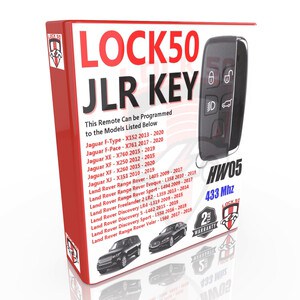
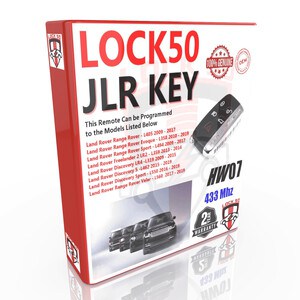
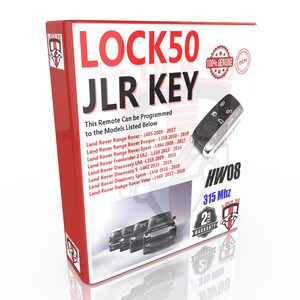
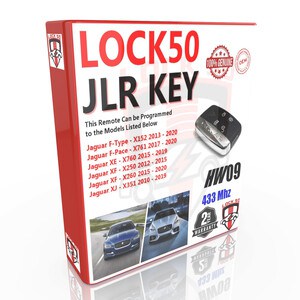
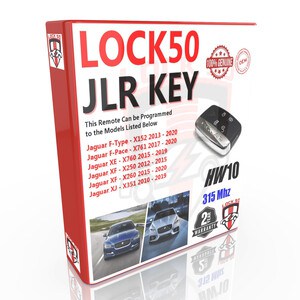
Lock50 HW02 JLR Keys and why i would need it ?
Lock50 HW01 JLR Key Tool and why i would need it ?


JLR Vehicles 2017 to 2021 Module Diagnostics and Programming ?
JLR Vehicles 2006 to 2017 Module Diagnostics and Programming ?
How UWB Works to Turn on or OFF
How Can Turn of Alarms of JLR Vehicles where RFA is Locked for ST Mcu RFA 2017 to 2024+
What's the JLR Key to Key Copy function do ?
What's the JLR RFA.KM MCU Dump Files to Key Copy function do ?
Hoes HW01 Have any Yealy Fees ?
Im After Advices for JLR Tool for Diagnostics Coding and Programming. Is that something you can help me with?
So we basically need to program JLR Smart keys from 2010 to 2024 . What what do you recommend?
How Can Turn of Alarms of JLR Vehicles where RFA is Unlocked for ST Mcu RFA 2017 to 2023+
What's the Purpose of the Lock50 HW01 Products Creation also know as JLR Key Copy Tool ?
Is thier not any other tools like HW01 already ?
Whats the Functions of the HW01 ?


What's the JLR Key to Key Copy function do ?
What's the JLR RFA.KM MCU Dump Files to Key Copy function do ?
How Can Turn of Alarms of JLR Vehicles where RFA is Unlocked for ST Mcu RFA 2017 to 2024+
Do and do we still need to Contact you first before programming?
Are you like others where After 2017 they want to log in and charge you per module to flash ?
